

Choosing a projector based purely on its brightness spec is one of the most common and costly mistakes buyers make in Malaysia. A 5,000-lumen projector sounds impressive, but point it at a small bedroom wall in a dark room and you get a washed-out, eye-straining mess. The truth is that projector brightness is not a race to the highest number. It is a balancing act between your room, your content, and your audience. This guide breaks down exactly how much brightness you need for a home theater, classroom, or office setting so you stop guessing and start watching.
Table of Contents
- Why brightness matters: Debunking myths and setting the stage
- How much brightness do you actually need? (Room by room guide)
- Factors that affect your ideal projector brightness
- Common pitfalls and professional tips for getting it right
- Our take: Why context matters more than specs
- Find the perfect projector and screen for your needs
- Frequently asked questions
Key Takeaways
| Point | Details |
|---|---|
| Match brightness to environment | Choosing the right lumens depends on room type, ambient light, and screen size. |
| Beware of marketing claims | Always look for ANSI lumens to ensure true brightness, not just advertised numbers. |
| Different spaces, different needs | Home theaters, classrooms, and offices require distinct brightness ranges for optimal viewing. |
| Context matters more than specs | Practical needs and test setups beat raw numbers in real-world performance. |
Why brightness matters: Debunking myths and setting the stage
Lumens measure the total amount of visible light a projector outputs. Think of it like a faucet: more flow is not always useful if your glass is already full. Understanding ANSI lumens is the first step, because projector brightness is measured in lumens, but context determines how much you actually need.
The biggest myth in the projector market is that maximum lumens equals maximum quality. Manufacturers love to print big numbers on boxes, and buyers love to feel like they are getting the most powerful option. But brightness without context is meaningless. A projector that is too bright for a dark room will bleach out colors, reduce contrast, and make text hard to read. One that is too dim for a sunlit classroom will leave your audience squinting.
Up to 40% of projector buyers report regretting a purchase made solely on lumens count, choosing units that were either far too powerful or too weak for their actual setup.
Real consequences show up fast. In a dark home theater, an overpowered projector can create uncomfortable glare that ruins movie nights. In a small meeting room with no blackout curtains, an underpowered unit makes slides look faded and unprofessional. Understanding the difference between lumens vs brightness perception helps you avoid both traps.
Here are the top reasons people choose the wrong projector brightness:
- They rely on marketing specs without checking ANSI lumens
- They do not account for ambient light in the room
- They buy for the largest possible screen size but use a smaller one
- They ignore screen material, which affects how bright the image appears
- They assume their room conditions will stay consistent
Pro Tip: Before you shop, visit your intended room at the time of day you plan to use the projector most. Note how much natural and artificial light is present. That single observation will guide your lumen choice better than any spec sheet.
How much brightness do you actually need? (Room by room guide)
Now that the pitfalls are clear, let us get specific with real recommendations for different spaces. The right lumen count depends heavily on where and how you use the projector.
| Setting | Recommended lumens | Ambient light level | Typical screen size |
|---|---|---|---|
| Home theater | 1,000 to 2,000 ANSI | Low to none | 100 to 120 inches |
| Living room / casual | 2,500 to 3,500 ANSI | Moderate | 80 to 100 inches |
| Small classroom | 3,000 to 4,000 ANSI | Moderate to high | 100 to 120 inches |
| Large classroom / hall | 4,000 to 6,000 ANSI | High | 120 to 150 inches |
| Small office / meeting room | 2,500 to 3,500 ANSI | Moderate | 80 to 100 inches |
| Large boardroom / auditorium | 5,000+ ANSI | High | 150+ inches |
Home theater projector brightness requirements are lower than most people expect. Home theaters typically require lower brightness than classrooms or boardrooms because you control the light environment. A well-darkened room with blackout curtains lets a 1,500-lumen projector produce a stunning, cinema-quality image.
Classrooms are a different story. Classroom projector tips consistently point out that classrooms and large offices benefit from higher lumen ratings, especially with ambient light streaming through windows. Malaysian classrooms often have large windows with limited shading, which means ambient light is a constant challenge.
Here are the top three questions to ask before choosing projector brightness:
- How much ambient light is in the room during use, and can you control it?
- What is the maximum screen size you plan to project onto?
- Will you be showing mostly video content, slides, or detailed text?
To measure your own space properly, follow these steps:
- Stand at the projector position and note all light sources, windows, ceiling lights, and reflective surfaces.
- Measure the distance from the projector to the screen or wall.
- Determine your target screen width in inches.
- Use an online lumen calculator or match your measurements to the table above.
- Add 20% to your estimate as a buffer for unexpected ambient light changes.
Factors that affect your ideal projector brightness
With use cases mapped out, it is important to consider environment and setup details next. Raw lumen numbers only tell part of the story.
| Factor | Low impact on brightness | High impact on brightness |
|---|---|---|
| Ambient light | Dark, controlled room | Bright room, open windows |
| Screen gain | High-gain screen (reflects more) | Matte white or gray screen |
| Throw distance | Short throw, close to screen | Long throw, far from screen |
| Content type | Dark movies, high contrast | Bright slides, white backgrounds |
| Screen size | Small screen, 60 to 80 inches | Large screen, 120+ inches |
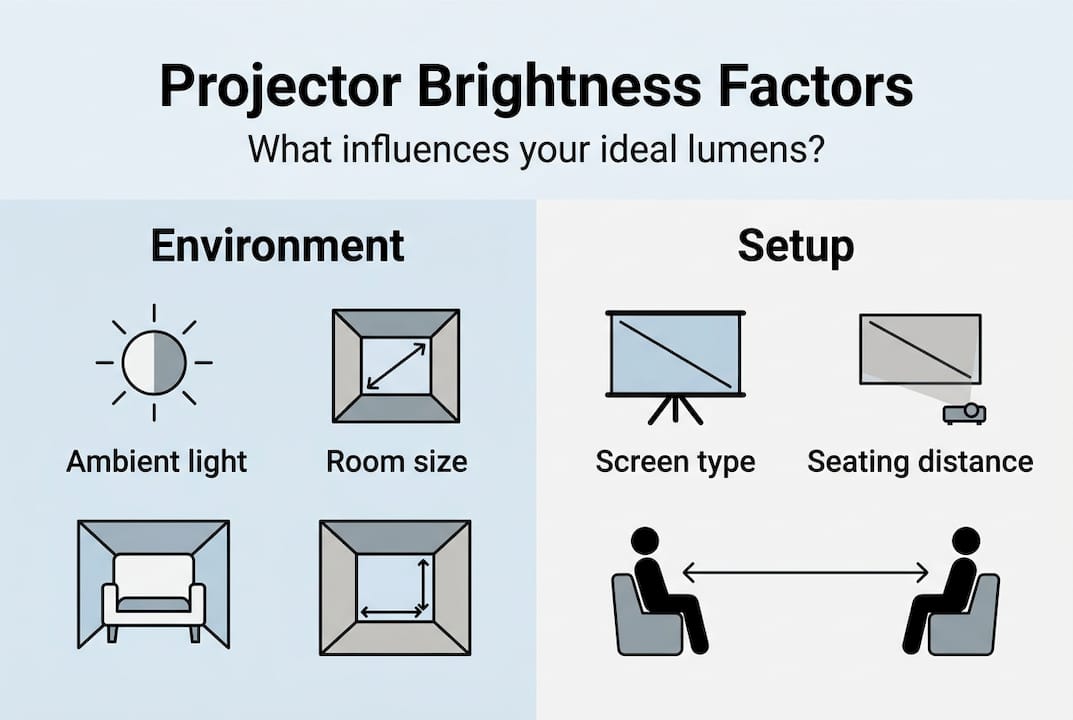
Ambient light, screen type, and projector positioning all influence perceived brightness in ways that raw specs cannot capture. A high-gain screen, for example, can make a 2,000-lumen projector look as vivid as a 3,000-lumen unit on a standard matte surface.
Here are the key factors you need to evaluate:
- Room lighting: Every extra light source competes with your projected image. Fluorescent office lights are particularly harsh.
- Screen size and material: Larger screens spread the same lumens over more area, reducing brightness per square inch. Explore the different projection screen types to find one that maximizes your projector's output.
- Throw distance: The farther your projector sits from the screen, the dimmer the image becomes. This follows the inverse square law, meaning doubling the distance roughly quarters the brightness.
- Content type: Presentations with white slide backgrounds demand more brightness than dark cinematic films.
In a Malaysian context, tropical sunlight is intense and unpredictable. Even with blinds partially closed, afternoon light can flood a room and require you to bump up your lumen count significantly. If your setup cannot control natural light well, always choose a projector on the higher end of the recommended range for your room type.
Common pitfalls and professional tips for getting it right
Knowing what to look for is only half the battle. Here is how to sidestep unexpected pitfalls that most buyers discover only after purchase.
The single biggest trap is confusing marketing lumens with ANSI lumens. Mistaking marketing lumens for ANSI lumens leads to overbuying or underperforming projectors in real use. A projector advertised at 8,000 lumens using peak or LED lumens may only deliver 2,500 ANSI lumens under standardized testing conditions. That gap is enormous.
Pro Tip: When browsing projectors in Malaysia, always filter by ANSI lumens. If a listing does not specify ANSI, ask the seller directly or check the manufacturer's official spec sheet. A reputable retailer will always provide this figure.
Here are the top three mistakes buyers make and how to avoid them:
- Trusting peak lumens: Always verify ANSI lumens before comparing models. Peak lumens can be two to three times higher than actual output.
- Skipping a test view: Numbers on paper never replace seeing the image in your actual room. If possible, request a demo or check return policies before committing.
- Ignoring future needs: If you plan to move the projector between a dark bedroom and a brighter living room, choose a model with adjustable brightness settings or a higher baseline lumen count.
For future-proofing, look for smart projector features like automatic brightness adjustment and eco modes. These allow you to dial brightness up or down based on the environment, extending lamp life and reducing eye strain at the same time. Spending slightly more on a flexible unit often saves money and frustration over the long term.
Our take: Why context matters more than specs
After years of helping Malaysian buyers find the right projector, one pattern stands out clearly. The buyers who end up most satisfied are not the ones who bought the most powerful unit. They are the ones who understood their room first.
We have seen it repeatedly. A business owner invests in a high-end 6,000-lumen laser projector for a small 10-person meeting room, expecting to impress clients. Instead, the image is so intensely bright that colleagues complain about eye fatigue within 20 minutes. The projector ends up running on its lowest brightness setting permanently, which is a setting a mid-range unit could have matched at half the price.
Spec-chasing is a real phenomenon, and projector marketing fuels it deliberately. The uncomfortable truth is that a well-matched 2,500-lumen projector in the right room will always outperform a 5,000-lumen unit used incorrectly. Following solid installation tips and understanding your space before buying will serve you far better than any spec comparison chart. Context is everything.
Find the perfect projector and screen for your needs
You now have the framework to choose brightness confidently for any setting. The next step is finding the right product to match.

At ProjectorDisplay.com, we carry a wide selection of top projectors in Malaysia across every brightness range, from compact portable units to high-output laser models built for large venues. Our team can help you match the right brightness to your exact room and use case. Browse our latest projector sales for current deals, or explore our full range of projector screens to pair with your new unit. Reach out via WhatsApp for a personalized recommendation and fast shipping across Peninsular Malaysia.
Frequently asked questions
How many lumens do I need for a home projector in Malaysia?
For a dedicated home theater with good light control, 1,000 to 2,000 ANSI lumens is typically ideal. Brighter rooms or living spaces may need 2,500 to 3,000 lumens to maintain vivid images.
What brightness is recommended for a classroom projector?
A classroom with some ambient light usually needs at least 3,000 to 4,000 ANSI lumens. Classroom projectors must overcome ambient light to keep images clear and readable for all students.
Is higher projector brightness always better?
No. Excessive brightness creates glare in dark rooms and washes out colors, reducing image quality. Matching brightness to your specific room and use case always produces better results than chasing the highest lumen count.
What is the difference between lumens and ANSI lumens?
ANSI lumens follow a standardized testing method, making them a reliable way to compare projectors. ANSI lumens give you accurate brightness ratings, while marketing lumens are often inflated peak figures that do not reflect real-world performance.
How does ambient light affect required projector brightness?
More ambient light directly competes with your projected image, requiring a higher-lumen projector to maintain clarity. Ambient light raises the minimum brightness threshold needed for vivid, visible projections in any setting.
Recommended
- Projector brightness explained: compare, choose, optimize – Projector Display
- Business projector basics: essential guide for professionals – Projector Display
- Understanding Using Projector in Daylight for Best Results – Projector Display
- 7 Smart Tips for Choosing a Cheap Projector for Home – Projector Display