
TL;DR:
- Projector resolution refers to the number of pixels that determine image sharpness. Environmental factors like ambient light and viewing distance significantly influence perceived image quality. For typical Malaysian rooms, 1080p is often sufficient, while brightness and contrast are more critical than higher resolution.
Resolution is one of the first specs buyers check, yet it's also one of the most misunderstood. Many assume the highest number on the box automatically delivers the sharpest, most satisfying image. The reality is more nuanced. Viewing distance, ambient light, screen type, and even Malaysia's climate all shape what you actually see on the wall. This guide breaks down what projector resolution truly means, how it interacts with your environment, and which factors deserve equal or greater attention so you can make a confident, well-informed purchase decision.
Table of Contents
- What projector resolution really means
- How viewing distance and screen size affect resolution
- Choosing projector resolution in Malaysian environments
- Beyond resolution: Contrast, color, and advanced features
- The overlooked factors when choosing projector resolution
- Find your ideal projector solution
- Frequently asked questions
Key Takeaways
| Point | Details |
|---|---|
| Resolution isn't everything | Factors like contrast, brightness, and environment often matter more for image quality than pixel count. |
| Viewing distance is crucial | At typical home or office setup distances, differences between 4K and 1080p may not even be noticeable. |
| Tailor to Malaysian needs | In humid and bright environments, prioritize laser projectors, high lumens, and proper screens over max resolution. |
| Choose features smartly | Consider the full balance of resolution, contrast, color, and intended use case when investing in a projector. |
What projector resolution really means
Projector resolution is the number of pixels arranged in a grid across the display area. As a foundational definition, projector resolution is the number of pixels (width x height) that determine image sharpness and detail. The more pixels packed into that grid, the finer the detail the image can reproduce. Resolution is expressed as two numbers: width by height. A Full HD projector, for example, produces 1920 x 1080 pixels.
Aspect ratio is closely related. Most modern projectors use a 16:9 widescreen ratio, which suits movies and TV content. Business projectors sometimes use 16:10 or 4:3 ratios, which better fit spreadsheets and presentation slides.
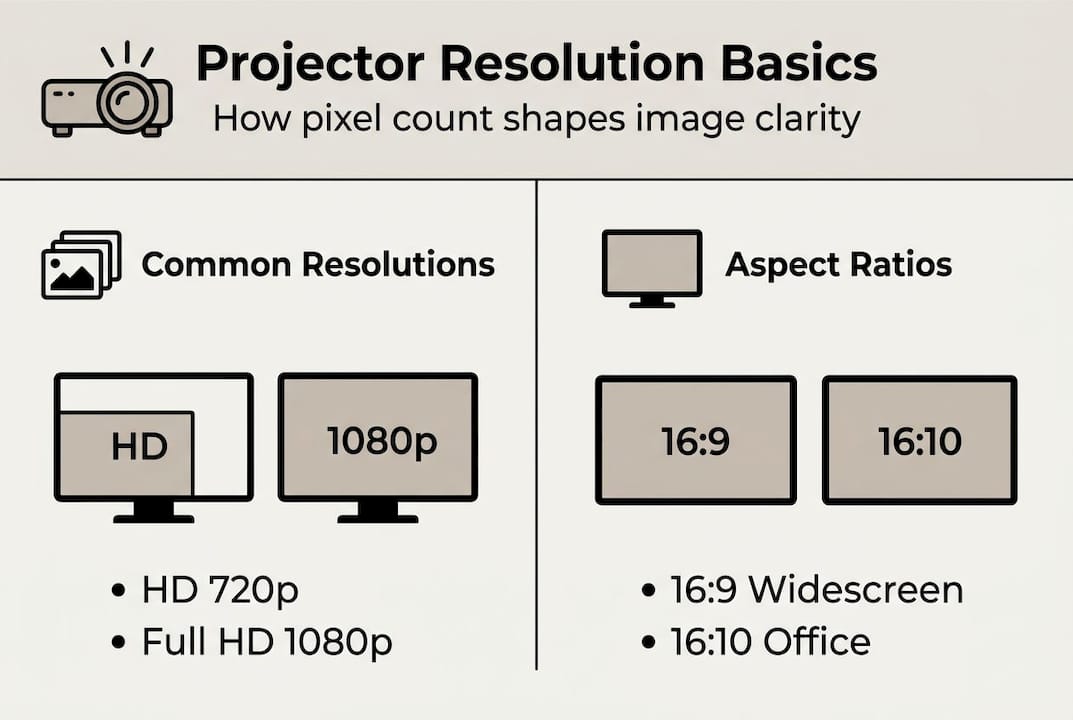
Here is how the major resolution standards compare:
| Standard | Pixel count | Aspect ratio | Common use |
|---|---|---|---|
| HD (720p) | 1280 x 720 | 16:9 | Budget home, casual use |
| Full HD (1080p) | 1920 x 1080 | 16:9 | Home theater, business |
| WXGA | 1280 x 800 | 16:10 | Office presentations |
| WUXGA | 1920 x 1200 | 16:10 | Pro business, data |
| 4K UHD | 3840 x 2160 | 16:9 | Premium home theater |
| 8K | 7680 x 4320 | 16:9 | Emerging, rare |
One term worth knowing is native resolution versus enhanced or pixel-shifted resolution. Native resolution refers to the actual physical pixel count of the projector's imaging chip. Pixel shifting is a technique where a single chip rapidly shifts pixels in fractions of a millimeter to simulate a higher count. Some 4K projectors on the market use pixel shifting from a 1080p or 2K chip rather than a true 4K chip. The result is good but not identical to native 4K.
Benefits of higher resolution:
- Finer detail in text, graphics, and video
- Better performance on large screens (150 inches and above)
- Future-proofing for 4K content libraries
- Improved clarity for gaming and fast-motion content
Potential drawbacks:
- Significantly higher cost for native 4K chips
- Diminishing returns at typical viewing distances
- Heavier processing demands for HDR and 4K content
- Pixel-shifted 4K may show artifacts in very fine static text
The key insight here is that resolution is a ceiling, not a guarantee. A high-resolution projector in a poorly lit room with a low-gain screen will still look worse than a well-matched 1080p setup.
How viewing distance and screen size affect resolution
Here is something most spec sheets will not tell you: your eyes have physical limits. The human eye can only resolve so much detail at a given distance. Past a certain point, the extra pixels in a 4K image become invisible compared to 1080p. Resolution benefits diminish with viewing distance, and this is not a minor effect. It is the central reason why many 4K projector upgrades disappoint buyers.
The Society of Motion Picture and Television Engineers (SMPTE) recommends a viewing angle of at least 30 degrees for an immersive experience. For a 100-inch screen, that puts your ideal seat at roughly 2.5 to 3.5 meters away. At that distance, 4K and 1080p can look nearly identical to the naked eye.
This table gives a practical guide:
| Screen size | Viewing distance | Resolution benefit |
|---|---|---|
| Under 80" | 2.5 m or more | 1080p is sufficient |
| 80" to 120" | 2 to 3 m | 1080p strong, 4K marginal |
| 120" to 150" | 1.5 to 2.5 m | 4K visible advantage |
| 150" and above | Any distance | 4K clearly beneficial |
To choose the right resolution for your room, follow these steps:
- Measure your actual seating distance from the screen.
- Determine your screen size or the maximum throw distance available.
- Use the table above to check whether 4K will be visible at your distance.
- Factor in content type: gaming and cinema benefit more from 4K than slideshows.
- Set your budget after confirming whether the resolution upgrade is perceptible.
"At typical living room distances of 2.5 to 3.5 meters with a 100-inch screen, most viewers cannot reliably distinguish 4K from 1080p without side-by-side comparison."
For a deeper look at how these two standards stack up in real Malaysian homes and offices, the Full HD vs 4K breakdown covers the comparison with local context.
Pro Tip: For offices and boardrooms, WXGA (1280 x 800) or WUXGA (1920 x 1200) projectors often outperform 16:9 models for text-heavy presentations because the extra vertical pixels reduce cropping on standard document layouts.
Choosing projector resolution in Malaysian environments
Malaysia presents a specific set of challenges that shift the projector buying equation. Bright ambient light from open-plan offices, large windows, and tropical daylight is one of the biggest factors. In these conditions, a projector's brightness and contrast matter far more than whether it is 1080p or 4K.
In bright rooms, prioritize lumens and contrast over maximum resolution. A projector pushing 3,500 lumens on a gain 1.3 screen will look dramatically better in a sunlit Malaysian office than a 4K model rated at 2,000 lumens on a flat white screen. Ambient light rejection (ALR) screens are designed to block side-light while reflecting projector light forward, and pairing one with a high-lumen projector is often the smartest investment.
Humidity is the other major factor. Malaysia's year-round humidity accelerates the degradation of lamp-based projectors. High humidity favors laser projectors for longevity because laser light engines are sealed and do not rely on replaceable bulbs that absorb moisture and degrade faster.
What matters most in Malaysian environments:
- Brightness (lumens): aim for 3,000 or more for lit rooms
- Contrast ratio: higher is better for punchy, readable images
- Screen gain: 1.2 to 1.5 for bright rooms
- ALR screen compatibility for ambient light control
- Laser light source for humidity resilience
- Throw ratio: short throw vs long throw matters for room layout
What matters less in many local setups:
- 4K native resolution in rooms under 120 inches
- 8K (content is essentially unavailable)
- Pixel-shifting 4K in bright, ambient-lit rooms
For home use in a typical Malaysian apartment with a 100 to 110-inch screen and a viewing distance of 2.5 to 3 meters, 1080p is genuinely sufficient for most content. For a dedicated home theater with blackout curtains and a 130-inch or larger screen, 4K starts to justify its cost. Understanding pixel shifting explained helps you evaluate whether a projector's 4K claim is native or simulated.
Pro Tip: Before upgrading to 4K, test your current or target projector in your actual room with the lights you normally use. Many buyers discover that a brighter 1080p unit outperforms a dimmer 4K model in their specific space.
Beyond resolution: Contrast, color, and advanced features
Resolution gets the headlines, but contrast ratio and color accuracy are what your eyes actually respond to in a real viewing session. Resolution alone is insufficient; contrast, color gamut, and tone-mapping are critical for HDR content to look its best.
Contrast ratio describes the difference between the brightest white and the darkest black a projector can produce. A projector with a 10,000:1 contrast ratio will show richer shadows and more vivid highlights than a 2,000:1 model, even if both are 1080p. In dark scenes, this difference is immediately visible.
Color gamut refers to the range of colors a projector can reproduce. The main standards are:
- Rec.709: Standard for HD and most streaming content
- DCI-P3: Wider gamut used in cinema; covers more reds and greens
- Rec.2020: Broadest gamut, used for premium HDR content
For movies and gaming, a projector covering 90% or more of DCI-P3 will deliver noticeably more vivid and accurate colors than one limited to Rec.709.
"A native 1080p projector with a 50,000:1 contrast ratio and full DCI-P3 color will outperform a pixel-shifted 4K projector with poor contrast in virtually every real-world viewing scenario."
Features that impact image quality beyond resolution:
- HDR10 or Dolby Vision support for tone-mapped highlights
- Dynamic iris for improved dark scene contrast
- Color calibration tools (color wheel, color management system)
- Frame interpolation for smoother motion in sports and gaming
- Pixel shifting for simulated 4K at lower cost
Pixel shifting is worth understanding carefully. Pixel-shift excels for motion and gaming but may show artifacts in static fine text compared to native resolution chips. For business presentations with small fonts, native resolution is the safer choice.
Tone-mapping processes HDR signals to fit the projector's actual brightness range. Without good tone-mapping, HDR content can look washed out or overly bright. This is a firmware and processing feature, not a hardware spec, so reading reviews matters as much as reading the spec sheet.
The overlooked factors when choosing projector resolution
We see a consistent pattern at ProjectorDisplay.com: buyers arrive focused on resolution and leave with a completely different priority list after asking the right questions. The 4K spec sheet is seductive. It feels like a clear, objective upgrade. But in practice, most Malaysian buyers are setting up projectors in rooms with ambient light, modest screen sizes, and mixed-use needs.
The uncomfortable truth is that for a typical 3-meter viewing distance with a 100 to 120-inch screen, the Full HD vs 4K insights debate often resolves in favor of 1080p when you factor in brightness, contrast, and budget. Spending the saved money on an ALR screen or a laser light source usually produces a bigger visible improvement than jumping to 4K.
Throw ratio is another underrated factor. Understanding your room's geometry through a projector throw ratio guide can save you from buying the wrong projector entirely, regardless of resolution. A short-throw model in a small Malaysian living room will outperform a long-throw 4K unit that cannot even fit the image properly.
Our advice: define your application first. Text-heavy boardroom use calls for WUXGA and high lumens. A dedicated home cinema calls for 4K with high contrast. A classroom or training room calls for durability, brightness, and connectivity. Resolution is the last box to check, not the first.
Find your ideal projector solution
Now that you have a clear framework for evaluating projector resolution alongside brightness, contrast, and environment, the next step is finding the right product for your specific setup. ProjectorDisplay.com is Malaysia's trusted projector seller with a curated range of home, business, and educational projectors backed by local support and fast shipping across Peninsular Malaysia.

Not sure which throw distance suits your room? The projector installation tips guide walks you through setup decisions step by step. Pairing your projector with the right surface is equally important, so take time to explore projector screens matched to your brightness and room conditions. Reach out via WhatsApp for a personalized recommendation before you buy.
Frequently asked questions
What resolution is best for a small office projector?
For most small offices in Malaysia, Full HD (1080p) handles presentations well, but WXGA or WUXGA in a 16:10 aspect ratio is often preferred for large text and document clarity without cropping.
Is 4K always better than 1080p for home use?
Not always. 4K is distinguishable only at close distances or on very large screens; at typical Malaysian home viewing distances of 2.5 to 3.5 meters, 1080p often appears equally sharp.
Does Malaysian climate affect projector selection?
Yes. High humidity favors sealed laser projectors for longevity, and bright Malaysian rooms require higher lumens paired with ALR screens for a clear image.
What are the most important features besides resolution?
Contrast and color gamut are often more critical for overall picture quality than resolution alone, especially for HDR content in home theater setups.
How does throw ratio impact projector setup?
Throw ratio determines how far the projector must sit from the screen for a given image size. UST models at 0.2:1 are ideal for tight Malaysian living rooms where wall-to-seating distance is limited.
Recommended
- Understanding Resolution in Projectors: A Clear Guide – Projector Display
- Projector Resolution Explained: Guide for Malaysia 2025 – Projector Display
- Native Resolution Explained: Key Facts for Projector Buyers – Projector Display
- How to Choose Projector: A Complete Guide for 2025 Success – Projector Display
- Your essential guide to high-resolution video storage