
TL;DR:
- Wireless business projectors enable cable-free display of screen content via protocols like Miracast, AirPlay, or Wi-Fi 6, streamlining meetings and supporting BYOM workflows. Choosing between built-in wireless models, external adapters, or BYOM dongles depends on network stability, security needs, room size, and portability requirements. Ensuring proper setup, secure authentication, and matching device capabilities to the environment is essential for reliable, secure wireless presentations.
A wireless business projector is defined as a display device that transmits screen content from laptops, tablets, or smartphones to a projected image without physical cables, using protocols like Miracast, AirPlay, or Wi-Fi 6. Brands like Epson and LatenTech have made this technology standard in modern meeting rooms, replacing tangled HDMI setups with one-tap casting. For business professionals and entrepreneurs in Malaysia and beyond, the right wireless projection setup cuts meeting prep time, supports BYOM (Bring Your Own Meeting) workflows, and keeps sensitive data secure. This guide covers every decision point, from protocol selection to deployment in diverse professional environments.
What wireless technologies power a wireless business projector?
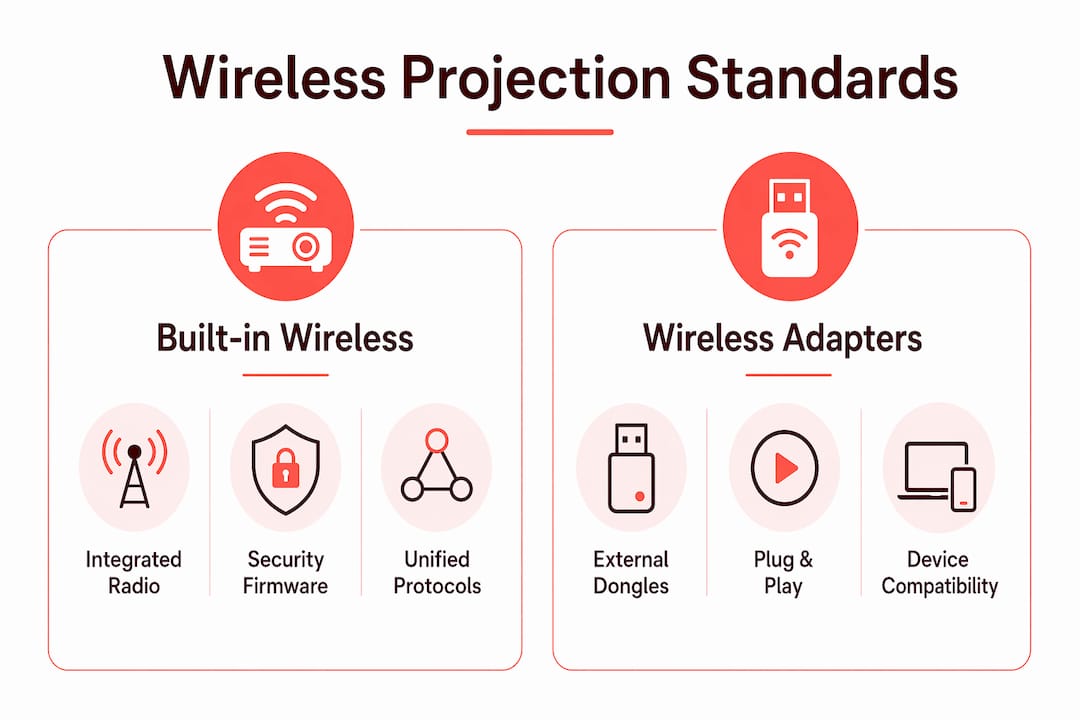
The core of any wireless projection for business is the protocol layer. Miracast, AirPlay, Wi-Fi 6, and Chromecast represent the four dominant standards, and each serves a different device ecosystem. Miracast works natively with Windows and Android devices. AirPlay is Apple's protocol, covering MacBooks, iPhones, and iPads. Chromecast support extends to Chrome OS and Android. Wi-Fi 6 is not a casting protocol but the network backbone that reduces latency and supports more simultaneous connections in crowded meeting rooms.
The Epson EB-FH54 illustrates how a single device can unify these standards. It delivers 4,100 lumens of Full HD brightness, built-in wireless LAN, and support for both Miracast and AirPlay 2, with WPA2/WPA3 Enterprise security baked in. That security layer matters because most enterprise networks require Protected EAP authentication before any device can join. A projector without WPA3 support is simply not compatible with modern corporate IT policy.
The table below compares the four major wireless projection standards across the criteria that matter most to business buyers.
| Standard | Best for | Network required | Security tier |
|---|---|---|---|
| Miracast | Windows, Android | No (peer-to-peer) | WPA2 |
| AirPlay 2 | Apple devices | Yes (shared Wi-Fi) | WPA2/WPA3 |
| Chromecast | Chrome OS, Android | Yes (shared Wi-Fi) | WPA2/WPA3 |
| Wi-Fi 6 (802.11ax) | High-density rooms | Yes | WPA3 |
One detail most buyers miss: Miracast creates a direct peer-to-peer Wi-Fi connection between the source device and the projector, bypassing the corporate network entirely. This makes it faster to connect but also means IT teams cannot monitor or log the session. For presentations involving financial or legal data, AirPlay or Chromecast over a managed WPA3 network is the more defensible choice. You can explore how these wireless projection protocols interact with different projector models in more detail.
How do built-in wireless projectors differ from wireless adapters?
Wireless business projectors split into two categories: devices with integrated wireless mirroring and external wireless adapters that add wireless capability to any projector. Understanding this distinction prevents expensive mismatches between your hardware and your meeting room setup.
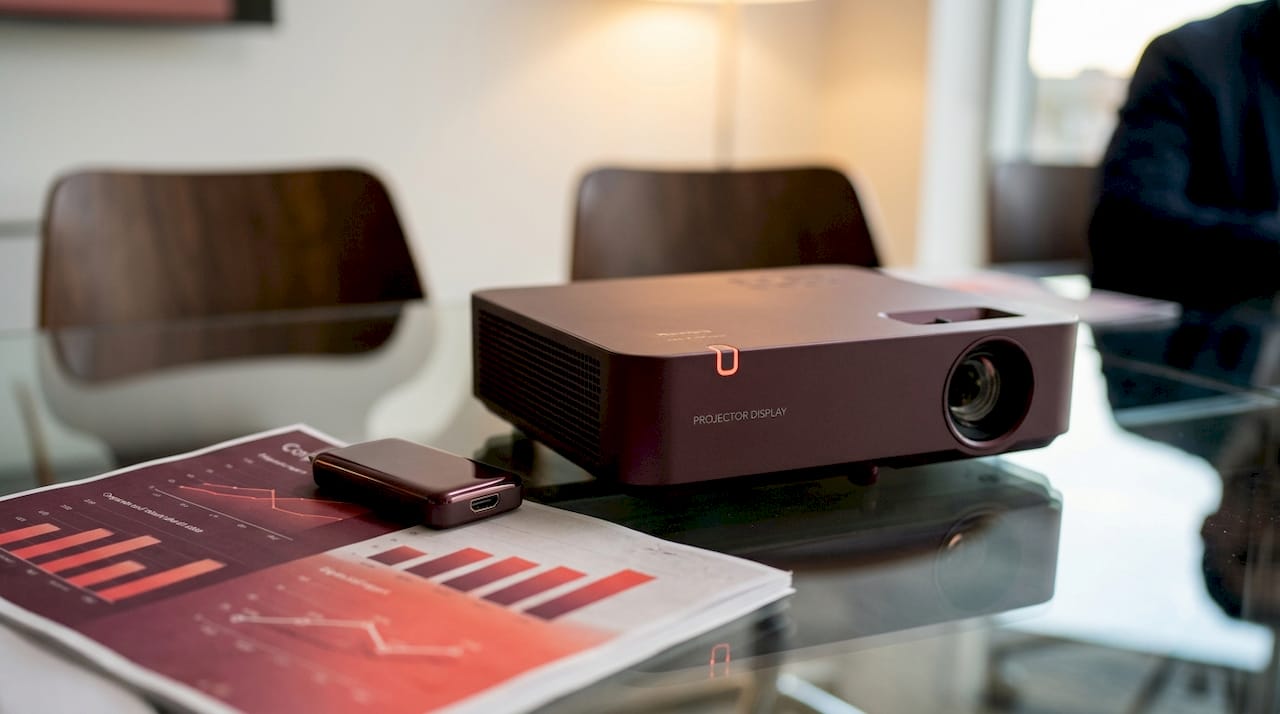
Built-in wireless projectors carry the wireless radio, protocol stack, and security firmware inside the unit. The Epson 2026 laser projector lineup, for example, offers built-in wireless mirroring with up to 5,200 lumens, moderator control features, and a 30,000-hour maintenance-free laser light source. That combination of longevity and wireless capability makes it a strong candidate for permanent conference room installations where you want zero recurring maintenance costs.
External wireless adapters take a different approach. Belkin's wireless HDMI display adapter connects a laptop to any HDMI-equipped projector without Wi-Fi or Bluetooth, supports 1080p at 60Hz, reaches up to 131 feet, and requires no driver installation. This is the right tool when your meeting room Wi-Fi is unreliable or when you need a portable solution that works in client offices, hotel conference rooms, or co-working spaces.
BYOM dongles represent a third category that sits between the two. The LatenTech WPS-E-1080 delivers 4K wireless screen sharing via a plug-and-play USB-C dongle supporting Miracast and AirPlay, with no software installation required. It is designed as meeting-room infrastructure, meaning the dongle stays in the room and any visitor's device connects instantly regardless of operating system.
Here is a quick comparison of the three approaches:
- Built-in wireless projectors: Best for permanent installations with stable enterprise Wi-Fi and IT-managed security policies.
- No-network wireless adapters (e.g., Belkin): Best for unstable Wi-Fi environments, traveling presenters, or spaces without managed networks.
- BYOM dongles (e.g., LatenTech): Best for mixed-device teams where Windows, macOS, Android, and iOS users all need to present without friction.
What factors should you consider when choosing a wireless business projector?
Selecting the right wifi enabled projector for your business requires matching the device's capabilities to your specific environment. Four factors consistently separate good decisions from regrettable ones.
1. Wi-Fi infrastructure quality. A projector that relies on AirPlay or Chromecast will perform poorly in a meeting room with a congested 2.4GHz network. Before purchasing, audit your router's band support and the number of devices competing for bandwidth. If your office Wi-Fi is managed and stable, a built-in wireless projector is the cleaner solution. If it is not, a no-network adapter like Belkin's product eliminates the variable entirely. Wi-Fi instability is consistently the biggest obstacle to smooth wireless presentations, not protocol incompatibility.
2. Enterprise security requirements. Any projector handling sensitive presentations needs WPA2/WPA3 Enterprise support. The Epson EB-FH54's enterprise security with Protected EAP authentication is the benchmark to look for. If your IT team cannot enroll the projector in your network's certificate-based authentication system, the device is a security gap, not an asset.
3. Brightness and resolution for your room size. A portable business projector used in a small meeting room performs adequately at 3,000 lumens. A large boardroom or training hall needs 4,000 to 5,200 lumens to overcome ambient light. Full HD (1080p) is the minimum for text-heavy business presentations. 4K becomes relevant when displaying detailed engineering drawings, financial dashboards, or video content.
4. Portability and power flexibility. Entrepreneurs and consultants who present across multiple locations need a projector that fits in a carry-on bag and charges via USB-C. The Aurzen EAZZE D1R Air, with its built-in Roku TV streaming and proprietary power bank stand, shows how portable projectors are eliminating the need for external streaming devices entirely. For fixed installations, laser projectors with 30,000-hour light sources remove lamp replacement from the maintenance calendar.
Pro Tip: Before finalizing any purchase, test your intended projector in the actual room at the time of day you most frequently present. Ambient light conditions at 9 AM in a glass-walled conference room are dramatically different from a windowless training room at 2 PM.
You can also review portable projector options specifically curated for business presentations to narrow your shortlist.
How to set up and use a wireless business projector effectively
Setup quality determines whether wireless projection saves time or wastes it. A well-configured system connects in under 10 seconds. A poorly configured one becomes the reason meetings start late.
Follow these steps for a reliable wireless projection setup:
- Verify device compatibility first. Confirm that your laptop or phone supports the projector's casting protocol. Windows 10 and 11 include native Miracast support. macOS requires AirPlay. Android supports both Miracast and Chromecast. iOS works with AirPlay only.
- Assign the projector a static IP address. Dynamic IP assignment causes the projector to appear as a new device after each reboot, breaking saved connection profiles on your laptop.
- Use the 5GHz band exclusively. The 2.4GHz band is congested in most office buildings. Locking the projector to 5GHz reduces interference and improves frame rates during screen mirroring.
- Enable moderator control if available. Epson's 2026 laser lineup and LatenTech's WPS-E-1080 both include moderator control, which lets a meeting host approve or block incoming connection requests. This prevents accidental screen sharing during sensitive discussions.
- Keep a no-network backup adapter in the room. Even in well-managed environments, network outages happen. A Belkin wireless HDMI adapter stored in the conference room ensures the meeting continues regardless of Wi-Fi status.
BYOM systems treated as infrastructure require no driver installs and support multi-platform compatibility, which is exactly the right framing for IT teams managing mixed-device organizations. The dongle lives in the room. The meeting starts on time.
Pro Tip: Label the HDMI and USB-C ports on your conference room's connection panel with the protocol each supports. Visitors from outside your organization will connect faster, and your IT team will field fewer support calls.
For a broader look at wireless screen mirroring in Malaysia, including protocol-specific setup guides for AirPlay and Miracast, Projectordisplay's 2025 guide covers the full compatibility matrix.
Key takeaways
A wireless business projector performs reliably only when the protocol, network infrastructure, and security configuration are matched to the specific meeting environment.
| Point | Details |
|---|---|
| Protocol matching matters | Choose Miracast for Windows/Android, AirPlay for Apple devices, and Chromecast for Chrome OS environments. |
| Security is non-negotiable | Require WPA2/WPA3 Enterprise support for any projector handling sensitive business presentations. |
| Two system types exist | Built-in wireless projectors suit stable enterprise Wi-Fi; no-network adapters suit unstable or unfamiliar venues. |
| BYOM dongles reduce friction | Plug-and-play USB-C dongles like LatenTech's WPS-E-1080 eliminate driver installs and IT support calls. |
| Brightness scales with room size | Use 3,000+ lumens for small rooms and 4,000 to 5,200 lumens for large boardrooms or training halls. |
Why reliable connectivity beats protocol variety every time
After working with dozens of projector setups across corporate offices, training centers, and event venues in Malaysia, one pattern stands out clearly. Buyers spend hours comparing Miracast versus AirPlay support, then deploy the projector on a congested office Wi-Fi network and wonder why the connection drops mid-presentation. Protocol support is table stakes. Network quality is the actual variable.
The most productive meeting rooms I have seen treat the wireless presentation system as infrastructure, not as a peripheral. The LatenTech BYOM dongle sits permanently in the room. The Epson laser projector is enrolled in the corporate network with a static IP and WPA3 credentials. There is no setup ritual before each meeting. You walk in, plug the dongle into your laptop, and the screen mirrors in seconds.
I also think the security conversation is underweighted in most buying guides. Presenting a financial forecast or a client proposal over an unencrypted Miracast peer-to-peer connection in a shared office building is a real risk. WPA3 Enterprise support, as seen in the Epson EB-FH54, is not a premium feature. It is a baseline requirement for any organization that takes data governance seriously.
For entrepreneurs and consultants who present in unfamiliar venues, my recommendation is direct: carry a no-network wireless HDMI adapter. It works in hotel conference rooms, client offices, and co-working spaces where you have zero control over the Wi-Fi. The Belkin adapter's 131-foot range and zero-driver setup make it the most practical tool in a traveling presenter's kit.
The wireless projector market in Malaysia is maturing fast. Brands like Epson projector Malaysia, Optoma projector Malaysia, BenQ projector Malaysia, and Viewsonic projector Malaysia all now offer models with integrated wireless capabilities. The best projector brand for your use case is the one whose protocol stack, brightness spec, and security features match your specific room and workflow, not the one with the most impressive spec sheet.
— Projector
Find the best wireless business projectors at Projectordisplay
Projectordisplay is the best projector seller in Malaysia, offering a curated selection of wireless projectors for business, education, and large venue use. Whether you need a portable business projector for client meetings or a high-lumen laser unit for a boardroom, the catalog covers Epson projector Malaysia models, BenQ projector Malaysia options, Viewsonic projector Malaysia units, and more, all available with fast shipping across Peninsular Malaysia and WhatsApp support.

For large conference rooms and event spaces, the top projector picks for large venues page highlights models with built-in wireless mirroring, high brightness ratings, and enterprise security support. You can also browse the full range at Projectordisplay, where projector lamp Malaysia replacements, projector screen Malaysia options, and wireless accessories are all available in one place. Get a quote today or reach the team directly via WhatsApp for expert guidance on the right wireless projection system for your business.
FAQ
What is a wireless business projector?
A wireless business projector is a projector that connects to source devices like laptops or smartphones without cables, using protocols such as Miracast, AirPlay, or Wi-Fi 6 to mirror or cast screen content during presentations.
Do I need Wi-Fi to use a wireless projector?
Not always. Projectors using Miracast create a direct peer-to-peer connection without a router. No-network adapters like Belkin's wireless HDMI adapter also work without Wi-Fi or Bluetooth, making them ideal for venues with unreliable networks.
What is a BYOM projector system?
BYOM stands for Bring Your Own Meeting. Systems like the LatenTech WPS-E-1080 use a plug-and-play USB-C dongle that any visitor can connect to instantly, supporting Windows, macOS, Android, and iOS without software installation.
How many lumens does a business projector need?
Small meeting rooms require at least 3,000 lumens. Large boardrooms and training halls need 4,000 to 5,200 lumens to maintain image clarity under ambient lighting conditions.
Is wireless projection secure for business use?
Wireless projection is secure when the projector supports WPA2/WPA3 Enterprise authentication. The Epson EB-FH54 includes Protected EAP support, which meets enterprise IT security standards for sensitive business presentations. You can review projector security best practices for a full breakdown of data protection measures.
Recommended
- Projector Wireless Connection: Enhancing Presentations – Projector Display
- Best Wireless Screen Mirroring Projector Guide 2025 – Projector Display
- Master wireless projection for seamless presentations – Projector Display
- Best portable projectors for business presentations in 2026 – Projector Display