

{
“@type”: “Article”,
“author”: {
“url”: “https://projectordisplay.com”,
“name”: “Projector Display”,
“@type”: “Organization”
},
“@context”: “https://schema.org”,
“headline”: “Wireless Screen Mirroring in Malaysia: 2025 Guide for Entertainment, Education, and Business”,
“publisher”: {
“url”: “https://projectordisplay.com”,
“name”: “Projector Display”,
“@type”: “Organization”
},
“inLanguage”: “en”,
“description”: “Discover how wireless screen mirroring transforms entertainment, education, and business in Malaysia. Learn setup, best apps, and smart use cases for 2025.”,
“datePublished”: “2025-07-26T12:10:20.951Z”,
“mainEntityOfPage”: {
“@id”: “https://projectordisplay.com/wireless-screen-mirroring-malaysia-guide-2025”,
“@type”: “WebPage”
}
}
Wireless screen mirroring is starting to take over homes, classrooms, and offices across Malaysia as more people want to share content instantly with zero cables. But did you know that over 70 percent of Malaysian businesses have adopted wireless display tech for presentations and meetings in 2024 alone? Most people think setting up seamless screen mirroring is just a plug-and-play affair, but the real difference comes down to knowing the right apps, the best devices, and some surprising network tricks that nobody talks about.
Table of Contents
- How Wireless Screen Mirroring Works
- Best Wireless Screen Mirroring Apps and Devices 2025
- Smart Use Cases for Malaysian Homes, Schools, and Offices
- Tips for a Seamless Wireless Screen Mirroring Experience
Quick Summary
| Takeaway | Explanation |
|---|---|
| Optimize your network for better performance | Use a 5GHz WiFi network and position your router centrally to reduce interference and enhance connectivity. |
| Ensure device compatibility before mirroring | Verify that both your source device and display support the same wireless mirroring protocols for seamless connection. |
| Utilize advanced mirroring apps for efficiency | Apps like Scrcpy and AirPlay provide high-quality mirroring with low latency, ideal for presentations and education. |
| Adjust settings for smooth screen sharing | Lower the resolution or refresh rate during mirroring to improve performance on slower networks and prevent lag. |
| Invest in modern, capable hardware | Newer smart projectors and displays support advanced mirroring technologies, offering better stability and user experience. |
How Wireless Screen Mirroring Works
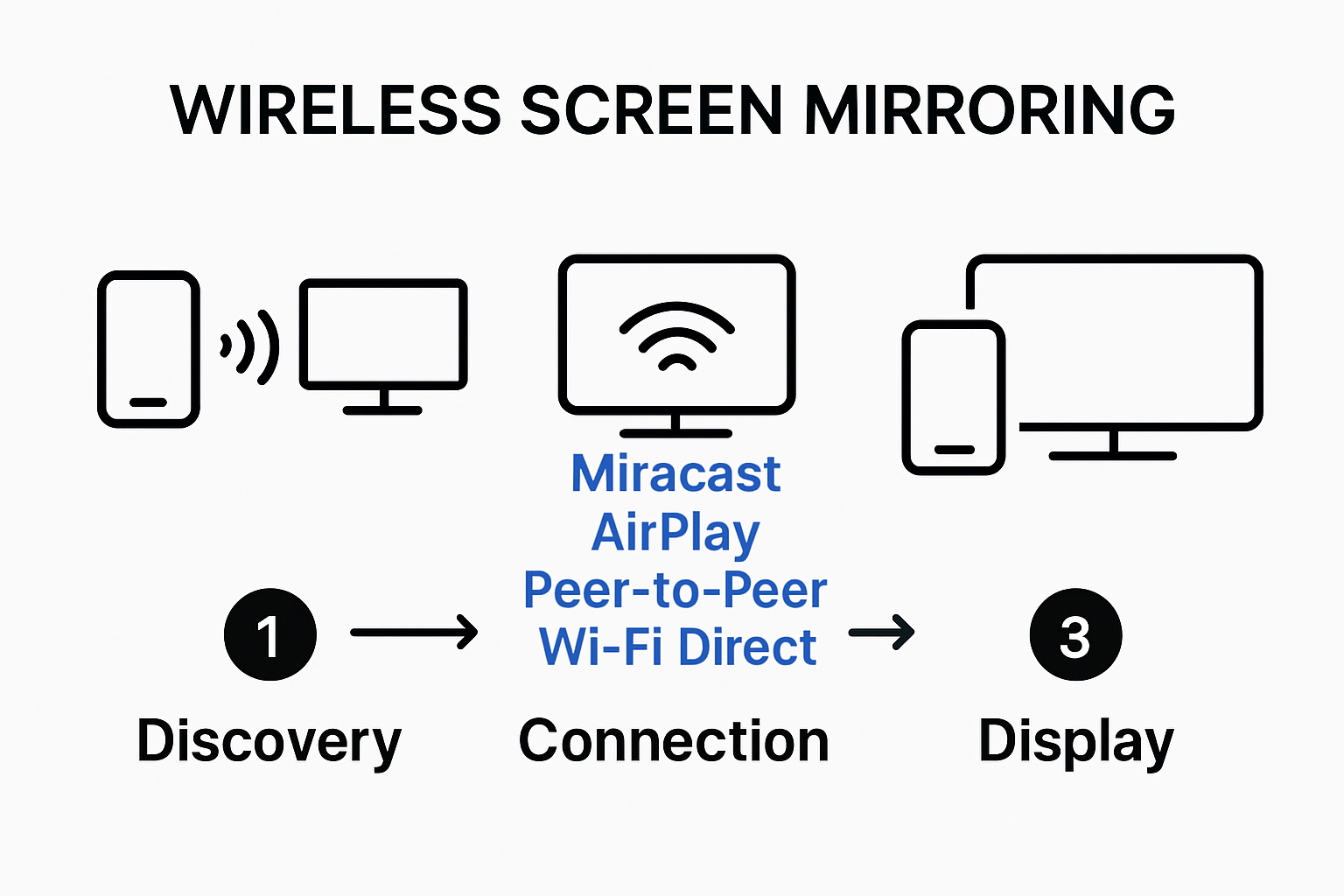
The Technical Foundation of Wireless Transmission
At its core, wireless screen mirroring operates through sophisticated wireless communication protocols that establish direct connections between source devices and display receivers. Learn more about screen projection techniques The two primary technologies driving this capability are Wi-Fi Direct and peer-to-peer networking.
Miracast, developed by the Wi-Fi Alliance, represents a standard wireless communication protocol that enables video and audio transmission between devices. It functions essentially as 'HDMI over Wi-Fi', creating a direct connection that allows smartphones, tablets, and computers to wirelessly share their screens with compatible displays. The technology utilizes Wi-Fi Direct, which means devices can communicate without requiring a traditional wireless router as an intermediary.
Protocols and Connection Mechanisms
Different wireless screen mirroring protocols cater to various device ecosystems. AirPlay, Apple's proprietary streaming protocol, facilitates multimedia streaming between Apple devices through direct peer-to-peer connections or local network transmission. For Windows users, native screen mirroring capabilities allow projection by simply pressing the Windows logo key + K, selecting the desired display from available devices.
The connection process typically involves several key steps. First, the source device (like a smartphone or laptop) discovers compatible display receivers within its wireless range. Next, a secure wireless handshake establishes the connection, negotiating transmission parameters such as resolution, refresh rate, and audio synchronization. Once connected, the source device's screen is dynamically transmitted to the receiver, creating a real-time mirror of the original display.
Modern wireless screen mirroring technologies support multiple resolutions and refresh rates, ensuring high-quality visual experiences. Most contemporary implementations can handle Full HD (1920×1080) and even 4K content, with minimal latency. This makes the technology suitable for diverse applications including business presentations, educational demonstrations, home entertainment, and collaborative work environments.
Understanding these technical nuances helps users appreciate the sophisticated engineering behind what seems like a simple wireless connection. From complex signal processing to intelligent bandwidth management, wireless screen mirroring represents a sophisticated intersection of networking, video transmission, and user experience design.
Best Wireless Screen Mirroring Apps and Devices 2025
The landscape of wireless screen mirroring continues to evolve rapidly, offering users an increasingly sophisticated range of apps and devices that simplify visual content sharing across multiple platforms and ecosystems. Explore our comprehensive projection guide for the most up-to-date wireless screen mirroring solutions in Malaysia.
Top Wireless Screen Mirroring Applications
In 2025, several standout applications dominate the wireless screen mirroring marketplace. Scrcpy, an open-source application, provides exceptional performance for Android users, enabling high-quality screen display and device control with remarkably low latency. This makes it particularly valuable for professionals and educators who require precise screen sharing.
Apple users continue to benefit from AirPlay, the proprietary streaming protocol that seamlessly connects Apple devices. The technology supports not just screen mirroring but also multimedia streaming, making it a comprehensive solution for the Apple ecosystem. For Windows environments, built-in wireless projection capabilities allow straightforward screen sharing by simply selecting compatible displays.
Emerging Wireless Mirroring Devices and Technologies
The Malaysian market has seen significant advancements in wireless display technologies. Modern smart projectors and displays now incorporate native wireless mirroring capabilities, eliminating the need for additional adapters or complex setup processes. According to research from the University of Miami's Academic Technologies department, these integrated solutions are transforming how educational and business environments approach visual presentations.
Key features to consider when selecting wireless screen mirroring devices include compatibility with multiple operating systems, support for high-resolution displays (4K and beyond), minimal connection latency, and robust security protocols. Devices supporting Miracast standards offer reliable peer-to-peer connections, enabling users to transmit video and audio signals without traditional cable infrastructure.
The most advanced wireless screen mirroring solutions in 2025 go beyond simple screen replication. They offer interactive features like remote control, annotation capabilities, and seamless multi-device collaboration. These technologies are particularly transformative in educational settings, allowing instructors to share content dynamically and engage students through interactive visual experiences.
For Malaysian users, the key is selecting solutions that balance performance, ease of use, and compatibility with existing technology ecosystems. Whether for home entertainment, professional presentations, or educational environments, the right wireless screen mirroring app or device can significantly enhance visual communication and collaboration.
To help readers compare the main wireless screen mirroring technologies and their characteristics, the following table summarizes the protocols, platforms, and unique advantages discussed.
| Protocol/App | Supported Platforms | Unique Features | Typical Use Cases |
|---|---|---|---|
| Miracast | Windows, Android, Smart TVs | Peer-to-peer Wi-Fi Direct; HDMI over Wi-Fi; no router needed | Business presentations, education, home entertainment |
| AirPlay | Apple (iOS, macOS, Apple TV) | Proprietary; multimedia streaming; low latency | Home entertainment, education, presentations |
| Scrcpy | Android, Windows, macOS, Linux | Open-source; high performance; device control | Teaching, professional screen sharing |
| Windows Built-in | Windows devices | Native projection; simple Win+K shortcut | Business, quick in-office presentations |
| Smart Projectors/Displays | Multi-platform | Native wireless mirroring, interactive features | Collaborative meetings, dynamic classrooms |
Smart Use Cases for Malaysian Homes, Schools, and Offices
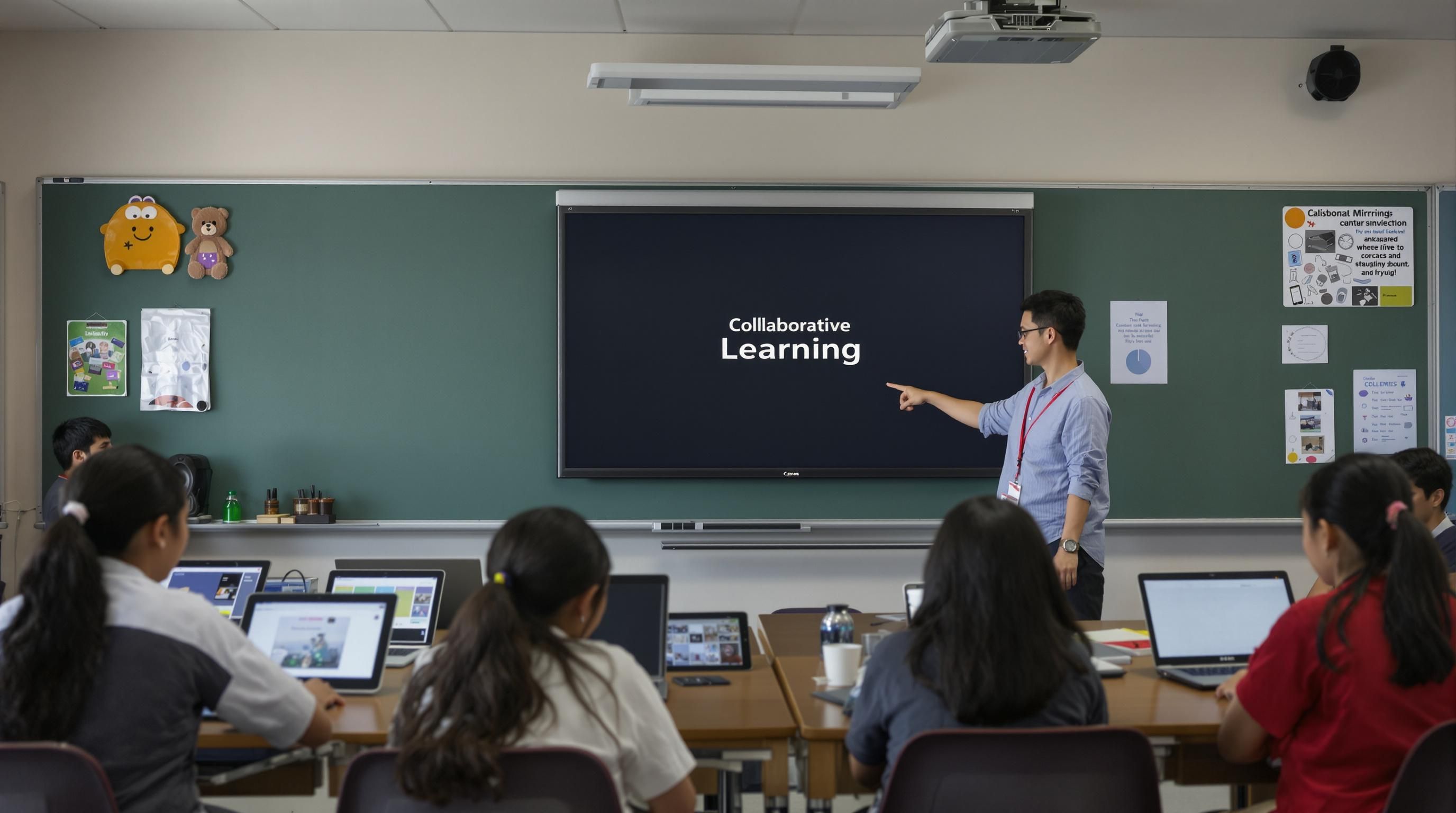
Wireless screen mirroring technology has revolutionized how Malaysians interact with digital content across various environments, offering seamless connectivity and enhanced collaboration. Discover smart projection solutions that transform traditional work and learning spaces.
Educational Transformations
In Malaysian educational settings, wireless screen mirroring has become a game-changing technology. According to Malaysia's National Education Blueprint 2013-2025, integrating digital technologies is crucial for modern learning experiences. Educators can now wirelessly share content from their devices directly to classroom displays, enabling more dynamic and interactive teaching methods. This technology allows instant screen sharing from multiple student devices, facilitating collaborative learning and making group presentations more engaging and efficient.
Special education and inclusive learning environments benefit significantly from wireless screen mirroring. Teachers can easily demonstrate concepts by mirroring their screens, ensuring all students can view content simultaneously. This technology supports diverse learning styles by allowing real-time content manipulation and sharing, making complex subjects more accessible and interactive.
Professional Workplace Applications
Business environments in Malaysia have rapidly adopted wireless screen mirroring to streamline communication and enhance collaborative workflows. Conference rooms and meeting spaces now leverage this technology to enable seamless presentations, reducing setup time and technical complications. Professionals can instantly share project details, financial reports, and design concepts from their laptops, tablets, or smartphones without fumbling with cables or adapters.
Remote and hybrid work models have further accelerated the adoption of wireless screen mirroring technologies. Teams can now conduct more interactive virtual meetings, with participants easily sharing their screens and collaborating in real-time. This capability bridges geographical gaps, allowing Malaysian businesses to maintain productivity and communication efficiency regardless of physical location.
Home Entertainment and Personal Use
In Malaysian homes, wireless screen mirroring has transformed entertainment and personal device interaction. Families can now effortlessly share photos, videos, and streaming content from smartphones and tablets to larger displays like smart TVs and projectors. Gaming enthusiasts appreciate the ability to mirror mobile and console gameplay onto bigger screens, creating more immersive entertainment experiences.
Personal productivity has also seen significant improvements. Students can mirror study materials from their devices, creating makeshift learning stations at home. Professionals working remotely can easily present work during video calls or share content with family members, blending work and personal digital experiences seamlessly.
The versatility of wireless screen mirroring extends beyond traditional use cases. From family movie nights to professional presentations, and interactive classroom learning, this technology continues to reshape how Malaysians interact with digital content across different spheres of life. As devices become more interconnected, wireless screen mirroring represents a critical technology bridging personal, educational, and professional digital experiences.
The following table highlights key use cases across home, educational, and business settings in Malaysia, with specific benefits and applications as described in the article.
| Environment | Main Use Cases | Benefits |
|---|---|---|
| Education | Teacher/student screen sharing, group presentations, interactive lessons | Dynamic teaching, collaboration, inclusion |
| Business | Meeting presentations, remote/hybrid collaboration, design/project sharing | Efficiency, reduced setup, real-time teamwork |
| Home | Streaming videos/photos, gaming, study sessions, remote work presentations | Immersive entertainment, convenience, productivity |
Tips for a Seamless Wireless Screen Mirroring Experience
Achieving a flawless wireless screen mirroring experience requires strategic preparation and understanding of technological nuances. Learn expert projection techniques to optimize your wireless connectivity and performance.
Network and Connectivity Optimization
A robust network infrastructure forms the foundation of seamless wireless screen mirroring. According to research in Human-centric Computing and Information Sciences, efficient traffic management is crucial for preventing network congestion and maintaining high-quality transmission. Users should prioritize 5GHz WiFi networks, which offer faster speeds and less interference compared to traditional 2.4GHz bands.
Ensure your router supports modern WiFi standards like 802.11ac or WiFi 6, which provide superior bandwidth and lower latency. Position your wireless router centrally in the space, minimizing physical obstacles that could interrupt signal transmission. Consider investing in mesh network systems for larger spaces, which create consistent coverage and reduce potential connectivity dropouts.
Device Compatibility and Preparation
Device compatibility plays a pivotal role in wireless screen mirroring success. A study from the ACM Symposium on QoS and Security for Wireless Networks highlights the importance of energy-efficient transmission protocols. Before initiating screen mirroring, verify that your source device and display receiver support identical wireless mirroring standards such as Miracast, AirPlay, or proprietary casting technologies.
Keep all devices updated with the latest firmware and operating system versions. These updates often include performance improvements and bug fixes specific to wireless screen mirroring functionalities. Close unnecessary background applications on your source device to allocate more computational resources toward maintaining a stable connection.
Performance Enhancement Strategies
Advanced users can implement several strategies to enhance wireless screen mirroring performance. The IEEE Transactions on Mobile Computing recommends utilizing hybrid transmission systems that can dynamically adjust to network conditions. This might involve using wired ethernet connections for display receivers when possible, reducing wireless network load.
Manage screen resolution and refresh rates according to your network capabilities. While 4K streaming offers superior visual quality, it demands significantly more bandwidth. For consistently smooth mirroring, consider reducing resolution or frame rates if experiencing persistent connectivity issues. Some devices offer built-in network performance diagnostic tools that can help identify and resolve potential transmission bottlenecks.
Additionally, invest in quality hardware that supports advanced wireless protocols. Newer smart projectors and displays often incorporate more sophisticated wireless communication technologies, providing more stable and higher-quality screen mirroring experiences.
By understanding these technical considerations and implementing strategic approaches, Malaysian users can transform their wireless screen mirroring from a potentially frustrating experience into a seamless, efficient method of sharing digital content across various devices and environments.
Frequently Asked Questions
What is wireless screen mirroring?
Wireless screen mirroring is a technology that allows users to share content from one device to another without using cables. It typically involves transmitting audio and video signals wirelessly from smartphones, tablets, or computers to displays such as TVs or projectors.
How does wireless screen mirroring work?
Wireless screen mirroring uses protocols like Wi-Fi Direct and Miracast to create direct connections between devices. Once connected, the source device transmits its screen in real-time to the receiving display, enabling instant sharing of content.
What apps are best for wireless screen mirroring in Malaysia?
In 2025, popular apps for wireless screen mirroring include Scrcpy for Android users, AirPlay for Apple devices, and built-in Windows projection capabilities. Each of these apps provides efficient methods for connecting devices and sharing screens.
What are tips for improving wireless screen mirroring performance?
To enhance wireless screen mirroring performance, optimize your Wi-Fi network by using a 5GHz connection, ensure device compatibility, close unnecessary background applications, and adjust screen resolution or refresh rates based on your network capabilities.
Ready for Effortless Wireless Mirroring? Bring Your Viewing to the Next Level
Are you struggling to achieve smooth and high-quality wireless screen mirroring for your home, school, or business? Many users face dropped connections, limited compatibility, and poor visuals that seriously interrupt meetings and learning sessions. As outlined in our 2025 Guide, choosing the right device and network makes all the difference. Imagine having presentations, lessons, and movie nights that always look their best with fast, stable streaming and zero cable mess.

Explore our full range of modern projectors and interactive displays designed for perfect wireless mirroring at ProjectorDisplay.com. You will find smart solutions with the latest wireless protocols, high lumens for vivid displays, and features crafted for seamless collaboration across all settings. Now is the time to upgrade your technology for 2025. Visit ProjectorDisplay.com and discover how easy it is to transform your space into a powerful wireless projection hub. Take the next step and unlock a better viewing experience today.
Recommended
- Mirror Phone to Projector: Easy Ways for Malaysians 2025 – Projector Display
- Apa Itu Wireless Projektor? Panduan Lengkap 2025 untuk Pengguna Malaysia – Projector Display
- Apa Itu Wireless Projektor? Panduan Lengkap 2025 untuk Pengguna Malaysia – Projector Display
- 2025年马来西亚教室投影仪配置指南:选择与安装实用技巧 – Projector Display