

Miscommunication remains the top challenge for remote managers, with over 60 percent of distributed teams struggling to maintain clarity on projects. Whether your Malaysian tech company works with colleagues in Kuala Lumpur or American partners halfway around the world, choosing the right communication tools can make or break your team's success. Discover why investing in specialized platforms helps you overcome distance and supports effective, inclusive collaboration in a rapidly changing work environment.
Table of Contents
- What Are Remote Team Communication Tools?
- Core Categories And Key Features
- Choosing Tools For Distributed Tech Teams
- Implementation: Integration And Security Essentials
- Risks, Costs, And Common Pitfalls
- Comparing Alternatives And Hybrid Solutions
Key Takeaways
| Point | Details |
|---|---|
| Remote Team Communication Tools | These tools enable effective collaboration among distributed teams, integrating features like messaging, video conferencing, and project tracking. |
| Choosing the Right Tools | Evaluate tools based on collaboration needs, integration capabilities, and support for diverse communication styles for optimal team performance. |
| Implementation and Security | Focus on secure integration and robust access controls when implementing communication tools to protect sensitive data. |
| Hybrid Collaboration Models | Hybrid solutions offer flexibility and adaptability but require effective communication strategies to bridge gaps between remote and onsite team members. |
What Are Remote Team Communication Tools?
Remote team communication tools are specialized software platforms designed to enable seamless collaboration among distributed workforces. These digital solutions bridge geographical gaps by creating virtual environments where team members can interact, share information, and coordinate projects effectively.
At their core, these tools serve multiple critical functions for modern organizations. They typically provide integrated features like instant messaging, video conferencing, file sharing, project tracking, and real-time collaborative workspaces. Unlike traditional office communication methods, remote team communication tools are purpose-built to accommodate flexible work arrangements, supporting teams spread across different time zones and geographical regions.
The evolution of these tools reflects broader workplace transformations. Global work distribution trends have accelerated the development of sophisticated communication platforms that go beyond simple messaging. Modern solutions now incorporate advanced capabilities like task management, document collaboration, screen sharing, and even virtual whiteboard functionality, enabling teams to replicate in-person collaboration experiences digitally.
Pro Tip: When selecting a remote team communication tool, prioritize platforms that offer seamless integration with your existing workflow and provide robust security features to protect sensitive organizational data.
Core Categories and Key Features
Remote team communication tools can be categorized into several critical functional groups designed to support comprehensive organizational collaboration. The core categories include instant messaging, video conferencing, project collaboration, and voice over IP (VoIP) platforms that collectively address different communication needs and workflow requirements.
Each communication category brings unique capabilities to distributed teams. Instant messaging tools enable rapid text-based exchanges, while video conferencing platforms recreate face-to-face interactions through high-definition video and audio connections. Project collaboration software integrates task management, document sharing, and real-time tracking, allowing teams to monitor progress and maintain alignment regardless of physical location. Voice over IP solutions provide additional communication flexibility, supporting both synchronous and asynchronous voice interactions.
Advanced digital communication platforms now emphasize multi-format messaging capabilities, incorporating text, audio, video, and collaborative features into unified environments. Key features increasingly focus on accessibility, scalability, workflow integration, and robust security controls. Modern tools are designed to transcend traditional communication barriers, offering cross-platform compatibility, centralized communication histories, and seamless integration with existing organizational technologies.
Here's a summary to help teams understand feature impacts across remote communication tool categories:
| Category | Key Function | Business Impact | Typical Tools |
|---|---|---|---|
| Instant Messaging | Rapid text exchanges | Speeds decision-making | Slack, Microsoft Teams |
| Video Conferencing | Real-time visual meetings | Enhances engagement | Zoom, Google Meet |
| Project Collaboration | Document & task sharing | Improves workflow tracking | Asana, Trello |
| Voice over IP (VoIP) | Synchronous voice calls | Reduces miscommunication | Skype, RingCentral |
Pro Tip: Evaluate communication tools not just on individual features, but on their ability to create a cohesive, integrated ecosystem that matches your team's specific collaboration requirements and communication preferences.
Choosing Tools for Distributed Tech Teams
Selecting communication tools for distributed technology teams requires a strategic and nuanced approach that goes beyond surface-level features. Technology teams must evaluate platforms based on multiple critical dimensions, including team composition, collaboration complexity, workflow integration, and communication diversity.
The selection process involves comprehensive assessment across several key criteria. Technical teams should prioritize tools that support cross-discipline collaboration, offer robust project tracking capabilities, and accommodate both synchronous and asynchronous communication styles. Critical considerations include platform scalability, security protocols, ease of integration with existing technical ecosystems, and the ability to support multilingual and multicultural team interactions.

Professional guidelines recommend adopting digital communication platforms that balance organizational culture, security requirements, and user adaptability. This means evaluating not just technical capabilities, but also the tool's capacity to foster meaningful professional exchanges, protect sensitive information, and provide flexible communication channels. Continuous assessment, user feedback loops, and adaptive implementation strategies are essential for long-term tool effectiveness and team productivity.
Pro Tip: Conduct a pilot test with a small team subset before full organizational deployment, allowing you to assess real-world performance and gather granular insights about the communication tool's practical functionality.
Implementation: Integration and Security Essentials
Implementing remote communication tools requires a comprehensive approach to secure integration within organizational IT landscapes, addressing multiple critical security dimensions. Organizations must develop robust strategies that balance technological functionality with comprehensive protection mechanisms, focusing on identity verification, access control, and proactive vulnerability management.
The implementation process demands meticulous attention to several key security protocols. Technical teams should establish strict access controls that limit unnecessary permissions, implement regular software update cycles, and develop comprehensive user training programs that educate team members about potential security risks. Critical elements include multi-factor authentication, encrypted communication channels, and continuous monitoring of user access patterns to detect and mitigate potential security breaches.
Alignment with international information security standards provides a structured framework for managing remote communication risks. The ISO/IEC 27000 family of standards offers comprehensive guidelines for risk assessment, cybersecurity controls, and regulatory compliance. These standards help organizations develop systematic approaches to protecting confidential and operationally sensitive data across distributed work environments, ensuring that communication tools meet rigorous security and privacy requirements.
Pro Tip: Create a dedicated security onboarding process that includes mandatory training, comprehensive tool usage guidelines, and regular security awareness refresher sessions to maintain a strong organizational security culture.
Risks, Costs, and Common Pitfalls
Virtual teams encounter multiple complex risks stemming from geographic and temporal distance, which can significantly undermine organizational effectiveness. These challenges include potential miscommunication, reduced social cohesion, knowledge fragmentation, and the emergence of communication barriers that traditional office environments naturally mitigate.
The financial implications of remote communication tools extend beyond simple software licensing. Organizations must carefully evaluate direct and indirect costs associated with implementing digital collaboration platforms, including expenses related to reliable internet access, comprehensive IT support, ongoing staff training, and potential infrastructure investments. Uneven technological access can create significant disparities, potentially undermining team productivity and exacerbating existing digital inequities.
Critical risks in remote team communication include over-reliance on digital tools, communication overload, and inadvertent exclusion of team members from key decision-making processes. Organizations must develop intentional strategies that balance technological solutions with human-centered approaches, creating clear communication protocols, establishing robust engagement mechanisms, and fostering a culture of inclusive digital collaboration that transcends geographical boundaries.
Pro Tip: Conduct quarterly comprehensive reviews of your communication tool ecosystem, assessing not just technological performance but also team satisfaction, engagement levels, and potential hidden collaboration barriers.
Comparing Alternatives and Hybrid Solutions
Hybrid collaboration models represent an emerging paradigm that blends remote and in-person participation through sophisticated digital platforms, offering unprecedented flexibility for modern organizations. These innovative approaches integrate synchronous and asynchronous communication tools, creating dynamic work configurations that accommodate diverse employee preferences and geographical constraints.
Comprehensive reviews reveal that hybrid solutions provide significant advantages over traditional work models, including enhanced work-life balance, improved organizational adaptability, and more nuanced collaboration opportunities. However, successful implementation demands robust digital infrastructure, sophisticated coordination mechanisms, and intentional strategies to bridge potential communication gaps between remote and onsite team members.
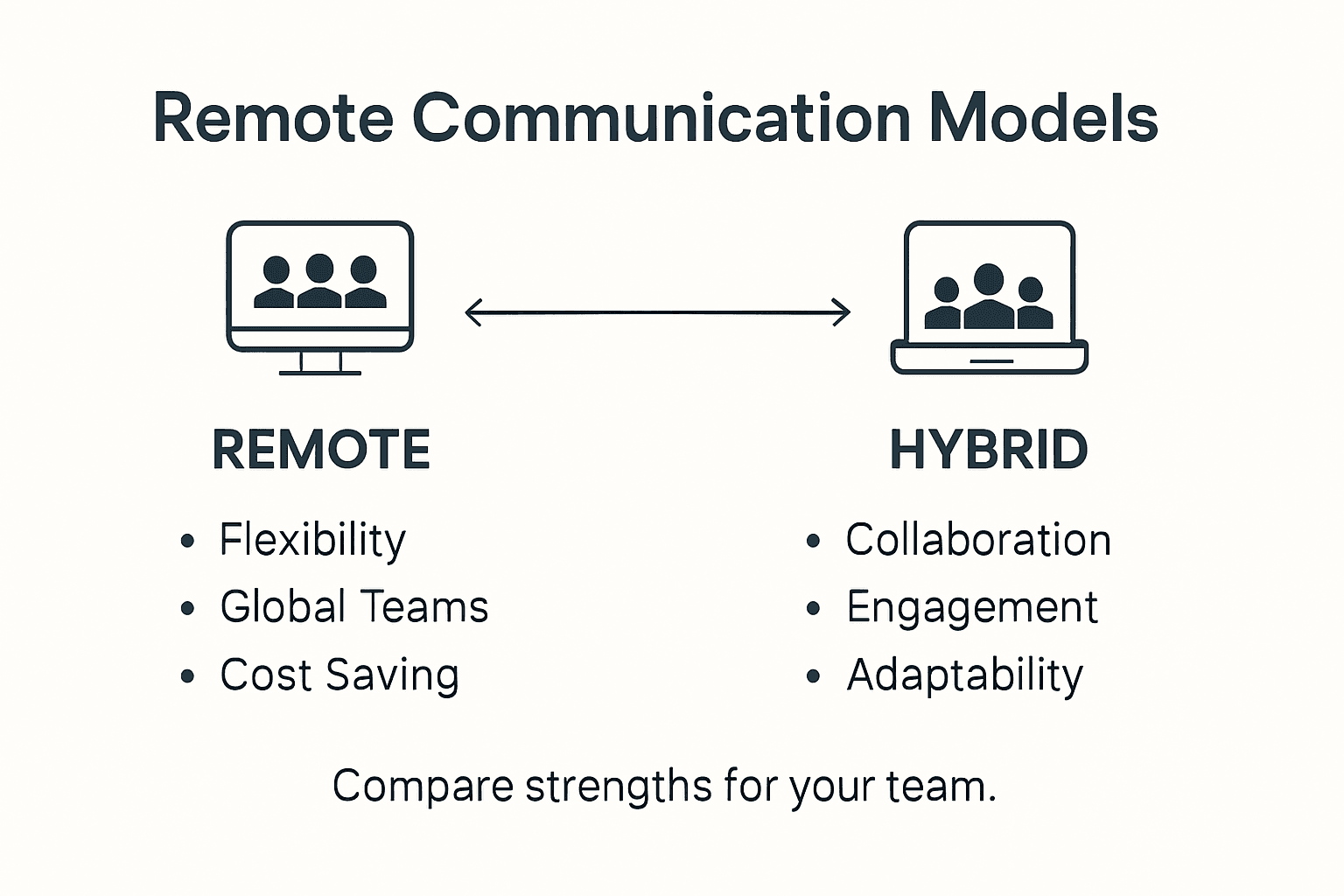
Effective hybrid solutions require carefully designed technological ecosystems that support seamless interaction across multiple work environments. Organizations must develop comprehensive strategies that prioritize tool interoperability, inclusive participation practices, and clear communication protocols. This approach ensures that both remote and in-person team members can contribute equally, maintain organizational culture, and achieve collective performance objectives without experiencing technological or collaborative barriers.
Compare the core strengths and challenges of remote, onsite, and hybrid collaboration models:
| Model | Strengths | Challenges | Suitability |
|---|---|---|---|
| Remote | Global talent access | Time zone barriers | Distributed teams |
| Onsite | Immediate feedback | Limited flexibility | Traditional offices |
| Hybrid | Flexible participation | Complex integration needs | Modern organizations |
Pro Tip: Design your hybrid communication strategy with intentional redundancy, ensuring multiple communication channels and backup collaboration methods to prevent potential connectivity or access disruptions.
Elevate Your Remote Team Communication with Crystal-Clear Visual Solutions
Effective remote team communication tools focus on bridging gaps caused by distance and diverse work styles but often overlook the critical role of high-quality visual displays in boosting engagement and collaboration. Whether your team struggles with scattered project tracking or hampered video conferencing clarity, integrating advanced projection technology can transform your digital interactions into immersive and productive sessions. With tools that support seamless integration and security, pairing these with bright, crisp projections ensures your team stays aligned and motivated regardless of location.

Explore a wide range of projectors and interactive displays at ProjectorDisplay.com designed specifically to support dynamic presentations, real-time collaboration, and effective communication. From portable smart projectors perfect for quick team huddles to laser projectors that deliver stunning visuals for large group sessions, our solutions help you overcome common remote communication pain points like reduced engagement and miscommunication caused by poor display quality. Visit ProjectorDisplay.com today to enhance your remote work environment with technology that helps drive productivity and connection. Take the next step toward seamless hybrid or fully remote teamwork now.
Frequently Asked Questions
What are remote team communication tools?
Remote team communication tools are specialized software platforms that facilitate collaboration among distributed workforces, allowing team members to interact, share information, and manage projects effectively despite geographical distances.
What features should I look for in a remote communication tool?
Key features to consider include instant messaging, video conferencing, project collaboration capabilities, voice over IP (VoIP) support, ease of integration with existing systems, scalability, and security measures to protect sensitive information.
How do remote communication tools impact team productivity?
These tools enhance productivity by speeding up decision-making, improving workflow tracking, facilitating engagement through real-time interactions, and enabling seamless collaboration among team members, regardless of their physical location.
What are the risks associated with using remote communication tools?
Common risks include miscommunication, communication overload, exclusion from decision-making, and potential security vulnerabilities. Organizations must implement intentional communication strategies and robust security measures to mitigate these risks.
Recommended
- Team Productivity Tools: Boosting Collaboration Success – Projector Display
- 7 Essential Productivity Apps for Businesses to Boost Efficiency – Projector Display
- 7 Best Productivity Apps for Businesses to Boost Results – Projector Display
- Work From Home Essentials for Better Productivity – Projector Display