

Over 80 percent of American organizations now rely on digital productivity tools to keep teams connected and projects on track. With remote and hybrid work becoming the standard, finding the right solutions has never felt more urgent. Discover what truly sets effective team productivity tools apart, how they power smoother collaboration, and which features matter most for professional and academic success.
Table of Contents
- Defining Team Productivity Tools And Their Purpose
- Core Categories: Communication, Collaboration, And Task Management
- Essential Features For Business And Education Teams
- Key Benefits For Malaysian Work And School Environments
- Common Pitfalls And How To Avoid Them
Key Takeaways
| Point | Details |
|---|---|
| Importance of Team Productivity Tools | These tools enhance collaboration and streamline processes, improving overall organizational performance. |
| Key Categories | The main categories—communication, collaboration, and task management—work synergistically to optimize productivity. |
| Implementation Tips | Conduct thorough assessments to align tools with team needs and ensure comprehensive training to avoid common pitfalls. |
| Maximizing Benefits | Leverage integration capabilities to enhance efficiency and adapt tools as team dynamics evolve. |
Defining Team Productivity Tools and Their Purpose
Team productivity tools represent sophisticated technological solutions designed to streamline collaborative work processes and enhance organizational performance. These digital platforms go beyond traditional communication methods by providing integrated environments where team members can coordinate, track, and execute projects with unprecedented efficiency.
Team productivity tools fundamentally operate through a strategic Input–Process–Output (IPO) model, which analyzes how teams transform initial resources and conditions into successful outcomes. This framework helps organizations understand the complex dynamics of group work by examining three critical stages:
- Input Stage: Initial team conditions, including member skills, resources, and project requirements
- Process Stage: Interactive behaviors, communication patterns, and collaborative strategies
- Output Stage: Measurable results, project completion, and performance metrics
Moreover, modern Electronic Meeting Systems (EMS) have revolutionized how teams solve problems and make decisions. These advanced software tools address common collaboration challenges by providing features like anonymous input mechanisms, real-time document sharing, and parallel work capabilities. Such innovations enable teams to overcome traditional communication barriers and generate more creative, inclusive solutions.
Specific capabilities of team productivity tools typically include task management, real-time communication, progress tracking, file sharing, and integrated workflow automation. By centralizing these functions, organizations can reduce communication overhead, minimize misunderstandings, and create transparent, accountable work environments.
Pro Tip: Strategic Implementation: Before adopting any team productivity tool, conduct a comprehensive team assessment to ensure the selected platform aligns with your specific workflow requirements and team communication style.
Core Categories: Communication, Collaboration, and Task Management
Team productivity tools are strategically divided into three fundamental categories that work synergistically to optimize organizational performance: communication, collaboration, and task management. Each category plays a critical role in transforming how teams interact, plan, and execute their work objectives.
Communication Tools form the foundational layer of team productivity platforms. Virtual collaboration technologies enable team members to connect through diverse communication channels, spanning both synchronous and asynchronous interactions. These tools include:
- Real-time messaging platforms
- Video conferencing systems
- Voice communication applications
- Email integration systems
- Instant messaging networks
Collaboration tools represent the next critical dimension of team productivity ecosystems. These platforms transcend traditional communication by creating shared workspaces where team members can collectively develop, review, and refine projects. Research examining collaboration platforms like Slack, Microsoft Teams, and Confluence reveals their transformative potential in supporting complex team workflows, particularly in dynamic environments such as Agile software development.
Task management tools complete the productivity trilogy by providing structured mechanisms for tracking, assigning, and monitoring work progress. These sophisticated systems enable teams to break complex projects into manageable components, assign responsibilities, set deadlines, and maintain comprehensive visibility into project status. Advanced task management platforms often integrate seamlessly with communication and collaboration tools, creating a unified productivity environment.

The integration of these three categories creates a holistic approach to team productivity, enabling organizations to streamline workflows, enhance communication transparency, and drive consistent performance across diverse work scenarios.
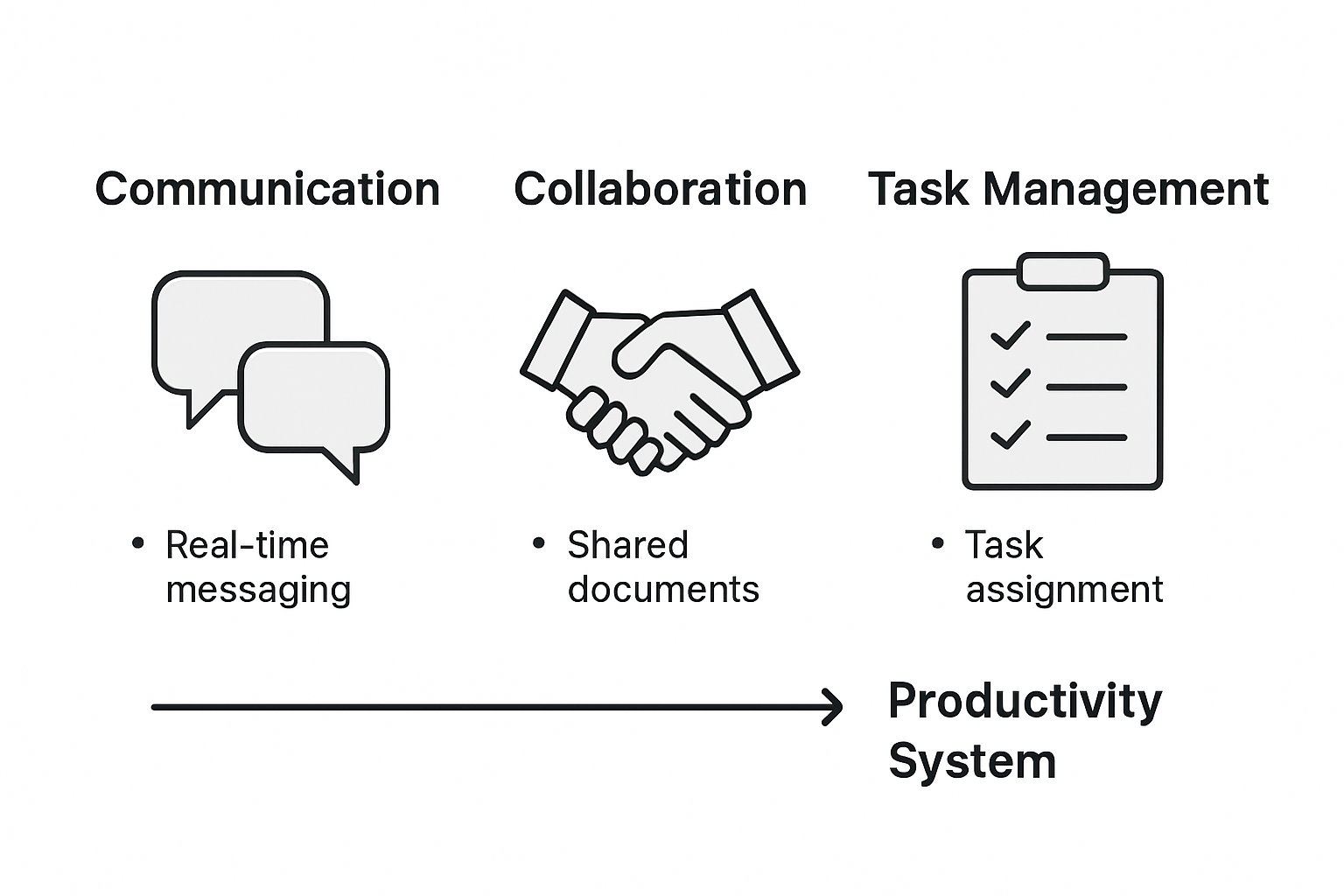
Here's a quick comparison of the three core categories of team productivity tools and their unique organizational value:
| Category | Primary Purpose | Key Organizational Value |
|---|---|---|
| Communication | Facilitate interactions and sharing | Improves clarity, reduces delays |
| Collaboration | Enable joint project development | Fosters creativity and innovation |
| Task Management | Organize, assign, and track progress | Increases accountability, visibility |
Pro Tip: Integrated Ecosystem: Select productivity tools that offer robust integration capabilities, allowing seamless data flow and communication between different platforms to maximize operational efficiency.
Essential Features for Business and Education Teams
Team productivity tools have evolved to offer specialized features that cater to the unique demands of business and educational environments. Effective collaboration platforms must provide comprehensive tools that support seamless communication, project management, and interactive learning experiences.
For business teams, essential features typically include:
- Real-time Communication: Instant messaging, video conferencing, and audio call capabilities
- Document Management: Secure file sharing, collaborative editing, and version control
- Project Tracking: Kanban boards, task assignment, progress monitoring, and deadline tracking
- Integration Capabilities: Seamless connections with existing business software ecosystems
- Analytics and Reporting: Performance metrics, team productivity insights, and workflow optimization tools
AI-powered team formation technologies have significantly transformed educational productivity tools, introducing advanced features specifically designed for academic environments. These innovative platforms support dynamic team compositions, enabling educators to:
- Automatically generate balanced team assignments
- Track individual and collective student contributions
- Provide personalized feedback mechanisms
- Support adaptive learning experiences
- Manage role-based interactions within student groups
Both business and educational productivity tools now prioritize user experience, offering intuitive interfaces that reduce learning curves and maximize adoption. The most advanced platforms leverage machine learning algorithms to provide intelligent recommendations, predictive task management, and personalized workflow suggestions.
Cross-platform compatibility has become another critical feature, allowing team members to collaborate seamlessly across different devices and operating systems. This flexibility ensures that teams can maintain productivity regardless of their physical location or technological infrastructure.
Pro Tip: Feature Alignment: Conduct a comprehensive team needs assessment before selecting a productivity tool, ensuring that the chosen platform's features directly match your specific workflow requirements and organizational objectives.
Key Benefits for Malaysian Work and School Environments
Team productivity tools have emerged as transformative solutions for Malaysian organizations, addressing unique challenges in both professional and educational settings. Collaboration technologies designed for Agile environments offer unprecedented opportunities to enhance task coordination and knowledge sharing across diverse workplace ecosystems.
In professional contexts, these tools provide critical advantages for Malaysian businesses:
- Enhanced Communication: Breaking down organizational silos
- Real-time Collaboration: Enabling seamless remote and hybrid work models
- Performance Tracking: Providing transparent metrics for individual and team productivity
- Cultural Adaptation: Supporting multilingual and multicultural work environments
- Cost Efficiency: Reducing overhead through streamlined digital workflows
Communication platforms like Slack have demonstrated significant potential in transforming team dynamics by increasing awareness and reducing reliance on traditional email communication. This shift is particularly relevant for Malaysian organizations seeking to modernize their collaborative approaches.
In educational environments, productivity tools offer equally transformative benefits. Malaysian schools and universities can leverage these technologies to:
- Create interactive learning experiences
- Support personalized student engagement
- Facilitate seamless group projects
- Enable adaptive learning methodologies
- Provide comprehensive assessment tools
The technological infrastructure in Malaysia, characterized by robust digital connectivity and a tech-savvy workforce, provides an ideal ecosystem for implementing advanced team productivity solutions. These tools not only enhance operational efficiency but also cultivate a culture of continuous learning and collaborative innovation.
Pro Tip: Strategic Implementation: Conduct a comprehensive technology readiness assessment before full-scale adoption, ensuring the selected productivity tools align with your organization's specific cultural and operational requirements.
Common Pitfalls and How to Avoid Them
Team productivity tools, while powerful, present numerous potential challenges that can undermine their effectiveness if not carefully managed. Research on coordination barriers reveals critical insights into the common pitfalls organizations encounter when implementing collaborative technologies.
Key pitfalls in team productivity tool adoption include:
- Unbalanced Participation: Some team members become over-engaged while others remain passive
- Communication Overload: Excessive notifications and channel proliferation
- Tool Complexity: Steep learning curves that discourage user adoption
- Misaligned Workflows: Tools that don't match existing organizational processes
- Data Security Concerns: Inadequate protection of sensitive information
Collaboration platforms often struggle with alignment to organizational methodologies, particularly in Agile environments. This misalignment can create significant friction in team productivity, reducing the potential benefits of technological interventions.
To effectively mitigate these challenges, organizations must adopt a strategic approach:
- Conduct comprehensive team training
- Establish clear communication protocols
- Implement gradual, phased tool adoption
- Regularly assess tool effectiveness
- Create flexible usage guidelines
Technological integration requires more than simply purchasing a platform. Successful implementation demands a holistic approach that considers team dynamics, organizational culture, and individual user needs. This means selecting tools that are not just feature-rich, but also intuitive and adaptable to specific team requirements.
Below is a summary of common pitfalls in adopting team productivity tools and targeted solutions to overcome them:
| Challenge | Typical Impact | Recommended Solution |
|---|---|---|
| Unbalanced Participation | Low engagement, missed input | Encourage inclusivity in discussions |
| Communication Overload | Reduced focus, fatigue | Streamline channels, set priorities |
| Tool Complexity | Low adoption, user frustration | Provide training and user guides |
| Misaligned Workflows | Process inefficiencies, resistance | Customize tool to team processes |
| Data Security Concerns | Risk of breaches, loss of trust | Enforce strict security protocols |
Pro Tip: Adaptive Implementation: Develop a flexible onboarding strategy that allows continuous feedback and tool adjustment, ensuring the productivity platform evolves alongside your team's changing needs.
Elevate Team Collaboration With Visual Display Solutions
Struggling with communication overload or unbalanced participation in your team? The article highlights how integrating the right team productivity tools enhances clarity, accountability, and real-time collaboration. To truly boost your team's performance, combining these tools with powerful visual display technology is essential. Whether in a Malaysian business or educational setting, projecting information clearly can transform how ideas flow and tasks get done.

Explore our extensive range of smart projectors and interactive displays at ProjectorDisplay.com designed to complement your productivity tools. Experience high-definition visuals with wireless connectivity that fit perfectly into dynamic workflows. Don't let poor display technology hold back your team's potential. Visit ProjectorDisplay.com today and equip your workspace with cutting-edge projection solutions that encourage engagement, creativity, and seamless collaboration. Start transforming your team's productivity environment now.
Frequently Asked Questions
What are team productivity tools?
Team productivity tools are digital platforms designed to streamline collaborative work processes, enhance communication, and improve organizational performance by providing integrated environments for team members to coordinate and execute projects efficiently.
How do team productivity tools enhance collaboration among team members?
These tools enhance collaboration by offering features such as real-time communication, task management, and file sharing, which promote transparency, reduce misunderstandings, and facilitate collective project development in a harmonious workflow environment.
What features should I look for in a team productivity tool?
Essential features to consider include real-time communication capabilities, document management systems, project tracking tools, integration capabilities with existing software, and analytics for performance insights. It's important to choose features that align with your specific needs and workflows.
How can I avoid common pitfalls when implementing team productivity tools?
To avoid pitfalls such as unbalanced participation and communication overload, organizations can conduct comprehensive team training, establish clear communication protocols, implement gradual tool adoption, regularly assess tool effectiveness, and enforce strict data security measures.
Recommended
- 7 Essential Productivity Apps for Businesses to Boost Efficiency – Projector Display
- 7 Best Productivity Apps for Businesses to Boost Results – Projector Display
- 7 Creative Workspace Ideas to Boost Productivity and Focus – Projector Display
- 7 Smart Ways to Boost Office Design Inspiration Today – Projector Display