

Every computer relies on a network of connectors that manage the flow of data in and out. Without I/O ports, nearly every modern device would be an island, unable to share files, access printers, or connect to the internet. USB ports alone account for billions of active connections worldwide, proving how vital these gateways are in daily technology use. Understanding what I/O ports are and how they function helps anyone make smarter decisions about hardware and device compatibility.
Table of Contents
- What Are I/O Ports Defined
- Physical Port Types And Variations
- How Ports Function And Transfer Data
- Key Characteristics And Performance Factors
- Applications In Projectors And Devices
- Choosing And Avoiding Common Mistakes
Key Takeaways
| Point | Details |
|---|---|
| I/O Ports Function | I/O ports enable critical communication between computers and peripherals, allowing for bidirectional data transfer essential for system operations. |
| Port Types & Characteristics | Different port types, including USB, HDMI, and Ethernet, serve various data transfer needs and compatibility, affecting overall system performance. |
| Data Transfer Methods | Ports utilize serial and parallel transmission methods, with each suited for specific technological demands, affecting data speed and integrity. |
| Selection Principles | Careful consideration of device compatibility, bandwidth, and future scalability is crucial for optimal port selection to avoid connectivity issues. |
What Are I/O Ports Defined
Input and output (I/O) ports are critical communication interfaces that enable devices to exchange information with computer systems and external peripherals. According to GeeksforGeeks, ports serve as essential interfaces between a computer and external devices, facilitating communication by connecting the system's motherboard to various peripherals like printers, modems, and other hardware components.
Ports function as specialized communication channels that allow bidirectional data transfer between different technological systems. Wikipedia explains that input/output (I/O) fundamentally refers to the communication between an information processing system and the external world, encompassing both the input received and the output sent by the system. This means ports are not just simple connection points, but sophisticated pathways that manage complex data exchanges.
These communication interfaces come in multiple types and serve different technological requirements. Typical I/O port categories include:
- Digital Ports: Direct binary signal transmission
- Analog Ports: Continuous signal representation
- Serial Ports: Sequential data transmission
- Parallel Ports: Simultaneous multi-bit data transfer
- USB Ports: Universal connectivity for multiple devices
Each port type has unique characteristics designed to optimize data transfer efficiency and compatibility across various technological ecosystems. Understanding these port distinctions helps users and professionals select the most appropriate connection method for specific technological needs.
Physical Port Types And Variations
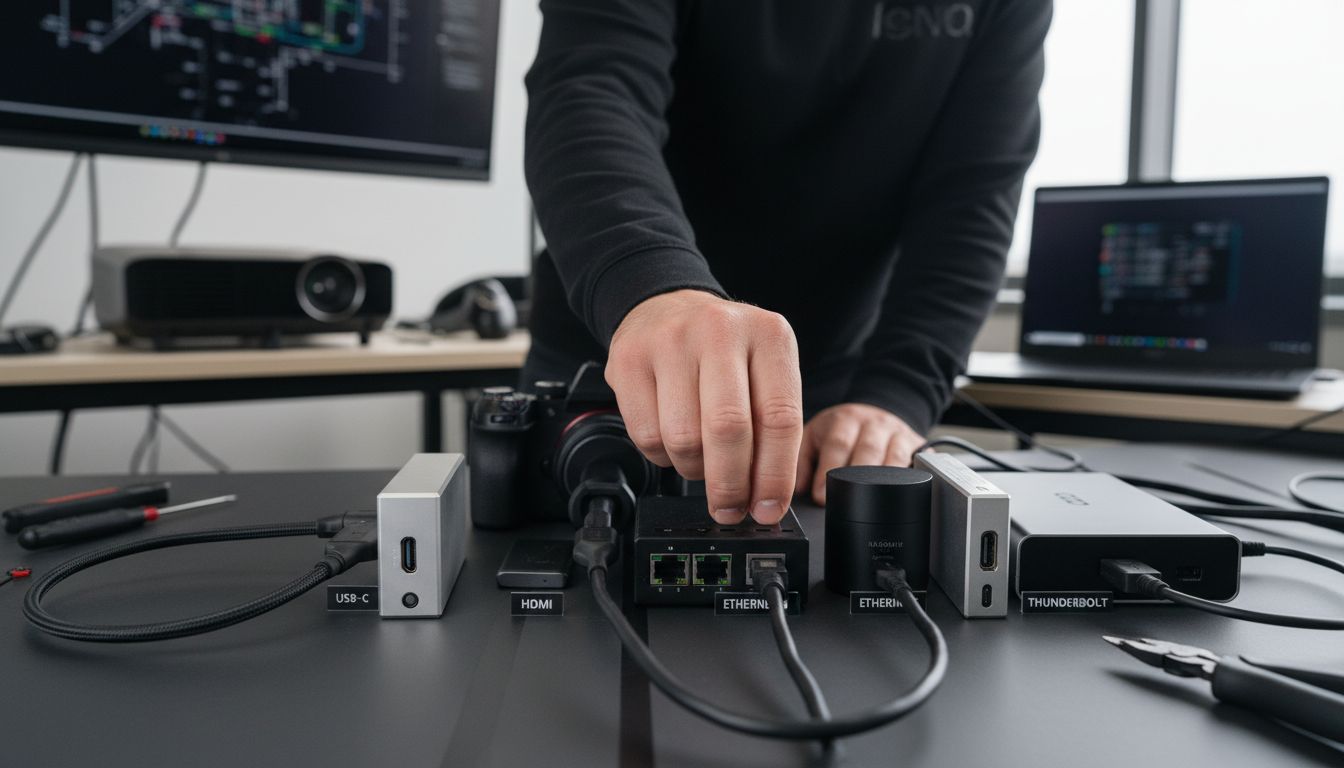
Physical ports represent the tangible connection points that enable data transfer and device communication across various technological platforms. According to GeeksforGeeks, common physical port types include serial ports, parallel ports, USB ports, FireWire ports, and Ethernet ports, each meticulously designed to support specific data transfer needs and device connections.
USB Ports have become the most ubiquitous physical port type in modern computing ecosystems. Wikipedia highlights that various physical ports like USB, HDMI, and Ethernet cater to different data transfer requirements and device compatibility. These ports come in multiple variations, including USB-A, USB-B, USB-C, and USB-micro, each with unique characteristics and transmission capabilities.
Key physical port variations include:
- Serial Ports: Linear data transmission, traditionally used in older computer systems
- Parallel Ports: Simultaneous multi-bit data transfer, common in printer connections
- USB Ports: Universal connectivity supporting multiple device types
- HDMI Ports: High-definition multimedia interface for audio/video transmission
- Ethernet Ports: Network connectivity for internet and local area network communications
- Thunderbolt Ports: High-speed data transfer and multiple display support
Each port type brings distinct advantages, with modern technology progressively moving towards more compact, versatile, and high-speed connection standards. Understanding these physical port variations helps users and professionals make informed decisions about device compatibility and optimal connectivity solutions.
How Ports Function And Transfer Data
Ports serve as critical communication channels that enable seamless data exchange between computers and external devices. Wikipedia explains that ports fundamentally function by facilitating data transfer, with input ports specifically receiving data and output ports sending data, creating a comprehensive communication ecosystem that enables effective device interaction.
The data transmission mechanism varies depending on the port type and connected device requirements. According to GeeksforGeeks, ports can transmit data through two primary methods: serial transmission, where data moves one bit at a time, and parallel transmission, which allows multiple bits to be transferred simultaneously. This flexibility ensures that different technological needs can be met with appropriate data transfer strategies.
Data transfer through ports involves several key processes:
- Signal Conversion: Transforming digital signals into formats compatible with specific devices
- Bandwidth Management: Controlling data transfer rates and connection speeds
- Protocol Interpretation: Understanding and executing device-specific communication standards
- Error Checking: Verifying data integrity during transmission
- Handshaking: Establishing and maintaining communication protocols between devices
Modern ports have evolved to support increasingly complex data transfer requirements, integrating advanced technologies that enable faster, more reliable, and more versatile connections. The intricate dance of signal transmission, protocol management, and device compatibility makes ports the unsung heroes of our interconnected technological world.
Key Characteristics And Performance Factors
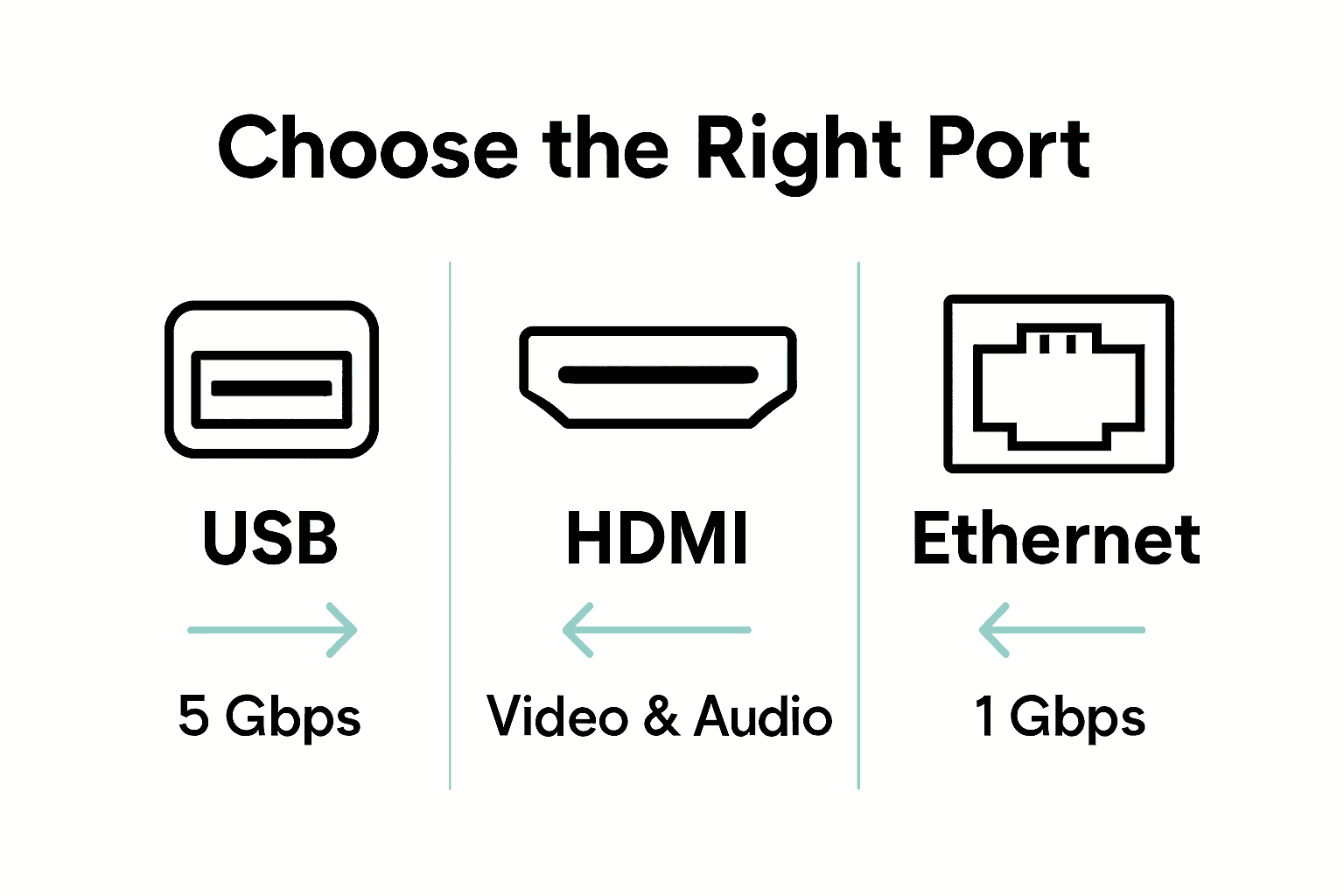
Port performance is a critical aspect of technological connectivity, encompassing multiple technical parameters that determine overall system efficiency. According to GeeksforGeeks, key characteristics of ports include data transfer speed, device compatibility, and the type of data transmission (whether serial or parallel), all of which significantly influence system performance and technological functionality.
Data transfer rates represent a fundamental performance metric for ports. Wikipedia highlights that performance factors for ports extend beyond simple speed, encompassing critical elements like latency and the overall efficiency of data communication between computers and connected peripherals. These characteristics determine how quickly and reliably information can be exchanged across different technological ecosystems.
Key performance factors for ports include:
- Transfer Speed: Measured in megabits or gigabits per second
- Bandwidth Capacity: Maximum data transfer potential
- Signal Integrity: Maintaining data quality during transmission
- Electrical Compatibility: Voltage and current handling capabilities
- Error Correction: Ability to detect and rectify transmission errors
- Latency: Time delay between data transmission and reception
Advanced ports now integrate sophisticated technologies that optimize performance, balancing speed, reliability, and energy efficiency. Understanding these nuanced characteristics helps users and professionals select the most appropriate port technologies for specific technological requirements, ensuring seamless and efficient device communication.
Applications In Projectors And Devices
Ports play a pivotal role in enabling advanced connectivity and content transmission across various technological devices, with projectors representing a prime example of sophisticated input and output integration. Wikipedia explains that ports are utilized in devices like projectors to receive video and audio signals from computers or media players, enabling the display of content on larger screens, thus transforming how we interact with digital information.
Multimedia connectivity has become increasingly complex, requiring versatile port configurations. According to GeeksforGeeks, devices such as projectors employ various ports, including HDMI and VGA, to connect with computers and other media sources for effective data transmission. These ports facilitate seamless communication between different technological ecosystems, allowing users to share content across multiple platforms.
Key port applications in projectors and devices include:
-
Video Signal Reception: Converting digital signals into visual displays
-
Audio Transmission: Enabling sound output from multiple sources
-
Computer Connectivity: Linking laptops, desktops, and mobile devices
-
Smart Device Integration: Connecting smartphones, tablets, and wireless devices
-
Network Streaming: Supporting internet-based content sharing
-
Gaming Console Connections: Enabling large-screen gaming experiences
For those looking to dive deeper into smart home technology integration, check out our guide on understanding projector usage in smart homes. Modern port technologies continue to evolve, offering increasingly sophisticated methods of device communication and content sharing, making multimedia experiences more immersive and interconnected than ever before.
Choosing And Avoiding Common Mistakes
Selecting the right ports is a critical decision that can significantly impact technological performance and device compatibility. GeeksforGeeks emphasizes the importance of carefully considering device compatibility, data transfer requirements, and future scalability to avoid common mistakes associated with port selection, ensuring optimal connectivity and system performance.
Port compatibility requires strategic thinking beyond immediate needs. Wikipedia recommends ensuring that chosen ports align precisely with specific device requirements and support the necessary data transfer speeds and communication protocols. This forward-thinking approach prevents potential connectivity issues and technological limitations that can arise from hasty or uninformed port selections.
Common mistakes to avoid when selecting ports include:
- Overlooking Bandwidth Requirements: Selecting ports with insufficient data transfer capabilities
- Ignoring Future Compatibility: Choosing ports that might become obsolete quickly
- Mismatching Port Types: Using incompatible port connections between devices
- Neglecting Signal Quality: Failing to consider signal integrity and transmission reliability
- Underestimating Power Requirements: Not accounting for power delivery capabilities
For those interested in understanding more about intelligent device integration, our guide on projector usage in smart home environments offers additional insights. Ultimately, successful port selection demands a comprehensive approach that balances current technological needs with potential future advancements, ensuring seamless and adaptable device connectivity.
Discover the Right Ports for Seamless Projector Connectivity
Understanding the complexities of input and output ports is vital when choosing the perfect projector setup. If you have struggled with device compatibility, slow data transfer, or confusing port types like HDMI, USB, or VGA, you are not alone. Our comprehensive guide breaks down these challenges so you can confidently connect your devices without frustration.

Experience hassle-free connections by exploring the wide range of top-quality projectors and accessories at ProjectorDisplay.com. Whether you need a portable projector for presentations or a smart projector for immersive home theater experiences, we offer solutions designed to match your exact port and connectivity requirements. Don't wait to enhance your viewing experience. Visit our store today and take the first step towards flawless device integration and superior display technology.
Frequently Asked Questions
What are input and output ports?
Input and output (I/O) ports are communication interfaces that enable devices to exchange information with computer systems and external peripherals, connecting the system's motherboard to various hardware components like printers and modems.
What are the different types of I/O ports?
The primary types of I/O ports include digital ports, analog ports, serial ports, parallel ports, and USB ports, each designed for specific data transfer needs and device compatibility.
How do ports function in data transmission?
Ports function by facilitating data transfer through two primary methods: serial transmission (moving one bit at a time) and parallel transmission (transferring multiple bits simultaneously), and they involve processes like signal conversion, bandwidth management, and error checking.
What factors affect the performance of input and output ports?
Key performance factors for ports include transfer speed, bandwidth capacity, signal integrity, electrical compatibility, error correction abilities, and latency, which collectively influence system performance and connectivity efficiency.
Recommended
- Complete Guide to Types of Video Inputs – Projector Display
- Apakah Input HDMI: Panduan Lengkap Untuk Semua Pengguna – Projector Display
- Wireless Screen Mirroring in Malaysia: 2025 Guide for Entertainment, Education, and Business – Projector Display
- Mirror Phone to Projector: Easy Ways for Malaysians 2025 – Projector Display