
TL;DR:
- Regular projector maintenance in Malaysia is essential due to high humidity and dust, which accelerate component degradation. Proper preparation, cleaning routines, and timely lamp replacement can extend a projector's lifespan and ensure optimal image quality. Proactive care minimizes costly repairs and guarantees brighter, clearer projections over years of use.
A projector that dims mid-presentation or shuts down unexpectedly during movie night is more than an inconvenience. In Malaysia's humid, dust-heavy environment, neglected projectors deteriorate faster than most users expect, turning a RM3,000 investment into a paperweight within a few years. The good news is that projector maintenance is not complicated. With the right tools, a consistent routine, and a few smart habits, you can keep your projector running brightly for years longer than the average owner manages. This guide covers everything from basic cleaning to lamp replacement, tailored specifically for home theater enthusiasts and educators in Malaysia.
Table of Contents
- Essential tools and environment prep for projector maintenance
- Step-by-step guide: Cleaning your projector for best image quality
- Lamp care and replacement: Maximizing lamp projector lifespan
- Troubleshooting and avoiding common projector maintenance mistakes
- Why proactive projector maintenance always pays off in Malaysia
- Find projector solutions and trusted maintenance support
- Frequently asked questions
Key Takeaways
| Point | Details |
|---|---|
| Regular cleaning matters | Simple monthly cleaning and filter maintenance prevent most projector issues and keep images sharp. |
| Replace lamps on schedule | Always follow your projector's lamp replacement prompts to avoid sudden failures or safety hazards. |
| Avoid rapid power cycling | Turning the projector on and off too frequently reduces lamp lifespan and can cause damage. |
| Troubleshoot early symptoms | Address dimming images or warning lights early to avoid expensive repairs later. |
Essential tools and environment prep for projector maintenance
With the stakes clear, it's time to prepare your workspace and gather what you'll need before starting maintenance.
Before you touch your projector, you need the right tools and a safe setup. Rushing in without preparation is one of the most common reasons people accidentally damage their equipment.
What you'll need:
- Microfiber cloths (soft, lint-free)
- Compressed air canister or an air blower
- Lens cleaning solution designed for optical surfaces
- A small soft brush for vents and grilles
- Replacement lamp (if you're using a traditional lamp-based projector)
- Cotton swabs for tight spaces
- A clean, dry, well-lit workspace
Following this maintenance checklist before each session ensures you don't skip a critical step. Missing even one tool can force you to stop mid-task, which is especially risky when the projector lamp or interior components are exposed.
Environment matters more than you think. In Malaysia, humidity sits between 70% and 90% for much of the year. That moisture encourages dust to clump and cling to vents, filters, and lenses rather than passing through freely. Always perform maintenance in a room with the air conditioning running. Lay a clean cloth on your work surface to catch dust or debris that falls off the projector.
Always power off and unplug the projector before you begin. For lamp-based models, wait at least 30 minutes after shutdown before touching the lamp assembly. The lamp runs at extremely high temperatures and can cause serious burns if handled too soon. Epson's lamp maintenance guidance recommends following specific manufacturer instructions for safe lamp handling and replacement, a step many users skip to their regret.
| Maintenance tool | Purpose | Replacement frequency |
|---|---|---|
| Microfiber cloth | Lens and exterior cleaning | Every 3 months or when worn |
| Compressed air | Vent and filter clearing | Every maintenance session |
| Lens cleaning solution | Remove smears from optical glass | Per use |
| Replacement lamp | Restore full brightness | Per manufacturer specification |
| Soft brush | Dust removal from grilles | Every maintenance session |
Pro Tip: Build a dedicated projector maintenance kit and store it near your projector. When everything is within reach, you're far more likely to stick to a regular cleaning schedule instead of putting it off for weeks.
Proper preparation is the foundation for effective cleaning projector lenses and every other maintenance task that follows.
Step-by-step guide: Cleaning your projector for best image quality
Once you're prepared and have a safe workspace, you're ready to start the cleaning process.
Cleaning a projector is not the same as wiping down a TV screen. Each component requires a specific approach, and cutting corners leads to scratched lenses, blocked vents, and degraded image quality that worsens over time.
Follow these steps in order:
- Power down and unplug the projector completely. Never clean a running projector. Let it cool for at least 30 minutes.
- Wipe the exterior with a dry microfiber cloth. Remove surface dust from the casing without applying pressure.
- Clear the air vents using compressed air. Hold the canister upright and use short bursts to blow dust out of the intake and exhaust vents. Never use a vacuum directly on vents, as static discharge can damage internal components.
- Remove and clean the air filter if your model has one. Gently tap the filter to dislodge dust, or rinse it under cool water if the manufacturer allows. Let it dry completely before reinserting.
- Clean the lens last. Apply two or three drops of lens cleaning solution to a microfiber cloth, not directly to the lens. Wipe in gentle circular motions from the center outward.
- Inspect the interior vents for visible dust buildup using a flashlight. If you see significant clumping, a soft brush can help before the compressed air pass.
Never use household cleaners, window spray, or alcohol-based solutions on any part of your projector. These chemicals strip optical coatings from the lens and can dissolve plastic parts. Even "gentle" all-purpose sprays leave residue that attracts more dust over time.
Malaysian classrooms and home theater rooms with poor ventilation see projectors working harder to cool themselves, which accelerates dust accumulation inside the unit. If your projector is ceiling-mounted, it collects dust even faster. Aim to clean the exterior and vents every two to three weeks during active use, and deep clean the filter monthly. You can find a thorough clear display cleaning guide that walks through each step with additional detail.
Pro Tip: Clean your projector's air filters at least once a month in Malaysia. A clogged filter forces the internal fan to work harder, which raises operating temperature and dramatically shortens lamp life. A quick monthly filter check takes under five minutes and prevents costly overheating repairs.
After cleaning, allow the projector to sit for at least 10 minutes before powering it back on. According to Epson's guidance, frequent power on/off cycles shorten lamp life significantly. Avoid test-starting the projector multiple times just to check your cleaning work. Switch it on once, confirm the image looks good, and leave it running.
For more detailed strategies, the projector maintenance tips resource covers additional best practices for keeping your image sharp year-round.
Lamp care and replacement: Maximizing lamp projector lifespan
Once your projector is clean, prioritize lamp care, as this is the part most likely to fail if neglected.
The lamp is the heart of any traditional projector, and it's also the component most users ignore until something goes seriously wrong. A lamp running past its recommended lifespan does not just dim gradually. It can fail suddenly or, in rare cases, shatter inside the unit.
Signs your lamp needs replacement:
- The projected image appears noticeably dimmer, even after cleaning the lens
- A "Replace Lamp" or similar warning message appears on screen
- The lamp indicator light on the projector body changes color or begins flashing
- Colors look washed out or uneven across the image
- The projector shuts down unexpectedly during use
Epson warns that continuing to use a lamp past its recommended period risks a lamp explosion, which can damage internal components and require far more expensive repairs than a simple replacement.
Safety warning: A lamp that has exceeded its recommended hours operates under dangerously high internal pressure. If the lamp shatters, broken glass and harmful gases can be released inside the projector. Always replace the lamp within the manufacturer's specified window and never handle a hot lamp without waiting the full cool-down period.
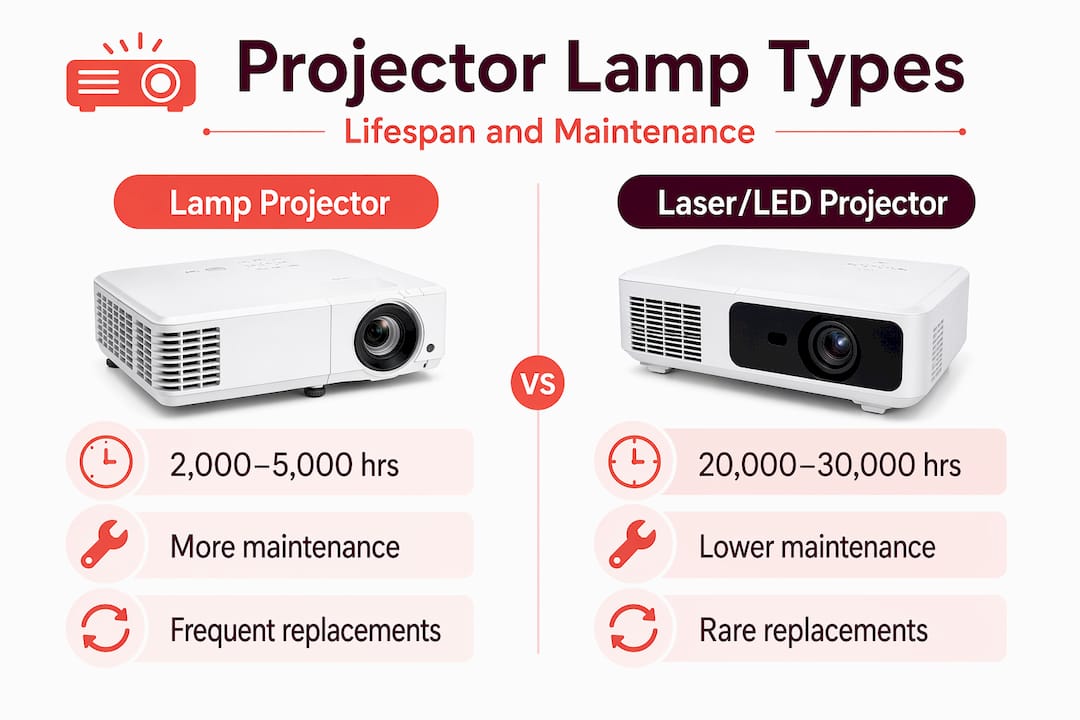
| Feature | Lamp projector | Laser or LED projector |
|---|---|---|
| Typical lifespan | 2,000 to 5,000 hours | 20,000 to 30,000 hours |
| Replacement cost | RM150 to RM600 per lamp | No lamp replacement needed |
| Maintenance frequency | Higher (filter + lamp) | Lower (filter cleaning only) |
| Risk of sudden failure | Higher near end of lamp life | Very low |
| Best for | Budget-friendly home and school use | Long-term heavy use environments |
Refer to your projector's manual for the specific lamp hour rating. Most modern projectors display total lamp hours in the settings menu. A step-by-step walkthrough for safe projector lamp replacement can guide you through the process if you're doing it yourself for the first time.
When replacing the lamp, handle the new unit only by its casing or metal frame. Never touch the glass bulb directly. Skin oils create hot spots on the glass that can cause premature failure or cracking. If you prefer to have a technician handle it, the guide on changing projector lamp includes advice on when to call in professional help.
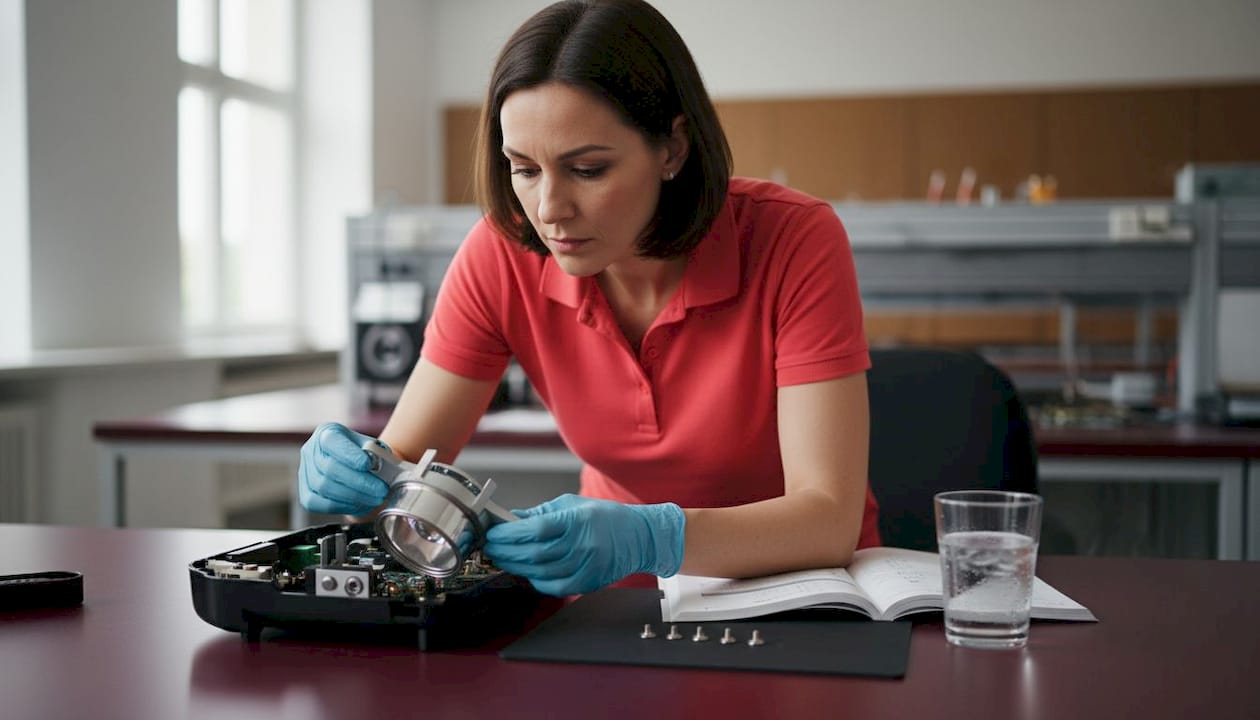
Keep a spare lamp on hand if your projector is used daily in a classroom or home theater setup. Waiting for a replacement to arrive after failure means days without your display. A complete projector life checklist will help you track lamp hours alongside other maintenance milestones so nothing sneaks up on you.
Troubleshooting and avoiding common projector maintenance mistakes
Even careful users can run into projector troubles. Here's how to spot problems early and fix them fast.
Most projector problems stem from a handful of repeated mistakes. Recognizing these patterns early saves you money and frustration.
The most common maintenance mistakes:
- Skipping air filter cleaning for months, assuming the projector "looks fine"
- Waiting for a complete failure before replacing a worn lamp
- Using paper towels or regular cloths on the lens, which cause micro-scratches
- Placing the projector in an enclosed cabinet without ventilation
- Running the projector for extremely long sessions without any break
- Ignoring manufacturer error codes and warning lights
Symptoms that signal a bigger problem:
- Overheating shutdowns: The projector turns off mid-use with a temperature warning. This almost always points to blocked air vents or a clogged filter.
- Colored spots or blotches: Small, fixed spots on the image often indicate dust on the lens or, in serious cases, damage to the color wheel or DMD chip.
- Rapid image dimming: If brightness drops within the first few minutes of use, the lamp may be failing or the projector may be throttling power due to heat.
- Random shutdowns without warning: This can indicate power supply issues or severe overheating. Check vents, filter, and room temperature first.
Pro Tip: Before calling a technician, check your projector's own diagnostic messages. Most modern projectors display specific error codes that tell you exactly what's wrong. Your manual's error code table is the fastest troubleshooting tool you have, and it's free.
For overheating issues specifically, the guide on preventing projector overheating covers ventilation setups, placement strategies, and cooling tips tailored for Malaysian rooms. Keeping the projector at least 50 centimeters from walls and ensuring room airflow makes a measurable difference in operating temperature.
Remember that frequent on/off cycles reduce lamp life significantly. If you're troubleshooting and feel the urge to restart the projector multiple times, resist it. Each cold start stresses the lamp filament. Shut it down once, let it cool completely, then restart. For more detailed troubleshooting strategies, extra maintenance strategies covers advanced scenarios including connectivity and calibration issues.
Why proactive projector maintenance always pays off in Malaysia
With core maintenance steps and troubleshooting covered, it's worth asking: why is proactive attention especially important in Malaysia?
Here's an uncomfortable truth most projector owners don't realize until it's too late. Malaysia's climate does not just affect how fast your projector gets dusty. It changes the rate at which internal components degrade. Humidity causes microscopic condensation inside units that are moved between air-conditioned rooms and warm outdoor spaces. That moisture accelerates oxidation on circuit boards and optical coatings. Dust, made heavier and stickier by humidity, clings to fan blades and filter mesh rather than passing through cleanly.
Most projector owners wait for a visible problem before acting. By that point, the damage is already compounding. A projector that overheats regularly loses lamp life two to three times faster than one that runs within its thermal design limits. The cost of one emergency lamp replacement often equals six months of monthly filter cleanings.
Proactive users consistently report brighter images throughout the lamp's lifespan, fewer disruptions during use, and significantly lower total cost of ownership over three to five years. That's not coincidence. A projector that never overheats, has a clean lens, and runs within its thermal envelope simply performs better in every measurable way.
Contrary to a popular myth, newer LED and laser projectors are not maintenance-free. They still accumulate dust in their vents and filters, still benefit from proper storage and handling, and still produce better images when the lens is kept clean. The maintenance interval is longer, but the discipline matters just as much.
If you're ready to step up your care routine, the full projector care guide provides a complete long-term framework, including seasonal checks and storage best practices for the Malaysian climate.
Find projector solutions and trusted maintenance support
Maintaining great projector performance is easier with the right resources. Here's where to go for supplies, expert help, and upgrades.
Whether you're looking for a replacement lamp, a quality projection screen, or cleaning supplies that actually work on optical glass, ProjectorDisplay.com has you covered. We stock compatible accessories for a wide range of projector brands used in Malaysian homes and schools, so you can find what you need without guessing at compatibility.

If your current lamp-based projector is approaching the end of its useful life, it might be worth exploring an upgrade. Our LED vs laser projector guide helps you compare long-term costs, brightness levels, and maintenance demands so you can make a smart investment rather than a reactive one. We offer fast shipping across Peninsular Malaysia and WhatsApp support for any product or compatibility questions. Chat with our team today for personalized recommendations based on your room setup and usage habits.
Frequently asked questions
How often should I clean my projector filters in Malaysia's climate?
In humid or dusty Malaysian environments, clean projector air filters at least once a month to prevent overheating and image loss. Rooms near construction, kitchens, or with poor ventilation may need more frequent cleaning.
What are warning signs my projector lamp needs replacement?
A dimmer image, a replacement message on screen, or changed indicator light patterns all signal that replacement is due soon. Epson recommends replacing the lamp when the image gets darker, a message appears, or indicator patterns change.
Can I use household cleaner on my projector lens?
No. Use only a microfiber cloth and a proper lens cleaning solution, as regular cleaners strip optical coatings and leave residue that attracts more dust over time.
Does frequent on/off cycling really shorten lamp life?
Yes, and the effect is significant. Epson notes that frequent power on/off cycles shorten lamp life, so limit restarts and let the projector run through a session rather than switching it off between uses.