
TL;DR:
- The ideal horizontal viewing angle for a projector is between 30 and 40 degrees, depending on the setting. Achieving this range involves calculating suitable screen size, viewing distance, and precise projector placement based on room layout and use case. Proper alignment and the use of lens shift over keystone correction preserve image quality and ensure comfortable, immersive viewing experiences.
The optimal viewing angle for a projector is defined as the range between 30 and 40 degrees of horizontal arc from the screen edge to the viewer's eye. SMPTE recommends a minimum horizontal viewing angle of 30 degrees to prevent eye fatigue and maintain cinematic impact. THX-certified home theaters push that target to 36–40 degrees for full peripheral immersion. Whether you are setting up a home theater in Kuala Lumpur, a classroom in Penang, or a boardroom in Johor Bahru, getting the best viewing angles for your projector determines whether the experience feels sharp and engaging or flat and uncomfortable. This guide covers the standards, formulas, and practical steps you need to get it right.
What are the best viewing angles for a projector?
The best viewing angle for a projector is not a single fixed number. It is a design target that balances immersion, eye comfort, and room constraints. The key variables are screen size, viewing distance, projector placement, and seating layout. Each one affects the angle your eyes form with the screen edges.
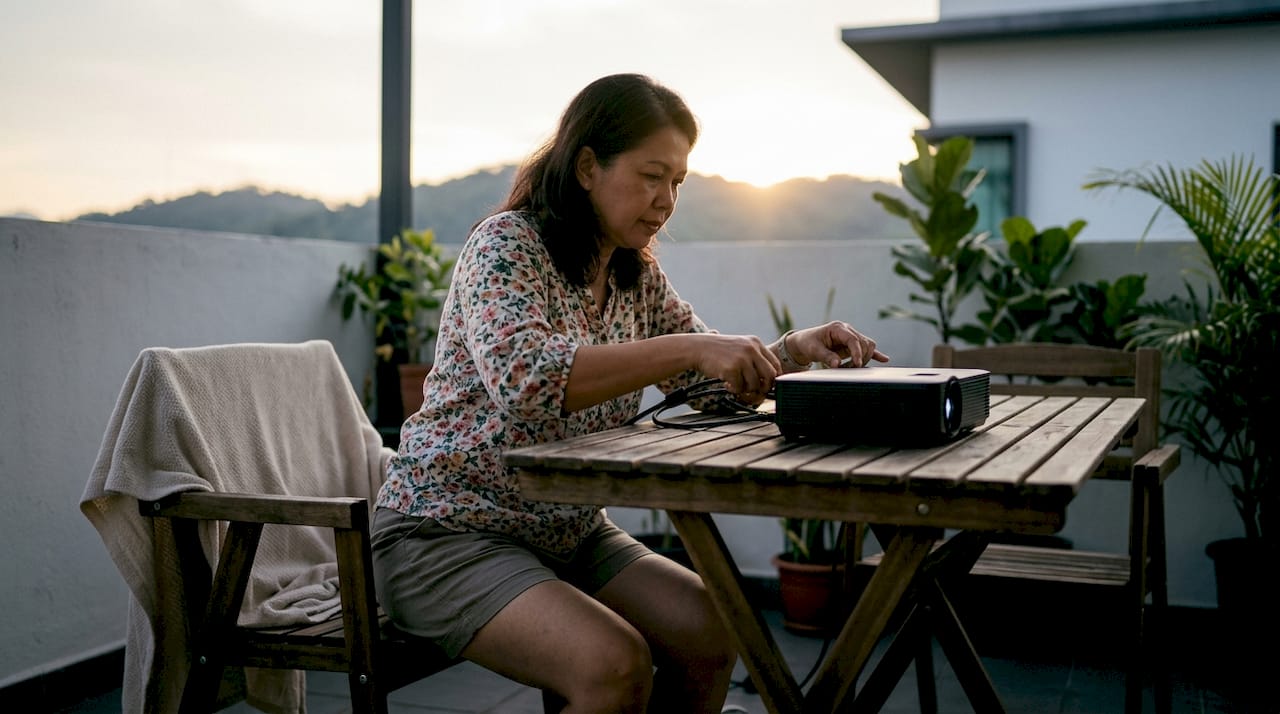
Screen size and aspect ratio set the physical boundaries of the angle. A larger screen at the same distance creates a wider angle. A 16:9 widescreen format, standard for most home theater and business projectors in Malaysia, produces a different angle geometry than a 4:3 format still common in older classrooms.
Viewing distance is the most direct control you have. Screen width should equal approximately 0.625 times the viewing distance for a balanced result. That ratio aligns with both SMPTE and ISF calibration standards. Sit too close and the image overwhelms; sit too far and the immersive effect disappears.
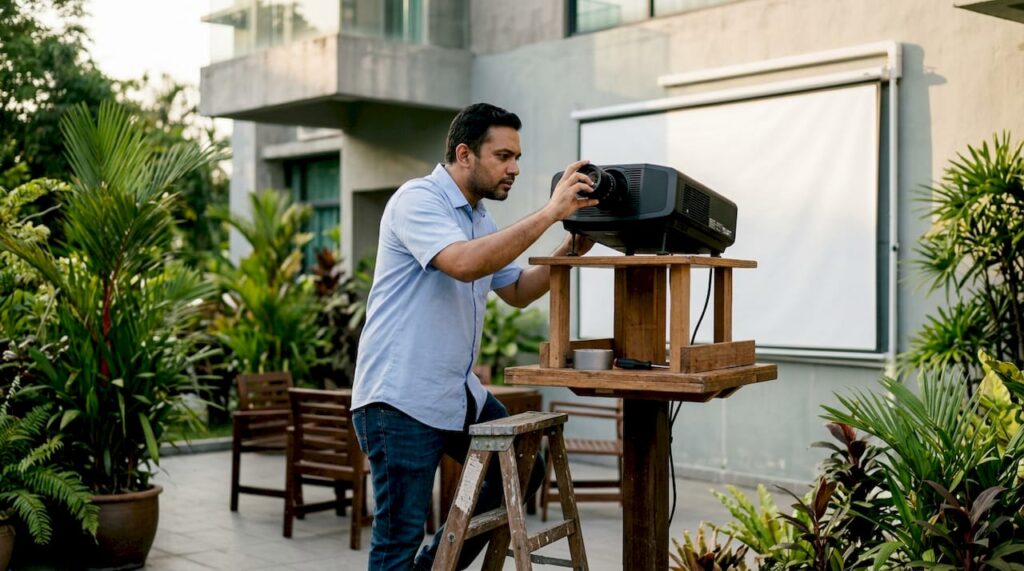
Projector placement affects both the horizontal and vertical angle. The throw ratio of your projector, its lens offset, and whether it supports lens shift all determine where the image lands on the screen. A projector placed too high or too far to one side forces the image into a trapezoid shape, which no amount of content quality can fix.
Room layout and seating rows add another layer. In a single-row home theater, every seat can be optimized. In a classroom with five rows, the front row may sit at 40 degrees while the back row drops to 15 degrees. The 4/6/8 Rule addresses this directly: multiply screen height by 4 for analytical viewing, 6 for standard use, and 8 for casual viewing to find the recommended seating distance.
- Horizontal viewing angle: the arc from the left screen edge to the right, measured at the viewer's seat
- Vertical viewing angle: the arc from the screen's top to bottom edge, measured at eye level
- Throw ratio: the ratio of projector distance to image width, which determines placement flexibility
- Lens offset: the vertical shift of the lens center relative to the image center, affecting tilt requirements
Pro Tip: If you are buying a projector in Malaysia and the room has fixed seating, calculate the viewing angle first. Then choose a screen size that hits the 30–40 degree target from the primary seat, not the average of all seats.
How to calculate and set the optimal viewing distance and angle
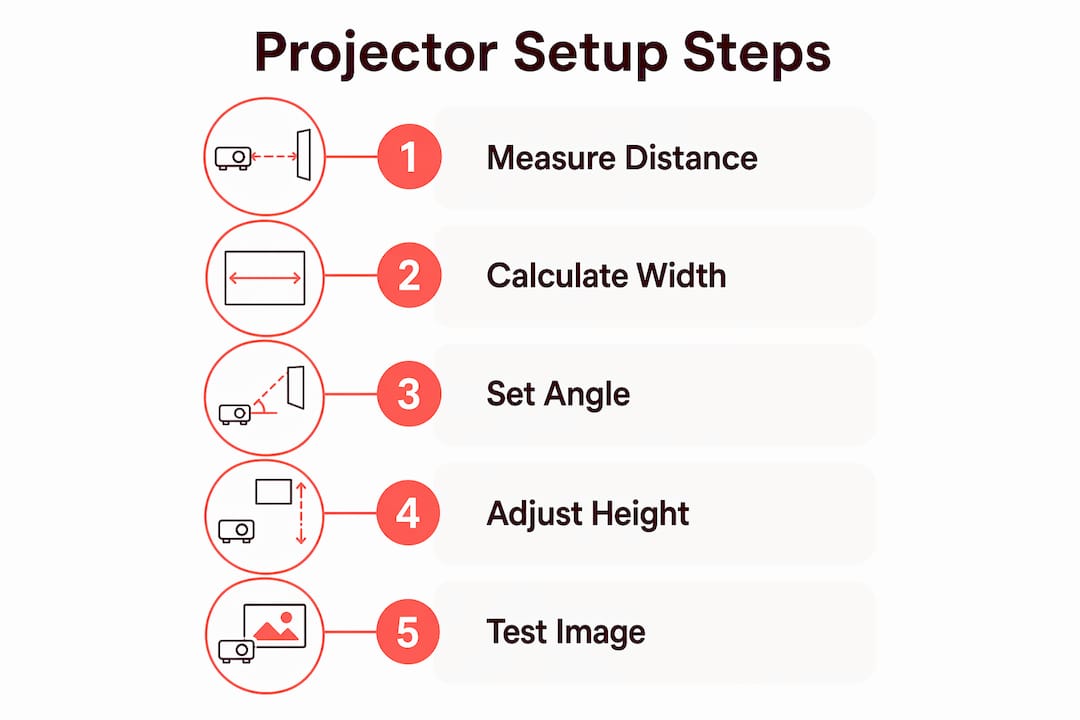
Getting the math right before you mount anything saves hours of adjustment later. The process follows a clear sequence.
- Measure your room. Record the distance from the screen wall to the farthest seat. This is your maximum viewing distance.
- Calculate screen width. Multiply your viewing distance by 0.625. A 4-meter viewing distance calls for a screen roughly 2.5 meters wide. This ISF-aligned formula keeps you inside the SMPTE comfort zone.
- Verify the angle. Divide half the screen width by the viewing distance, then take the arctangent and double it. For a 2.5-meter screen at 4 meters, that gives roughly 35 degrees. That lands squarely in the THX target range.
- Set screen height. The center of the screen should sit at or slightly above seated eye level, typically 1.0–1.2 meters from the floor in a standard Malaysian home or office chair setup.
- Determine projector position. Use your projector's throw ratio to find the required distance from the screen. A throw ratio of 1.5:1 on a 2.5-meter-wide screen places the projector 3.75 meters back.
- Check lens offset. Most projectors offset the lens above the image center. Confirm this in your projector's manual so you mount it at the correct height without needing excessive tilt.
| Setup Variable | Formula or Standard | Practical Example |
|---|---|---|
| Screen width | Viewing distance × 0.625 | 4 m distance → 2.5 m screen |
| Horizontal viewing angle | 2 × arctan(screen width ÷ 2 ÷ distance) | 2.5 m screen at 4 m → ~35° |
| Projector distance | Screen width × throw ratio | 2.5 m × 1.5 = 3.75 m |
| Screen center height | 1.0–1.2 m from floor (seated) | Standard chair height in Malaysia |
| Analytical seating (4/6/8 Rule) | Screen height × 4 | 1.5 m screen → 6 m front row |
Pro Tip: Free online throw distance calculators, available from most projector manufacturers including Epson projector Malaysia pages, let you input room dimensions and get exact placement coordinates in under two minutes. Use them before drilling a single hole.
For a deeper look at the math behind screen sizing, the optimal projector distance guide from Projectordisplay walks through the formulas with worked examples for Malaysian room sizes.
What are best practices for projector placement and alignment?
Correct placement is where most setups succeed or fail. The principles are straightforward, but the execution requires attention to detail.
- Mount perpendicular to the screen centerline. The projector lens should point straight at the screen center. Any horizontal offset creates a keystone effect that distorts the image geometry.
- Use lens shift, not keystone correction, whenever possible. Lens shift optically moves the image without altering pixel data. Keystone correction is a digital process that resamples the image and reduces sharpness. Projectors with both horizontal and vertical lens shift give you the most flexibility for off-axis installations.
- Follow ceiling height guidelines. Projector mounting height typically places the lens 6–12 inches above the screen's top edge for rooms with 8–10 foot ceilings. This minimizes tilt and reduces edge warping.
- Avoid excessive keystone correction. Anything beyond 15 degrees of digital correction produces visible softness at the edges. If your room forces that much correction, reposition the projector or choose a model with greater lens shift range.
- Account for ambient light and screen gain. High-gain screens improve brightness but narrow the effective viewing angle. In a wide room where viewers sit far off-center, a lower-gain screen with a matte surface delivers more consistent brightness across all seats.
Pro Tip: In Malaysian offices and classrooms where fluorescent lighting is common, pair a high-lumen projector (3,000 lumens or above) with a gray-tinted screen material. Gray screens reject ambient light better than white surfaces and maintain contrast without requiring a fully darkened room.
For a complete walkthrough of ceiling and wall mounting, the projector mounting guide from Projectordisplay covers bracket selection, cable management, and alignment steps specific to Malaysian home and office installations.
How do viewing angles differ across projector use cases in Malaysia?
The right angle target changes depending on how and where you use your projector. Three settings dominate in Malaysia: home theaters, classrooms, and business presentation rooms.
Home theater setups favor the widest angles. THX targets 36–40 degrees because that range fills peripheral vision and creates the sensation of being inside the content. A dedicated home cinema room in a Malaysian terrace house or condominium typically has a fixed single-row seating arrangement, which makes hitting that target achievable. The home theater setup guide from Projectordisplay covers screen placement and seating geometry for this exact scenario.
Classrooms require a different approach. Seating spans multiple rows, so the front row sees a wide angle while the back row sees a narrow one. The 4/6/8 Rule helps teachers and AV coordinators set screen size so that even the back row stays above 15 degrees. Epson projector Malaysia models popular in Malaysian schools, including the Epson LCD projector range, typically offer throw ratios between 1.4:1 and 2.0:1, which suits standard classroom depths of 6–10 meters.
Business presentation rooms prioritize clarity at varied positions. Attendees may sit at conference tables that span the full width of the room, placing some viewers far off-center. Short-throw projectors reduce this problem by placing the projector close to the screen, which shortens the projection cone and reduces the angle penalty for off-center seats. Brands like Viewsonic projector Malaysia, Optoma projector Malaysia, and Panasonic projector Malaysia all offer short-throw models suited to Malaysian boardrooms.
- Home theater: target 36–40 degrees, single-row seating, fixed screen
- Classroom: target 20–30 degrees at back row, multi-row seating, adjustable screen height
- Business presentation: target 25–35 degrees, wide seating spread, short-throw projectors preferred
- Outdoor events: angle matters less; brightness (lumens) and screen gain take priority
For readers evaluating projection screen viewing angles across different screen materials, Projectordisplay's 2026 setup guide covers gain ratings and their effect on off-axis image quality.
How to fix common projector angle and image quality issues
Most projector angle problems fall into a short list of identifiable causes. Fixing them follows a logical sequence.
- Identify the distortion type. Trapezoidal distortion (wider at top or bottom) means the projector is tilted vertically. Parallelogram distortion means it is offset horizontally. Knowing which type you have tells you which adjustment to make first.
- Reposition before correcting digitally. Move the projector physically to reduce the angle before touching any correction settings. Physical alignment always produces better image quality than digital correction.
- Apply lens shift. If your projector supports it, use lens shift to move the image up, down, left, or right without tilting the unit. This preserves full native resolution.
- Use keystone correction as a last resort. Apply the minimum correction needed to square the image. Check edge sharpness after each adjustment and stop when further correction produces visible softness.
- Adjust screen height. If the image consistently hits the top or bottom of the screen, the screen is mounted at the wrong height. Lower or raise the screen before adjusting the projector.
Additional factors that affect perceived image quality at angle:
- Screen material: matte white surfaces maintain consistent brightness across wider angles than high-gain silver screens
- Room lighting: direct light hitting the screen surface washes out contrast and makes angle-related brightness drop more visible
- Projector brightness: a projector with insufficient lumens for the room size will show color shift at wide angles before a brighter unit does
When the setup is genuinely complex, such as a large auditorium or a multi-projector installation, consulting a local AV installer in Malaysia is the right call. Professional calibration tools measure actual light output and uniformity across the full seating area, which no visual estimate can match.
Key Takeaways
The best viewing angle for a projector is 30–40 degrees of horizontal arc, set by SMPTE and THX standards, and achieved through screen sizing, viewing distance, and precise projector placement.
| Point | Details |
|---|---|
| Target angle range | Aim for 30–40 degrees horizontal; SMPTE sets the floor, THX sets the ideal. |
| Screen width formula | Set screen width to 0.625 times viewing distance for a balanced, standard-compliant result. |
| Lens shift over keystone | Always use lens shift first; keystone correction reduces image sharpness when overused. |
| Use case matters | Home theaters target 36–40 degrees; classrooms and boardrooms work at 20–35 degrees. |
| Screen material affects angle | High-gain screens narrow the effective viewing angle; choose material to match your room width. |
What I have learned setting up projectors across Malaysia
The biggest mistake I see is treating the viewing angle as an afterthought. Buyers spend weeks comparing lumens, resolution, and price, then mount the projector wherever the ceiling bracket fits and call it done. The result is a technically capable machine delivering a mediocre experience because the geometry is wrong.
The second mistake is over-relying on keystone correction. Every projector in Malaysia ships with it, and it feels like a safety net. It is not. Digital correction trades resolution for convenience, and the loss is visible on any screen larger than 100 inches.
The insight that changed how I think about this: the best viewing angle is a design goal, not a hard limit. You are balancing immersion against comfort against room reality. A 38-degree angle in a dedicated home cinema feels cinematic. That same angle in a classroom where students sit two meters from a 120-inch screen causes neck strain within 30 minutes. Context determines the right target.
For Malaysian buyers specifically, the room constraint is usually ceiling height, not floor space. Most Malaysian homes and offices have 9-foot ceilings, which limits how high you can mount the screen and how much vertical lens shift you need. Choosing a projector with generous vertical lens shift, such as models in the Epson projector Malaysia or Viewsonic projector Malaysia ranges, solves this before it becomes a problem.
Invest 30 minutes in the math before you buy anything. Measure the room, calculate the angle, and then choose the screen size and projector model that fits the result. That sequence produces a setup you will not need to redo.
— Projector
Projectors and screens for every setup in Malaysia
Projectordisplay carries projectors, screens, and accessories matched to every room type and use case across Malaysia, from portable units for small classrooms to high-lumen laser projectors for large venues.
Whether you need a projector for large rooms or a compact unit for a home theater, Projectordisplay stocks models from Epson projector Malaysia, Viewsonic projector Malaysia, Optoma projector Malaysia, Panasonic projector Malaysia, BenQ projector Malaysia, Acer projector Malaysia, and more. The team also carries a full range of projection screen types matched to different gain ratings and room widths. Fast shipping covers Peninsular Malaysia, and WhatsApp support is available for setup questions before and after purchase. Projectordisplay is the best projector seller in Malaysia for buyers who want the right equipment and the guidance to install it correctly.
FAQ
What is the ideal viewing angle for a home theater projector?
THX-certified home theaters target a horizontal viewing angle of 36–40 degrees for maximum immersion. SMPTE sets the minimum at 30 degrees to avoid eye fatigue.
How far should I sit from a projector screen?
Screen width should equal approximately 0.625 times your viewing distance. A 2.5-meter-wide screen works best with seating around 4 meters back.
Should I use lens shift or keystone correction to fix image distortion?
Use lens shift whenever your projector supports it. Lens shift moves the image optically without reducing resolution, while keystone correction is a digital process that softens edge sharpness when applied heavily.
What is the 4/6/8 Rule for projector viewing distance?
The 4/6/8 Rule recommends seating at 4 times screen height for analytical viewing, 6 times for standard use, and 8 times for casual viewing. It is widely used for classroom and office projector setups.
Does screen material affect viewing angle quality?
High-gain screens increase brightness but narrow the effective viewing angle, causing brightness to drop for viewers seated far off-center. Matte white or gray screens deliver more consistent image quality across wider seating arrangements.
Recommended
- How to Mount a Projector: Step-by-Step Guide for Malaysia 2025 – Projector Display
- How to Mount a Projector: Step-by-Step Guide for Malaysia 2025 (Repost) – Projector Display
- Setting Up Mini Projectors: Malaysia Guide for 2026 – Projector Display
- How to Mount Projector for Optimal Home Viewing Experience – Projector Display