
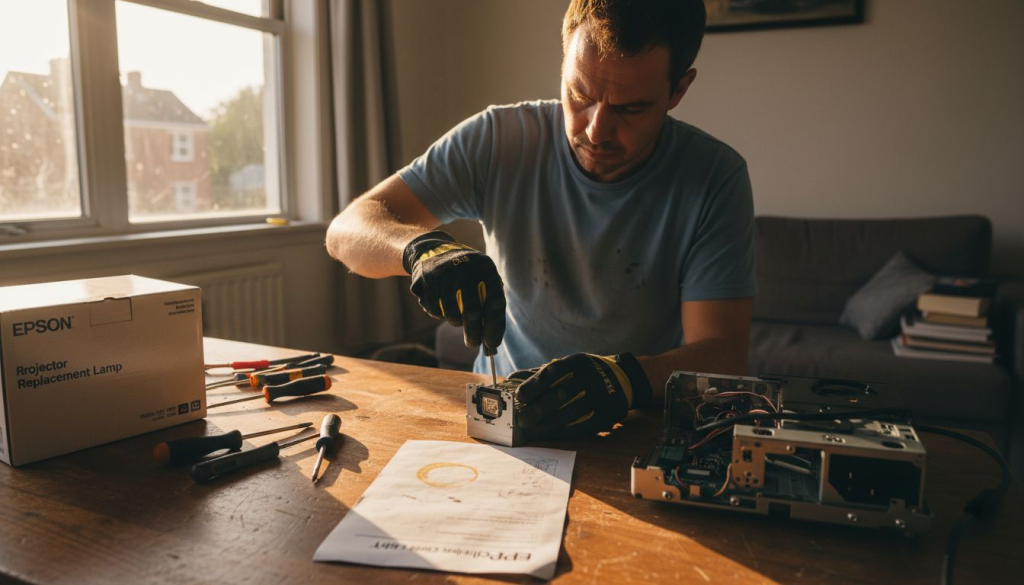
When your projector starts dimming or displays a warning message, it's time to replace the ELPLP96 lamp. This essential maintenance task extends your projector's life and maintains image quality for Malaysian classrooms and boardrooms. Our step-by-step guide covers identification, proper tools, safe removal and installation, troubleshooting, and maintenance tips. You'll learn to handle lamps safely, avoid common mistakes, and maximize your investment.
Table of Contents
- Prerequisites: Identifying Correct ELPLP96 Lamp And Tools
- Step-By-Step Replacement Process
- Troubleshooting And Common Mistakes
- Expected Results And Maintenance Tips
- Purchasing And Warranty Considerations For ELPLP96 Lamps
- Find Authentic ELPLP96 Lamps And Accessories At Projector Display Malaysia
- Frequently Asked Questions
Key takeaways
| Point | Details |
|---|---|
| Verify compatibility and gather tools | Confirm your projector model matches ELPLP96 compatibility and assemble Phillips screwdriver, lint-free cloth, and protective gloves. |
| Follow systematic replacement steps | Power off, wait 15-20 minutes for cooling, carefully remove old lamp, install new one without touching bulb, then reset lamp timer. |
| Avoid common installation errors | Never touch bulb with bare hands, allow proper cooling time, and always reset lamp timer to track usage accurately. |
| Dispose lamps responsibly | Used ELPLP96 lamps contain mercury requiring hazardous waste disposal per Malaysian regulations. |
| Purchase genuine OEM lamps | Buy from certified suppliers to ensure authentic ELPLP96 lamps with OEM bulbs for optimal brightness and longevity. |
Prerequisites: Identifying correct ELPLP96 lamp and tools
Before starting your lamp replacement, verify your projector model requires the ELPLP96 lamp. Compatible Epson projector models include the EB-S140, EB-X140, EB-W140, EH-TW5600, EH-TW5650, and several other models. Check your projector manual or the lamp compartment label for exact model numbers.
Authenticity matters when purchasing replacement lamps. Genuine ELPLP96 lamps contain OEM bulbs from manufacturers like Philips and Osram, ensuring optimal performance and safety. Counterfeit lamps may fail prematurely, damage your projector, or pose safety hazards.
Essential tools for ELPLP96 replacement:
- Phillips head screwdriver for lamp cover removal
- Lint-free cloth for handling and cleaning
- Protective gloves to prevent skin oil contact with bulb
- Clean, dust-free workspace with adequate lighting
- Manufacturer instructions or service manual
| Verification Item | What to Check | Why It Matters |
|---|---|---|
| Lamp packaging | OEM seals, holographic stickers, brand markings | Confirms authenticity and warranty eligibility |
| Lamp housing | Model number V13H010L96, serial number visible | Ensures correct fit and compatibility |
| Bulb condition | Clean glass, intact filament, no cracks | Verifies lamp wasn't damaged during shipping |
| Workspace setup | Flat surface, good lighting, dust-free | Prevents contamination and accidents |
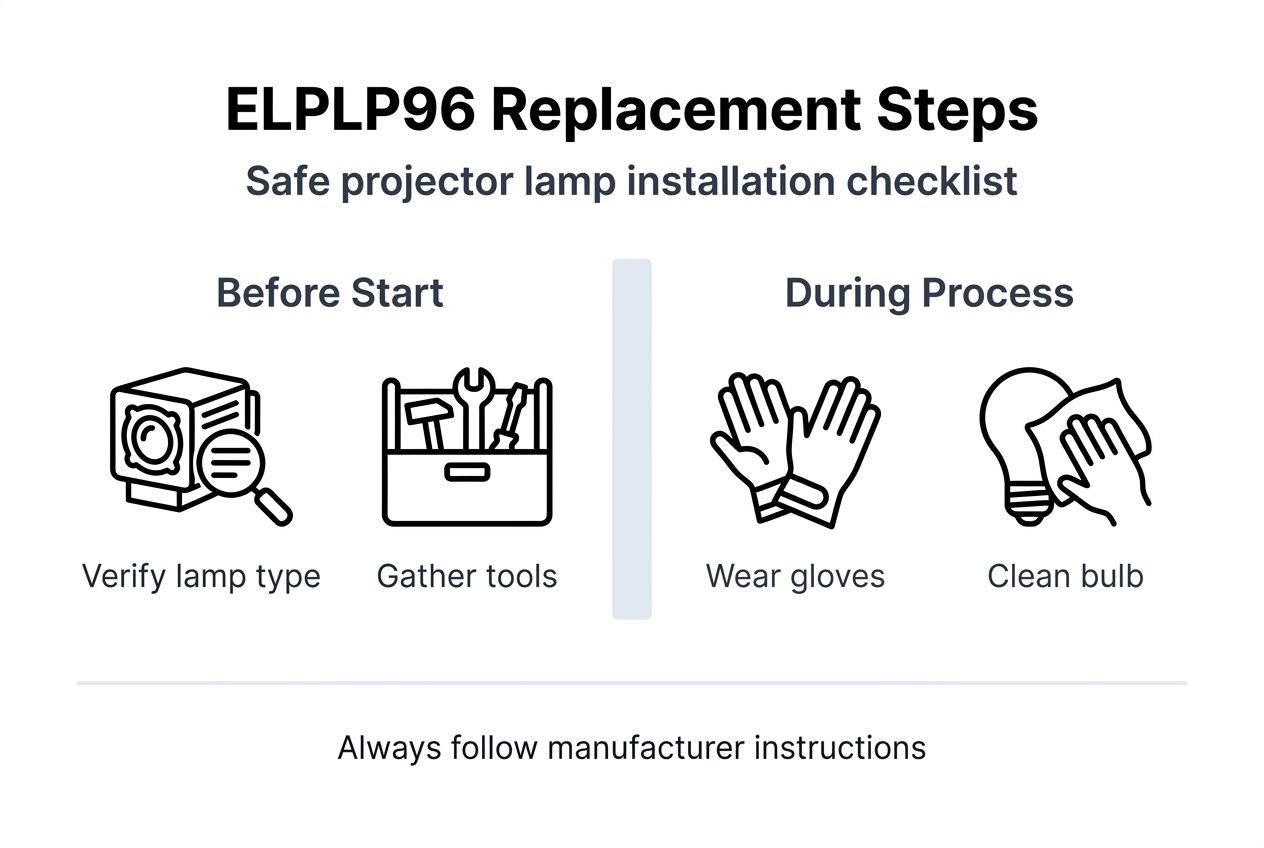
When you replace projector bulb ELPLP96 lamp, organization prevents mistakes. Lay out all tools before starting. Keep the replacement lamp in its packaging until you're ready to install it.
Pro Tip: Inspect your existing lamp housing for cracks, warping, or melted plastic before ordering a replacement. If the housing shows damage, you may need a complete lamp assembly rather than just the bulb.
Set aside 30 to 45 minutes for the replacement process. Rushing increases the risk of dropping fragile components or making installation errors. Work in a well-ventilated area, as lamp compartments can retain heat and dust.
Step-by-step replacement process
Proper lamp replacement protects both your equipment and your safety. Follow this systematic approach to replace Epson projector lamp without damaging components.
Safety first: Power down and cool down
- Turn off the projector using the power button and wait for the cooling fan to stop completely
- Unplug the power cable from both the projector and wall outlet
- Wait 15 to 20 minutes for internal components to cool to safe handling temperature
- Never attempt lamp replacement while projector is warm or powered
Removing the old ELPLP96 lamp
- Locate the lamp cover on your projector, typically on top or side panel
- Carefully remove lamp cover screws using your Phillips screwdriver and set them aside safely
- Lift the lamp cover gently and place it in a clean area
- Loosen the lamp housing screws, usually two screws securing the assembly
- Grasp the lamp housing handle and pull straight out with steady, even pressure
Installing your new ELPLP96 lamp
- Put on protective gloves before handling the new lamp
- Remove the new ELPLP96 lamp from its protective packaging
- Hold the lamp by its housing only, never touching the glass bulb surface
- Align the lamp housing with the projector compartment guides
- Slide the new lamp assembly into place until it seats firmly
- Tighten the lamp housing screws in a cross pattern for even pressure
- Replace the lamp cover and secure all screws
Warning: ELPLP96 bulbs contain pressurized gas and can shatter if dropped or mishandled. Always wear protective gloves and safety glasses during installation. Keep the lamp away from children and pets.
Post-installation verification
- Plug in the power cable and turn on the projector
- Access the projector menu using your remote control
- Navigate to Settings, then Information or Lamp Hours section
- Reset the lamp timer to zero hours for accurate usage tracking
- Test image brightness and clarity with a standard presentation or video
Pro Tip: Keep a soft microfiber cloth ready during installation. If you accidentally touch the bulb glass, gently clean it with isopropyl alcohol and the cloth before powering on the projector.

The entire replacement process takes about 20 to 30 minutes once you've gathered tools and allowed cooling time. Document your installation date and initial lamp hour reading for future maintenance scheduling.
Troubleshooting and common mistakes
Avoiding mistakes during ELPLP96 replacement saves time, money, and prevents equipment damage. Learn from common errors that reduce lamp performance and lifespan.
Critical mistakes that damage lamps:
- Touching the bulb glass with bare hands transfers skin oils that create hot spots and premature failure
- Removing the lamp before adequate cooling time risks burns and thermal shock to components
- Forcing the lamp housing into place can crack the bulb or damage alignment pins
- Skipping the lamp timer reset prevents accurate usage tracking and maintenance scheduling
- Using excessive force when tightening screws can crack the housing or strip threads
Common replacement mistakes reduce lamp life by up to 30%. Take your time and follow each step carefully. If the lamp doesn't slide in smoothly, check for obstructions or misalignment rather than forcing it.
Handling contaminated bulbs:
If you touch the bulb glass accidentally, don't panic. Clean it immediately with isopropyl alcohol (90% or higher concentration) and a lint-free cloth. Wipe gently in circular motions until no fingerprints or residue remain. Allow the alcohol to evaporate completely before installing the lamp.
Disposal requirements for used lamps:
Malaysian regulations classify used projector lamps as hazardous waste due to mercury content. Proper ELPLP96 lamp disposal protects public health and the environment. Never dispose of lamps in regular trash bins.
Contact your local municipal waste management office for hazardous waste collection schedules. Many Malaysian cities offer quarterly collection events. Some retailers and service centers accept used lamps for proper recycling.
Troubleshooting post-installation issues:
If your projector displays a lamp error after installation, power off and verify all connections. Check that the lamp housing seats completely flush with no gaps. Confirm you tightened all screws securely but not overtightened.
Dim or flickering images after replacement usually indicate a counterfeit lamp or improper timer reset. Verify you purchased from a certified supplier and completed the timer reset procedure. When you replace projector bulb ELPLP96 lamp correctly, brightness should match or exceed your projector's specifications immediately.
If the projector won't power on after lamp replacement, double-check all cable connections. Ensure the lamp cover seated properly and all safety interlocks engaged. Some projectors have lamp door sensors that prevent operation if the cover isn't fully secured.
Expected results and maintenance tips
A properly installed ELPLP96 lamp restores your projector to factory brightness specifications. You should notice immediate improvements in image clarity, color accuracy, and overall presentation quality.
Performance expectations after replacement:
- Brightness levels matching your projector's rated lumens output
- Crisp, clear images without dark spots or uneven illumination
- True color reproduction without yellow or brown tinting
- Quiet operation without excessive fan noise
- No lamp warning messages or error indicators
ELPLP96 lamp lifespan ranges from 2,000 to 8,000 hours depending on projector model and usage conditions. Eco mode extends lamp life significantly compared to high brightness mode. Plan replacement based on actual usage hours rather than calendar time.
| Usage Pattern | Expected Lamp Life | Replacement Planning |
|---|---|---|
| Eco mode daily (3 hrs) | 6,000 to 8,000 hours | Replace every 5 to 7 years |
| Normal mode frequent (5 hrs) | 4,000 to 6,000 hours | Replace every 2 to 3 years |
| High brightness intensive (8 hrs) | 2,000 to 4,000 hours | Replace every 12 to 18 months |
| Mixed usage patterns | 3,000 to 5,000 hours | Monitor lamp hours quarterly |
Maintenance practices that extend lamp life:
- Clean air filters monthly to maintain proper cooling and prevent overheating
- Use eco or standard mode instead of high brightness when possible
- Allow proper cooling before powering off, using the projector's shutdown sequence
- Keep projector in well-ventilated spaces away from heat sources
- Avoid frequent on/off cycles that stress lamp components
Warranty coverage typically ranges from 6 to 24 months depending on your supplier. Most warranties cover manufacturing defects but exclude damage from misuse, improper installation, or excessive hours. Keep your purchase receipt and installation documentation for warranty claims.
Pro Tip: Maintain a usage log tracking lamp hours, replacement dates, and any performance issues. This data helps predict optimal replacement timing and provides documentation for warranty claims if needed.
Reset your lamp hour counter after each replacement and check it monthly. When lamp hours reach 75% of rated life, order a replacement lamp. This proactive approach prevents unexpected failures during important presentations or classes. Visit our Epson projector lamp maintenance guide for detailed care instructions.
Purchasing and warranty considerations for ELPLP96 lamps
Buying authentic ELPLP96 lamps from certified suppliers protects your investment and ensures optimal performance. Counterfeit lamps may cost less initially but fail prematurely and potentially damage your projector.
Selecting reliable Malaysian suppliers:
- Verify seller certification from Epson or authorized distributors
- Check customer reviews and ratings for product authenticity
- Confirm warranty terms before purchasing
- Ask about lamp origin and bulb manufacturer
- Request proof of OEM components and certification
Genuine ELPLP96 lamps use OEM bulbs from Philips, Osram, Ushio, or Phoenix. These manufacturers meet strict quality standards for brightness, color accuracy, and lifespan. Generic or compatible lamps may use inferior bulbs that produce less light and fail quickly.
Understanding warranty coverage:
Most genuine ELPLP96 lamps include 6 to 24 months warranty coverage. Warranty terms vary by supplier but typically cover manufacturing defects, premature failure, and bulb burnout within specified hours. Read warranty conditions carefully before purchasing.
Warranty claims usually require proof of purchase, installation date documentation, and lamp hour meter readings. Some warranties exclude coverage if you exceed specified usage hours or operate in improper conditions. Purchasing from certified suppliers ensures warranty eligibility and straightforward claims processes.
Safety and environmental compliance:
Reputable suppliers comply with Malaysian safety standards and environmental regulations. Verify that your supplier provides proper disposal guidance and follows hazardous waste protocols. Some sellers offer lamp recycling programs or take-back services.
Price differences between genuine and counterfeit lamps reflect quality disparities. Genuine ELPLP96 lamps cost more initially but deliver better brightness, longer life, and warranty protection. Calculate total cost of ownership including replacement frequency and potential projector damage from inferior lamps.
When you buy genuine ELPLP96 lamp, look for holographic authentication stickers, serial numbers, and professional packaging. Authorized dealers provide technical support, installation guidance, and warranty service. Explore projector accessories to complement your lamp replacement and enhance your projection setup.
Find authentic ELPLP96 lamps and accessories at Projector Display Malaysia
Maintaining your projector investment requires reliable sources for genuine replacement lamps and quality accessories. Projector Display Malaysia specializes in authentic ELPLP96 lamps backed by manufacturer warranties and expert customer support.
Our certified ELPLP96 lamps feature OEM bulbs from leading manufacturers, ensuring brightness levels that match your projector specifications. We provide detailed installation guides, responsive technical support via WhatsApp, and fast shipping throughout Peninsular Malaysia. Malaysian businesses and educational institutions trust us for timely delivery and competitive pricing.

Explore our complete range of projector accessories including projection screens, mounting solutions, and connectivity cables. Take advantage of our current sale products offering significant savings on projection equipment and accessories. Whether you need replacement lamps, upgrade components, or complete projection systems, our team helps you select solutions that match your requirements and budget.
Frequently asked questions
What Epson models use the ELPLP96 lamp?
The ELPLP96 lamp fits multiple Epson projector series including EB-S140, EB-X140, EB-W140, EH-TW5600, EH-TW5650, EH-TW5400, and several other models. Check your projector manual or the existing lamp label to confirm compatibility before ordering. Visit our ELPLP96 lamp replacement guide for a complete compatibility list.
How do I dispose of an old ELPLP96 lamp safely in Malaysia?
Used ELPLP96 lamps contain mercury and require hazardous waste disposal per Malaysian environmental regulations. Contact your local municipal waste management office for collection schedules or drop-off locations. Never throw projector lamps in regular trash bins. Some retailers and service centers offer lamp recycling programs.
What is the typical lifespan of an ELPLP96 lamp?
ELPLP96 lamps last between 2,000 and 8,000 hours depending on usage mode and projector model. Eco mode extends lamp life significantly compared to high brightness mode. Monitor your lamp hour counter monthly and plan replacement when you reach 75% of rated life. Actual lifespan varies based on operating conditions, cooling efficiency, and usage patterns.
Can I touch the lamp bulb during installation?
Never touch the ELPLP96 bulb glass with bare hands. Skin oils create hot spots that cause premature failure and reduce brightness. Always wear protective gloves when handling lamps. If you accidentally touch the bulb, clean it immediately with 90% isopropyl alcohol and a lint-free cloth before installation.
How do I claim warranty for a faulty ELPLP96 lamp?
Warranty claims require proof of purchase, installation date, and lamp hour readings. Contact your supplier immediately if you experience premature failure or defects. Most warranties cover manufacturing issues within 6 to 24 months but exclude damage from misuse or excessive hours. Keep all documentation and follow the supplier's claims process for fastest resolution.
Recommended
- Replace Your Projector Bulb With ELPLP96 Lamp Easily – Projector Display
- Replace Your elplp95 Replacement Projector Lamp Easily – Projector Display
- How to Install an elplp78 Replacement Projector Lamp Easily – Projector Display
- How to Replace Elplp88 Replacement Projector Lamp Easily – Projector Display