
TL;DR:
- Projector security involves physical theft prevention, operational safety measures, and cybersecurity protections to prevent loss, damage, and unauthorized access. Implementing layered physical security, such as cable locks and locking mounts, along with network safeguards like firmware updates and network segmentation, is essential for comprehensive protection. Regular maintenance and best practices, including firmware updates, disabling unused network features, and proper placement, help extend projector lifespan and safeguard sensitive environments.
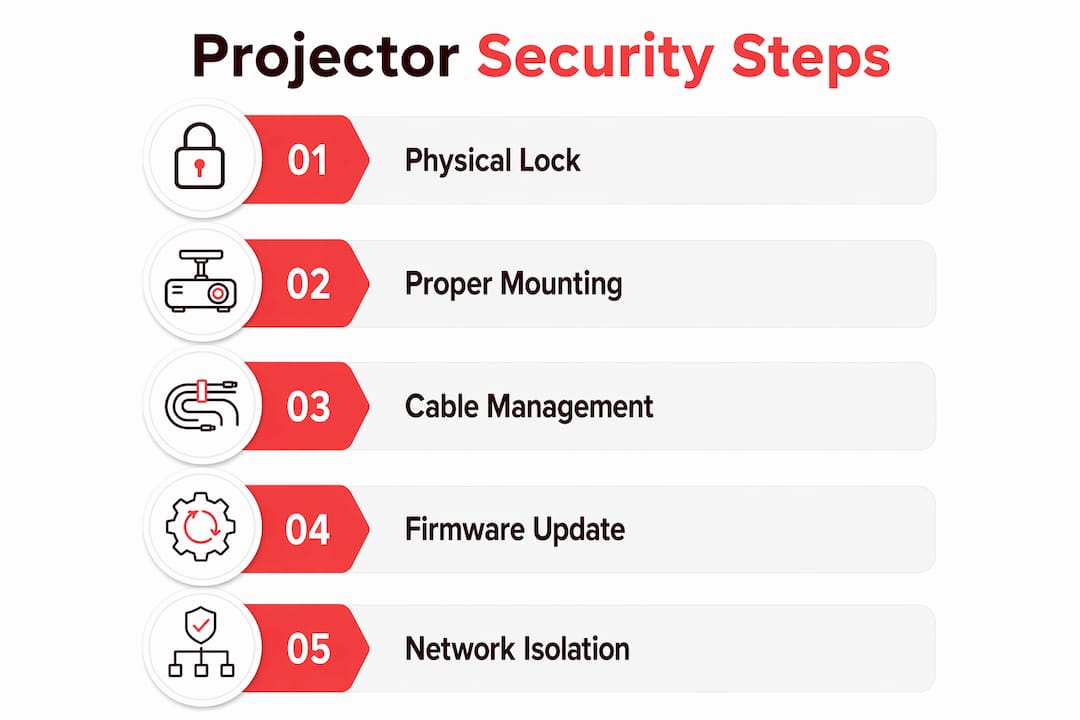
Projector security is defined as the combination of physical theft prevention, operational safety controls, and cybersecurity measures that protect your projector from loss, damage, and unauthorized access. Whether you own a portable Epson projector for home use or manage a classroom full of ViewSonic units in Malaysia, the risks are real and layered. A projector left unsecured on a table is a theft target. A smart projector connected to an open Wi-Fi network is a cyberattack surface. These projector security tips cover all three protection layers so you can address every angle without guesswork.
What physical security measures best protect projectors?
Physical security is the first line of defense for any projector, whether it sits on a desk at home or mounts to a classroom ceiling. The most effective approach combines cable locks, secure mounting, and deliberate placement to create multiple barriers against theft and accidental damage.
Cable locks and security cables
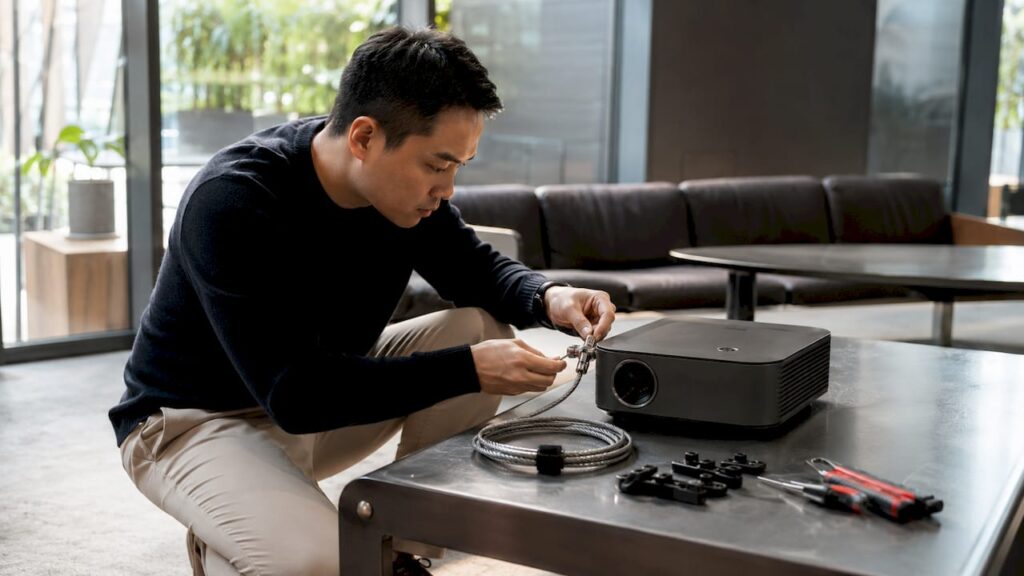
Cable locks designed for projectors use a Kensington-style slot or a loop anchor point to tether the device to a fixed surface. Braided steel cables with vinyl coating resist cutting and provide flexibility for routing around furniture legs or desk anchors. For shared spaces like school labs or conference rooms, a cable lock adds a visible deterrent that discourages opportunistic theft even when staff are not present.
Combining cable locks with locking mounts provides layered physical security that neither method achieves alone. A ceiling-mounted projector with a locking bar is far harder to steal than one simply placed on a shelf, but adding a cable lock to the mount makes removal nearly impossible without tools and time.
Mounting options that prevent theft and falls
Ceiling mounts with locking brackets are the gold standard for classroom and office projectors. The mount itself elevates the projector out of casual reach, and a locking bracket requires a key or specialized tool to detach. Epson projector Malaysia models like the EB series and ViewSonic projector Malaysia units in the PA and PX series are compatible with universal ceiling mount kits available from most projector shops in Malaysia.
Wall mounts and short-throw brackets serve home theater setups where ceiling installation is not practical. Short-throw projectors placed on a low shelf benefit from anti-tip straps, the same type used to secure bookshelves and televisions against falls.
Placement and cable management
Projector placement affects both security and safety. A unit positioned near a high-traffic walkway is more likely to be knocked over or have its cables pulled. Routing power and video cables along walls and securing them with cable clips removes the tripping hazard and prevents accidental disconnection during a presentation.
Pro Tip: Use a cable raceway or conduit to bundle and conceal cables along the wall. Hidden cables are harder to tamper with and reduce the chance of someone unplugging your projector mid-session.
| Security Method | Best For | Difficulty |
|---|---|---|
| Cable lock (Kensington slot) | Portable and desktop projectors | Low |
| Ceiling mount with locking bracket | Classrooms, offices, large venues | Medium |
| Anti-tip strap | Home theater, short-throw setups | Low |
| Cable raceway | Any fixed installation | Low |
How to maintain operational safety and extend projector lifespan
Projector safety measures during everyday use protect both users and the device itself. Operational risks include eye injury from laser beams, overheating from blocked vents, and electrical damage from power surges.
-
Follow laser safety guidelines. ViewSonic laser safety documentation emphasizes that children must not stare into laser beams and that caution labels on the projector body comply with IEC 60825-1. Laser projectors from brands like BenQ projector Malaysia and Hisense projector Malaysia carry similar warnings. Treat the beam as you would any Class 1 or Class 2 laser device.
-
Keep vents clear at all times. The ViewSonic M1 Gen 2 user guide recommends maintaining at least a 10 cm gap around all ventilation openings. Blocking vents causes internal temperatures to rise, which shortens lamp and laser module life and can trigger automatic shutdowns during critical presentations.
-
Never place flammable objects near the projector. Paper, fabric, and plastic near a hot projector body or exhaust vent are fire risks. This applies especially to portable projectors used in home cinema setups where cushions and curtains are nearby.
-
Use a surge protector on every installation. ViewSonic manuals recommend surge protection because unstable voltages common in Malaysian homes and schools can permanently damage projector power supplies. A quality surge protector costs a fraction of a projector lamp replacement, let alone a full unit replacement.
-
Clean filters and lenses on a regular schedule. Dust accumulation inside a projector reduces brightness and causes overheating. LCD projectors, including Epson LCD projector and NEC projector Malaysia models, typically have removable filters that need cleaning every 300–500 hours of use. Check your model's manual for the exact interval.
-
Avoid moisture and dusty environments. Projectors are not sealed devices. Operating a projector in a dusty workshop or near a window during rain accelerates internal component wear. If you need outdoor use, choose a projector rated for it or use a protective enclosure.
Pro Tip: Set a recurring calendar reminder every three months to clean your projector filter and check ventilation clearance. This single habit prevents the majority of heat-related failures.
What cybersecurity best practices protect connected projectors?
Smart projectors, wireless projector Malaysia models, and any unit connected via Ethernet are network devices. They carry the same vulnerabilities as other IoT equipment, and attackers have demonstrated real exploits against them.
The NIST 2026 publication on IoT cybersecurity recommends scheduling firmware updates at least quarterly following manufacturer advisories. Outdated firmware is the most common entry point for network attacks on projectors. Brands like Optoma projector Malaysia and Panasonic projector Malaysia release firmware patches through their support portals. Check and apply them on a fixed schedule. You can follow a step-by-step process for updating projector firmware to stay current without guesswork.
A real-world example makes the risk concrete. The SentinelOne CVE-2026-5777 advisory documents how the Atom 3x projector's Android Debug Bridge service was exploited because it required no authentication. The recommended fix was to disable ADB over the network and isolate the projector on a dedicated VLAN with a firewall rule blocking TCP port 5555. That single misconfiguration gave attackers full device access.
Key cybersecurity measures for connected projectors:
- Disable debug interfaces. Turn off ADB and any remote management service you do not actively use. Most users never need these features enabled.
- Segment your network. Place projectors on a separate VLAN or guest network so a compromised unit cannot reach computers, printers, or file servers. This is especially important for classroom projector security in Malaysian schools.
- Block vulnerable ports via firewall. TCP port 5555 is the default ADB port. Block it at the router or firewall level as a baseline rule for any projector on your network.
- Require PIN or explicit pairing for wireless casting. Disabling open-accept mode and requiring WPA3 or WPA2 encryption prevents unauthorized devices from hijacking your display. Review authorized devices after every shared-space event.
- Disconnect from the network when wireless is unnecessary. Feeding video via HDMI or USB eliminates virtually all network-based attack vectors instantly. This is the fastest risk reduction step available.
| Threat | Mitigation | Priority |
|---|---|---|
| Outdated firmware | Quarterly updates per NIST guidance | High |
| Open ADB debug port | Disable ADB, block TCP 5555 | High |
| Unauthorized wireless casting | Require PIN, use WPA3/WPA2 | High |
| Lateral network movement | VLAN isolation | Medium |
| Open Wi-Fi exposure | Disable wireless if unused | Medium |
A cybersecurity checklist for IT managers is a useful companion document for school IT staff managing multiple projectors across a campus network.
Which accessories help implement projector security and safety?
The right accessories make projector security best practices easier to maintain consistently. The table below covers the core categories and what to look for in each.
| Accessory | Purpose | Brands and Notes |
|---|---|---|
| Cable lock (braided steel) | Physical theft prevention | Universal Kensington-compatible; fits most projectors |
| Ceiling mount with locking bracket | Secure elevated installation | Compatible with Epson, ViewSonic, BenQ, Optoma |
| Surge protector (6-outlet, joule-rated) | Electrical damage prevention | Look for 1,000+ joule rating for projector use |
| Lens cover or automatic lens shutter | Protects lens from dust and scratches | Available for Epson projector Malaysia and Panasonic models |
| Dust filter replacement kit | Maintains airflow and prevents overheating | Model-specific; check projector lamp Malaysia supplier |
| Wireless display adapter with PIN pairing | Secure screen mirroring | Supports WPA2/WPA3; avoid open-pairing adapters |
For a broader look at what to add to your setup, the projector accessories guide from Projectordisplay covers mounting kits, cleaning tools, and connectivity accessories suited to the best projector brands available in Malaysia.
Pro Tip: When buying a ceiling mount for a Barco projector Malaysia or JVC projector Malaysia unit, verify the mount's weight rating against your projector's actual weight plus a 20% safety margin. Undersized mounts are a fall risk.
Key takeaways
Effective projector security requires layering physical controls, operational habits, and network defenses rather than relying on any single measure.
| Point | Details |
|---|---|
| Layer physical security | Combine cable locks with locking ceiling mounts for maximum theft resistance. |
| Maintain ventilation clearance | Keep at least 10 cm of space around all vents to prevent overheating damage. |
| Update firmware quarterly | Follow NIST guidance and apply manufacturer patches on a fixed schedule. |
| Disable unused network features | Turn off ADB and wireless casting when not needed to eliminate attack vectors. |
| Use surge protection | Install a rated surge protector on every projector to guard against electrical damage. |
What i've learned after years of watching projectors get compromised
Most projector owners focus entirely on image quality when they buy and forget about security the moment the box is unpacked. That is the pattern I see repeatedly, whether the setting is a Malaysian school with a dozen Epson projector Malaysia units or a home theater with a single portable projector.
The physical risks are obvious in hindsight. A projector sitting on an unsecured table in a shared room is gone before anyone notices. But the cybersecurity risks are the ones that genuinely surprise people. When SentinelOne published the CVE-2026-5777 advisory showing that an Android-based projector's debug port could be exploited with no authentication required, it confirmed what network security professionals already suspected: projectors are treated as display devices, not as computers, even though modern smart projectors are exactly that.
My honest observation is that the single most underused projector safety measure is network isolation. Placing a projector on its own VLAN costs nothing if you already have a managed switch, and it contains any compromise before it spreads. Most home users will not do this, but educators and IT managers in Malaysian schools absolutely should. The future of projectors in Malaysian classrooms depends on institutions treating these devices with the same security discipline applied to laptops and tablets.
Operational safety is the other area where I see consistent gaps. Laser projectors from brands like ViewSonic and BenQ are now common in classrooms, and the eye safety warnings in their documentation are not suggestions. Children do not instinctively avoid looking at bright light sources. Supervision and physical positioning of the projector matter as much as any written policy.
The good news is that layering even basic controls, a cable lock, a surge protector, a firmware update schedule, and a PIN on wireless casting, puts you ahead of the vast majority of projector owners in terms of protection.
— Projector
Protect your projector with the right gear from Projectordisplay

Projectordisplay is the best projector seller in Malaysia, stocking a full range of security and safety accessories alongside top projector brands including Epson projector Malaysia, ViewSonic projector Malaysia, BenQ projector Malaysia, Optoma projector Malaysia, and more. Whether you need a ceiling mount with a locking bracket, a surge protector, or a wireless projector Malaysia model with built-in PIN pairing, Projectordisplay has you covered. Explore the complete guide to projector security best practices for deeper coverage of network protection and data safeguarding. For large installations, check out the top projector picks for large venues to find models built for durability and secure deployment. Contact Projectordisplay via WhatsApp for a quote on projector accessories, mounts, and the best projector brand options available in Malaysia today.
FAQ
What is the most effective way to prevent projector theft?
Combining a ceiling mount with a locking bracket and a cable lock provides the strongest physical protection. Neither method alone is as effective as both used together.
How often should i update my projector's firmware?
NIST recommends quarterly firmware updates for IoT devices including smart projectors. Apply patches as soon as the manufacturer releases them and set a calendar reminder to check every three months.
Is it safe to leave a smart projector connected to wi-fi permanently?
Only if you have applied all firmware updates, disabled unused services like ADB, and placed the projector on an isolated network segment. Disconnecting from the network when wireless casting is not needed is the fastest way to eliminate network-based risks.
How do i secure a projector in a classroom setting?
Use a ceiling mount with a locking bracket, require PIN-based wireless pairing, segment the projector onto a dedicated VLAN, and follow a quarterly firmware update schedule. Projectordisplay's guide on classroom projector security covers solutions tailored to Malaysian schools.
What surge protector rating do i need for a projector?
Choose a surge protector with a joule rating of at least 1,000 joules for projector use. ViewSonic manuals specifically recommend surge protection to guard against the unstable voltages common in homes and educational institutions across Malaysia.
Recommended
- Projector installation guide 2026: Home and business tips – Projector Display
- Projector security best practices: Protect sensitive data – Projector Display
- Classroom projector security: Practical solutions for Malaysian schools – Projector Display
- Online Privacy Tips: Protecting Your Digital Life – Projector Display