
TL;DR:
- A regular and environment-sensitive cleaning schedule extends a projector's lifespan and maintains image quality.
- Proper cleaning techniques, especially for lenses and filters, prevent permanent damage and internal component issues.
- Monitoring symptoms like increased fan noise or dim images helps determine when professional servicing is necessary.
A projector cleaning schedule is a structured maintenance routine that determines how often and how thoroughly you clean your projector's lens, air filters, and vents to preserve image quality and extend device lifespan. Dust is the single biggest threat to projectors in homes, classrooms, and offices across Malaysia. Brands like Epson, ViewSonic, and BenQ all publish maintenance guidelines, yet most users ignore them until image quality drops or the fan starts screaming. A consistent projector care routine prevents that entirely.
What is the right projector cleaning schedule for your environment?
The standard projector maintenance interval is every 3–6 months or approximately 500 hours of use. That baseline works for typical office or home environments with moderate air quality. It does not work for every situation.
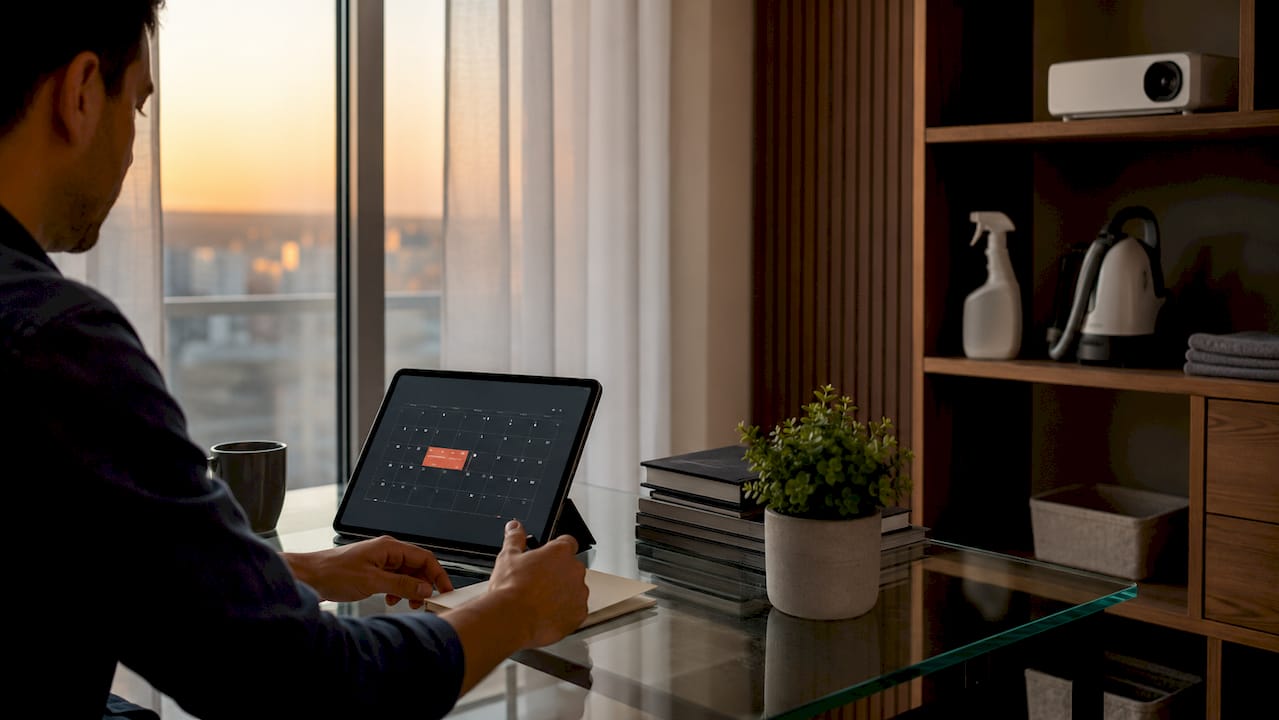
High-dust environments require a completely different approach. If you run a projector in a room with pets, carpets, open windows, or heavy foot traffic, cleaning every 1–3 months or every 200 hours is the correct interval. Schools in Malaysia that use classroom projectors daily fall squarely into this category. A dedicated media room with sealed air conditioning and no pets sits at the opposite end. Those setups can stretch lens cleaning to every 6–12 months without visible quality loss.
The smarter approach is environment-sensitive rather than calendar-driven. A check-and-clean method based on actual dust accumulation outperforms rigid schedules. Check your projector every 30 days. If you see visible dust on vents or the lens, clean it. If not, wait.
Cleaning frequency by environment:
| Environment | Recommended interval |
|---|---|
| Dedicated media room, sealed AC | Every 6–12 months |
| Standard home or office | Every 3–6 months |
| Classroom, retail, or open space | Every 1–3 months |
| High-dust (pets, carpets, construction) | Every 200 hours or monthly |
Symptom-based triggers matter as much as the calendar. Increased fan noise, unexpected overheating, or a dim image are all signs your projector needs attention before the next scheduled clean. Do not wait for the schedule if the symptoms appear first.
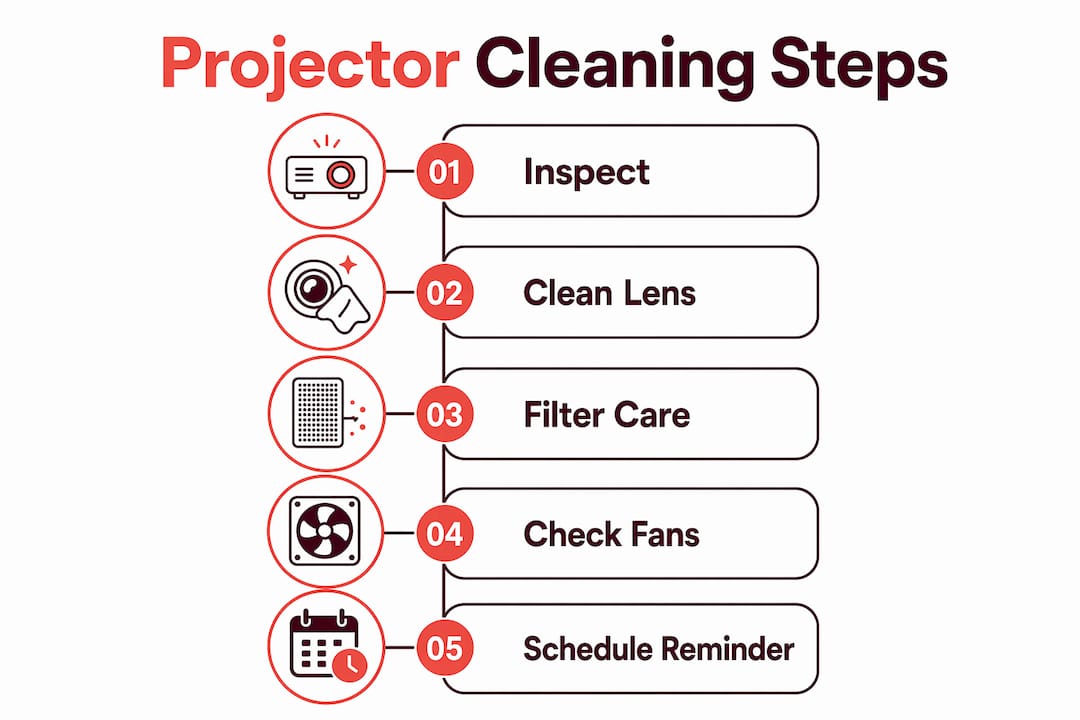
Pro Tip: Set a recurring calendar reminder every 30 days just to inspect your projector visually. A two-minute check prevents a two-hour repair.
How to safely clean projector lenses and external surfaces
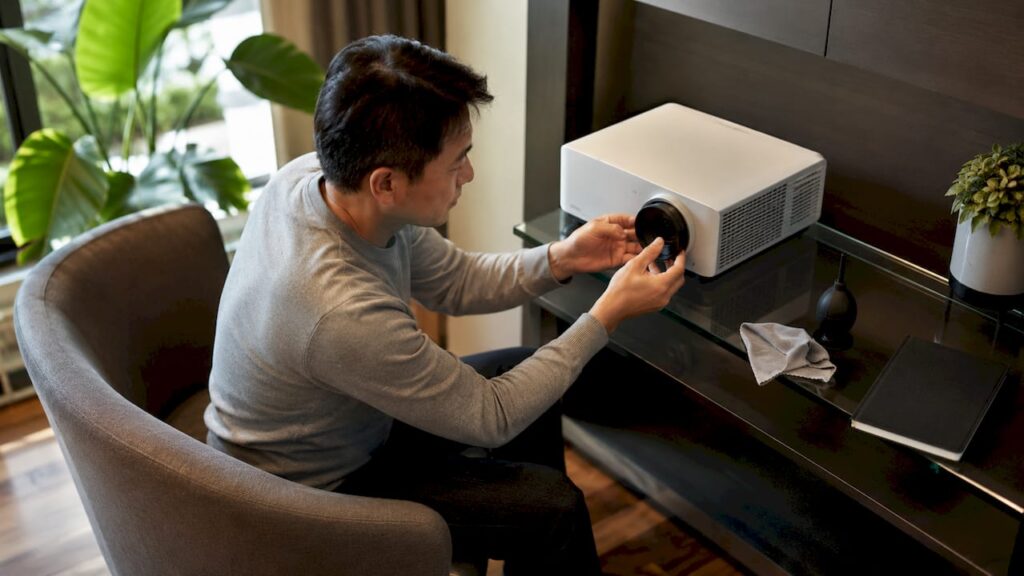
Cleaning projector lenses is the most delicate part of any maintenance routine. The goal is to remove contaminants without redistributing particles that cause micro-scratches or abrasions. One wrong move with the wrong cloth can permanently haze a lens that costs hundreds of ringgit to replace.
Follow this sequence every time:
- Power down completely. Switch off the projector and unplug it. Allow at least 15 minutes for the unit to cool before touching any surface. Heat plus cleaning fluid equals damage.
- Inspect under angled light. Hold a flashlight at a 45-degree angle to the lens. This reveals whether you are dealing with dry dust, fingerprint smudges, or both. Dry dust needs a blower first. Smudges need a cloth.
- Use a rubber bulb blower first. Blow loose dust off the lens surface before any contact. Canned air works too, but hold it upright and keep it at least 6 inches away to avoid propellant residue.
- Wipe with a lint-free microfiber cloth. Use slow, straight strokes from the center outward. Circular wiping causes micro-scratches that create a permanent haze. This is the most common mistake users make.
- Apply pH-neutral lens cleaner to the cloth only. Never apply liquid directly to the lens. Fluid applied directly can seep into optical components and cause internal damage that no cleaning will fix.
- Wipe external surfaces last. Use a separate dry microfiber cloth on the projector body, input ports, and remote control.
What to avoid entirely:
- Ammonia-based or alcohol-based cleaners, which strip lens coatings
- Paper towels, tissue, or rough cloths that leave scratches
- Circular wiping motions on any optical surface
- Spraying any liquid directly onto the projector
Pro Tip: Launder your microfiber cloths without fabric softener. Fabric softeners coat fibers with waxy residue that smears lenses instead of cleaning them.
For a deeper walkthrough on cleaning projector lenses safely, Projectordisplay has a dedicated guide covering every lens type sold in Malaysia.
How do air filters and vents affect projector performance?
Air filters and cooling vents are the most neglected components in any projector upkeep guide. They are also the most critical. Clogged filters restrict airflow, which raises internal temperature, which shortens lamp and component life. Removing and vacuuming filters or rinsing them where the manufacturer permits directly improves airflow and extends projector lifespan.
Fan noise is the clearest early warning sign that filters need attention. When a projector works harder to pull air through a clogged filter, the fan spins faster and louder. Most Epson and Optoma projectors will also display an on-screen filter alert, but auditory checks catch the problem earlier.
Filter maintenance steps:
- Turn off and unplug the projector before removing any filter panel.
- Use a soft brush or low-suction vacuum to remove dust from the filter surface.
- If the manufacturer allows it, rinse the filter under cool water and let it dry completely before reinstalling.
- Never operate the projector without the filter installed. Running without a filter pulls unfiltered dust directly onto the optical engine.
- For ceiling-mounted projectors, schedule filter checks more frequently. Dust settles upward into ceiling-mounted units faster than floor or table units.
| Component | Check frequency | Action |
|---|---|---|
| Air filter | Monthly visual check | Vacuum or rinse per manual |
| Intake and exhaust vents | Every clean cycle | Wipe with dry cloth |
| Cooling fan | Listen at startup | Clean filter if noise increases |
| Internal optics | Annually or when dim | Professional service |
Pro Tip: After rinsing a filter, let it air dry for at least two hours before reinstalling. A damp filter restricts airflow just as badly as a dusty one.
Projectors used in Malaysian classrooms face especially heavy filter loads due to chalk dust, air conditioning cycling, and high daily usage hours. Schools running Panasonic or NEC projectors should treat monthly filter checks as non-negotiable.
What mistakes damage projectors during cleaning?
The most damaging cleaning habits are also the most common. Circular wiping on a lens is the top offender. Straight strokes from center outward are the only correct technique. Circular motions grind dust particles across the coating in a spiral pattern, creating a haze that scatters light and dims the image permanently.
Using the wrong cleaning agent ranks second. Household glass cleaners, alcohol wipes, and ammonia sprays all damage anti-reflective coatings on projector lenses. ViewSonic's official documentation explicitly prohibits alcohol-based cleaners on any optical surface. Use only products labeled as pH-neutral lens cleaners.
Other mistakes to avoid:
- Cleaning a warm projector. Heat causes cleaning fluid to evaporate unevenly and leaves streaks.
- Forcing a stuck filter panel. If a filter cover does not open easily, check the manual before applying pressure. Forcing it cracks the housing.
- Ignoring persistent brightness loss after cleaning. If the image stays dim after a thorough clean, the lamp may be near end of life or dust has reached the internal optics. That requires professional service, not another wipe.
- Skipping firmware updates. A complete maintenance checklist includes firmware updates alongside physical cleaning. Outdated firmware can cause fan and thermal management issues that mimic dust problems.
When symptoms persist after cleaning, stop and consult a qualified technician. Continued DIY attempts on a projector with internal dust contamination or a failing lamp can void your warranty and cause irreversible damage.
Brands like BenQ and Hisense include warranty clauses that specify approved cleaning methods. Using unapproved chemicals or tools gives the manufacturer grounds to deny a repair claim. Keep your cleaning simple, use the right tools, and stay within the manufacturer's guidelines.
Key takeaways
A consistent projector cleaning schedule, adapted to your environment and usage, is the single most effective way to protect image quality and extend device lifespan.
| Point | Details |
|---|---|
| Match schedule to environment | Clean every 1–3 months in dusty spaces; every 6–12 months in sealed, low-dust rooms. |
| Use symptom-based triggers | Fan noise, overheating, or dim output means clean now, regardless of the calendar. |
| Wipe lenses in straight strokes | Circular motions cause permanent micro-scratches; always wipe from center outward. |
| Never apply liquid to the lens | Apply pH-neutral cleaner to the cloth only to prevent seepage into optical components. |
| Maintain filters and vents | Vacuum or rinse filters regularly and never run the projector without a filter installed. |
Why I think most projector owners clean too late and too roughly
Most projector owners I have seen treat cleaning as a reaction, not a habit. They wait until the image looks noticeably dim or the fan sounds like a small aircraft before doing anything. By that point, dust has already been baking onto internal components for months. The damage is done before the cloth comes out.
The other pattern I see constantly is overcleaning with the wrong tools. Someone notices a smudge, grabs a paper towel and some glass cleaner, and scrubs in circles. That lens is now scratched. The irony is that aggressive cleaning causes more visible image degradation than moderate dust buildup would have.
My honest recommendation is to treat your projector the way a photographer treats a camera lens. Inspect it regularly, clean it gently, and use only the right tools. A rubber bulb blower and a quality microfiber cloth handle 90% of cleaning needs. The pH-neutral lens cleaner handles the rest.
For schools and offices running projectors in Malaysia daily, I would go further. Keep a maintenance log. Write down the date of every clean, what you found, and what you did. That log tells you whether your environment is getting dustier over time and whether your cleaning intervals need adjustment. It also protects you if a warranty dispute arises.
The projectors that last longest are not the most expensive ones. They are the ones that get consistent, careful attention from the people using them.
— Projector
Find quality projectors and accessories at Projectordisplay

Projectordisplay is the best projector seller in Malaysia, offering a full range of projectors and accessories for home, office, and classroom use. Whether you need a wireless projector Malaysia users trust for daily presentations, a best home projector Malaysia families rely on for movie nights, or a best classroom projector for schools upgrading their display technology, Projectordisplay has you covered. The platform stocks projectors from top brands including Epson projector Malaysia, BenQ projector Malaysia, ViewSonic projector Malaysia, Optoma projector Malaysia, and Panasonic projector Malaysia, along with projector lamps, projector bulbs, and projector screens. Browse the full catalog and shop projectors in Malaysia with fast shipping across Peninsular Malaysia and WhatsApp support. If you are upgrading to a high-output unit for events or large spaces, check out the top projectors for large venues curated for 2026.
FAQ
How often should I follow a projector cleaning schedule?
Standard projector maintenance calls for a full clean every 3–6 months or 500 hours of use. High-dust environments with pets or open windows require cleaning every 1–3 months or every 200 hours.
What is the safest way to clean a projector lens?
Use a rubber bulb blower first to remove loose dust, then wipe with a lint-free microfiber cloth in straight strokes from center outward. Apply only pH-neutral lens cleaner to the cloth, never directly to the lens.
Can I use alcohol wipes to clean my projector?
No. ViewSonic's official documentation prohibits alcohol-based cleaners on projector lenses because they strip anti-reflective coatings. Use only pH-neutral lens cleaners designed for optical surfaces.
What does increased fan noise mean for my projector?
Louder fan noise signals restricted airflow from a clogged air filter. Clean or replace the filter immediately to prevent overheating and component damage.
When should I call a professional instead of cleaning myself?
If the image stays dim after a thorough clean, or if you notice dust inside the optical path, stop and contact a qualified technician. Internal contamination and near-end lamp life both require professional service to avoid voiding your warranty.
Recommended
- Projector maintenance tips for better performance 2026 – Projector Display
- Projector installation guide 2026: Home and business tips – Projector Display
- How to Maintain Your Projector for Peak Performance – Projector Display
- Projector maintenance checklist for lasting performance – Projector Display