
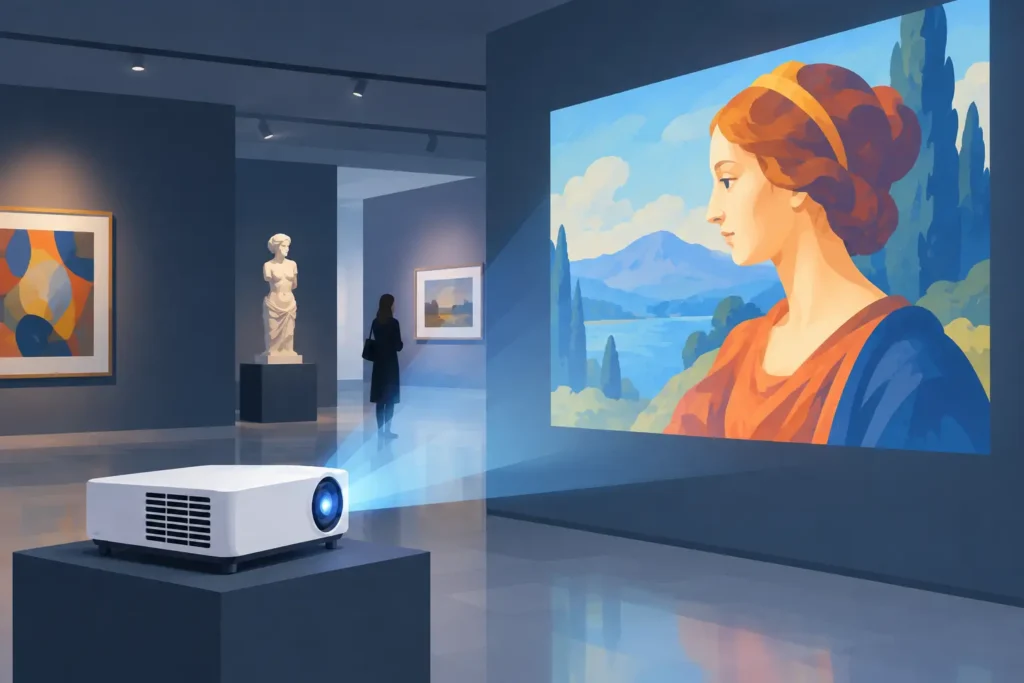
A museum projection is rarely just a bright image on a wall. It may be the moving backdrop behind a historical artifact, an edge-blended landscape across an entire room, or a quiet video artwork that must hold its intended color for hours. Selecting an Epson projector for museum and art gallery exhibition means balancing image quality with the realities of the venue: ambient light, protected objects, visitor flow, installation access, and daily operating hours.
For curators, exhibit designers, AV integrators, and facilities teams, the right choice begins with the artwork and the room, not with a resolution figure alone. Epson’s 3LCD laser projector range is widely suited to visual installations because it combines strong color brightness, flexible placement options, and laser light-source reliability. The final specification, however, should reflect what visitors need to see and how the exhibition needs to operate.
Why Epson Works for Museum and Gallery Projection
Museum and gallery environments ask more from a projector than a typical meeting room. A presentation projector may run for an hour or two each day. An exhibition projector can be scheduled from opening to closing, then restarted repeatedly for special events, guided tours, or interactive content.
Laser projection is a practical fit for this workload. Compared with traditional lamp-based systems, laser models reduce the disruption of lamp replacement and provide more consistent output across a long installation cycle. This matters when a projector is mounted above a high gallery ceiling, built into a wall cavity, or positioned where access requires scaffolding or after-hours work.
Epson’s 3LCD technology is also valuable when an exhibit depends on saturated color. Color brightness deserves as much attention as white brightness. A vivid red textile, a blue ocean sequence, or a contemporary digital artwork can look flat when color output is weak, even if the projector’s white image appears bright on paper. For exhibitions built around visual storytelling, that difference is immediately visible.
Start With the Exhibition, Not the Spec Sheet
The first question is simple: what must the projection accomplish? A looping film beside a painting has different needs from a large immersive installation. The first may benefit from controlled lighting, Full HD resolution, and quiet operation. The second may require high ANSI lumen output, 4K enhancement, multiple projectors, edge blending, and professional installation planning.
A useful site survey should confirm the projection surface size, throw distance, mounting position, room lighting, cable path, power availability, and visitor sightlines. It should also account for the surface itself. Projection onto smooth white material delivers predictable results, while brick, fabric, wood, curved panels, and painted scenery introduce texture and color shifts that may be artistically desirable but require testing.
Do not assume the brightest projector is automatically the best choice. Excess brightness in a dim room can wash out blacks, make projected light spill onto nearby objects, and change the atmosphere intended by the curator. Conversely, an underpowered projector in a lobby or daylight-facing gallery will lose contrast quickly. The aim is sufficient brightness for the actual lighting condition, with room to maintain a clear image as the installation ages.
Brightness and Ambient Light
ANSI lumens are the starting point for brightness comparisons. A controlled black-box installation may work well with moderate brightness, especially on a smaller screen or dark projection surface. A public atrium, retail-style museum entrance, or gallery with overhead lighting generally needs considerably more output.
Ambient light cannot always be eliminated. Safety lighting, emergency exits, reflective floors, glazed display cases, and daylight from windows all influence perceived contrast. Before purchasing, test projected content in the space at the same time of day visitors will experience it. A still white test image is not enough. Use footage with dark scenes, skin tones, gradients, and the colors that matter to the artwork.
Resolution and Image Detail
Full HD remains a strong option for many video loops, educational displays, and modest image sizes. It is cost-effective and widely compatible with common media players. For large canvases, close viewing distances, detailed archival imagery, or generative art, a higher-resolution Epson projector with 4K enhancement can produce a more refined result.
Resolution should match content quality. Projecting a low-bitrate video file through a premium high-resolution projector will not create detail that is not present in the source. Plan the playback chain as one system: source file, media player, HDMI distribution, projector processing, and projection surface all affect the final image.
Lens Flexibility Can Save an Installation
The lens is often the deciding factor in professional museum deployments. Interchangeable-lens Epson laser projectors provide more freedom when the ideal projector location is not directly in front of the image. This is common in heritage buildings, galleries with exposed ceilings, and installations where equipment must stay out of visitor view.
A short-throw lens can create a large image from a short distance, helping where walkways or room depth are limited. It can also reduce shadows when visitors stand near the display. But short throw is not always the right answer. If people regularly cross in front of the beam, they can still block the image, and a very short-throw setup may reveal imperfections in an uneven wall.
Standard and long-throw lenses are useful where the projector can be placed farther away or concealed in a rear technical area. Lens shift is equally important. It allows the image position to be adjusted without relying heavily on digital keystone correction, preserving more of the image’s native detail and geometry.
For unusual surfaces, look for installation features such as geometric correction, corner adjustment, curved-surface correction, and edge blending. These tools support architectural projection and multi-projector installations, but they do not replace careful alignment. A properly planned mount, lens choice, and content layout will always provide a better foundation.
Plan for Quiet, Reliable Daily Operation
A gallery can be acoustically sensitive. The cooling fan from an unsuitable projector may distract from spoken-word works, ambient sound pieces, or quiet contemplation. Check noise specifications, but also consider placement. A projector enclosed in a poorly ventilated cabinet may run hotter and louder than expected.
Ventilation is essential. Do not treat a projector enclosure as decorative furniture. It needs adequate airflow, clean intake paths, service access, and an installation design that avoids recirculating hot air. In dusty public spaces or older buildings, regular inspection is especially worthwhile.
Daily management also matters. Network control can allow staff to schedule power on and off, monitor status, and respond quickly to a fault without entering every exhibition room. For museums operating several screens or projectors, centralized control reduces staff workload and helps keep opening routines consistent.
Use commercial-grade cables and plan signal distribution early. A long HDMI run may need an active solution or a suitable extender, particularly when carrying high-resolution content. Keep media players, control equipment, and power protection accessible for technicians while remaining hidden from visitors.
Protect Artworks and the Visitor Experience
Projection should support the collection, not compromise it. Avoid directing projector light onto light-sensitive works unless conservators have approved the approach. Consider reflected light as well. A bright image facing a framed work or glass case can introduce glare and alter the surrounding visual environment.
Mounting safety is equally critical. Ceiling mounts, wall mounts, truss solutions, and security hardware should be selected for the projector’s weight and the building structure. Temporary exhibitions may favor trolley-based or portable setups, but public-facing equipment still needs secure cable management and protection from accidental contact.
For installations with interactive elements, test latency, sensor placement, and visitor behavior before opening day. The most technically impressive concept can become frustrating if a child standing close to the wall casts a shadow across the trigger area or if cables become a trip hazard.
Build the Complete Display System
An Epson projector is one part of the exhibition system. The supporting choices – mount, lens, screen or projection material, HDMI cables, wireless display hardware, audio, media player, and power protection – determine whether the experience feels polished every morning.
This is where a quotation-based approach is useful, especially for multiple rooms or custom installations. ProjectorDisplay.com can help buyers compare Epson laser, short-throw, and installation projector options alongside the mounting and connectivity accessories required for a complete setup. Provide room dimensions, desired image size, ambient-light conditions, content resolution, and operating schedule when requesting a quote. Better information at this stage reduces expensive adjustments after installation.
Before committing, arrange a content test wherever possible. Bring the real video, artwork, or presentation file into the actual room and view it from visitor height. The best projector is the one that preserves the artist’s intent, fits the building intelligently, and gives the team confidence that tomorrow’s first visitor will see the image exactly as planned.