
TL;DR:
- Most projector losses in Malaysian schools result from poor operational routines rather than hardware failures. A layered security approach combining physical anti-theft measures, diligent asset management, and cybersecurity controls can significantly reduce risks. Consistent staff training, regular audits, and tailored risk assessments are essential for effective, real-world classroom protection.
A locked projector is not a safe projector. Many Malaysian schools have invested in ceiling mounts and basic cable locks, then considered the job done. But classroom projectors face at least three distinct threat categories: physical theft, operational losses during maintenance or staff turnover, and digital attacks through network management interfaces. Miss any one of them, and your RM3,000 to RM8,000 device is still at risk. This guide walks you through each layer with practical, evidence-based strategies you can actually implement in a real school environment.
Table of Contents
- Understanding the layers of classroom projector security
- Physical anti-theft solutions for classroom projectors
- Lifecycle and asset management: Operational security routines
- Cybersecurity controls for networked projectors
- Planning school-wide security: Risk assessment and integrated protection
- A realistic approach educators can trust
- How Projector Display helps secure your classroom technology
- Frequently asked questions
Key Takeaways
| Point | Details |
|---|---|
| Layered security matters | Combine physical locks, asset tracking, and digital controls for robust projector protection. |
| Lifecycle management prevents losses | Routine check-in/out and scanning during moves keeps projectors accounted for and secure. |
| Network projectors require cyber controls | Restrict management access and use strong password policies for all networked projector interfaces. |
| Risk-driven resource allocation | Assess actual risks before installing CCTV or investing in major security upgrades. |
| Practical solutions exist | Hardware locks, security cages, and operational routines can be implemented easily and affordably. |
Understanding the layers of classroom projector security
Most educators think of projector security as a hardware problem. Buy a lock, bolt down the mount, done. The reality is more nuanced and more manageable once you understand the three core layers.
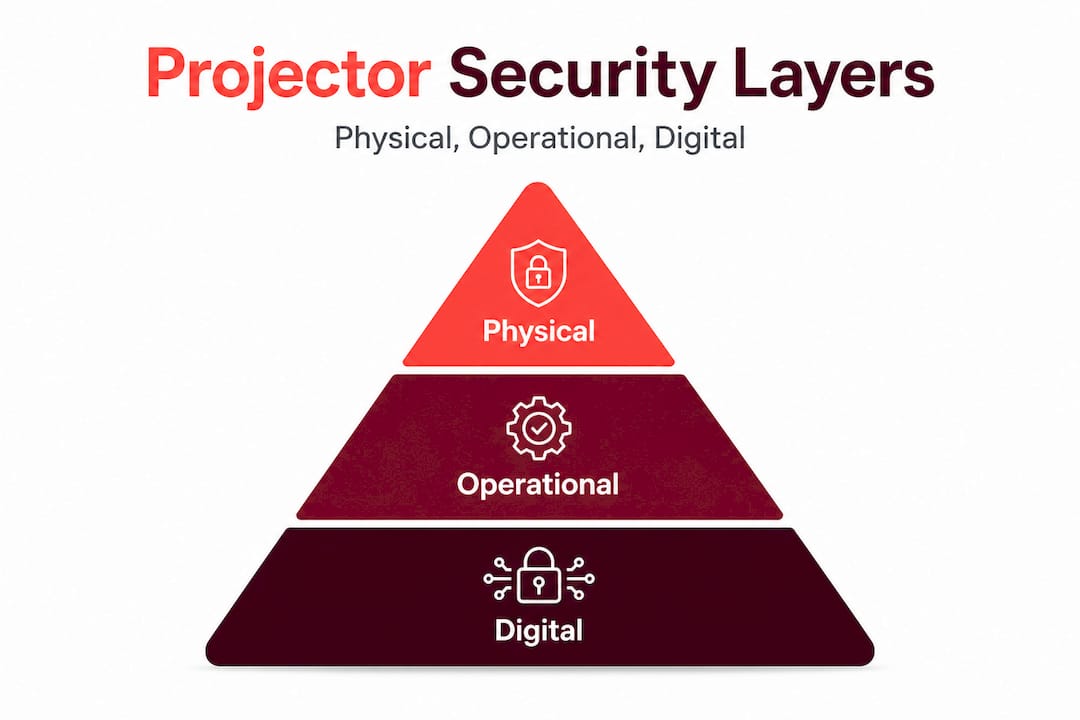
Physical security covers everything you can touch: locks, cages, mounts, and storage enclosures. Operational security covers your processes: who signs out equipment, how transfers are tracked, and what happens when a projector goes in for repair. Digital security covers network access: who can reach the projector's admin interface and how well that access is protected.
A layered approach is recommended using storage, access controls, tamper-resistant fixings, and safe storage practices to reduce both theft and accidental damage. We call this the SAFE framework:
- Storage: Where does the projector live when not in use?
- Access: Who is authorized to operate or move it?
- Fixings: Are mounts and fasteners genuinely tamper-resistant?
- Environment: Is the room itself secure (locked, monitored, ventilated)?
Here is a quick overview of how these layers interact:
| Security layer | Primary threats addressed | Key tools |
|---|---|---|
| Physical | Theft, vandalism, accidental damage | Cable locks, cages, mounts |
| Operational | Loss during transfers, asset gaps | Check-in/out logs, barcode scans |
| Digital | Unauthorized access, firmware exploits | Strong passwords, network segmentation |
Understanding projector safety risks in schools is the starting point for any protection plan. You cannot allocate budget wisely until you know which threats are most likely in your specific context.
"A single control rarely provides sufficient protection. Layering physical, procedural, and digital security dramatically reduces the total risk surface."
With a clearer understanding that security has multiple layers, let's start with the most visible: physical protection.
Physical anti-theft solutions for classroom projectors
After establishing the importance of physical security, it's essential to choose the best hardware solutions tailored for classroom needs. The three main options are cable locks, security cages, and tamper-resistant ceiling or wall mounts. Each has real trade-offs.
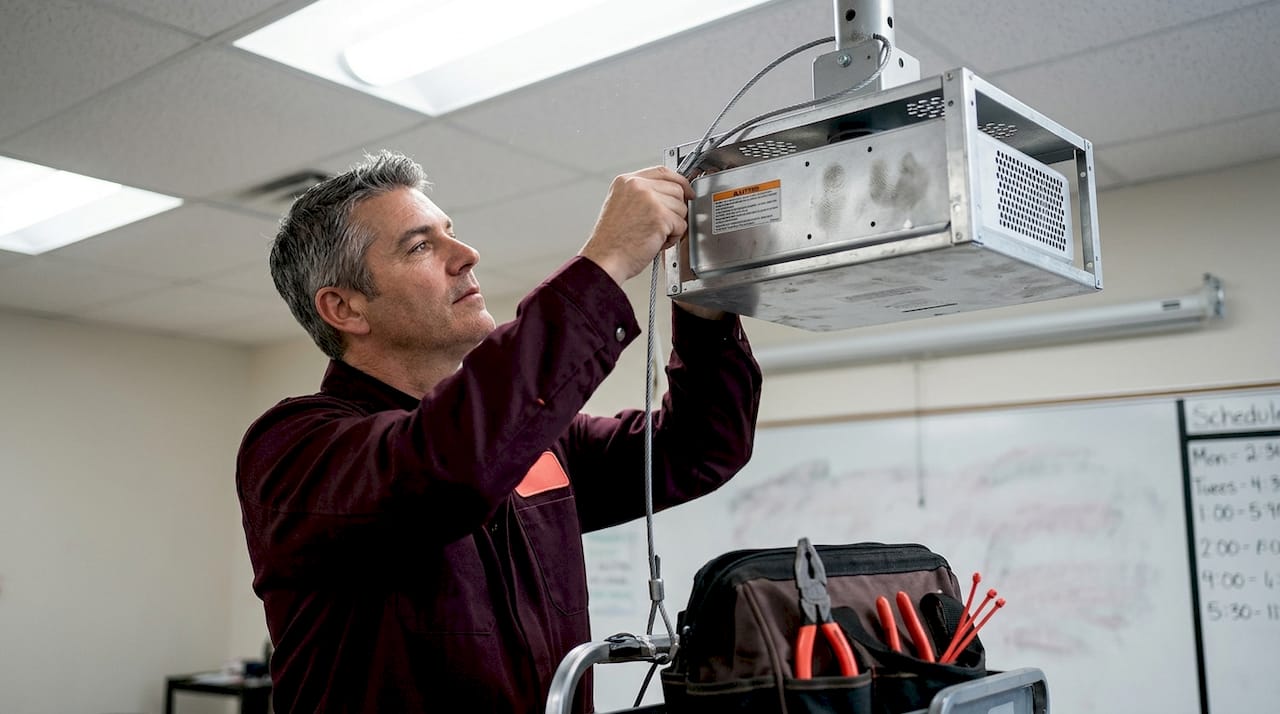
Cable locks use a steel cable looped through a fixed anchor point. They are cheap, portable, and easy to retrofit. The downside is that most require a Kensington-style slot on the projector body. Not every model has one, and cheaper projectors often don't. Physical anti-theft locking solutions include cable locks, locking eyelets, and mount-integrated or enclosure-style security that limits access for tampering.
Security cages fully enclose the projector in a steel or aluminum housing that bolts to the ceiling mount. They are harder to defeat than cable locks because there is no exposed slot to attack. The Armor Lock Plus security cable uses multi-strand steel cable, a lock, keys, and an attachment plate, and works with projectors that have a Kensington slot. For projectors without a slot, a cage is often the more reliable option.
Tamper-resistant mounts use security fasteners (hex bolts with proprietary drivers) that require a special tool to remove. These slow down opportunistic theft significantly. Combined with a cage, they create a genuinely robust physical barrier.
Here is a side-by-side comparison to help you decide:
| Solution type | Cost range (MYR) | Best for | Weakness |
|---|---|---|---|
| Cable lock | RM50–RM150 | Projectors with Kensington slots | Requires slot; cable can be cut |
| Security cage | RM200–RM500 | All projector types, ceiling-mounted | Higher upfront cost, installation needed |
| Tamper-resistant mount | RM80–RM250 | New installations | Does not prevent tampering with projector itself |
| Combined (cage + mount) | RM280–RM750 | High-risk classrooms | Highest cost, but strongest protection |
Installing a ceiling-mounted projector securely: A step-by-step approach
- Verify ceiling structure before drilling. In many Malaysian school buildings, ceilings are lightweight concrete or gypsum board. Use a stud finder and toggle bolts rated for at least three times the projector's weight.
- Select projector mounting options that include anti-rotation tabs and security bolt holes.
- Install the mount bracket using tamper-proof fasteners. Do not use standard Phillips-head screws that any student with a screwdriver can remove.
- Attach the projector and immediately thread the cable lock through the security cage, if used.
- Test all connections by applying gentle lateral and downward force. Nothing should shift.
Pro Tip: Order projector security cages with ventilation cutouts. A sealed cage traps heat and can shorten lamp life by 30 to 40 percent. Good projector cable management tips will also reduce the chance of a dangling cable becoming a safety hazard or an accidental unplug during class.
Lifecycle and asset management: Operational security routines
Physical security is only as strong as your operational routines, so let's explore how asset management practices safeguard your investments. The most common source of projector loss in Malaysian schools is not theft from a locked room. It is a projector that went for repair six months ago and no one tracked its return.
An asset tracking guide for K-12 schools emphasizes scanning and updating device records whenever devices are issued, swapped, collected, repaired, or transferred. That last word matters. The highest-risk moments are transitions: end of school year, classroom reassignments, technology upgrades.
Here are the operational routines that make the biggest difference:
- Assign a single record per device. Each projector should have one master record including serial number, location, assigned staff member, warranty expiry, and last maintenance date. Use a simple spreadsheet if you don't have an IT asset system.
- Check-in/check-out log. Any time a projector leaves its assigned room, even temporarily, it should be signed out with the staff member's name, destination, and expected return time.
- Scan at every transfer. When a device moves between classrooms, campuses, or repair vendors, scan its asset tag and update the record immediately. Do not rely on memory or informal verbal agreements.
- Flag "orphaned" devices. These are projectors removed during an upgrade cycle that end up in a storage room with no record. Conduct a physical audit at least once per semester to locate and re-register them.
Pro Tip: Label each projector with both a permanent engraved ID plate and a QR code asset tag. Engravings survive sticker removal; QR codes speed up scanning. Using both means you have a backup if one is damaged.
Strong projector maintenance tips go hand-in-hand with asset tracking. When maintenance intervals are recorded in the same system as location data, you can spot patterns: a projector moved to a dusty storeroom will need filter cleaning more often, and a record will tell you when it last happened.
Cybersecurity controls for networked projectors
With operational routines in place, digital security emerges as a new frontier, especially for network-enabled devices. Modern smart projectors can connect to Wi-Fi, receive firmware updates over the internet, and be managed through a browser-based interface. That convenience creates real attack surfaces.
A critical vulnerability reported in 2025 illustrates the risk vividly. CVE-2025-64310 is an authentication bypass flaw that allows brute force attacks against admin passwords in EPSON WebConfig and Web Control interfaces. An attacker on the same network can repeatedly guess admin passwords with no lockout, potentially gaining full control of the projector's settings, network behavior, and even the content it displays.
This is not a theoretical risk. Schools that use a single flat Wi-Fi network shared by students and staff are particularly exposed.
Practical steps to harden your networked projectors:
- Change default passwords immediately on every projector before connecting it to your school network. Default credentials are publicly listed for almost every model.
- Enable account lockout or rate limiting if your firmware supports it. This prevents automated brute-force tools from cycling through thousands of password guesses.
- Segment your network. Place projectors on a separate VLAN (virtual local area network) isolated from student devices. This single step prevents most lateral attacks.
- Disable web management interfaces entirely if your IT team does not need remote administration. Mitigations for authentication bypass flaws specifically include disabling web management when it is not required.
- Apply firmware updates promptly. Manufacturers patch known vulnerabilities through firmware. A projector running two-year-old firmware is almost certainly exposed to multiple known issues.
Keeping up with projector security best practices will help your IT team stay current as new vulnerabilities are discovered. The broader context of cybersecurity education in Malaysia is also worth understanding, because the same threat landscape affecting corporate networks is increasingly affecting school infrastructure.
Pro Tip: Treat projector firmware the same way you treat computer operating systems. Schedule a firmware check every quarter and log the version number in your asset management record.
Planning school-wide security: Risk assessment and integrated protection
Beyond protecting individual projectors, holistic security planning ensures school-wide safety and resource efficiency. The smartest schools don't install the same security measures everywhere. They allocate resources based on actual risk.
A structured risk assessment asks three questions for each classroom or zone:
- How dense is the equipment? A computer lab with 30 devices needs different coverage than a single-projector classroom.
- What is the incident history? Have devices gone missing or been damaged in this area before?
- What infrastructure already exists? Is there CCTV, keycard access, or a security guard nearby?
This approach mirrors how Malaysia's Ministry of Education prioritizes security investment. RM3 million was allocated in 2025 for CCTV installation in 200 school dormitories, with school selection based on risk factors including incident history, student density, existing measures, and infrastructure readiness. That is a real-world model you can apply at the classroom level.
Here is a risk-based allocation framework:
| Risk level | Indicators | Recommended measures |
|---|---|---|
| Low | Dedicated locked rooms, low-traffic areas, good history | Standard mount, cable lock, asset tag |
| Medium | Shared classrooms, moderate foot traffic, some past incidents | Security cage, tamper-resistant mount, check-out log |
| High | Open-access labs, previous theft, poor surveillance | Cage, CCTV, network segmentation, frequent audits |
"Applying the same security everywhere wastes budget. Applying it where risk is highest protects the most value per ringgit spent."
A few additional considerations for Malaysian schools specifically: Older school buildings often lack cable conduit for CCTV wiring, making wireless IP cameras a practical alternative. When planning surveillance, also review privacy guidelines from the Ministry of Education to ensure camera placement in classrooms is compliant and communicated to parents and students.
A realistic approach educators can trust
Here is the uncomfortable truth about projector security in Malaysian schools: most losses are preventable, and most prevention failures are not due to budget. They are due to inconsistent routines and misplaced confidence in a single control.
We have seen this pattern repeatedly. A school invests in quality ceiling mounts and cable locks. Staff assume the problem is solved. No one updates the asset register when a projector is removed for repair. Six months later, it cannot be located. The lock never failed. The process did.
The "one lock" myth is the biggest obstacle to genuine security. A cable lock deters casual theft. It does nothing against an inside job, a maintenance transfer that goes undocumented, or a firmware attack from a student's laptop on the school Wi-Fi.
The challenges teachers face with projectors are real and span technical, logistical, and budgetary dimensions. Budget-conscious schools often focus only on the upfront hardware cost and overlook the hidden cost of operational losses. A single projector lost due to poor tracking costs more than a year of proper asset management software.
What actually works is the combination: physical hardware that slows down opportunistic theft, operational routines that catch administrative losses, and digital controls that protect network-connected devices. Staff training is not optional. A teacher who knows why the check-out log matters will use it consistently. One who sees it as bureaucratic paperwork will skip it.
Start with a quick audit. Walk every classroom, locate every projector, and verify each one against your asset register. You will likely find at least one discrepancy. That discovery, more than any article or policy document, will motivate your team to close the gaps.
How Projector Display helps secure your classroom technology
Practical knowledge is valuable, but it needs the right tools to become real protection.

At ProjectorDisplay.com, we work with Malaysian schools at every stage of their technology journey, from first installation to long-term maintenance planning. Whether you need to explore the projector security best practices guide for your IT team, browse hardware options, or understand what the future of projectors in Malaysian classrooms looks like, we have resources built specifically for educators. As Malaysia's leading projector retailer, we stock security cages, mounting systems, and the latest smart projectors designed for safe classroom deployment. Reach out through WhatsApp for fast, expert advice on protecting your school's investment.
Frequently asked questions
What is the most effective type of projector lock for classrooms?
Security cages and cable locks designed for projector mounts offer the strongest protection against theft and tampering. Enclosure-style security is especially effective because it limits physical access to the projector entirely, not just a single attachment point.
How can schools prevent projectors from being lost during maintenance or moves?
Implement check-in/check-out routines and scan devices during every transfer to maintain a reliable asset record. The key principle is that no device should change hands without a recorded update, regardless of how short the move is.
What network security risks do classroom projectors face?
Network-enabled projectors can be vulnerable to authentication bypass or password attacks if management access is not restricted. CVE-2025-64310 is a confirmed flaw in EPSON WebConfig and Web Control that allows brute-force attacks, highlighting why default credentials and open network access are dangerous combinations.
How should schools decide where to install CCTV or extra security measures?
Risk assessment based on device density, past incidents, and infrastructure should guide where you invest in CCTV and additional security resources. Malaysia's Ministry of Education uses a similar framework, prioritizing schools based on incident history, density, and existing infrastructure when allocating security funding.
Recommended
- Projector security best practices: Protect sensitive data – Projector Display
- Cybersecurity in Education – Protecting Digital Classrooms – Projector Display
- Keselamatan Penggunaan Projektor: Elak Risiko Di Sekolah – Projector Display
- Cabaran Penggunaan Projektor Di Sekolah: Fokus Pada Guru – Projector Display