

TL;DR:
- Reliable wireless projection requires strong signal, cross-device compatibility, and local support.
- Button-based systems like Barco ClickShare are popular for their ease and dependability in Malaysian offices.
- Epson offers accessible, feature-rich wireless projectors suitable for various business room sizes.
Picking the wrong wireless projection system can quietly derail your most important meetings. A laggy connection during a client pitch, a guest laptop that refuses to pair, or a system that only works with one operating system — these are real productivity killers that Malaysian business teams deal with every day. The wireless projector market has grown rapidly, and with more options than ever, knowing which solution fits your office environment takes more than a quick spec comparison. This guide walks you through the key criteria, the top solutions available locally, a direct feature comparison, and a practical decision framework so you can invest with confidence.
Table of Contents
- Key criteria for selecting a wireless projection solution
- Top wireless projection solutions available in Malaysia
- Comparison: Features and performance of leading systems
- Choosing the right wireless projection setup for your business
- A practical perspective: What most guides miss about wireless projection in Malaysia
- Find your perfect wireless projection setup with Projector Display
- Frequently asked questions
Key Takeaways
| Point | Details |
|---|---|
| Selection criteria matter | Evaluating wireless projection solutions by reliability, compatibility, support, and price ensures better outcomes for businesses. |
| Local options are strong | Top brands like Epson, Barco, and BenQ are widely available from Malaysian distributors, often with excellent warranty and support. |
| Button-based systems lead | Button-based wireless presentation systems are most popular for seamless collaboration in meeting rooms. |
| Business needs drive choice | Matching projector features to room size and meeting type maximizes productivity and user satisfaction. |
Key criteria for selecting a wireless projection solution
Before you spend a single ringgit, you need a clear evaluation framework. Not all wireless projection systems are built for business environments, and a unit that looks great on paper can disappoint in a real boardroom. Here are the six criteria that matter most for Malaysian organizations.
- Signal reliability and latency: Business presentations require smooth, uninterrupted display. Look for systems that maintain stable connections at distances of at least 10 to 15 meters and deliver latency under 50 milliseconds for smooth video playback.
- Cross-device compatibility: Your system must work with Windows laptops, MacBooks, Android phones, and iOS devices without friction. Proprietary apps that require IT approval slow everyone down.
- Guest ease of use: A solution that requires 10 minutes to set up for every new visitor is a liability. Prioritize systems with zero-install or browser-based connectivity for external guests.
- Local support and warranty: When hardware fails before a critical meeting, you need a distributor who can respond within hours, not weeks. Always verify local warranty terms before purchasing.
- Pricing versus value: The wireless projector market was valued at USD 2.47 billion in 2025, growing at a 9.17% CAGR, which signals strong competition and more value options for buyers. Button-based systems are the most popular category due to their simplicity and reliability.
- Scalability: If your business is growing, choose a system that can expand to multiple meeting rooms without requiring a completely different architecture.
Pro Tip: Always run a live device compatibility test with your most common laptop brands before purchasing. A five-minute demo can save months of regret.
One factor many buyers overlook is network infrastructure. Some wireless projection systems rely on your office Wi-Fi, which can create bottlenecks during heavy network use. Others create a dedicated peer-to-peer connection that bypasses your main network entirely. For high-stakes meeting rooms, the second approach is far more dependable. Understanding how Epson wireless technology handles network connections, for instance, helps you avoid a common setup mistake that leads to dropped signals mid-presentation.
With the criteria clear, let's explore the best wireless projection solutions available in Malaysia.
Top wireless projection solutions available in Malaysia
Now that you know what to look for, here are the solutions that best fit business needs in Malaysia. Each option below has been selected based on real-world availability, local distributor support, and practical performance in office environments.
Barco ClickShare is the benchmark for plug-and-play meeting room integration. It uses a physical button device that users plug into their laptops, and sharing to the room display takes one click. No app installation, no network setup, no confusion. It is available through J&M Eastern and is a popular choice for large corporates and multinational companies operating in Malaysia.
Epson wireless projectors offer one of the widest ranges for Malaysian businesses. The Epson EB-800F is a laser ultra short-throw model with 5000 lumens and built-in wireless, suited for rooms where wall space is limited. For ambient and accent presentation environments, the Epson EV-115 offers a unique LightScene laser design with built-in wireless. The Epson EB-FH54, priced at RM4,039 in Malaysia, delivers 4100 lumens at Full HD resolution with built-in wireless, making it a strong value pick for medium-sized conference rooms.
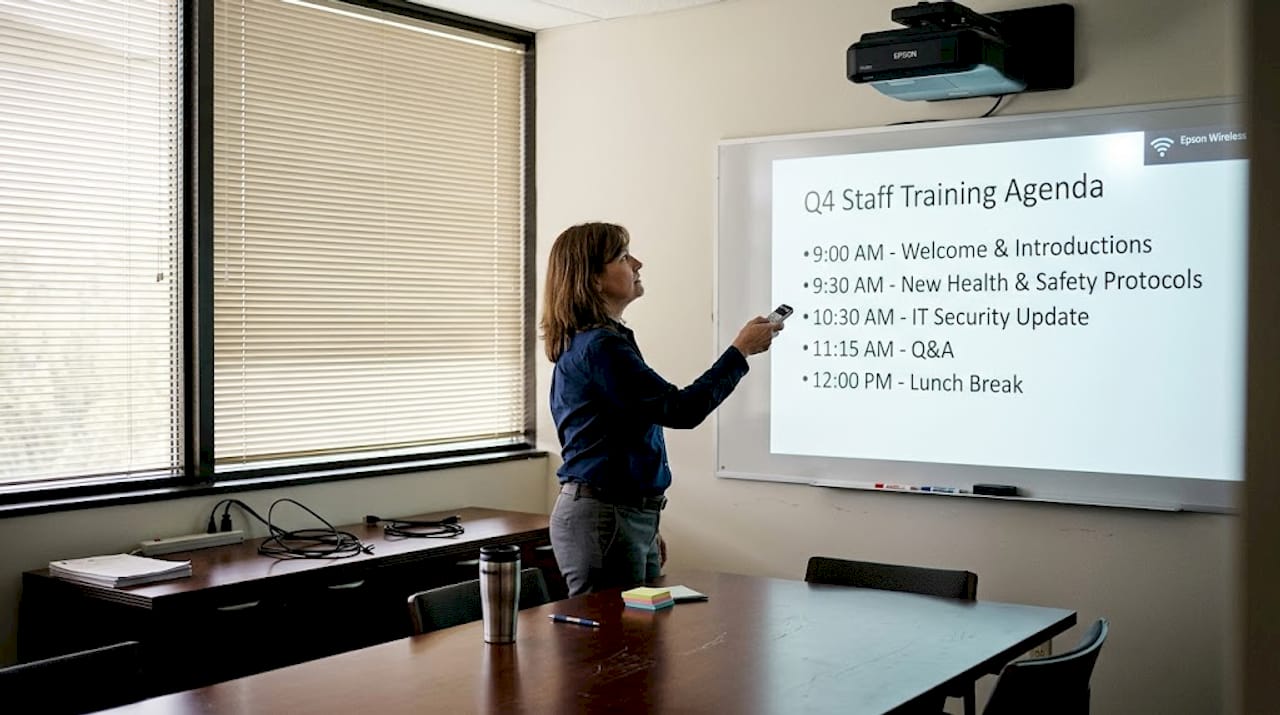
BenQ wireless projectors are a flexible choice for businesses that need easy room-to-room portability. Many BenQ models support InstaShow wireless systems, which work similarly to Barco ClickShare but at a lower price point.
Pro Tip: If your meeting rooms have windows or ambient light, prioritize lumens above 3500 for reliable daytime visibility. Anything below that can struggle in Malaysian open-plan offices.
Local availability matters as much as specs. Distributors like Avisol, J&M Eastern, and Projector Display provide not just the hardware but also post-sales support, which is critical when you need fast resolution during business hours. You can request a quote directly for business volume pricing on Epson units, which often unlocks better deals than retail list prices.
Comparison: Features and performance of leading systems
Once you've seen the top brands and models, it's time to directly compare their specifications and suitability for your workspace.
| Feature | Barco ClickShare | Epson EB-FH54 | BenQ InstaShow |
|---|---|---|---|
| Brightness | N/A (display agnostic) | 4100 lumens | Up to 3500 lumens |
| Resolution | Depends on display | Full HD 1080p | Full HD 1080p |
| Wireless method | Button device | Built-in Wi-Fi | Button device |
| Price range (Malaysia) | Higher tier | ~RM4,039 | Mid-tier |
| Local support | J&M Eastern | Avisol, Projector Display | Select resellers |
| Guest connectivity | Excellent (no app) | Good (app or browser) | Good (button dongle) |
| Best use case | Large boardrooms | Medium conference rooms | Flexible spaces |
The button-based systems are the most popular and reliable for meeting rooms, and the table above shows exactly why. Both Barco ClickShare and BenQ InstaShow use this approach, while Epson relies on built-in Wi-Fi that connects through the iProjection app.
"For businesses that regularly host external guests or clients, a button-based system removes the biggest friction point: getting a visitor's laptop to display on your meeting room screen in under 30 seconds."
Epson also has an excellent short-throw option worth considering for tighter rooms. The Epson EB-685W delivers 3500 lumens at WXGA resolution and throws a large image from very close to the wall. This is a practical advantage in Malaysian offices where meeting rooms are often compact. For a deeper look at how Epson handles wireless connectivity across its product line, the Epson wireless technology guide covers setup modes, network configurations, and compatibility details that spec sheets skip.
Choosing the right wireless projection setup for your business
After reviewing the comparison, here's how to confidently choose the setup that fits your business needs.
- Define your room size and usage frequency. A small meeting room used three times a day has different demands than a boardroom used for weekly executive presentations.
- Count your device types. If your team uses a mix of Windows and Mac devices, prioritize systems with broad OS support or physical button dongles.
- Set a realistic budget. Include hardware, installation, and at least one year of support in your total cost estimate.
- Verify local support. Call the distributor before buying. Ask about average response time for hardware issues and whether on-site support is available.
- Run a pilot before committing to multiple rooms. Deploy one unit, gather team feedback over two weeks, then scale.
Pro Tip: If your boardroom doubles as a training room, choose a model with interactive capabilities. The Epson EB-760Wi combines 4100 lumens, ultra short-throw laser, built-in wireless, and interactive touch functionality in one unit — a setup that works equally well for presentations and hands-on sessions.
Here is a quick use-case reference table to simplify your decision:
| Business scenario | Recommended solution |
|---|---|
| Small meeting room, 4 to 6 people | Epson EB-FH54 or BenQ wireless |
| Large boardroom, 20+ people | Barco ClickShare with high-lumen projector |
| Frequent external guest presentations | Barco ClickShare or BenQ InstaShow |
| Training room with interactivity | Epson EB-760Wi |
| Space-constrained office | Epson EB-L210SF or EB-800F |
Epson wireless projectors are widely available across Malaysia with business-friendly features and pricing, making them the most accessible starting point for most organizations. The Epson EB-L210SF is also worth exploring for teams needing 4000 lumens, Full HD, and short-throw laser performance with built-in wireless in one compact package.
A practical perspective: What most guides miss about wireless projection in Malaysia
Most buying guides focus on specs. We've found that the real variable that determines success is the quality of local support, not lumens or resolution. A 5000-lumen projector that takes three weeks to get serviced is worth less in practice than a 3500-lumen unit with a distributor who answers your call on the same day.
There's also an underappreciated compatibility issue. Malaysian offices often run mixed device ecosystems: company-issued Windows machines alongside personal Macs and employee Android phones. Systems that promise universal compatibility sometimes fail silently on older firmware or corporate security settings. Always test your specific environment before finalizing a purchase.
Small setup adjustments can also unlock significant productivity gains. Positioning a projector correctly, reducing ambient light sources, and using a dedicated wireless band for the projection system rather than sharing the office network can make the difference between a frustrating experience and a seamless one. Detailed guidance on these optimizations is available in our projector installation tips. The businesses that get the most from their wireless projection investment are those that treat setup as a process, not a one-time event.
Find your perfect wireless projection setup with Projector Display
Upgrading your meeting spaces starts with access to the right products and the right guidance. Projector Display is a top projector seller in Malaysia, offering a curated range of business wireless projectors from Epson, BenQ, and more, backed by local customer support you can reach directly via WhatsApp.

Browse current projector sale offers to find business-grade units at competitive prices, or review the detailed installation guide for projectors to ensure your new system is set up for maximum reliability from day one. Whether you need a single-room solution or a multi-room rollout, the team at Projector Display is ready to help you choose, configure, and support your projection setup across Peninsular Malaysia.
Frequently asked questions
What is the most reliable wireless projection solution for large boardrooms in Malaysia?
Barco ClickShare and Epson wireless projectors are regarded as highly reliable for large meeting rooms, with strong local support through distributors like J&M Eastern, Avisol, and Projector Display.
How much does an Epson wireless projector usually cost in Malaysia?
The Epson EB-FH54 is priced at RM4,039 and delivers Full HD resolution with built-in wireless and 4100 lumens, making it a practical business choice.
Are button-based wireless presentation systems popular in Malaysia?
Yes, button-based systems like Barco ClickShare are preferred in business settings for their one-click ease of use and consistent reliability without requiring software installation.
Who provides local support for business wireless projectors in Malaysia?
Distributors such as J&M Eastern, Avisol, and Projector Display offer local warranty coverage and post-sales support for leading brands including Barco and Epson.
Recommended
- Projector Wireless Connection: Enhancing Presentations – Projector Display
- Apa Itu Wireless Projektor? Panduan Lengkap 2025 untuk Pengguna Malaysia – Projector Display
- Apa Itu Wireless Projektor? Panduan Lengkap 2025 untuk Pengguna Malaysia – Projector Display
- 6 Best Projectors for Business in Malaysia: Top Picks – Projector Display