
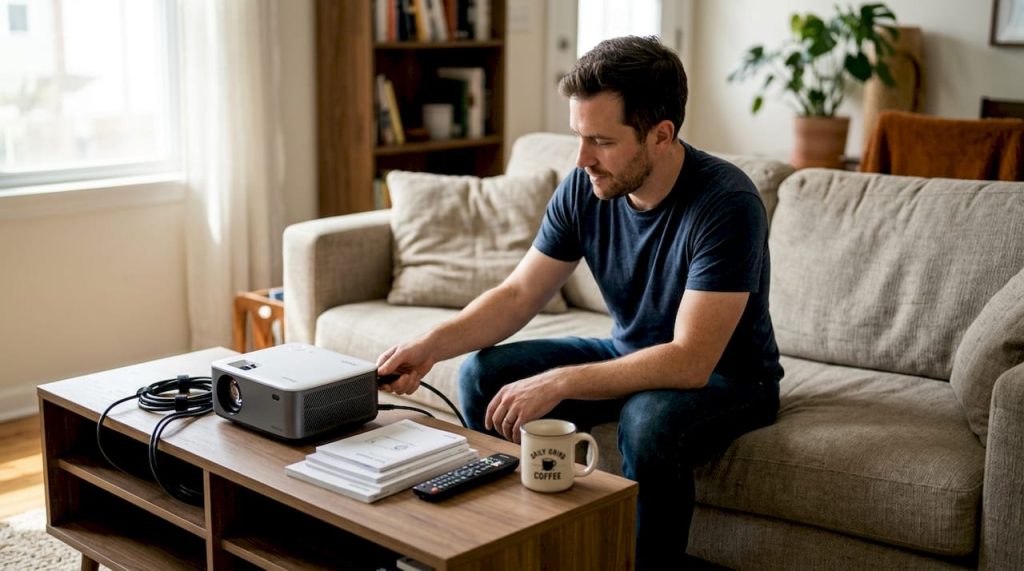
You set up your new projector, connect it to your device, and project onto a blank wall. The image appears washed out, the cables tangle across the floor, and switching between devices feels clumsy. Sound familiar? Many people invest in quality projectors but overlook the accessories that transform a basic setup into a seamless viewing experience. The right accessories unlock your projector's full potential across home entertainment, educational environments, and business presentations. This guide walks you through essential projector accessories and helps you choose wisely for your specific needs in Malaysia.
Table of Contents
- Key takeaways
- Understanding essential projector accessories
- Choosing the right accessories for your setup
- Installation and maintenance tips for projector accessories
- Advanced accessories and future trends
- Explore premium projector accessories at Projector Display Malaysia
- FAQ
Key Takeaways
| Point | Details |
|---|---|
| Accessories boost usability | The right projector accessories transform a basic setup into a seamless viewing experience across home, education, and business. |
| Core accessory categories | Cables, mounts, screens, wireless adapters, remote controls, and cable management all work together to optimize image quality and usability. |
| High speed HDMI tip | Investing in certified high speed HDMI cables rated for 4K ensures higher bandwidth and future compatibility. |
| Use case based setup | Your accessory choice should align with home, education, or business needs, emphasizing permanent setups and fixed screens for home, wireless switching in education, and reliable connections for business. |
| Screen and mount options | A mix of fixed frame or retractable screens with ceiling, wall, or portable mounts gives the best throw distance and space efficiency. |
Understanding essential projector accessories
Projector accessories fall into five core categories that work together to create optimal viewing experiences. Cables form the foundation, connecting your projector to media sources, power, and audio systems. HDMI cables carry both video and audio signals, while VGA cables serve older equipment. USB cables power streaming devices or connect directly to computers.
Mounts provide stable positioning and protect your investment. Ceiling mounts offer permanent installation with adjustable angles, perfect for dedicated home theaters or conference rooms. Wall mounts work well in smaller spaces where ceiling installation isn't practical. Portable tripod stands give you flexibility to move your projector between rooms or take it to different locations.
Projection screens dramatically improve image quality compared to blank walls. Fixed frame screens mount permanently and provide the flattest, most professional surface. Retractable screens pull down when needed and roll up to save space. Portable screens set up quickly for temporary presentations or outdoor movie nights.
Wireless adapters eliminate the frustration of cable switching. These devices connect to your projector's HDMI port and receive signals from phones, tablets, or computers over WiFi. You can share presentations without physically connecting to the projector, making transitions between speakers seamless.
Remote controls extend beyond basic power and volume functions. Advanced remotes include laser pointers for presentations, backlit buttons for dark rooms, and direct input switching. Some models control multiple devices simultaneously, reducing the number of remotes cluttering your space.
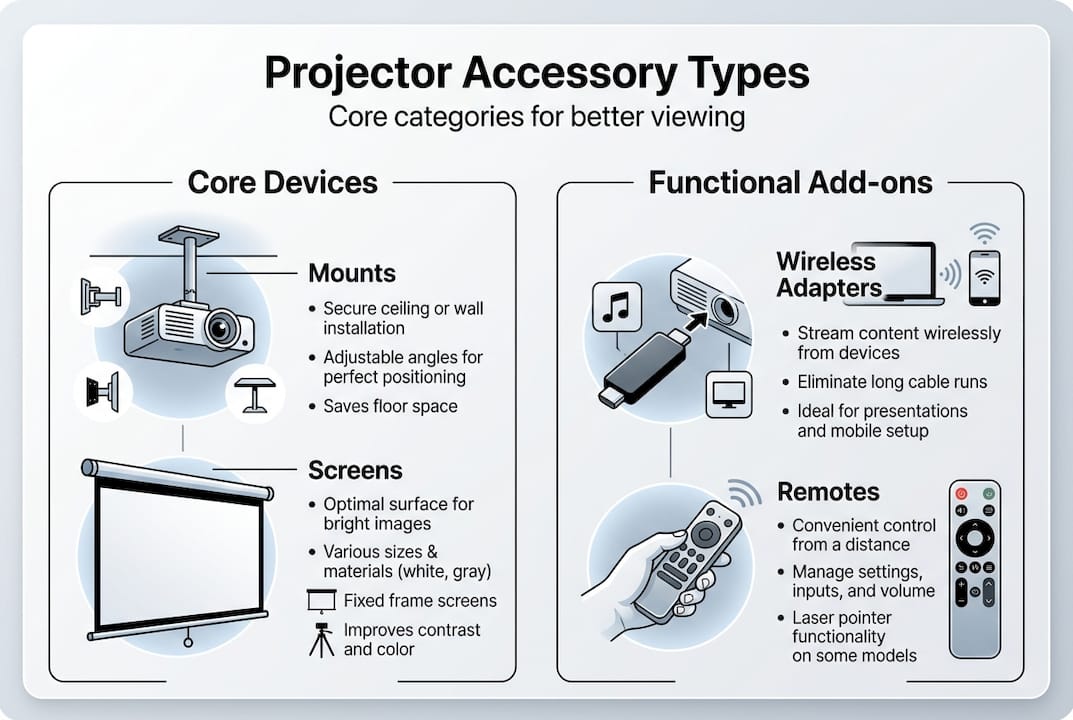
Cable management keeps projector setups neat and functioning optimally. Tangled cables create tripping hazards, collect dust, and can degrade signal quality over time. Cable raceways, clips, and sleeves organize wires along walls or ceilings. For ceiling-mounted projectors, in-wall cable routing provides the cleanest appearance.
Pro Tip: Invest in certified high-speed HDMI cables rated for 4K content even if your current projector outputs 1080p. These cables support higher bandwidth and ensure compatibility when you upgrade your equipment, saving you from replacing cables later.
Choosing the right accessories for your setup
Your accessory needs vary dramatically based on whether you're setting up home entertainment, educational spaces, or business presentation environments. Each scenario prioritizes different features and faces unique challenges.
| Use Case | Essential Accessories | Nice-to-Have Additions | Budget Priority |
|---|---|---|---|
| Home Theater | Fixed screen, ceiling mount, quality HDMI cables, sound system cables | Wireless adapter, motorized screen, universal remote | Screen and mount (60% of budget) |
| Classroom | Portable screen, wireless adapter, document camera cables, multi-device switching | Interactive display, ceiling mount, backup remote | Wireless adapter (40% of budget) |
| Business Presentations | Retractable screen, wireless adapter, laptop connectivity, backup cables | Ceiling mount, pointer remote, cable management kit | Wireless adapter and screen (50% of budget) |
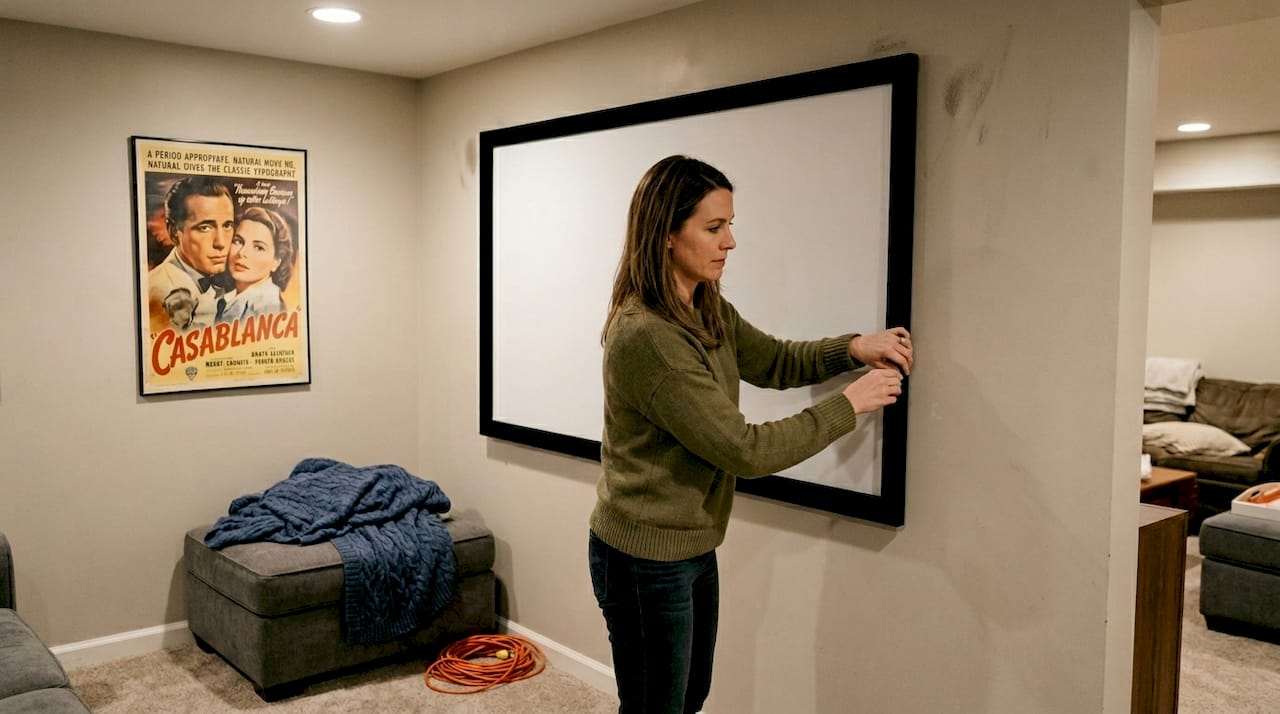
Home theater setups benefit most from permanent installations with premium screens. Your screen size should match your room dimensions and seating distance. A 100-inch diagonal screen works well for rooms where viewers sit 10 to 15 feet away. Fixed frame screens with ambient light rejecting materials handle rooms that can't achieve complete darkness. Ceiling mounts position projectors at optimal throw distances while keeping floors clear.
Educational environments prioritize flexibility and quick setup. Teachers need to switch between devices wirelessly without fumbling with cables during lessons. Wireless adapters become essential rather than optional in classrooms. Students can share work from tablets or laptops instantly. Portable screens allow you to reposition based on class size or activity type. Document cameras require dedicated cables that stay connected for easy access.
Business presentation spaces demand professional appearance and reliability. Retractable screens hide when not in use, maintaining clean conference room aesthetics. Wireless adapters eliminate the awkward moments when presenters struggle to connect laptops. Keep backup HDMI and VGA cables in the room because someone will inevitably arrive with older equipment. Pointer remotes help presenters control slides while moving around the room naturally.
Ambient lighting significantly impacts which accessories deliver the best results. Rooms with large windows or bright overhead lights need high-gain screens that reflect more light toward viewers. Gray or silver screens reject ambient light better than pure white screens. Rooms you can darken completely work fine with standard white screens that cost less and provide accurate color reproduction.
Cable length matters more than most people realize. Measure the actual distance from your projector location to source devices, then add 20% extra length for routing around obstacles. Cables longer than necessary create clutter, while cables that barely reach create tension and potential disconnection issues. For ceiling-mounted projectors in large rooms, you may need 25 to 35-foot HDMI cables.
Pro Tip: Match your screen material to your room's lighting conditions rather than simply buying the largest screen that fits. A smaller high-gain screen in a bright room delivers better image quality than a larger standard screen washed out by ambient light.
Installation and maintenance tips for projector accessories
Proper installation protects your equipment and ensures optimal performance for years. Follow these steps for ceiling-mounted projector installations:
- Locate ceiling joists using a stud finder to ensure solid mounting points that support your projector's weight.
- Mark the exact projector position based on throw distance calculations for your desired screen size.
- Install the ceiling plate first, verifying it's level before attaching the projector mount arm.
- Run cables through the ceiling or along cable raceways before hanging the projector to avoid working overhead unnecessarily.
- Attach the projector to the mount and adjust angle, ensuring the image fills your screen without keystone correction when possible.
- Secure all cables with clips or ties to prevent sagging that creates visual clutter or stress on connections.
Proper mounting enhances viewing angles and protects expensive equipment from accidental damage. Wall mounts require similar attention to finding solid mounting surfaces. Drywall anchors alone won't support projector weight reliably, especially if someone bumps the projector while adjusting settings.
Maintenance keeps accessories functioning reliably and extends their lifespan significantly:
- Inspect HDMI and power cables monthly for fraying, kinks, or damage near connectors where stress concentrates.
- Clean projection screens gently with microfiber cloths, never using harsh chemicals that damage specialized coatings.
- Test wireless adapters quarterly to ensure firmware stays updated and connections remain stable.
- Tighten mount screws every six months because vibration from projector fans gradually loosens hardware.
- Replace remote batteries proactively when you notice slower response times rather than waiting for complete failure.
- Organize spare cables in labeled bags so you can quickly find replacements during presentations or movie nights.
Troubleshooting common accessory problems saves time and frustration. When images appear fuzzy or distorted, check cable connections first. Loose HDMI cables cause intermittent signal loss that looks like projector problems. If wireless adapters drop connections frequently, verify your WiFi router isn't positioned too far away or blocked by metal obstacles. Screen wrinkles on retractable models usually indicate the screen wasn't fully extended or needs tension adjustment.
Safety considerations protect both people and equipment. Secure all cables along walls or ceilings to eliminate tripping hazards in dark rooms. Use cable protectors when running cables across floors temporarily. Ensure ceiling mounts include safety cables that catch the projector if the primary mount fails. Never exceed weight ratings on mounts or tripods, and always include your projector's weight plus any attached accessories when calculating total load.
Advanced accessories and future trends
Motorized projection screens represent the next level of convenience and sophistication for dedicated viewing spaces. These screens deploy and retract at the touch of a button, integrating with smart home systems and projector power cycles. When your projector turns on, the screen automatically descends. When you power down, it retracts to protect the surface and maintain room aesthetics. Motorized screens cost two to three times more than manual retractable screens but eliminate the hassle of pulling screens down and pushing them back up.
Interactive LED displays and motorized screens transform how people engage with projected content in educational and business settings. Touch-enabled screens let multiple users interact simultaneously, annotating presentations or collaborating on digital whiteboards. Teachers can save notes written during lessons and share them with students digitally. Business teams can brainstorm together, moving and organizing ideas directly on the projected surface.
| Screen Type | Installation | Interactivity | Typical Cost Range (MYR) | Best Use Case |
|---|---|---|---|---|
| Fixed Frame | Permanent wall mount | None | 800 – 3,500 | Dedicated home theaters |
| Manual Retractable | Wall or ceiling mount | None | 600 – 2,000 | Multi-purpose rooms |
| Motorized | Wall or ceiling mount | None | 2,500 – 8,000 | High-end home or business |
| Interactive Touch | Permanent installation | Full touch capability | 8,000 – 25,000 | Classrooms and conference rooms |
Emerging wireless technologies continue improving connection stability and reducing latency. The latest wireless HDMI systems transmit 4K signals up to 30 meters without noticeable delay, making them viable for larger venues. WiFi 6 and upcoming WiFi 7 standards provide the bandwidth needed for multiple simultaneous wireless connections without degradation. This matters in classrooms where several students might share content during a single session.
Upcoming accessories enhance the overall projection experience:
- Smart remotes with voice control let you adjust settings, switch inputs, or search content without memorizing button combinations.
- Ambient lighting systems sync with projected content, extending colors beyond the screen edges for more immersive viewing.
- Automatic calibration tools measure room conditions and adjust projector settings for optimal image quality without manual tweaking.
- Modular cable management systems adapt as you add or remove devices, maintaining organization through equipment changes.
- Portable battery packs power projectors outdoors or in locations without convenient electrical outlets for true mobility.
Short-throw and ultra-short-throw projectors change accessory requirements significantly. These projectors sit much closer to screens, sometimes just inches away. Traditional ceiling mounts don't work because the projector needs to be positioned near the screen rather than across the room. Specialized wall mounts or media console placement become necessary. Cable management gets easier because shorter distances require less cable routing.
Sustainability considerations influence accessory choices increasingly. Reusable cable ties replace disposable zip ties for more flexible cable management. Screens made from recyclable materials reduce environmental impact. Energy-efficient wireless adapters consume minimal standby power. As you build or upgrade your setup, consider accessories designed for long-term use rather than disposable solutions that create waste.
Explore premium projector accessories at Projector Display Malaysia
Now that you understand which accessories elevate your projector setup, finding quality products at competitive prices becomes your next step. Projector Display serves as Malaysia's leading projector and accessories retailer, offering everything from basic cables to advanced interactive displays. The website features carefully selected products that meet diverse needs across home entertainment, education, and business applications.

Current promotional offerings include discounts on projection screens, wireless adapters, and mounting solutions, making this an ideal time to complete your setup. The product selection emphasizes quality brands that deliver reliable performance rather than cheap alternatives that fail quickly. Customer reviews on each product page help you learn from other Malaysian users' experiences.
For detailed guidance on setting up your complete system, explore the comprehensive projector installation guide covering both home and business installations. This resource walks through planning, installation, and optimization steps that complement the accessories you choose. Fast shipping throughout Peninsular Malaysia means you can start enjoying your enhanced viewing experience quickly, and WhatsApp support provides answers when you need assistance selecting the right accessories for your specific situation.
FAQ
What are the must-have projector accessories for home theaters?
A quality projection screen dramatically improves image quality compared to projecting on walls, making it the top priority. High-speed HDMI cables ensure reliable 4K signal transmission without dropouts or degradation. Appropriate mounting, whether ceiling or wall, positions your projector at the optimal angle and distance. Wireless adapters enhance convenience for streaming from mobile devices but aren't mandatory if you primarily use a dedicated media player or gaming console.
How do wireless adapters improve projector use in classrooms or offices?
Wireless adapters eliminate cable clutter significantly and simplify the process when multiple people need to present. Teachers can move freely around classrooms while controlling content from tablets, and students can share work instantly without walking to the projector. In business settings, meeting transitions become seamless as presenters connect from their seats rather than gathering around a single cable connection point. This technology reduces setup time from minutes to seconds, keeping presentations flowing smoothly.
What maintenance should I do to keep my projector accessories working well?
Regularly inspect and organize cables to prevent damage from tangling, stress, or accidental pulling that degrades connections over time. Clean projection screens monthly with microfiber cloths to remove dust that dulls image brightness, avoiding harsh chemicals that damage specialized screen coatings. Test wireless equipment quarterly to verify firmware stays current and connections remain stable as network conditions change. Tighten mount screws every six months because projector fan vibration gradually loosens hardware that could lead to dangerous equipment failure.
Can I use regular HDMI cables or do I need special ones for projectors?
Projectors work with standard HDMI cables, but cable quality matters significantly for longer distances typical in projector installations. Cheap cables may not reliably transmit signals over 15 feet, causing intermittent blackouts or sparkles in the image. For runs longer than 20 feet, invest in certified high-speed HDMI cables or consider active cables with built-in signal boosters. The few extra ringgit spent on quality cables prevents frustrating troubleshooting sessions when signals drop during important presentations or movie climaxes.
How do I choose the right screen size for my space?
Calculate screen size based on your seating distance using the general rule that viewers should sit 1.5 to 2.5 times the screen width away for comfortable viewing. For a room where people sit 12 feet from the screen, a 90 to 120-inch diagonal screen works well. Measure your wall space to ensure the screen fits with adequate borders, remembering that larger isn't always better if it forces viewers to move their heads constantly to see the entire image. Your projector's throw ratio determines how far back it must sit to fill your chosen screen size, so verify compatibility before purchasing.
Recommended
- Home Theater Projector Setup: Achieve the Ultimate Viewing Experience – Projector Display
- Projector Screen Buying: Achieve Stunning Visuals Anywhere – Projector Display
- How to Mount Projector for Optimal Home Viewing Experience – Projector Display
- 7 Best Home Theater Projector Tips for Ultimate Viewing – Projector Display