
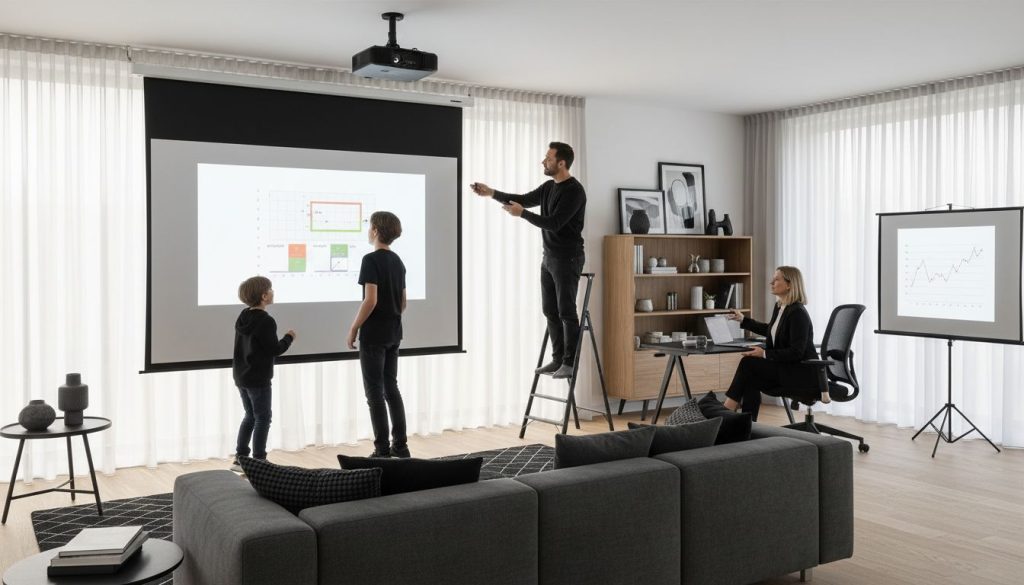
Did you know over 60 percent of projector users report image clarity issues due to the wrong screen choice? Whether you enjoy movies at home or present in bright meeting rooms, the quality and type of your projection screen can make or break your visual experience. Understanding the right screen material, size, and features helps you avoid common problems, achieve sharper images, and create a setup that fits your needs perfectly.
Table of Contents
- 1. Understanding Screen Materials For Better Clarity
- 2. Choosing The Right Screen Size For Your Space
- 3. Fixed Frame Vs. Portable Screens: Pros And Cons
- 4. Gain And Viewing Angle: What They Mean For Image Quality
- 5. Motorized Vs. Manual Screens For Ease Of Use
- 6. Ambient Light Rejecting Screens For Bright Rooms
- 7. Essential Screen Maintenance For Long-Lasting Performance
Quick Summary
| Takeaway | Explanation |
|---|---|
| 1. Choose the right screen material | Screen materials affect image quality and clarity in various environments. Select based on lighting conditions and specific usage needs. |
| 2. Size matters for viewing distance | Screen size should correspond to the viewing distance to maximize immersion. Measure your room and seat placement before deciding. |
| 3. Fixed frame vs. portable screens | Fixed frames provide superior image quality; portable screens offer flexibility. Choose based on your usage scenario and space requirements. |
| 4. Understand screen gain impact | Higher gain screens enhance brightness but narrow viewing angles. Consider room setup for optimal performance and audience experience. |
| 5. Maintain your projection screen | Regular cleaning and proper care extend screen lifespan and performance. Use gentle techniques to avoid damage and ensure optimal visuals. |
1. Understanding Screen Materials for Better Clarity
The projection screen material is your secret weapon for transforming an ordinary viewing experience into something extraordinary. Screen materials directly impact image quality, color reproduction, and overall visual performance for both home entertainment and professional presentations.
According to research from BenQ, white screens remain the most common and versatile option, offering balanced color reproduction across various settings. These screens work brilliantly in controlled lighting environments where ambient light can be minimized.
When selecting a screen material, consider these key factors:
- White Matte Screens: Ideal for standard rooms with controlled lighting
- Acoustic Screens: Perfect for home theaters allowing sound to pass through speakers
- High Gain Screens: Enhance brightness in rooms with more ambient light
Some advanced screens feature special coatings designed to improve brightness and HDR effects. However, be aware that these technological enhancements might reduce viewing angles and potentially cause hotspotting in certain lighting conditions.
For the best results, match your screen material to your specific environment. A guide on understanding projector screen materials can help you make an informed decision that maximizes your projection quality and visual experience.
2. Choosing the Right Screen Size for Your Space
Picking the perfect projection screen size is more science than guesswork. Your room layout and viewing distance are critical factors that determine the ideal screen dimensions for an immersive visual experience.
According to experts from Pure Theatre, screen size directly correlates with optimal viewing distance. For example, a 100-inch screen works best when viewers are positioned about 10.8 feet away, while a 120-inch screen suits a viewing distance of approximately 13 feet.
Key considerations for selecting screen size include:
- Room dimensions and available wall space
- Typical seating arrangement
- Projector throw distance
- Intended viewing purpose (home theater, presentations, gaming)
To determine the perfect screen size, measure your room and consider your typical seating position. A general rule of thumb is to choose a screen where the width fills about 30 to 40 percent of your viewers' horizontal field of vision.
For more precise measurements and personalized recommendations, you might want to explore our projector screen size guide for Malaysian spaces. This resource can help you make an informed decision tailored to your specific environment.
3. Fixed Frame vs. Portable Screens: Pros and Cons
Projection screens come in two primary configurations: fixed frame and portable models. Each offers unique advantages depending on your specific usage scenario and spatial constraints.
Fixed Frame Screens:
- Provide superior image quality and tension
- Perfect for dedicated home theaters
- Permanent installation with seamless flat surface
- Excellent for high-end presentations and professional settings
Portable Screens:
- Offer maximum flexibility and mobility
- Easy to set up and store
- Ideal for professionals who present in multiple locations
- Lightweight and compact design
Fixed frame screens excel in environments where you want consistent visual performance. They create a cinema-like experience with tight screen fabric and minimal wrinkles. These screens are typically mounted permanently and deliver exceptional picture clarity.
Portable screens shine when you need adaptability. Imagine switching between conference rooms or moving between home entertainment spaces. Their collapsible design means you can transport high-quality projection surfaces wherever your presentations or movie nights take you.
For a comprehensive breakdown of screen types that suit various needs, explore our guide on projector screen types in Malaysia. This resource will help you make an informed decision tailored to your specific requirements.
4. Gain and Viewing Angle: What They Mean for Image Quality
Understanding screen gain is crucial for achieving exceptional projection performance. Screen gain measures how much light a projection surface reflects, which directly impacts your viewing experience.
According to research from BenQ, screen gain is not a simple one size fits all specification. Higher gain screens boost brightness but come with trade-offs:
- Increased brightness in specific viewing positions
- Narrower optimal viewing angles
- Potential for uneven light distribution (hot spotting)
- Less uniform image across the screen
Lower gain screens offer more balanced performance. They provide:
- Wider viewing angles
- More consistent brightness across the entire surface
- Better for larger audiences
- More forgiving in different lighting conditions
When selecting a screen, consider your room setup. Home theaters with controlled lighting might benefit from higher gain screens, while conference rooms or classrooms require wider viewing angles and more uniform brightness.
For a deeper understanding of how screen gain impacts your visual experience, check out our comprehensive guide on projector screen gain. This resource will help you make an informed decision tailored to your specific projection needs.
5. Motorized vs. Manual Screens for Ease of Use
Screen deployment technology has transformed how we manage projection spaces. Choosing between motorized and manual screens can significantly impact your viewing experience and operational convenience.
Motorized Screens Advantages:
- Remote controlled operation
- Sleek professional appearance
- Perfect for permanent installations
- Ideal for home theaters and conference rooms
- Integrated with smart home systems
Manual Screens Benefits:
- More affordable
- Simple mechanical operation
- Lightweight and portable
- No electrical dependencies
- Perfect for classrooms and temporary setups
Motorized screens offer ultimate convenience with programmable drop down and retraction. At the push of a button, your screen emerges seamlessly creating a professional environment. They work exceptionally well in dedicated home theaters or corporate meeting spaces where aesthetic and automation matter.
Manual screens remain an excellent budget friendly option. They require physical pulling and offer straightforward functionality perfect for environments where complex technology is unnecessary.
If you are looking for a versatile motorized solution, explore our Meki EZ Motorized Screen options that combine convenience with professional performance.
6. Ambient Light Rejecting Screens for Bright Rooms
Ambient Light Rejecting (ALR) screens are a game changing solution for projection in challenging lighting conditions. These innovative screens solve the age old problem of image washout in bright environments.
According to research from BenQ, ALR screens are engineered with specialized technology that:
- Reflect projected light directly to viewers
- Absorb surrounding ambient light
- Maintain image contrast and clarity
- Perform exceptionally in rooms with uncontrolled lighting
How ALR Screens Work:
Think of these screens as intelligent optical filters. They have microscopic surface structures designed to selectively manage light. Projected images appear crisp and vibrant while external light sources are minimized.
Practical applications include:
- Living rooms with large windows
- Conference rooms with overhead lighting
- Classrooms with multiple light sources
- Home entertainment spaces without perfect light control
Traditional white screens struggle in bright environments. ALR screens transform your viewing experience by maintaining image quality regardless of surrounding light conditions.
For a comprehensive breakdown of how these remarkable screens can improve your projection setup, explore our complete guide to ambient light rejecting screens. This resource will help you understand the technology behind ALR screens and how they can revolutionize your visual experience.
7. Essential Screen Maintenance for Long-lasting Performance
Projection screens require strategic care to maintain their visual performance and extend their operational lifespan. Regular maintenance prevents degradation and ensures your investment continues delivering stunning image quality.
Key Maintenance Practices:
- Clean screen surface gently with microfiber cloths
- Avoid harsh chemical cleaners
- Store screens properly when not in use
- Inspect for potential damage regularly
- Handle with clean hands to prevent oil transfer
Cleaning Techniques:
- Use specialized screen cleaning solutions
- Wipe in gentle circular motions
- Never apply direct pressure
- Allow screen to air dry completely
- Remove dust with soft brushes or compressed air
Physical screen damage can occur from improper handling or environmental factors. Protect your screen from direct sunlight when not in use and avoid folding or creasing manual projection screens. Motorized screens require periodic mechanical inspection to ensure smooth operation.
For those seeking comprehensive guidance on maintaining projection equipment, explore our essential tips for choosing projector replacement parts. This resource will help you understand how to keep your projection setup in top condition and maximize your visual technology investment.
Below is a comprehensive table summarizing the key concepts and considerations discussed in the article about projection screen materials and technologies.
| Topic | Description | Key Considerations |
|---|---|---|
| Screen Materials | Impact image quality and color reproduction. Options include White Matte, Acoustic, and High Gain screens. | Match material to environment (e.g., controlled lighting for White Matte). Consider coatings for brightness and HDR. |
| Screen Size | Affects viewing experience based on room layout and distance. | Screen width should fill 30-40% of horizontal field of vision. Measure room and seating. |
| Screen Types | Fixed Frame offers superior quality; Portable offers flexibility. | Fixed Frame is ideal for dedicated setups; Portable is best for mobility and ease. |
| Screen Gain & Viewing Angle | Gain affects brightness and angle. | Higher gain increases brightness but narrows angle. Lower gain provides uniform brightness. |
| Deployment | Motorized vs. Manual screens for ease of use. | Motorized for convenience and aesthetics; Manual for affordability and simplicity. |
| ALR Screens | Designed for bright environments to maintain clarity. | Reflects projector light to viewers, absorbs ambient light. Ideal for uncontrolled lighting conditions. |
| Maintenance | Essential for prolonging screen lifespan and performance. | Use gentle cleaning methods; avoid harsh chemicals. Inspect regularly. |
Elevate Your Viewing Experience With the Perfect Projection Screen
Choosing the right projector screen is key to unlocking vivid colors, sharp images, and comfortable viewing angles. This article highlights challenges like balancing screen gain, selecting ideal screen sizes, and managing different lighting conditions. If you want flawless presentations or immersive movie nights in Malaysia, addressing these factors is essential. Whether you struggle with ambient light issues or need a screen that fits your room perfectly, understanding your options makes all the difference.

Discover top-quality screens tailored to your needs at Projector Screen Archives – Projector Display. Don't wait to transform your space with screens designed to maximize brightness, clarity, and practicality. Visit ProjectorDisplay.com today to explore our range, get personalized advice, and benefit from fast shipping within Peninsular Malaysia. Take control of your projection setup now and enjoy outstanding visual performance tomorrow.
Frequently Asked Questions
What types of projection screens are best for home theaters?
To achieve the best viewing experience in a home theater, consider fixed frame screens or ambient light rejecting (ALR) screens. Fixed frame screens offer superior image quality, while ALR screens help maintain clarity in bright environments. Evaluate your room's lighting and layout to choose the right option.
How do I determine the right screen size for my projector setup?
To find the optimal screen size, measure the distance between the seating area and the screen. A general rule is to choose a screen size where the width occupies about 30 to 40 percent of the viewers' horizontal field of vision for an immersive experience.
What are the advantages of motorized screens over manual screens?
Motorized screens offer convenience and a sleek appearance, allowing for remote control operation and smooth deployment. If you prioritize ease of use and a professional look, opt for motorized screens; otherwise, choose manual screens for a more budget-friendly option.
Why is screen gain important when selecting a projector screen?
Screen gain measures how much light a screen reflects, directly influencing brightness and viewing angles. Higher gain screens provide increased brightness in specific positions but may have narrower viewing angles, while lower gain screens offer wider angles and more uniform brightness across the screen.
How can I ensure my projection screen lasts longer?
To extend the lifespan of your projection screen, regularly clean it with a microfiber cloth and avoid harsh cleaners. Properly store the screen when not in use and inspect it periodically for any potential damage, as this will help maintain its visual performance over time.
What should I consider when choosing between fixed frame and portable screens?
Consider your usage scenario: fixed frame screens are best for dedicated home theaters while portable screens offer flexibility for presentations in various locations. Assess your need for image quality consistency versus mobility to make an informed choice.
Recommended
- Best Projector and Screen for Home Theater in Malaysia 2025 – Projector Display
- 7 Types of Projection Screens You Need to Know – Projector Display
- 7 Best Projector Screens for Home Theater Enthusiasts – Projector Display
- Projector Screen Size Guide 2025: Perfect Fit for Malaysian Needs – Projector Display