
TL;DR:
- Wireless projection eliminates cable delays, enabling fast, seamless setup for staff room meetings. It supports multiple devices with compatibility for Windows, macOS, Android, iOS, and ChromeOS. Advanced features like multi-user sharing and BYOM enhance collaboration, making meetings more inclusive and efficient.
Wireless projection is defined as the transmission of display content from a device to a projector or screen without physical cables, using protocols such as Miracast, AirPlay, or Wi-Fi Direct. This technology suits staff rooms because it removes the single biggest cause of meeting delays: the cable and adapter scramble. Malaysian offices increasingly operate in BYOD environments, where staff bring Windows laptops, MacBooks, Android phones, and iOS tablets to the same meeting. A wireless projector in Malaysia solves the compatibility problem instantly. Projectordisplay stocks a full range of wireless projection solutions built for exactly this kind of multi-device, fast-paced office setting.
Why wireless projection suits staff rooms: the setup time advantage
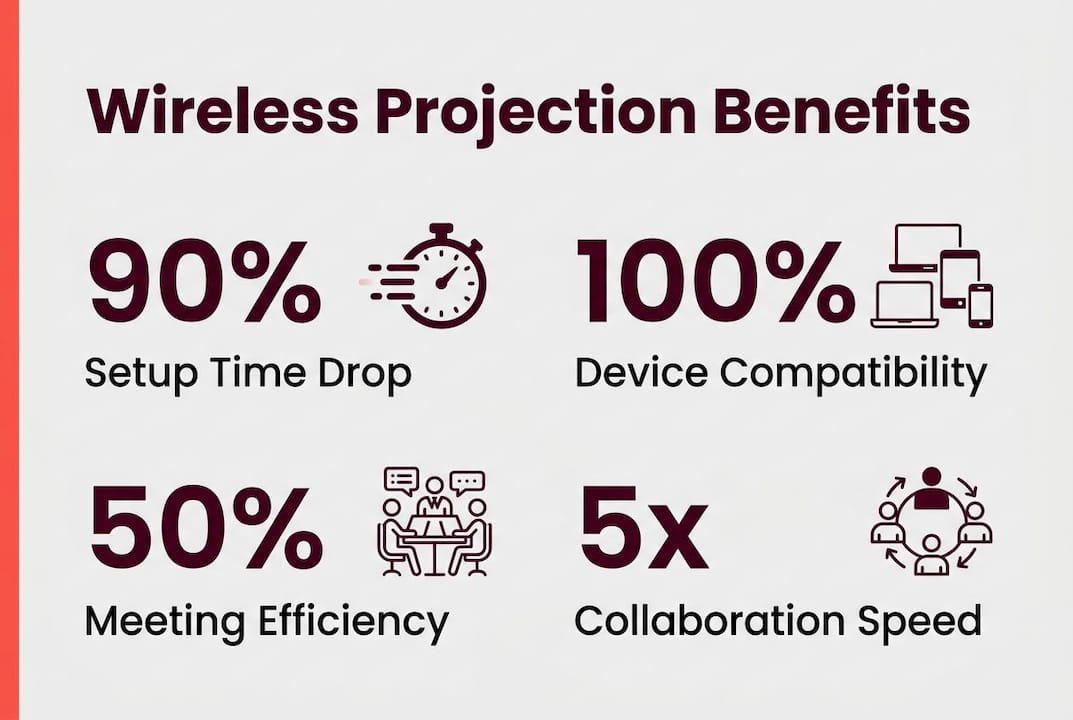
Meeting delays cost real money. Physical cables cause 3–5 minute session delays on average, and that loss compounds across every meeting held in a week. Wireless projection systems reduce setup time to seconds by eliminating the need to locate the right cable, find an adapter, and wait for the display to handshake. That means your 9:00 AM briefing actually starts at 9:00 AM.
The operational benefits go beyond punctuality. Fewer cables mean fewer IT support requests. When staff can connect from their seats without hunting for a VGA-to-USB-C dongle, the help desk stops fielding "the projector won't connect" tickets. Consistency in wireless presentation workflows across multiple rooms lets staff self-troubleshoot, which removes technical uncertainty from the meeting equation entirely.
Key setup advantages wireless projection delivers in staff rooms:
- Zero adapter dependency. No HDMI, VGA, or USB-C cables required from the presenter's side.
- Instant switching. The next presenter connects in seconds, keeping discussions moving.
- Reduced IT overhead. Standardized wireless systems generate fewer support calls than mixed-cable environments.
- Reliable connections. No worn ports or frayed cables to cause mid-presentation dropouts.
Pro Tip: Deploy the same wireless projection system across all your staff rooms. Staff who learn the process once can walk into any room and present without relearning the setup.
Does device compatibility matter for staff room wireless projection?
Device compatibility is the most underrated factor in staff room technology solutions. Modern wireless projection supports Windows, macOS, Android, iOS, and ChromeOS, which covers virtually every device a Malaysian office team or visiting client will carry. That breadth matters because a system that excludes one platform creates a bottleneck every time that device type enters the room.
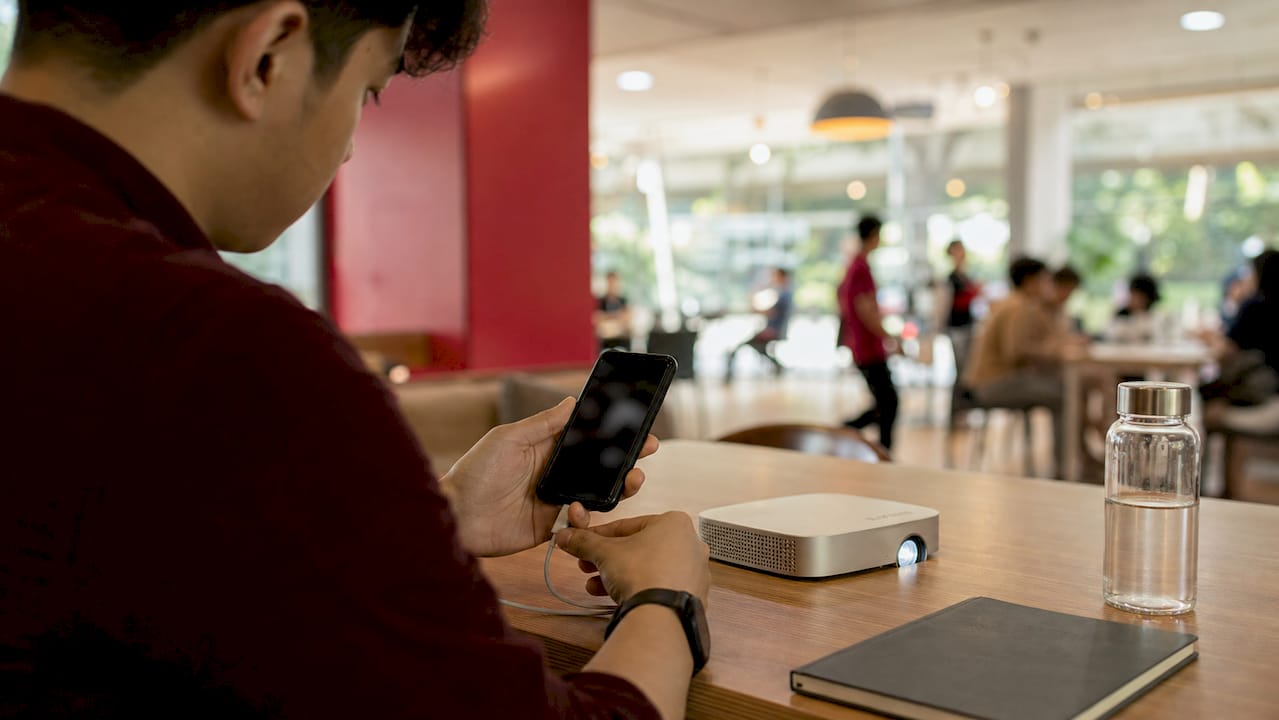
Malaysian offices typically run mixed device environments. Finance teams often use Windows, creative departments favor macOS, and field staff frequently present from Android phones. Guest presenters from partner companies add another layer of unpredictability. A wireless projector Malaysia teams can rely on must handle all of these without requiring software installs or IT pre-configuration.
BYOD wireless projection works through two primary methods:
- App-based sharing. Staff install a lightweight app once and connect to any room instantly. Works well for regular employees on managed devices.
- Dongle-based sharing. Guests plug a USB or HDMI dongle into their device and mirror immediately. No app, no account, no friction.
- Browser-based sharing. Some systems allow screen sharing through a standard web browser, requiring nothing from the presenter's device at all.
Pro Tip: For Malaysian offices that frequently host external clients or government visitors, prioritize a system with dongle-based guest access. It removes every compatibility barrier without compromising your corporate network security.
Understanding how wireless BYOD projection works in practice helps office managers choose the right system before procurement, not after installation.
What advanced collaboration features do wireless systems add?
Wireless display technology enables everyone in the room to contribute instantly, turning meetings from one-directional presentations into genuine group sessions. That shift is significant. When any participant can push their screen to the projector without standing up and unplugging someone else's cable, brainstorming becomes faster and more inclusive.
Modern wireless systems for staff rooms support several advanced features that wired setups simply cannot match:
- Simultaneous multi-user sharing. Multiple devices can share content at once, displayed in a split-screen layout. Teams can compare two spreadsheets, a design mockup, and a live dashboard side by side.
- Bring Your Own Meeting (BYOM). Staff connect their laptop's video conferencing app, such as Microsoft Teams or Zoom, directly to the room's camera and microphone through the wireless system. No separate room PC required.
- Room peripheral integration. Wireless presentation hubs connect to USB video bars, ceiling microphones, and room speakers, giving remote participants a full audio-visual experience.
- Moderator control. A room administrator can approve or deny screen-sharing requests, preventing accidental or unauthorized content from appearing on the main display.
| Feature | Wired setup | Wireless setup |
|---|---|---|
| Multi-user sharing | Not supported | Supported (split screen) |
| Guest presenter access | Requires adapter | Dongle or app, no adapter |
| BYOM conferencing | Requires room PC | Laptop connects directly |
| Setup time | 3–5 minutes | Seconds |
| IT support frequency | High | Low |
The role of projectors in hybrid meetings has expanded precisely because wireless systems make BYOM practical for offices that cannot afford dedicated room hardware for every meeting space.
How does wireless projection create a professional staff room?
A cable-free staff room looks better and functions better. Wireless setups remove cable clutter and reduce equipment failures from worn adapters and degraded HDMI connectors. That matters during client-facing meetings, where a tangle of cables on the table signals disorganization before anyone has said a word.
The safety argument is equally practical. Cables running across floors create tripping hazards, particularly in rooms where chairs move frequently during workshops or training sessions. Removing them reduces liability and makes room reconfiguration faster when the layout needs to change.
Specific improvements a wireless setup delivers to staff room environments:
- Cleaner table surfaces. No cable runs across the conference table or floor.
- Fewer failure points. Wired HDMI cables are prone to mechanical wear and are a frequent source of mid-meeting failures. Wireless removes this risk entirely.
- Easier room maintenance. Cleaning staff and facilities teams spend less time managing cable management systems.
- Better first impressions. A tidy, technology-ready room signals professionalism to clients and senior stakeholders.
Pro Tip: Pair your wireless projector with a motorized projection screen for a fully cable-free front wall. The combination looks polished and takes seconds to deploy before a meeting.
How to choose the right wireless projection system for your staff room
Selecting the right system starts with knowing your user mix. A hybrid connection approach combining USB dongles for guests and app-based sharing for staff offers the best balance of security, usability, and compatibility. AV integrators consistently recommend this model for Malaysian corporate environments where both internal teams and external visitors use the same rooms.
Key evaluation criteria for office managers:
- Room size and throw distance. A short-throw wireless projector suits smaller staff rooms. Larger boardrooms need a standard or long-throw model with higher lumens.
- Network security. Choose systems that operate on a separate VLAN or guest network to prevent wireless projection traffic from touching sensitive corporate data.
- Centralized management. Enterprise-grade systems allow IT to push firmware updates and monitor room status from a single dashboard, which is critical when managing multiple rooms across a Malaysian office building.
- Ease of use for non-technical staff. The best wireless projector Malaysia offices deploy is the one staff actually use without calling IT. Prioritize one-click or one-plug connection methods.
Selecting the right connection method based on whether the presenter is a regular staff member or an external guest is the single most important decision in wireless projection deployment. Get this wrong, and the system creates more friction than it removes.
A wireless business projector guide helps office managers match projector specifications to room requirements before committing to a purchase. Projectordisplay carries options across every price tier, from affordable LCD projectors suitable for small staff rooms to high-lumen laser projectors for large boardrooms.
Key Takeaways
Wireless projection suits staff rooms because it eliminates cable delays, supports every device type, and turns one-directional presentations into collaborative sessions.
| Point | Details |
|---|---|
| Setup time drops to seconds | Wireless removes the cable and adapter scramble that causes 3–5 minute meeting delays. |
| BYOD compatibility is non-negotiable | Systems must support Windows, macOS, Android, iOS, and ChromeOS to serve mixed Malaysian office teams. |
| Multi-user sharing changes meetings | Simultaneous screen sharing from multiple devices turns briefings into genuine group collaboration. |
| Cable-free rooms look and work better | Removing cables reduces failure points, tripping hazards, and visual clutter in client-facing spaces. |
| Match connection method to user type | Use dongles for guests and app-based sharing for staff to balance security and ease of use. |
The real reason wireless projection matters in Malaysian staff rooms
After working with office managers across Malaysia, the pattern is consistent. The problem is never the projector itself. The problem is the two minutes of fumbling before the meeting starts, the wrong adapter, the cable that only works at a certain angle, and the IT call that delays the whole session. Wireless projection solves a human problem, not just a technical one.
What surprises most office managers is how quickly staff behavior changes after installation. When connecting is genuinely easy, more people share their screens. Junior staff who previously hesitated to present because of the cable setup now contribute without thinking twice. That shift in participation is the real impact of wireless displays, and it does not show up in any spec sheet.
The mistake I see most often is buying a wireless system and then deploying it inconsistently. One room has the dongle, another requires an app, a third needs a password nobody remembers. That inconsistency destroys confidence. Staff stop trying and go back to emailing files to whoever is already connected. Standardize the system across every room, train staff once, and the technology disappears into the background where it belongs.
For Malaysian offices evaluating options, the Epson projector lineup and Viewsonic projector Malaysia range both include wireless-capable models worth considering. The best projector brand for your staff room is the one that fits your room size, your budget, and your team's technical comfort level, not the one with the longest spec list.
— Projector
Wireless projection solutions for Malaysian staff rooms at Projectordisplay
Projectordisplay carries a full range of wireless projectors and projection screens suited to Malaysian office environments, from compact LCD projectors for small staff rooms to high-brightness laser models for large boardrooms.
Whether you need a wireless projector Malaysia teams can connect to in seconds, a motorized projection screen for a polished boardroom setup, or an interactive display for hands-on training sessions, Projectordisplay has the right option. The team is available via WhatsApp for personalized consultation, and fast shipping covers Peninsular Malaysia. For offices evaluating large-room display options, the projector vs. screen comparison is a useful starting point. Browse the full catalog at Projectordisplay and find the wireless solution that fits your staff room today.
FAQ
Why does wireless projection suit staff rooms specifically?
Wireless projection eliminates cable and adapter delays that are the most common cause of meeting disruptions. Staff rooms benefit most because they host frequent, back-to-back meetings where setup speed directly affects productivity.
What devices can connect to a wireless projector in a Malaysian office?
Modern wireless projection systems support Windows, macOS, Android, iOS, and ChromeOS devices. That coverage handles virtually every device mix found in Malaysian corporate and government office environments.
Is wireless projection secure for corporate networks?
Yes, when configured correctly. Deploy wireless projection on a separate VLAN or guest network to isolate presentation traffic from sensitive corporate data. Enterprise-grade systems also include moderator controls that approve connections before content appears on screen.
How does wireless projection support hybrid meetings?
Wireless systems with BYOM support let staff connect their own laptop's conferencing app directly to the room's camera and microphone. This removes the need for a dedicated room PC and works with Microsoft Teams, Zoom, and similar platforms.
What is the difference between dongle-based and app-based wireless projection?
Dongle-based systems require a USB or HDMI dongle that guests plug into their device for instant mirroring with no software install. App-based systems require a one-time app installation and work best for regular staff on managed corporate devices.