

TL;DR:
- USB plug and play projection allows instant content display from devices to projectors without driver installation. It relies on USB-C with DisplayPort Alt Mode or USB-A media playback, supported by brands like Epson, BenQ, and Acer. Proper cables, device compatibility, and formatting are essential to avoid connection issues and ensure reliable operation.
USB plug and play projection is defined as the ability to connect a device to a projector via USB and display content immediately, with no driver installation or manual configuration required. The operating system detects the connected device automatically, typically within seconds, making it one of the fastest ways to start a presentation or play media. This technology works across smartphones, laptops, and USB flash drives, and it is supported by popular projector brands in Malaysia including Epson, BenQ, and Acer. Whether you are setting up a classroom projector, running a business presentation, or enjoying home entertainment, understanding how USB plug and play projection works saves you time and frustration.
What is USB plug and play projection and how does it work technically?
USB plug and play projection relies on two distinct connection methods, and knowing which one applies to your setup determines everything. The first method uses USB-C with DisplayPort Alt Mode, which transmits a full video signal from a laptop or smartphone directly to a compatible projector. The second method uses USB-A ports, where the projector reads media files directly from a flash drive without any source device involved.
DisplayPort Alt Mode is the key technology behind USB-C video output. It allows the USB-C connector to carry a video signal alongside data and power, effectively turning a single cable into a complete display connection. Automatic device detection generally occurs within seconds, allowing immediate use without rebooting. That speed is what makes plug and play projection genuinely practical for back-to-back meetings or classroom use.
USB-A media playback works differently. The projector acts as the host device and reads files directly from the flash drive. Many projectors support direct USB playback of PDFs, videos, and images, removing the need for a laptop entirely. This is especially useful for presenters who want to travel light.
- USB-C with DisplayPort Alt Mode: Mirrors or extends your laptop or phone screen to the projector in real time.
- USB-A media playback: The projector reads files stored on a flash drive directly, no source device needed.
- Power delivery: Some USB-C connections also charge the source device while projecting, provided the cable and projector support it.
- Auto-enumeration: The operating system on Windows, macOS, or Android identifies the connected display and configures it automatically.
Pro Tip: Before your next presentation, check your laptop's USB-C port specifications in the device manual or manufacturer website. Not every USB-C port supports DisplayPort Alt Mode, and finding that out during a meeting is never ideal.
What devices and cables are needed for USB plug and play projection?
The right hardware combination is what separates a working setup from a frustrating one. Three categories of devices work with USB plug and play projection: laptops, smartphones, and USB flash drives. Laptops from brands like Dell, HP, and Lenovo with USB-C ports that support DisplayPort Alt Mode connect directly to compatible projectors. Android smartphones with USB-C also support this, though iPhone users typically need a Lightning to HDMI adapter instead.
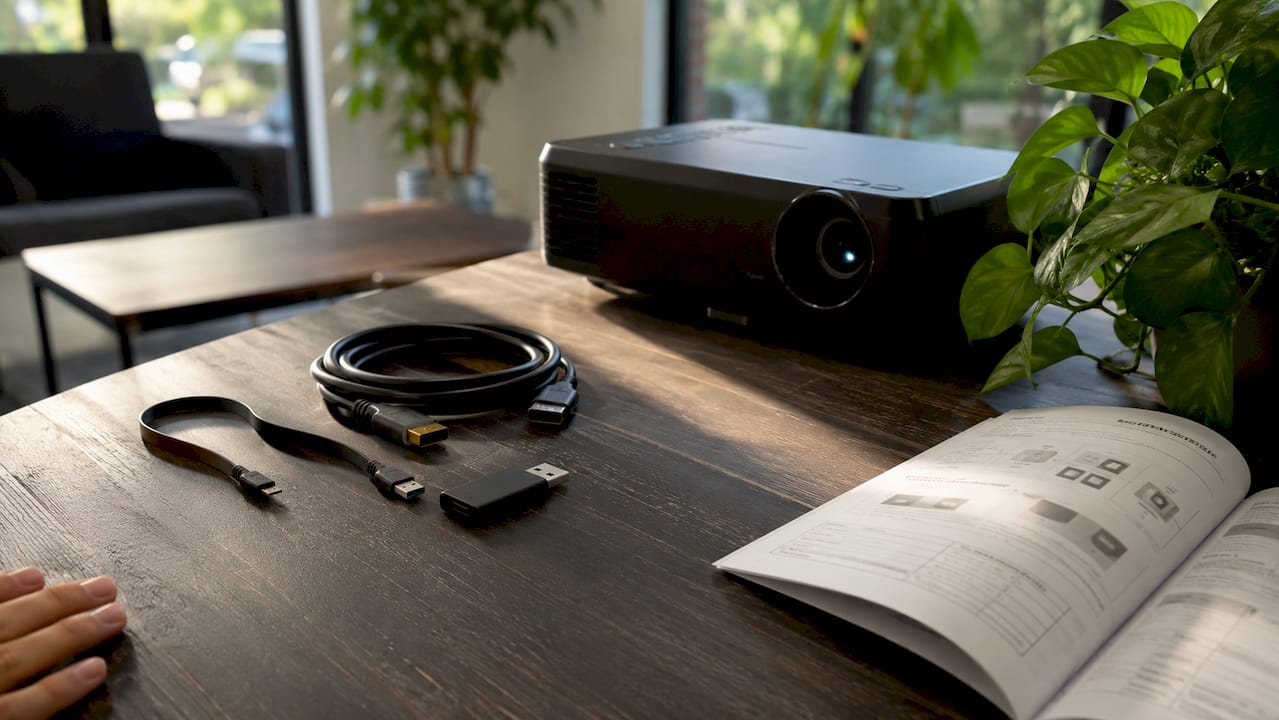
USB-C ports vary widely in their capabilities. Power-only ports and data-only ports cannot transmit video, even though they look identical to video-capable ports. This is the single most common source of confusion among Malaysian users buying their first USB-C projector setup.
Cables matter just as much as ports. Certified USB-C cables supporting both Power Delivery and DisplayPort Alt Mode are required for stable projection and simultaneous charging. Low-quality or charging-only cables produce "No Signal" errors and unstable displays. That means the RM 5 cable from a roadside stall is a false economy.
| Cable or adapter type | Video support | Power delivery | Typical price range |
|---|---|---|---|
| USB-C to USB-C (certified, full-featured) | Yes (DisplayPort Alt Mode) | Yes | RM 50–RM 150 |
| USB-C to HDMI adapter | Yes | No (most models) | RM 65–RM 200 |
| USB-C charging cable (basic) | No | Yes | RM 15–RM 40 |
| USB-A flash drive connection | Media playback only | No | N/A |
- Use cables labeled "Full-Featured USB-C" or certified by the USB Implementers Forum.
- For projectors with only HDMI input, a USB-C to HDMI adapter bridges the gap reliably.
- Avoid generic adapters with no brand markings, as they frequently drop signal under load.
Pro Tip: If you use an Epson projector Malaysia model or a BenQ projector Malaysia unit, check the product page for the specific USB-C standard supported. BenQ publishes detailed USB-C compatibility charts for its portable projector range.
What are the advantages and limitations of USB plug and play projection?
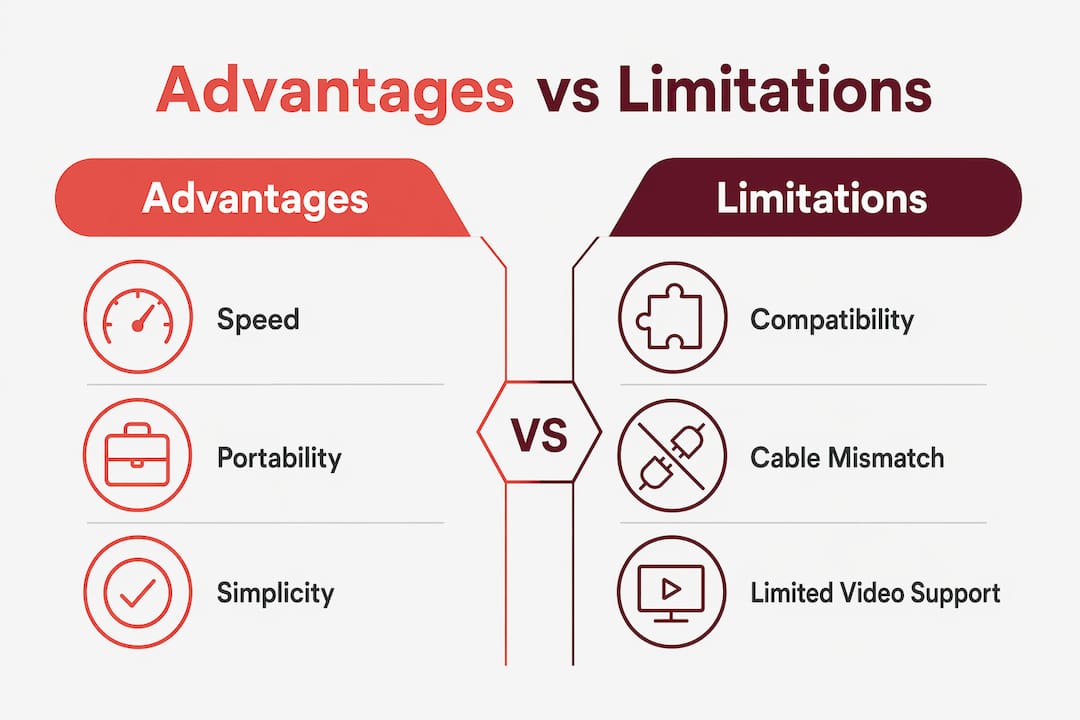
The core advantage of USB plug and play projection is speed. A presenter can walk into a room, connect a USB-C cable or insert a flash drive, and be projecting within seconds. There is no Wi-Fi password to enter, no app to install, and no Bluetooth pairing sequence to complete. For office projectors and classroom projectors across Malaysia, that speed directly reduces dead time at the start of meetings and lessons.
Portability is the second major advantage. A USB flash drive fits in a shirt pocket and replaces a laptop for simple presentations. Direct USB media playback is ideal for portable presentations, removing bulky equipment from the equation entirely. Epson LCD projectors and Optoma projector Malaysia models with USB-A ports make this workflow practical for educators and field sales teams.
The limitations are real and worth knowing before you commit to a setup.
Do:
- Verify DisplayPort Alt Mode support on your specific USB-C port before purchasing cables.
- Format flash drives in FAT32 or exFAT for maximum projector compatibility.
- Use certified, full-featured USB-C cables from known brands.
- Test your setup before the actual presentation day.
Don't:
- Assume every USB-C port on your laptop outputs video.
- Use NTFS-formatted drives for direct projector media playback.
- Buy the cheapest USB-C cable available and expect reliable results.
- Skip checking the projector's supported file formats before loading your flash drive.
Misalignment between projector ports, cables, and devices is the primary cause of projection failures, not projector defects. That distinction matters because most problems are solvable with the right cable or a reformatted drive.
Pro Tip: For a wireless projector Malaysia setup that still feels like plug and play, look at dedicated wireless dongles. They eliminate cable issues entirely while keeping setup time under a minute.
How to troubleshoot common USB plug and play projection issues?
Most USB projection problems fall into one of three categories: no signal, no device detected, or media playback errors. Each has a specific fix.
- Check port capability first. Open your laptop's device manager (Windows) or System Information (macOS) and confirm the USB-C port lists DisplayPort Alt Mode support. If it does not, switch to a USB-C to HDMI adapter.
- Inspect the cable. Swap the cable for a certified full-featured USB-C cable. Low-quality cables cause "No Signal" errors and unstable displays. This single step resolves the majority of connection failures.
- Check the projector input source. Many projectors default to HDMI input. Use the projector's menu to manually select the USB-C or USB input channel.
- Reformat the flash drive. USB flash drives must be formatted in FAT32 or exFAT for projector compatibility. NTFS or APFS formatting causes "unsupported" errors even when the physical connection is correct. On Windows, right-click the drive, select Format, and choose exFAT.
- Verify supported file formats. Check the projector manual for supported video codecs and image formats. H.264 MP4 and JPEG are almost universally supported. HEVC or ProRes files often are not.
- Update projector firmware. Epson projector Malaysia and Viewsonic projector Malaysia units receive periodic firmware updates that improve USB device compatibility. Check the manufacturer's website for the latest version.
- Seek professional support. If all steps above fail, the projector port itself may be damaged. Contact your projector seller Malaysia or the brand's local service center for diagnosis. Projectordisplay's connectivity troubleshooting guide covers Malaysia-specific hardware scenarios in detail.
USB plug and play vs. wireless vs. HDMI: which setup wins?
Each connection method has a clear use case, and choosing the wrong one creates unnecessary problems. USB plug and play projection suits users who need fast, cable-based setup with minimal equipment. Wireless projection suits larger rooms and multi-device environments where running cables is impractical. Traditional HDMI remains the most universally compatible option for stable, high-quality video.
Point-to-point wireless USB-C solutions are emerging as a strong middle ground. These systems use dedicated dongles to bypass Wi-Fi limitations and avoid manual software installation. For Malaysian corporate environments with unreliable building Wi-Fi, a dedicated wireless dongle like the Anycast M2 Plus delivers plug and play convenience without cables. For a deeper comparison of wireless options, the wireless business projector guide from Projectordisplay covers 2026 setups in detail.
| Method | Setup speed | Reliability | Compatibility | Best for |
|---|---|---|---|---|
| USB plug and play | Very fast | High (wired) | Moderate (port dependent) | Presentations, portable use |
| Wireless (Wi-Fi or dongle) | Moderate | Variable | High (most devices) | Large rooms, multi-user |
| HDMI (traditional) | Fast | Very high | Very high | Fixed installations, 4K video |
For Malaysian users choosing between Wi-Fi and HDMI for their projektor murah or best home projector Malaysia setup, the WiFi vs HDMI projector comparison on Projectordisplay breaks down the trade-offs clearly. The short answer: USB plug and play wins on speed and simplicity, HDMI wins on raw reliability, and wireless wins on flexibility.
Key Takeaways
USB plug and play projection works reliably only when the projector port, cable specification, and source device all support the same standard.
| Point | Details |
|---|---|
| DisplayPort Alt Mode is required | USB-C video output only works when the source device's port supports DisplayPort Alt Mode. |
| Cable quality determines stability | Certified full-featured USB-C cables prevent "No Signal" errors that cheap cables cause. |
| Flash drive format matters | Format USB drives in FAT32 or exFAT; NTFS causes playback errors on most projectors. |
| Port type is not obvious | USB-C ports look identical regardless of capability; always verify specs before buying cables. |
| Wireless dongles fill the gap | For cable-free plug and play, dedicated wireless dongles bypass Wi-Fi instability reliably. |
What I've learned from watching Malaysian users struggle with USB projection
The most common mistake I see is not buying the wrong projector. It is buying the right projector with the wrong cable. A professional walks in with a brand-new Acer projector Malaysia unit, pulls out a USB-C cable from a convenience store bag, and spends 15 minutes wondering why nothing appears on screen. The projector is fine. The cable is a charging-only model that cannot carry a video signal.
The second pattern I notice is that Malaysian users tend to underestimate how much the USB-C standard has fragmented. BenQ's own documentation spells out that not all USB-C ports function the same way, yet this information rarely reaches buyers at the point of purchase. The best projector brand in Malaysia cannot fix a cable that was never designed for video.
The future looks genuinely better. USB4 and updated USB-C specifications are pushing toward a world where every port and cable combination that physically fits will also functionally work. Until that day arrives, the practical advice is simple: buy certified cables, check your port specs, and format your flash drives in exFAT. Those three habits eliminate the vast majority of USB projection failures before they happen.
— Projector
Projector solutions for Malaysian users at Projectordisplay
Projectordisplay stocks a full range of projectors and accessories suited for USB plug and play projection setups across Malaysia, from portable units for field presentations to laser projectors for large venues.

The catalog includes Epson projector Malaysia models, BenQ projector Malaysia units, Acer projector Malaysia options, and Viewsonic projector Malaysia displays, all with detailed USB-C and connectivity specifications listed. For professionals setting up boardrooms or educators equipping classrooms, Projectordisplay also carries projection screens and wireless dongles to complete any setup. If you are weighing projector options for a large space, the guide on why projectors beat screens for large rooms makes the case with real numbers. Fast shipping across Peninsular Malaysia and WhatsApp support make it the best projector shop for buyers who need answers before they buy.
FAQ
What is USB plug and play projection?
USB plug and play projection is the ability to connect a device to a projector via USB and display content immediately, without installing drivers or configuring software. The operating system detects the connection automatically, typically within seconds.
Does every USB-C port support video output for projection?
No. USB-C ports vary widely in capability. Only ports that support DisplayPort Alt Mode can transmit video. Power-only or data-only USB-C ports cannot carry a video signal, even with a compatible cable.
What file system should I use for a USB flash drive on a projector?
Format the flash drive in FAT32 or exFAT. NTFS and APFS formats cause recognition errors on most projectors, even when the physical connection is correct.
Is USB plug and play projection better than HDMI?
USB plug and play projection is faster to set up and requires fewer cables in some configurations, but HDMI delivers higher universal compatibility and more stable video. For fixed installations, HDMI remains the more reliable choice.
Which projector brands in Malaysia support USB plug and play projection?
Epson, BenQ, Acer, Optoma, and Viewsonic all offer projector models in Malaysia with USB-A media playback or USB-C DisplayPort Alt Mode support. Always check the specific model's port specifications before purchasing cables or adapters.
Recommended
- Projector Wireless Connection: Enhancing Presentations – Projector Display
- Master wireless projection for seamless presentations – Projector Display
- Wireless projector setup guide for tech-savvy Malaysians – Projector Display
- Projector connectivity options Malaysia: best setup 2026 – Projector Display