
TL;DR:
- A smart projector app ecosystem combines an operating system, app store, wireless connectivity, and smart features to function independently as a multimedia hub. Platforms like Google TV and Android TV now power projectors, enabling app access and streaming without external devices, which benefits classrooms and home entertainment. However, hardware longevity often exceeds software support, so buyers should prioritize optics and resolution while treating the smart ecosystem as a bonus.
A smart projector app ecosystem is defined as the integrated combination of an operating system, native app store, wireless connectivity, and onboard smart features that allows a projector to function as a standalone multimedia hub. Understanding what is smart projector app ecosystem means recognizing that platforms like Google TV and Android TV now power projectors the same way they power televisions, eliminating the need for external streaming sticks or media players. For tech-savvy users and educators in Malaysia, this shift changes how classrooms run presentations and how living rooms consume entertainment. Projectordisplay carries a full range of smart projectors built around these ecosystems for every use case.
What is a smart projector app ecosystem and how does it work?
A smart projector app ecosystem integrates an OS like Google TV or Android TV with onboard storage and wireless connectivity to enable standalone multimedia functionality. This means the projector itself runs apps, connects to Wi-Fi, and streams content without any additional device plugged into it. The operating system acts as the brain, managing everything from the home screen launcher to background app updates.
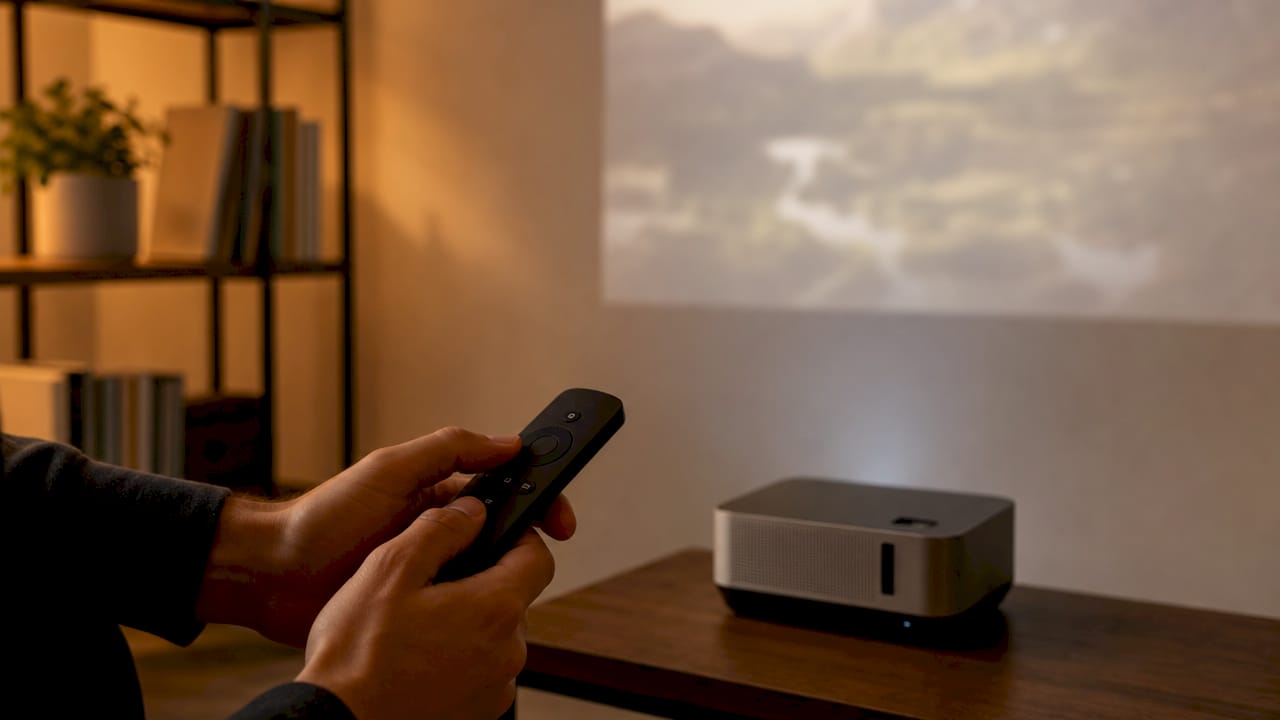
The ecosystem includes native app stores, voice control via Google Assistant or Amazon Alexa, and casting protocols like Chromecast, AirPlay, and Miracast. Each of these components works together as a system, not as isolated features. When one layer updates, such as the OS receiving a new firmware build, the entire experience improves across apps, interface speed, and connectivity stability.
This architecture is fundamentally different from a traditional LCD projector or a standard Epson projector that simply receives a signal from an external source. A smart projector running Android TV or Google TV processes content internally. That processing demand is comparable to a mid-range smartphone, which explains why onboard RAM and storage specs matter when buying a wireless projector in Malaysia.
How do smart projector operating systems manage apps?
Google TV and Android TV dominate the smart projector OS market in 2026, sharing the same underlying app ecosystem but differing in interface design and update policies. Google TV prioritizes content recommendations, surfacing shows and movies across multiple streaming services on a single home screen. Android TV uses a more traditional app-grid launcher that many educators and office users find easier to navigate.
Both platforms give users access to the Google Play Store, which means thousands of apps are available for download directly on the projector. The practical difference shows up in long-term software support. Google TV devices tend to receive OS updates longer, which matters for users who want their best projector in Malaysia to stay current for five or more years.
Key points about OS-level app management on smart projectors:
- App availability: Google Play Store access covers streaming, productivity, and education apps, though some titles require specific hardware certifications.
- Launcher and UI: Google TV uses a content-first recommendation feed; Android TV uses a traditional grid layout.
- Firmware updates: Updates arrive over Wi-Fi and install automatically, keeping security patches and app compatibility current.
- Sideloading: Sideloading apps enables access to unavailable titles but introduces security risks and requires enabling developer mode with manual APK installation. This is recommended only for advanced users.
Pro Tip: Before buying a smart projector for classroom or office use in Malaysia, confirm whether the device runs certified Google TV or standard Android TV. Certified devices get longer Play Store support and better app compatibility.
What are the core features of a smart projector app ecosystem?
The core features of a projector app ecosystem fall into four categories: preinstalled streaming apps, screen mirroring protocols, voice assistant integration, and automated image correction. Each category directly affects how useful the projector is in real-world settings like classrooms, home theaters, and boardrooms.
Preinstalled streaming apps
Smart projectors ship with apps like YouTube, Prime Video, and Disney+ already installed. However, app availability can be limited by licensing agreements between streaming services and OS manufacturers. Netflix, for example, requires specific hardware certification before it will run natively on Android TV devices. Users should verify which apps come preinstalled versus which require manual download before purchasing the best home projector in Malaysia for their setup.
Screen mirroring and casting
Screen mirroring protocols including Chromecast, AirPlay, and Miracast enable wireless content casting from phones, tablets, and laptops to the projector. This is the feature educators rely on most heavily. A teacher can mirror a laptop screen during a lesson without connecting a single cable. For home users, casting from a phone to a wireless projector in Malaysia takes under ten seconds with Chromecast-enabled devices.
Voice assistant integration
Integrated voice assistants like Google Assistant or Alexa allow full app control and smart home interaction through voice commands. A user can say "open YouTube" or "dim the lights" without touching a remote. This hands-free operation is particularly useful in classroom settings where the teacher is moving around the room.
Automated image correction
Smart features like auto-focus and auto keystone correction improve setup speed but may slightly reduce effective image resolution. These corrections use internal sensors and intelligent algorithms to straighten and sharpen the image automatically. For most users, the convenience outweighs the minor resolution trade-off. In complex setups, manual fine-tuning after the automatic correction produces the sharpest result.
Pro Tip: When using auto keystone correction on a projector screen in Malaysia, always run the automatic correction first, then make small manual adjustments. This gives you the speed of automation with the precision of manual control.
Built-in smart apps vs. external streaming devices: which is better?
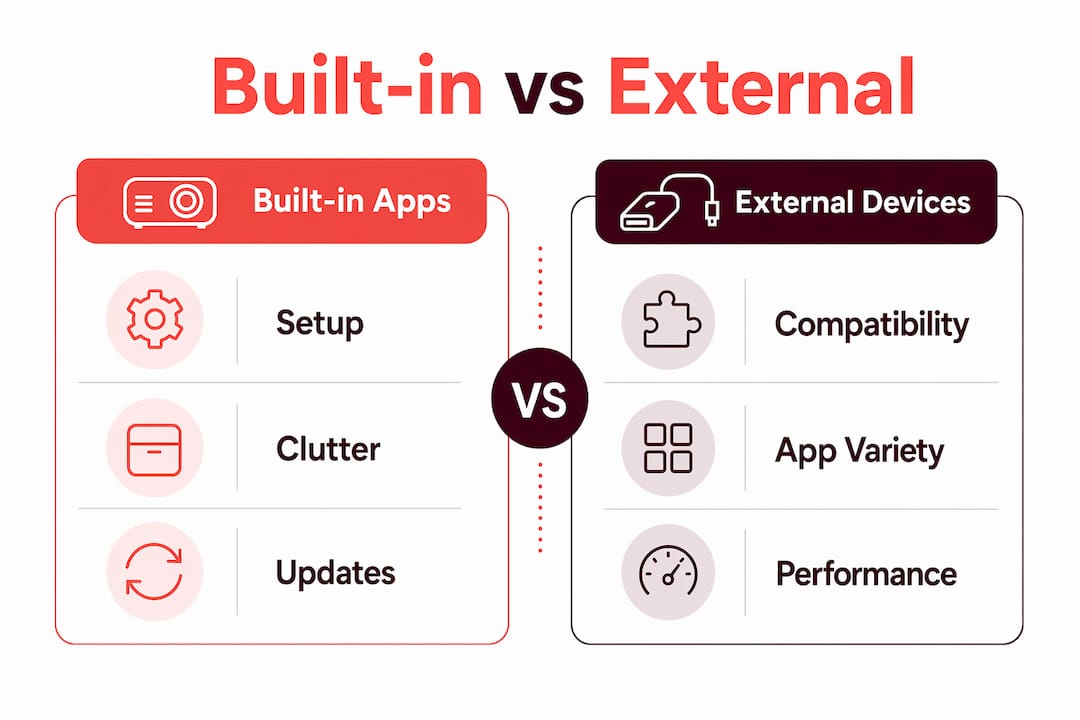
The choice between using a projector's built-in app ecosystem and attaching an external streaming device comes down to three factors: convenience, app breadth, and upgrade flexibility.
| Factor | Built-in smart apps | External streaming device |
|---|---|---|
| Setup complexity | Minimal. No extra hardware needed. | Requires HDMI connection and separate power. |
| App availability | Limited by OS certification and licensing. | Broader, with faster app updates. |
| Hardware upgrades | Tied to projector lifespan. | Replace the stick independently. |
| Cable clutter | None. Fully wireless. | Adds one HDMI cable and power adapter. |
| Cost | Included in projector price. | Additional purchase required. |
Built-in apps simplify setup and reduce cable clutter but may face slower hardware updates and limited app availability compared to external streamers. This is the core trade-off every buyer faces. For a best classroom projector in Malaysia, built-in apps are usually sufficient because the use case centers on screen mirroring and YouTube rather than a full streaming library.
For home theater users who want access to every streaming service with the fastest interface, attaching a dedicated streaming stick to a high-lumen laser projector gives more flexibility. The projector hardware stays relevant longer because the smart module is replaceable. Smart projector hardware updates generally lag behind standalone streaming sticks, which means the built-in OS can feel dated within three to four years even if the optical hardware is still excellent.
The practical answer for most users in Malaysia: buy a projector with a solid built-in ecosystem for daily convenience, and keep the option open to add an external device later if the native apps become limiting.
How educators and tech users benefit from smart projector ecosystems
Smart projector ecosystems deliver the most value when they remove friction from common tasks. For educators and tech-savvy users, the advantages of smart projectors show up in four specific ways:
-
Standalone classroom presentations. A teacher can walk into a room, power on the projector, and open a Google Slides presentation directly from the built-in browser or Google Drive app. No laptop required. This is already standard practice in schools using the best classroom projector setups across Malaysia.
-
Wireless device pairing. Dual-band Wi-Fi and Bluetooth connectivity supports screen mirroring and pairing with Bluetooth speakers or remotes simultaneously. A presenter can mirror their phone while audio plays through a paired Bluetooth speaker, all without a single cable.
-
Home entertainment without a media player. A smart projector running Google TV replaces a streaming stick, a Blu-ray player, and a cable box for most users. Streaming movies, gaming via cloud services like Xbox Cloud Gaming, and browsing YouTube all run natively. Check out top projector apps for a curated list of the best apps to install first.
-
Resolution awareness for large screens. Many lower-cost smart mini projectors upscale 4K content without true 4K pixel density, which limits visual clarity on large projection surfaces. Educators projecting detailed diagrams and tech users running 4K content should verify native resolution specs before purchasing.
Key Takeaways
A smart projector app ecosystem is only as strong as its operating system, app library, and wireless connectivity working together as one integrated platform.
| Point | Details |
|---|---|
| OS defines the ecosystem | Google TV and Android TV determine app availability, update longevity, and interface quality. |
| Built-in apps trade breadth for convenience | Native apps reduce setup complexity but may lack titles that external streaming devices support. |
| Wireless connectivity is foundational | Dual-band Wi-Fi and Bluetooth enable screen mirroring, casting, and speaker pairing simultaneously. |
| Auto-correction has limits | Auto keystone and autofocus speed up setup but can reduce native resolution; manual fine-tuning helps. |
| Verify native resolution | Many budget smart projectors upscale rather than deliver true 4K, affecting image quality on large screens. |
The ecosystem gap nobody talks about
The projector industry has done a good job marketing smart features, but it has done a poor job educating buyers about the gap between hardware lifespan and software lifespan. The optical engine in a quality laser projector can last 20,000 hours or more. The Android TV module inside that same projector may stop receiving OS updates in three years. That mismatch is the real challenge for anyone buying a smart projector today.
My honest take: the best projector brand for long-term value is one that either commits to extended OS support or makes it easy to attach an external streaming device when the built-in module ages out. I have seen too many users in Malaysia buy a projector in Malaysia based on its smart features, only to find those features obsolete while the optics are still excellent.
The solution is to treat the smart ecosystem as a bonus, not the primary purchase driver. Buy for lumens, native resolution, and throw ratio first. Then evaluate the OS and app library as a secondary consideration. If the built-in ecosystem works well for your use case today, great. If it ages out in four years, a wireless HDMI dongle costs very little and restores full functionality.
The future of smart projectors in education and home entertainment is genuinely exciting. Faster processors, better AI-driven image correction, and tighter integration with cloud-based tools will make these devices more capable every year. But that future depends on manufacturers committing to software support cycles that match the hardware they build.
— Projector
Smart projectors from Projectordisplay for Malaysia
Projectordisplay stocks a full range of smart projectors, projection screens, and wireless accessories suited for classrooms, home theaters, and professional presentations across Malaysia.
Whether you need the best home projector Malaysia has to offer for a dedicated cinema room or a portable wireless projector for classroom use, Projectordisplay has options across every price point. The catalog includes models running Google TV and Android TV, paired with projection screens designed to match their output. For large venues and auditoriums, the top picks for large venues page covers high-lumen laser and smart projector options with full ecosystem support. Browse the full range at Projectordisplay and find the right projector for your setup in Malaysia today.
FAQ
What is a smart projector app ecosystem?
A smart projector app ecosystem is the combination of a built-in operating system, native app store, wireless connectivity, and smart features that allows a projector to stream and run apps without external devices. Google TV and Android TV are the two dominant platforms powering these ecosystems in 2026.
How do smart projectors work without external devices?
Smart projectors run an onboard OS like Android TV that connects to Wi-Fi, accesses the Google Play Store, and streams content directly. Wireless connectivity using dual-band Wi-Fi and Bluetooth handles both streaming and device pairing simultaneously.
Can I add apps to a smart projector?
Yes. Smart projectors with Google Play Store access allow app downloads directly from the store. Advanced users can also sideload apps via APK files, though this carries security risks and is not recommended for standard classroom or home use.
Are built-in smart apps better than using a streaming stick?
Built-in apps offer simpler setup and no cable clutter, but external streaming sticks typically support a broader app library and receive faster hardware updates. For most educators and home users, built-in apps are sufficient; power users may prefer the flexibility of an external device.
Do smart projectors support screen mirroring from phones and laptops?
Yes. Screen mirroring protocols including Chromecast, AirPlay, and Miracast are standard features on most smart projectors. These protocols support real-time wireless casting from Android phones, iPhones, Windows laptops, and MacBooks to the projector screen.
Recommended
- Portable Outdoor Projector: What You Need to Know in 2026 – Projector Display
- Top projector apps for home: upgrade movie and gaming nights – Projector Display
- Projector smart features explained: boost your home viewing – Projector Display
- Smart Projector Features: 7 Must-Haves for Better Viewing – Projector Display