

Selecting the right projector screen size can make or break your home theater experience, whether you are upgrading your Malaysian living room or designing an advanced AV setup. The balance between viewing distance, room size, and projector specifications shapes how immersive your movies and games will feel. With a clear projector screen size chart, you can confidently match your space and equipment for sharp, comfortable visuals and true cinematic enjoyment.
Table of Contents
- Projector Screen Size Chart Explained Clearly
- Aspect Ratios And Projector Screen Dimensions
- How To Match Screen Size With Viewing Distance
- Types Of Projector Screens And Their Uses
- Common Mistakes When Choosing Screen Size
Key Takeaways
| Point | Details |
|---|---|
| Screen Size Selection | Measure your viewing distance, width, height, and aspect ratio to determine the optimal screen size for your space. |
| Aspect Ratio Alignment | Match your screen's aspect ratio with your content format to avoid black bars and maximize image quality. |
| Viewing Distance Guidelines | Use the 1.5x to 2.5x rule of screen size to find your ideal viewing distance for comfort and clarity. |
| Avoid Common Pitfalls | Ensure correct room dimensions, projector throw ratios, and brightness levels to prevent compatibility issues and poor viewing experiences. |
Projector screen size chart explained clearly
Projector screen size charts solve one fundamental problem: determining the right diagonal measurement for your viewing space. These charts translate viewing distance, projector specifications, and room dimensions into actionable screen size recommendations.
The measurement approach is straightforward. Screen size originates from diagonal measurement, the standard used across display technology for over a century. You measure from one corner of the viewing area to the opposite corner, creating the diagonal line that defines screen size.
Understanding the Basic Measurement
Here's what you need to measure:
- Width of your planned screen area (in inches or centimeters)
- Height of your planned screen area
- Viewing distance from the seating area to the screen
- Aspect ratio of your content (16:9 for most modern content)
The diagonal measurement follows this principle: if your screen measures 40 inches wide and 22.5 inches high, the diagonal equals approximately 45 inches. This diagonal number is what manufacturers use to classify screens.
The diagonal measurement, not width or height alone, determines your screen's official size classification.
How Charts Guide Your Selection
Projector screen size charts connect three critical factors that affect your viewing experience.
Viewing distance rules establish the relationship between how far you sit and the screen size you need. A common guideline: multiply your viewing distance by 0.5 to 0.6 to get your ideal screen size in inches. If you sit 10 feet (120 inches) away, aim for a 60 to 72-inch screen.
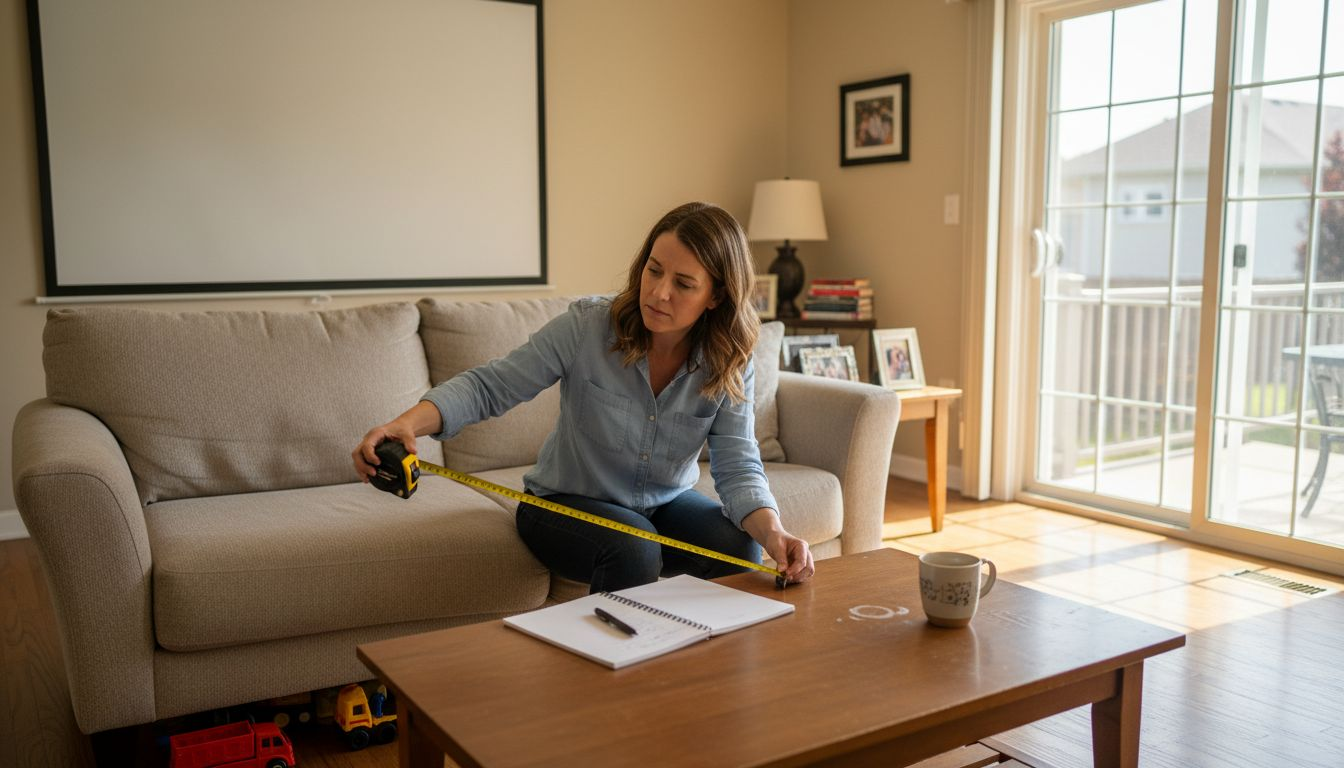
Projector throw ratio determines where you place the projector. Charts help you verify that your projector's throw ratio matches your room dimensions. For instance, short-throw projectors work better in compact spaces where distance is limited.
Brightness and clarity expectations vary based on room lighting and content type. Charts often include brightness recommendations alongside size recommendations, helping you understand trade-offs between a larger screen in a bright room versus a smaller screen with better contrast.
When selecting a projector screen for your home theater or office, accurate measurement for optimal viewing matters more than simply choosing the largest available size. Charts prevent costly mistakes by showing you exactly what works in your specific environment.
Pro tip: Measure your actual viewing distance three times from different seating positions, then use the average distance to reference your size chart for the most balanced screen selection across all viewers.
Aspect ratios and projector screen dimensions
Aspect ratio defines the relationship between a screen's width and height. This ratio directly controls how your projector displays content and determines the actual dimensions needed for your viewing space.
The most common aspect ratio for modern content is 16:9, meaning for every 16 units of width, you have 9 units of height. A 100-inch 16:9 screen measures approximately 87 inches wide and 49 inches tall. Different content formats require different ratios, which affects both screen size and viewing experience.
Common Aspect Ratios in Projector Screens
Your content format dictates the aspect ratio you need. Display resolutions determine aspect ratio standards used across projectors and screens worldwide.
Here are the most popular options:
- 16:9 – Standard for movies, streaming, and most modern content
- 4:3 – Older presentations and some business content
- 16:10 – Common in computer monitors and some professional applications
- 2.35:1 – Cinema format for theatrical experiences
Choosing the wrong aspect ratio creates black bars (pillarboxing or letterboxing) that waste screen space. Your projector's native aspect ratio should match your content and screen dimensions for maximum image quality.
Mismatched aspect ratios between your content and screen waste valuable viewing area and create distorted images.
How Aspect Ratio Changes Screen Dimensions
Here's where it gets practical. A 100-inch screen measured diagonally changes dramatically based on aspect ratio.
- 16:9 format: 87 inches wide × 49 inches tall
- 4:3 format: 80 inches wide × 60 inches tall
- 16:10 format: 85 inches wide × 53 inches tall
Notice how a 4:3 screen becomes taller and narrower. This matters when mounting in your home theater or office. If your wall space is limited in height but wide, 16:9 uses your space more efficiently.
When planning projector screen dimensions for your space, confirm that your projector supports the aspect ratio you choose. Most modern business projectors and home theater projectors support multiple ratios, but verification prevents compatibility issues.
Your room layout and content type work together. A Malaysian office showing presentations benefits from 4:3 or 16:10 ratios. Home theater enthusiasts in Malaysia typically prefer 16:9 for movies and streaming content compatibility.
Pro tip: Match your screen's aspect ratio to the content you'll display most frequently, then verify your projector's native aspect ratio supports it to avoid image distortion and wasted screen space.
How to match screen size with viewing distance
The relationship between screen size and viewing distance determines whether viewers see a comfortable, immersive image or strain their eyes trying to follow the action. This balance transforms a mediocre projection setup into an exceptional viewing experience.
Think of it this way: sitting too close to a large screen forces your eyes to scan constantly. Sitting too far from a small screen makes details disappear. The sweet spot exists somewhere between these extremes, and charts help you find it.
The 1.5x to 2.5x Rule
The most practical guideline uses a simple multiplier. Take your screen's diagonal measurement and multiply it by 1.5 to 2.5 to find your ideal viewing distance in the same units.
For example:
- 100-inch screen: Multiply by 1.5 to 2.5 = 150 to 250 inches (12.5 to 20.8 feet) viewing distance
- 80-inch screen: Multiply by 1.5 to 2.5 = 120 to 200 inches (10 to 16.7 feet) viewing distance
- 60-inch screen: Multiply by 1.5 to 2.5 = 90 to 150 inches (7.5 to 12.5 feet) viewing distance
The lower end (1.5x) works for content requiring detail observation, like sports or gaming. The higher end (2.5x) suits relaxed movie watching where you want a wider field of view.
Science-based viewing guidelines establish optimal ratios between screen height and viewing distance for comfort and clarity across different environments.
Adjusting for Your Room
Real rooms rarely match textbook dimensions. Malaysian home theaters, offices, and classrooms have unique constraints that require flexibility.
Consider these factors:
- Room length: If your space forces viewers closer than the 1.5x minimum, choose a smaller screen
- Seating arrangement: Multiple rows at different distances benefit from larger screens
- Content type: Business presentations work at tighter distances (1.5x) than movies (2.5x)
- Projector lumens: Brighter projectors look better at greater distances
When setting up a home theater projector properly, measure your actual seating positions first, then work backward to determine screen size. This prevents expensive mistakes.
If you have 12 feet of viewing distance available, aim for a 60 to 80-inch screen. If you have 16 feet, a 100-inch screen becomes appropriate. The calculation sounds simple because it is.
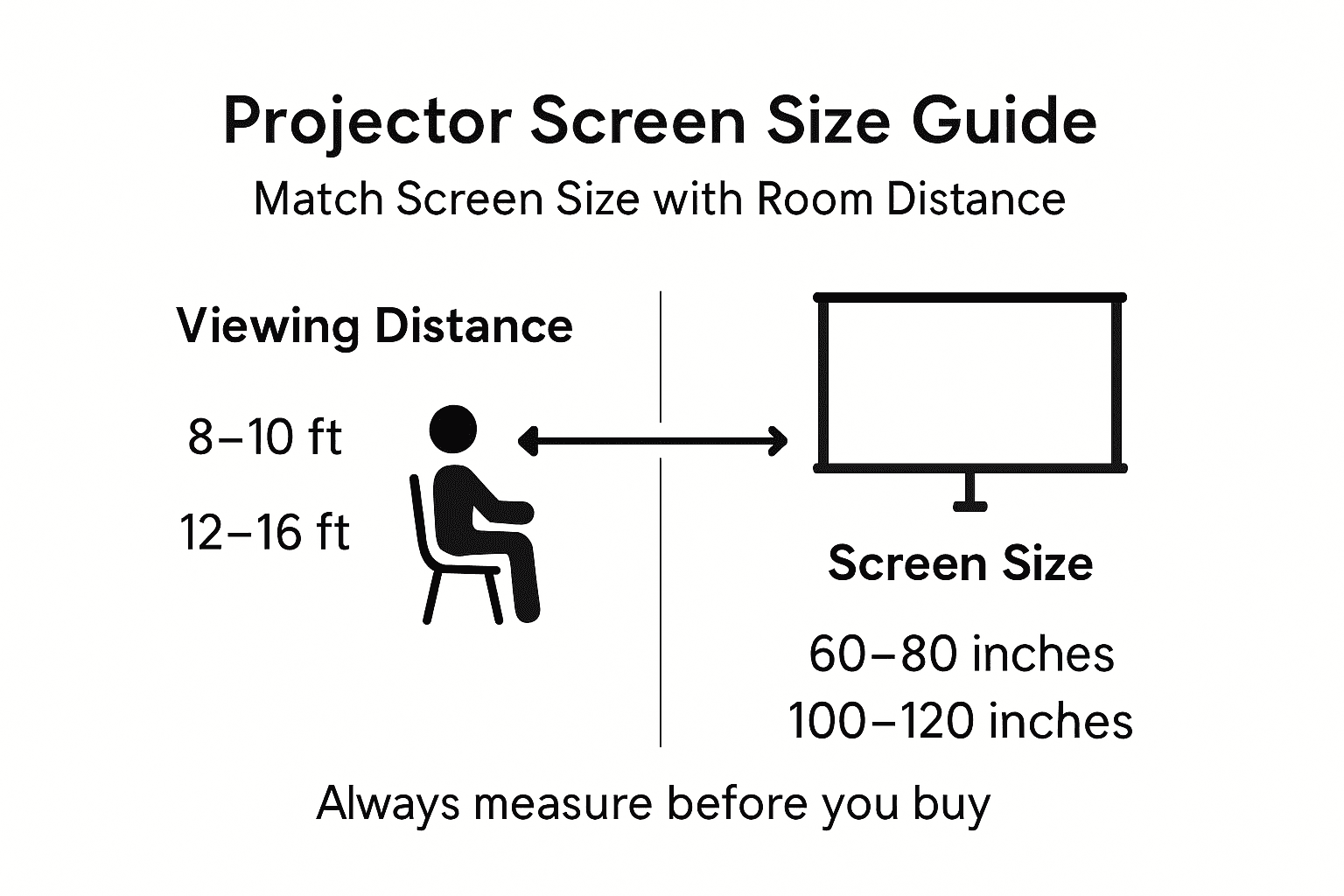
The following table summarizes how viewing distance affects screen size selection for comfort and clarity:
| Viewing Distance (feet) | Recommended Screen Size (inches) | Ideal Use Case |
|---|---|---|
| 7.5 – 12.5 | 60 | Gaming or presentations |
| 10 – 16.7 | 80 | Mixed use or smaller movies |
| 12.5 – 20.8 | 100 | Immersive movie experience |
| 16 – 25 | 120+ | Large gatherings or cinematic setups |
Pro tip: Measure from your farthest seating position and your closest seating position, then select a screen size that falls comfortably within the 1.5x to 2.5x range for both distances to accommodate all viewers.
Types of projector screens and their uses
Projector screen selection starts with understanding what types exist and where each performs best. Different environments demand different solutions, and choosing wrong wastes money and creates frustration.
The screen type you select affects installation complexity, portability, image quality, and long-term maintenance. Malaysian home theater enthusiasts, office managers, and educators each benefit from different screen designs.
Fixed-Frame Screens
Fixed-frame screens mount permanently to your wall or ceiling. They remain stationary and deliver consistent image quality because the material stays taut and properly aligned.
Fixed frames work best for:
- Home theaters with dedicated viewing rooms
- Classrooms and training facilities
- Conference rooms with consistent daily use
- Professional offices requiring premium image quality
The trade-off: you cannot move them once installed. If your room layout changes, you're stuck with the screen in its original location. Installation requires wall or ceiling preparation and careful measurement.
Retractable Pull-Down Screens
Retractable screens roll up into a housing above or beside your viewing area when not in use. This flexibility makes them popular in multipurpose spaces.
Pull-down screens suit:
- Living rooms that serve multiple purposes
- Meeting rooms used for presentations and regular business
- Educational spaces with flexible scheduling
- Rental or temporary installations
They retract completely, returning your wall to normal appearance. Setup takes seconds. However, the motorized mechanism eventually needs maintenance, and the material experiences more wear from repeated rolling.
Portable and Tripod Screens
Portable projection screens offer flexible installation for outdoor events, temporary setups, and traveling professionals. Tripod-mounted screens require minimal space and no wall damage.
Portable screens work for:
- Outdoor movie nights and garden events
- Trade shows and traveling presentations
- Temporary classroom setups
- Gaming and entertainment in multiple rooms
Image quality depends heavily on material quality, and portability means less structural stability than fixed installations. They excel when flexibility matters more than permanence.
Here's a quick reference for the impact of screen type selection in different environments:
| Screen Type | Best Environment | Image Quality | Installation Flexibility |
|---|---|---|---|
| Fixed Frame | Dedicated home theater | High, consistent | Permanently installed |
| Retractable | Multipurpose rooms | Good, moderate wear | Easy, retracts when unused |
| Portable/Tripod | Outdoor or temporary setups | Variable, depends on material | Extremely flexible, no wall prep |
| Specialty Screens | Bright rooms or professional setups | Enhanced for lighting or alignment | Varies by specialty feature |
Specialty Screen Types
Ambient light rejecting screens suit bright rooms by filtering out overhead light. Curved screens enhance immersion for gaming and cinematic experiences. Motorized screens with precise positioning control appeal to professionals requiring exact alignment.
Screen type selection depends on your environment, permanence needs, and image quality expectations rather than one universal choice.
Pro tip: For Malaysian homes serving multiple purposes, retractable screens offer the best balance of image quality and flexibility, while fixed frames work better in dedicated home theaters where permanent installation justifies the expense.
Common mistakes when choosing screen size
Most people approach screen selection emotionally rather than logically. They see a large screen and think bigger equals better, without considering their actual room, projector specifications, or viewing habits. This leads to disappointment and wasted money.
Understanding common pitfalls prevents costly mistakes. Malaysian buyers often rush the decision or rely on incomplete information, resulting in screens that don't fit their space or projector capabilities.
Ignoring Room Dimensions and Viewing Distance
The most frequent error: choosing screen size without measuring your actual space. Buyers purchase a 120-inch screen, then realize it's too large for their seating distance or wall space.
Proper screen measurement requires accounting for room size and viewing distance relationships. Without this foundation, you're guessing.
Common room-related mistakes include:
- Installing a screen too large for comfortable viewing distance
- Choosing a size that doesn't fit your available wall space
- Failing to account for seating in multiple rows at different distances
- Ignoring ceiling height constraints for overhead installations
Measure twice. Buy once. Your room dimensions dictate your screen size, not the other way around.
Mismatching Projector Throw Ratio
Your projector has a throw ratio—the distance-to-image-width relationship. A 2.0 throw ratio projector creates a 100-inch screen from 20 feet away. Choosing a screen size incompatible with your projector's throw ratio forces poor positioning.
You end up mounting your projector in awkward locations or purchasing an incompatible projector. This cascades into installation nightmares and image quality issues.
Verify your projector's throw ratio specifications before selecting screen size. If your room is compact, short-throw projectors work better than standard models.
Neglecting Aspect Ratio Compatibility
Aspect ratio mismatch creates black bars and wasted screen space. You purchase a 16:9 screen for a 4:3 content environment, or vice versa. The result: pillarboxing that defeats the purpose of buying a large screen.
Confirm what content format you'll display most frequently. Business presentations often use 4:3. Movies and streaming use 16:9. Gaming benefits from 16:9 or ultrawide formats.
Mismatched aspect ratios waste screen investment while compromising image immersion and quality.
Overlooking Brightness and Room Lighting
A large screen in a bright room requires a brighter projector. Choosing a 150-inch screen when your projector only delivers 2,500 lumens creates a dim, washed-out image. Ambient light overwhelms the projection.
Smaller screens in the same room look vibrant and clear. Size and brightness must work together. Factor in your room's natural light and ambient lighting when selecting screen dimensions.
Pro tip: Before purchasing, test your actual projector with a temporary screen in your room at your chosen size and measure viewing comfort from all seating positions to confirm the selection works for your space.
Find Your Perfect Projector Screen Size with Confidence
Choosing the right projector screen size is crucial to avoid common challenges like awkward viewing distances, mismatched aspect ratios, and poor image brightness. If you want to transform your Malaysian home theater, office, or classroom into an immersive space without guesswork, you need expert solutions tailored to your unique environment. This article breaks down essential concepts like throw ratio, aspect ratio compatibility, and viewing distance rules so you avoid costly mistakes when picking your screen.

Take control of your viewing experience today with a wide selection of projectors and screens at ProjectorDisplay.com. Whether you need a portable projector for presentations, a fixed-frame screen for a dedicated home theater, or a retractable screen for multipurpose rooms, we provide quality products with high lumens, Full HD resolution, and wireless connectivity. Measure your space carefully and then browse our expert-curated collection to find options that fit your room size, lighting conditions, and content preferences. Start your journey to ideal viewing by visiting ProjectorDisplay.com now and get fast shipping across Peninsular Malaysia combined with customer support via WhatsApp to ensure the perfect match for your projection needs.
Frequently Asked Questions
What is the importance of diagonal measurement in projector screen size?
The diagonal measurement of a projector screen is essential because it serves as the standard classification for screens, influencing how they fit in your viewing area and ensuring a proper viewing experience.
How do I determine the right projector screen size for my room?
To determine the ideal screen size, measure your viewing distance and multiply it by 0.5 to 0.6. This formula helps you select a screen size that fits comfortably within your space.
What are the common aspect ratios for projector screens, and how do they affect content?
Common aspect ratios include 16:9 for modern content, 4:3 for older formats, 16:10 for computer monitors, and 2.35:1 for cinema experiences. Selecting the correct aspect ratio is crucial, as mismatches can lead to wasted screen space or distorted images.
What are the different types of projector screens, and when should I use each type?
The main types of projector screens are fixed-frame, retractable pull-down, and portable tripod screens. Fixed-frame screens are ideal for dedicated home theaters, while retractable screens work well in multipurpose spaces. Portable screens are best for temporary setups and outdoor events.
Recommended
- Projector Screen Size Guide 2025: Perfect Fit for Malaysian Needs – Projector Display
- Understanding Optimal Projector Distance for Effective Viewing – Projector Display
- Home Theater Projector Setup: Achieve the Ultimate Viewing Experience – Projector Display
- Projector Screen Instead of TV: Bigger Home Cinema – Projector Display
- 7 Big Ideas For Small Places | minupidu.ee