
TL;DR:
- Interactive projectors convert any surface into a touch-responsive learning space, enabling real-time collaboration.
- They outperform standard projectors by embedding sensors that detect pen or finger contact without needing a PC.
Interactive projectors for schools are display systems that transform any flat surface into a touch and pen-responsive teaching space, enabling real-time collaboration without requiring a dedicated PC. In Malaysian classrooms, where ambient light and room size vary widely, the right projector can shift passive instruction into active, multi-user learning. Brands like Epson and BenQ lead this category in Malaysia, with models ranging from ultra-short-throw laser units to smart projectors running Android OS. Whether you are a teacher selecting your first interactive classroom technology or a school administrator evaluating educational projection solutions across multiple rooms, this guide covers every decision point.
1. What makes interactive projectors for schools different from standard models
Standard projectors display content. Interactive projectors receive input. The core difference is an embedded sensor layer, either infrared, ultrasonic, or camera-based, that detects pen or finger contact on the projected image and translates it into on-screen commands. This means a teacher can annotate a live presentation, a student can drag objects across a diagram, and multiple users can write simultaneously on the same surface.
The Epson BrightLink series is the clearest example of this category in Malaysia. The BrightLink 1485Fi supports up to eight simultaneous users with pen and touch input, all without a connected PC. That "no PC required" capability is not a minor convenience. It removes the single most common source of lesson startup delays in Malaysian schools: waiting for a laptop to boot, connect, and mirror correctly.
BenQ's education-focused models add a built-in Android OS, turning the projector into a self-contained smart classroom hub. For schools that cannot afford a device for every classroom, this matters enormously.
2. Key selection criteria for Malaysian classroom environments
Choosing the best projectors for education in Malaysia requires matching specs to real classroom conditions, not just spec sheets.
Brightness and resolution are the starting point. Malaysian classrooms often have large windows and inconsistent blinds. Projector brightness in thousands of lumens is the minimum threshold for lit environments. Epson's 5,000 ISO lumen rating on the BrightLink line delivers readable images even in partially lit rooms. Full HD (1920×1080) or WXGA (1280×800) resolution is standard for education use; anything lower degrades text legibility on large surfaces.
Throw ratio determines where the projector sits relative to the screen. Ultra-short-throw projectors sit within 30 centimeters of the wall, which eliminates the shadow problem entirely. When a teacher or student stands at the board, a standard throw projector casts their shadow across the image. Ultra-short-throw units project from below or above, keeping the image clean. This directly improves interactive writing accuracy and student comfort.
Light source type shapes your five-year cost picture. Laser projectors last 20,000 to 30,000+ hours with maintenance focused on filter cleaning and firmware updates rather than lamp replacements. Lamp-based LCD projectors cost less upfront but require projector lamp Malaysia replacements every 3,000 to 5,000 hours. For high-usage classrooms running six or more hours daily, laser wins on total cost of ownership.
Wireless connectivity removes cable clutter. Miracast support lets teachers and students share screens from any device without an HDMI cable. This is the foundation of a truly flexible wireless projector Malaysia setup.
Pro Tip: Always request a lumen demonstration in the actual classroom before purchasing. Showroom lighting rarely matches the ambient conditions of a real school in Malaysia.
3. Top interactive projectors for Malaysian schools in 2026
The following models represent the strongest options available through projector sellers in Malaysia, covering a range of budgets and classroom sizes.
1. Epson BrightLink 1485Fi
The benchmark for interactive classroom technology in Malaysia. At 5,000 ISO lumens with built-in Miracast, it supports eight simultaneous touch and pen users without a PC. The laser light source and WXGA resolution make it the top choice for high-usage secondary school classrooms. It is the best epson projector in this category for education.
2. Epson BrightLink 1480Fi
Nearly identical to the 1485Fi but with slightly different connectivity options. Both models share the no-PC collaboration architecture that makes Epson the dominant epson projector Malaysia brand in schools. The 1480Fi suits classrooms where the full eight-user simultaneous input is not a daily requirement.
3. BenQ EH700
The EH700 runs Android OS natively, making it one of the most capable smart projectors for classrooms in Malaysia. Teachers can access apps, run lessons, and annotate without any external device. Its 4,000 ANSI lumens output handles moderately lit rooms well. BenQ projector Malaysia availability through authorized resellers is strong.
4. Optoma EH461 Series
Optoma projector Malaysia models in the EH series offer 1080p resolution at competitive price points. The EH461 is a reliable best classroom projector choice for schools prioritizing image sharpness over advanced touch interactivity.
5. ViewSonic PS750W
A short-throw interactive model with whiteboard functionality built in. ViewSonic projector Malaysia support is well-established, and the PS750W's pen interactivity suits primary school environments where touch-first learning is the goal.
6. Panasonic PT-VMZ60
A laser LCD projector with 6,000 lumens, suited for larger classrooms or multi-purpose halls. Panasonic projector Malaysia units are known for reliability in high-humidity environments, which is relevant for Malaysian schools without full air conditioning.
7. NEC NP-ME423W
A budget-accessible LCD projector with 4,200 lumens. NEC projector Malaysia models are popular in government school procurement. The ME423W lacks native touch interactivity but pairs well with an interactive pen overlay system.
8. Ricoh PJ WX4152N
Ricoh projector Malaysia units are less common but offer strong short-throw performance. The WX4152N suits schools wanting a projector screen Malaysia setup with a dedicated short-throw unit at a mid-range price.
9. Acer UL5630
Acer projector Malaysia laser models like the UL5630 deliver 4,500 lumens in an ultra-short-throw form factor. It is a strong projektor murah option for schools with tighter budgets that still need laser reliability.
10. Hisense PX1-PRO
Hisense projector Malaysia smart laser projectors are gaining traction in schools that want a dual-purpose unit for classroom and after-hours community use. The PX1-PRO's 2,200 ANSI lumens is better suited for controlled-light environments.
| Model | Lumens | Interactive | Light Source | Best For |
|---|---|---|---|---|
| Epson BrightLink 1485Fi | 5,000 ISO | 8-user pen and touch | Laser | High-usage secondary classrooms |
| BenQ EH700 | 4,000 ANSI | Android OS, annotation | Lamp | Smart classroom hubs |
| ViewSonic PS750W | 3,200 ANSI | Pen interactive | Lamp | Primary school whiteboard use |
| Panasonic PT-VMZ60 | 6,000 ANSI | None native | Laser | Large classrooms and halls |
| Acer UL5630 | 4,500 ANSI | None native | Laser | Budget laser short-throw |
Pro Tip: For schools buying in bulk, contact Projectordisplay directly for volume pricing on Epson and BenQ units. The per-unit cost difference on orders of ten or more projectors is significant.
4. How to install and maintain interactive projectors for classroom success
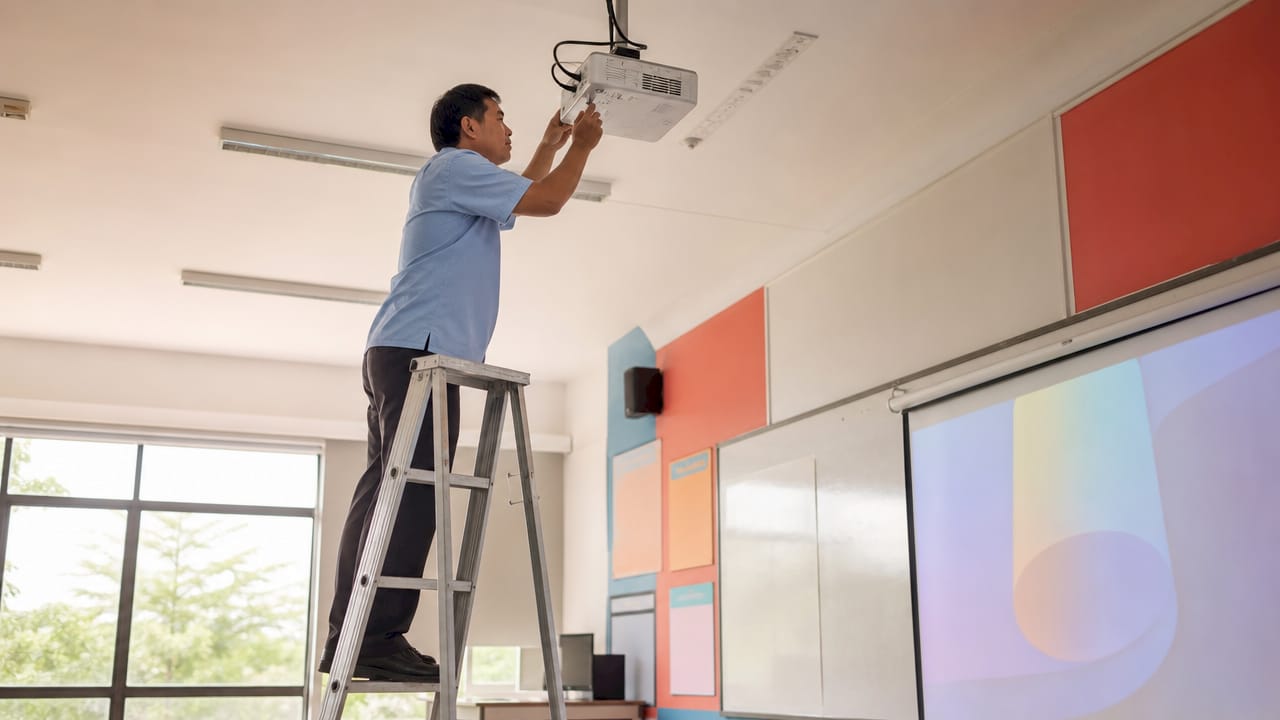
A projector that is miscalibrated or poorly mounted destroys teacher confidence within a week. Proper installation follows a defined workflow: site survey, hardware selection, physical installation, calibration, acceptance testing, and teacher training. Skipping any step creates problems that compound over time.
The calibration step is where most schools fail. Calibration requires waiting for the projector to warm up fully before running multi-point touch mapping. A cold projector produces slightly different light geometry than a warm one, which shifts touch accuracy by several millimeters. That gap is invisible on a spreadsheet but immediately obvious when a student tries to tap a button and misses. For guidance on getting this right, Projectordisplay's resource on projector calibration steps covers the process in detail.
Maintenance schedules differ by light source. Laser projectors need filter cleaning every 6,000 to 12,000 hours and periodic firmware updates. Lamp-based units need projector bulb Malaysia replacements on a fixed cycle, typically every two years in a standard school schedule. Calibration is an ongoing procedure, not a one-time event. Assign a specific staff member to own it, document the acceptance criteria, and schedule re-calibration after any room rearrangement or surface change.
Network setup for wireless projectors requires basic security hygiene. Place projectors on a dedicated VLAN separate from student devices. Enable WPA3 where supported. This prevents unauthorized screen sharing and protects lesson content.
5. Interactive projectors vs. alternative classroom display technologies
The main alternative to interactive projectors is the interactive flat panel display (IFPD). Both deliver touch interactivity, but the cost and space implications differ sharply.
Interactive flat panels cost two to four times more per unit than a comparable interactive projector setup. For a school equipping 20 classrooms, that gap represents a full year's IT budget. Interactive projectors reduce the need for dedicated interactive whiteboards and offer larger display surfaces, often 100 inches or more, at a fraction of the panel cost.
The trade-off is installation complexity. Flat panels are plug-and-play. Interactive projectors require mounting, calibration, and occasional re-alignment. For schools with dedicated IT support, this is manageable. For schools without, it is a real operational risk.
Floor projection and 360-degree immersive setups exist but serve specialized use cases. Standard Malaysian classrooms have no practical need for them. The decision for most schools comes down to interactive projector versus interactive flat panel, and budget almost always tips the scale toward projectors when equipping multiple rooms.
| Factor | Interactive Projector | Interactive Flat Panel |
|---|---|---|
| Display size | 80 to 120+ inches | 65 to 86 inches typical |
| Cost per room | Lower | Significantly higher |
| Installation effort | Moderate | Low |
| Maintenance | Lamp or filter cycles | Minimal |
| Scalability | High | Moderate |
For schools exploring interactive classroom ideas that go beyond annotation, projectors offer the flexibility to project on non-standard surfaces, including curved walls and floors, which flat panels cannot match.
Key takeaways
Interactive projectors for schools deliver the best return when brightness, throw ratio, light source type, and calibration discipline are all addressed together before purchase.
| Point | Details |
|---|---|
| Brightness matters most | Choose 4,000 lumens or higher for any classroom with ambient light. |
| Laser beats lamp long-term | Laser light sources reduce maintenance costs significantly over a five-year period. |
| No-PC capability saves time | Models like the Epson BrightLink 1485Fi eliminate lesson startup delays entirely. |
| Calibration is ongoing | Assign staff responsibility and schedule re-calibration after any room change. |
| Projectors scale better than panels | Interactive projectors cost less per room and support larger display sizes than flat panels. |
What I've learned from watching schools deploy interactive projectors
The schools that get the most from their interactive teaching tools are not the ones with the biggest budgets. They are the ones that invest in teacher training before the projector ever gets mounted. A BenQ EH700 running Android OS is genuinely powerful, but a teacher who has never used annotation software will default to using it as a standard projector within two weeks. The technology does not teach itself.
The second pattern I see repeatedly is schools underestimating total cost of ownership. They compare purchase prices and ignore installation, calibration, training, and consumables. A projector lamp Malaysia replacement cycle on 20 classrooms adds up fast. Laser units cost more upfront, but the math usually favors them by year three in a Malaysian school running full-day sessions.
My honest recommendation for most Malaysian schools in 2026: start with Epson or BenQ interactive units in your highest-traffic classrooms, build teacher confidence there, then expand. Trying to equip every room at once with the best projectors for education stretches budgets and support capacity beyond what most schools can sustain. Prioritize depth over breadth, then scale once the pedagogy catches up with the technology.
The future of projectors in Malaysian classrooms points toward wireless-first, laser-powered, and AI-assisted annotation. The schools building those habits now will have a significant head start.
— Projector
Find the right interactive projector for your school at Projectordisplay
Projectordisplay is the best projector seller in Malaysia for schools and institutions looking to buy projector Malaysia units with confidence. The platform carries Epson, BenQ, ViewSonic, Panasonic, Optoma, and more, covering every budget from projektor murah options to premium laser interactive units. You get fast shipping across Peninsular Malaysia, WhatsApp support for technical questions, and access to expert advice on installation and calibration.

Whether you are outfitting a single classroom or planning a school-wide rollout, Projectordisplay's 2026 educator's guide helps you match the right model to your space and budget. For large halls and multi-purpose rooms, the top venue projector picks page covers high-lumen options that scale beyond the standard classroom. Visit Projectordisplay to request a quote or browse the full catalog today.
FAQ
What brightness do interactive projectors need for classrooms?
Classrooms with ambient light require at least 4,000 ANSI or ISO lumens. Epson's BrightLink models at 5,000 ISO lumens are the benchmark for Malaysian school environments with large windows or inconsistent blinds.
Can interactive projectors work without a PC?
Yes. Models like the Epson BrightLink 1485Fi support software-free operation with Miracast wireless sharing, allowing teachers to start writing and annotating the moment the projector warms up.
How often do interactive projectors need calibration?
Calibration is an ongoing requirement, not a one-time setup. Re-calibrate after any room rearrangement, surface change, or projector movement, and always perform calibration after the unit has fully warmed up for accurate touch mapping.
Are interactive projectors better than interactive flat panels for schools?
For schools equipping multiple classrooms, interactive projectors deliver larger display sizes at significantly lower cost per room. Flat panels are simpler to install but cost two to four times more, making projectors the more scalable choice for most Malaysian schools.
Which brands offer the best interactive projectors in Malaysia?
Epson and BenQ lead the interactive education projector category in Malaysia. Epson projector Malaysia models dominate in multi-user touch capability, while BenQ projector Malaysia units excel in smart classroom functionality with built-in Android OS.
Recommended
- Multi-Purpose Projectors for Schools: 2026 Educator's Guide – Projector Display
- Why use projectors in education: boost learning outcomes – Projector Display
- Best Projector for Teachers 2025: Top Choices in Malaysia – Projector Display
- Using projectors for presentations: practical guide for Malaysia – Projector Display