

TL;DR:
- Built-in projector speakers vary in quality depending on wattage, acoustic design, and placement. They suit small groups and casual use but cannot replace external sound systems for larger audiences or deep bass. Upgrading through external ports enhances sound clarity and volume for more demanding setups.
A built-in speaker quality projector is defined as a projector that integrates internal audio drivers capable of delivering usable sound output without requiring an external speaker system. Approximately 90% of consumer-grade projectors include integrated speakers, ranging from entry-level 1.5W–3W drivers to premium dual 8W–15W configurations with advanced audio processing. The industry term for this category is "integrated audio projector," though buyers and retailers commonly use "built-in speaker projector" interchangeably. Understanding what separates a capable integrated audio projector from a mediocre one saves you money and prevents disappointment on movie night or in the middle of a boardroom presentation.
What is built-in speaker quality in a projector?
Built-in speaker quality in a projector refers to the combined performance of its internal audio drivers, acoustic chamber design, and signal processing. These three factors together determine whether the sound you hear is clear, full, and loud enough for your setting.
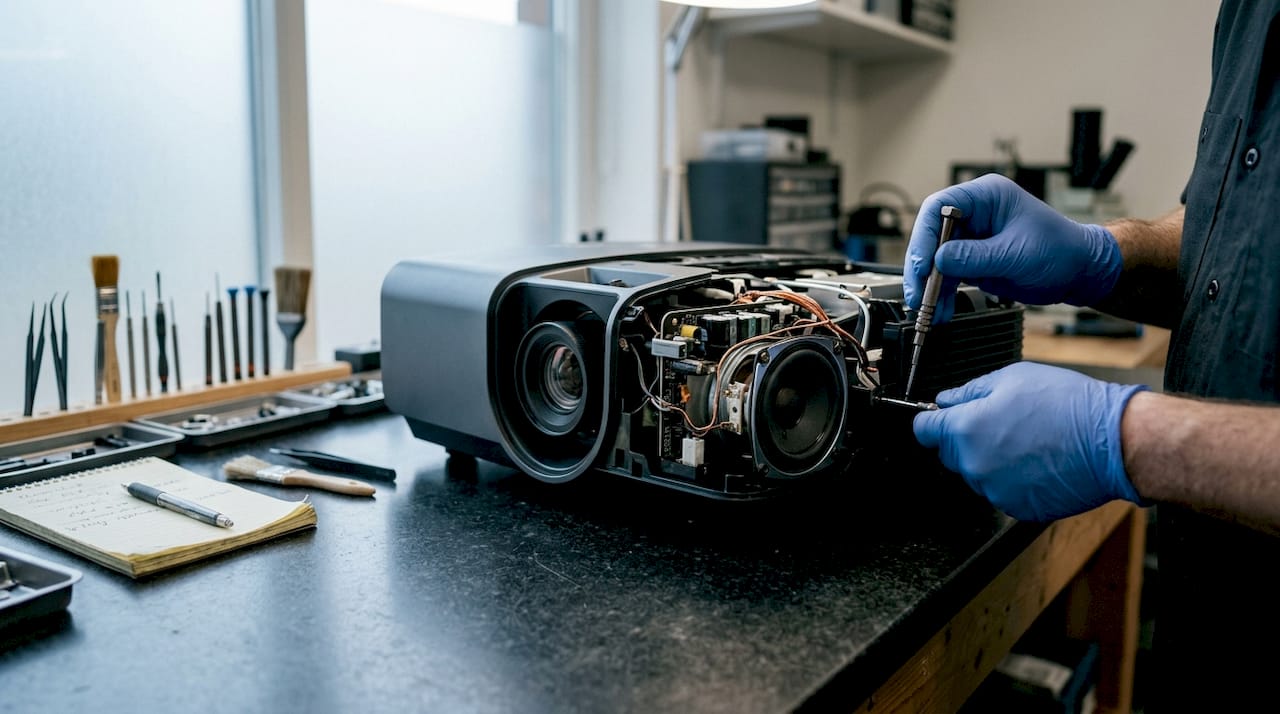
Wattage is the most visible spec on any product listing. Entry-level projectors typically deliver 1.5W–3W, which is adequate for a quiet room with two or three people. Premium portable models step up to dual 8W–15W drivers, which produce noticeably more volume and better stereo separation.
Speaker configuration matters just as much as raw power. A single mono driver produces flat, centered sound. Dual stereo drivers create left-right separation that makes dialogue and music feel more natural. Some models add Dolby Audio processing, which applies digital signal tuning to improve perceived clarity even from small drivers.
Frequency response and latency are two specs buyers often overlook. Good portable projectors target a frequency response near 65Hz and audio latency below 60ms. Latency above 60ms creates a noticeable gap between lip movement on screen and the sound you hear, which is distracting in any setting.
Physical speaker placement also shapes the listening experience. Drivers mounted on the bottom or rear of the chassis project sound away from the audience. Front-facing drivers, or detachable speaker modules, deliver sound toward the viewer and produce a more direct, immersive result.
- Wattage range: 1.5W–3W for entry-level, 8W–15W for premium portable models
- Configuration: Mono (single driver) vs. dual stereo
- Audio technologies: Dolby Audio processing, passive radiators for bass enhancement
- Frequency response: Target 65Hz and below for audible bass
- Latency: Below 60ms for lip-sync accuracy
- Placement: Front-facing or detachable modules outperform rear-mounted drivers
Pro Tip: When comparing projector audio specs, check whether the wattage figure is per driver or combined total. A "10W stereo" projector may actually use two 5W drivers, which is a very different acoustic result than a single 10W driver.
How does built-in projector audio compare to external sound systems?
Built-in speakers are a convenience feature, not a replacement for a dedicated audio system. That distinction shapes every buying decision you make about projector audio quality.
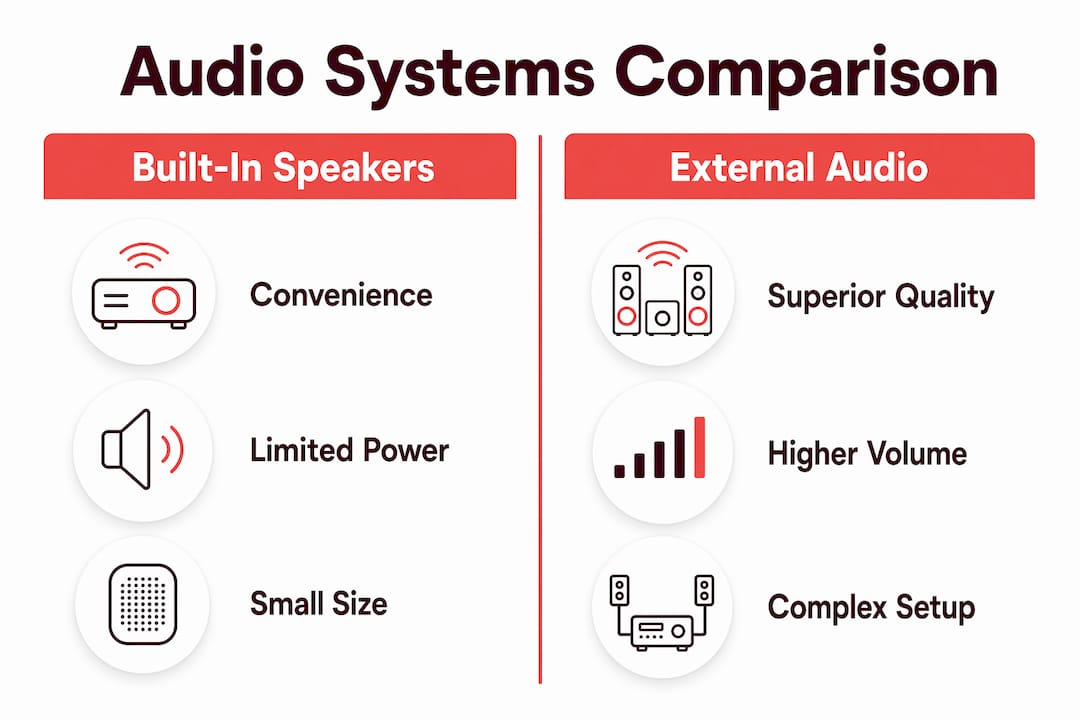
The core limitation is physical size. A projector chassis cannot house a speaker cabinet large enough to reproduce deep bass accurately. Most built-in speakers lack deep bass because the acoustic chamber is too small to move enough air. The result is muddy low-end or a thin sound that feels hollow during action scenes or music playback.
Internal speakers are insufficient for groups larger than three or for dynamic content like films and concerts. Volume headroom runs out quickly, and distortion appears at higher output levels in cheaper drivers. External audio systems, by contrast, can fill a large room cleanly and add surround channels that built-in drivers cannot replicate.
| Feature | Built-in speakers | External audio system |
|---|---|---|
| Setup complexity | None, plug and play | Requires cables or Bluetooth pairing |
| Bass performance | Limited by chassis size | Full range with subwoofer option |
| Volume headroom | Adequate for small rooms | Scales to any room size |
| Stereo separation | Narrow, driver-dependent | Wide, speaker-placement dependent |
| Portability | Fully integrated | Requires additional hardware |
| Best use case | Casual, small-group viewing | Home cinema, large classrooms, events |
Connecting an external soundbar or speaker system via HDMI ARC, Optical, or 3.5mm jack significantly improves the audio experience for true home cinema setups. Bluetooth connectivity adds wireless flexibility for portable use. The best approach is to treat built-in audio as a starting point and plan an external upgrade as your setup grows.
One counterintuitive fact: high-end professional projectors often omit built-in speakers entirely. The reason is fan noise. A projector's cooling fan generates ambient noise that interferes with sensitive audio drivers. Professional-grade units assume users will connect dedicated audio systems, so the absence of built-in speakers signals pro-grade design rather than a cost-cutting measure.
How to choose projector speakers that match your needs
Choosing the right projector for its audio requires a short checklist applied before you buy. The audiovisual sector consistently shows that buyers who evaluate audio specs alongside image specs make fewer returns and report higher satisfaction.
- Define your room size first. A 2W–5W driver works in a bedroom or small office. A classroom or living room needs at least 10W combined output with stereo separation.
- Check for passive radiators in the spec sheet. Passive radiators are secondary diaphragms that amplify bass without adding an extra amplifier. Their presence is a reliable indicator of better low-frequency performance.
- Look for Dolby Audio or equivalent processing. Digital audio processing compensates for small driver limitations by tuning the frequency output. It makes a measurable difference in perceived clarity.
- Verify audio output ports. HDMI ARC, 3.5mm AUX, and Bluetooth are the three most useful connections for future audio upgrades. A projector with none of these locks you into its built-in sound permanently.
- Test latency claims against your use case. Gaming and video conferencing demand latency below 40ms. Movie watching tolerates up to 60ms before lip-sync issues become noticeable.
- Avoid relying on wattage alone. Acoustic engineering and speaker placement are more decisive than wattage. A well-designed 8W system outperforms a poorly engineered 15W system in real listening conditions.
Pro Tip: If portability is your priority, look for projectors with detachable speaker modules. Detachable modules placed near the screen improve audio-video sync and create a wider soundscape compared to drivers mounted on the projector body.
The most common pitfall is buying a projector based on image specs alone and assuming the audio will be "good enough." For casual use, it often is. For anything involving music, film, or a room with more than four people, plan your audio upgrade path before you finalize the purchase.
Where do built-in speaker projectors perform best?
Built-in speaker projectors deliver genuine value in specific settings. Knowing those settings helps you decide whether integrated audio meets your needs or whether you should budget for external sound from day one.
- Home entertainment for casual viewing. A bedroom or small living room setup with two to three viewers is the ideal environment for built-in audio. Volume requirements are low, and the convenience of a single-device setup outweighs the audio limitations.
- Educational classrooms focused on speech clarity. Teachers and trainers primarily need clear voice reproduction, not deep bass. A dual-driver projector with Dolby Audio processing handles speech frequencies well and covers a standard classroom without distortion. Projectordisplay carries classroom-ready projectors suited for this exact use case.
- Professional presentations in small to medium rooms. Slide decks, video clips, and narrated content all fall within the capability of a 10W–15W integrated system. The best office projector for this purpose combines clear audio with high lumens for well-lit rooms.
- Outdoor and portable use. Carrying a soundbar to a backyard movie night or a camping trip is impractical. A portable projector with strong built-in audio handles these scenarios well, especially when paired with a portable projection screen for a complete setup.
- Wireless and satellite speaker integration. Many current projectors support Bluetooth output, allowing you to pair wireless satellite speakers when the built-in drivers reach their limit. This hybrid approach gives you portability on weekdays and better sound on weekends without buying a full external system.
The best projectors with speakers for these use cases share three traits: stereo drivers, at least one digital audio output port, and a chassis design that places drivers toward the front of the unit.
Key Takeaways
A built-in speaker quality projector delivers usable sound through integrated drivers, but acoustic design and speaker placement determine real-world performance more than wattage figures alone.
| Point | Details |
|---|---|
| Wattage is a starting point | Entry-level models deliver 1.5W–3W; premium portable units reach dual 8W–15W for fuller sound. |
| Acoustic design beats raw power | Passive radiators and chamber size predict bass performance better than the wattage number on the box. |
| Built-in audio suits small groups | Internal speakers work well for up to three viewers; larger groups need external audio solutions. |
| External ports are non-negotiable | HDMI ARC, Optical, or Bluetooth output lets you upgrade sound without replacing the projector. |
| Pro models skip built-in speakers | High-end professional projectors omit internal audio to eliminate fan noise interference. |
Why wattage claims on projector boxes mislead most buyers
The projector market has a wattage inflation problem. Manufacturers list peak output figures that rarely reflect sustained, distortion-free performance. I've seen projectors advertised at 20W combined output that sound noticeably thinner than a well-engineered 10W unit from a brand that invested in acoustic chamber design.
The real differentiator is how the chassis handles resonance. A projector body is full of fans, heat pipes, and circuit boards. All of that creates vibration. Brands that treat acoustic isolation seriously use rubber-mounted drivers and dedicated chambers. Brands that treat audio as an afterthought bolt a driver onto whatever space is left and call it a day.
Detachable speaker modules represent the most honest solution to this problem. When the speaker sits on the projector body, it competes with fan noise and chassis vibration. When it detaches and sits near the screen, it behaves like a real speaker in a real position. The audio-video alignment improves immediately.
My practical advice: treat the built-in speaker as a baseline, not a ceiling. Buy the projector for its image quality, lumens, and connectivity. Then evaluate the audio separately. If the built-in sound works for your use case, great. If it doesn't, the external port options you checked during purchase give you a clear upgrade path without starting over.
The best projector brands in Malaysia, including options available through Projectordisplay, are moving toward better integrated audio in 2026. But the fundamentals haven't changed. Physics limits what a small driver in a hot, vibrating box can do. Plan accordingly.
— Projector
Projectordisplay has projectors built for real audiovisual needs
Projectordisplay carries a wide range of projectors in Malaysia with built-in speaker options across home, education, and professional categories. Whether you need the best home projector Malaysia has available or a reliable best classroom projector for daily use, the catalog covers portable, laser, short-throw, and smart projector types.
For buyers who want to go beyond built-in audio, Projectordisplay also stocks projector audio solutions and accessories that pair with any projector in the range. If you're comparing options for a larger space, the guide on why projectors beat screens for large rooms covers audio and visual considerations together. Shop with confidence knowing fast shipping covers Peninsular Malaysia, and WhatsApp support is available for product questions before you buy.
FAQ
What is a built-in speaker quality projector?
A built-in speaker quality projector integrates internal audio drivers that deliver sound without an external system. Quality varies by wattage, acoustic design, and speaker placement within the chassis.
How many watts do good projector speakers need?
Good portable projectors target 15W–20W combined output with stereo separation and Dolby Audio support. Entry-level models at 1.5W–3W work only in quiet, small rooms.
Are built-in projector speakers good enough for home theater?
Built-in speakers are adequate for casual viewing with two to three people. For a true home cinema experience, external speakers connected via HDMI ARC or Optical deliver significantly better bass and volume.
Why do some high-end projectors have no built-in speakers?
Professional-grade projectors omit built-in speakers to prevent cooling fan noise from interfering with audio output. Their absence indicates pro-grade design, not a missing feature.
What specs should I check for projector audio quality?
Check combined wattage, stereo vs. mono configuration, presence of passive radiators, Dolby Audio support, latency below 60ms, and available audio output ports such as HDMI ARC, 3.5mm AUX, or Bluetooth.
Recommended
- Understanding Sound Systems for Projectors: Key Insights – Projector Display
- Best audio for projectors in Malaysia: Upgrade your sound – Projector Display
- Projector audio solutions: Enhance clarity in business – Projector Display
- Best Soundbars for Projectors: Malaysia Buyer's Guide – Projector Display