
TL;DR:
- Brightness of at least 3000 ANSI lumens is necessary for Malaysian classrooms with ambient light.
- Laser projectors offer longer lifespan and lower maintenance costs compared to lamp-based models.
- Connectivity options like HDMI, wireless casting, and USB-A are essential for hybrid and remote learning setups.
Best projectors for remote learning in Malaysian classrooms
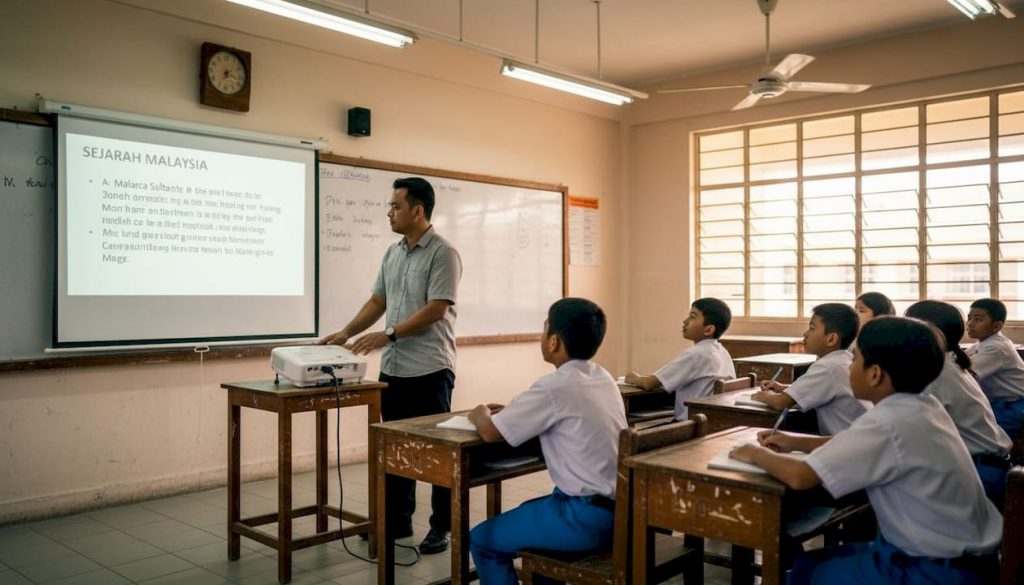
Choosing the wrong projector for a remote or hybrid classroom doesn't just frustrate teachers. It actively disrupts learning. Students squint at washed-out slides, video calls freeze or pixelate on underpowered displays, and the lesson loses momentum before it even begins. Malaysian educators face a unique challenge: classrooms and home setups range from air-conditioned lecture halls with controlled lighting to bright home offices flooded with natural light. What works in one setting fails completely in another. This guide cuts through the spec sheet confusion and gives you a practical, evidence-backed framework to pick the right projector for your specific teaching situation.
Table of Contents
- Key criteria for choosing projectors for remote learning
- Top budget-friendly projectors for Malaysian schools
- Lamp vs. laser projectors: Lifespan, efficiency, and maintenance
- Matching projector features with virtual classroom demands
- Making the right choice: Recommendations by scenario
- Our perspective: What most educators overlook about remote-ready projectors
- Upgrade your virtual classroom with the right projector
- Frequently asked questions
Key Takeaways
| Point | Details |
|---|---|
| Prioritize brightness and efficiency | Choose projectors with measured brightness above 3000 lumens and energy-saving features for clear, cost-effective lessons. |
| Consider total ownership cost | Evaluate both upfront and long-term expenses, including lamp or laser lifespan and energy usage, before purchasing. |
| Match features to learning needs | Select projectors with the right connectivity, resolution, and interactivity to fit your specific classroom or remote environment. |
| Lamp vs. laser longevity | Laser projectors last two to three times longer than lamp models, justifying higher initial cost for intensive school use. |
Key criteria for choosing projectors for remote learning
Before you browse models or compare prices, you need to know what actually matters for a virtual classroom setup. Not every spec on the box translates to real-world performance, and some features that look impressive rarely affect your daily teaching experience.
Here are the core criteria to evaluate:
- Brightness (lumens): Ambient light is your biggest enemy. Malaysian classrooms often have large windows and inconsistent blinds. A projector rated below 3000 ANSI lumens will struggle in any room that isn't fully darkened. High brightness and energy efficiency are the top priority features for schools using projectors intensively.
- Native resolution: WXGA (1280×800) is the minimum acceptable standard for displaying lesson content and video calls clearly. Full HD (1920×1080) is better for data-heavy slides or detailed diagrams.
- Connectivity: Look for HDMI, USB, and wireless casting support. Hybrid teaching means teachers switch between laptops, tablets, and web conferencing platforms constantly. Missing even one port creates daily friction.
- Noise level: A projector fan running at 35 dB or higher becomes genuinely distracting during quiet activities or recorded lessons. Aim for units rated at 28 dB or below in normal mode.
- Lamp vs. laser lifespan: Lamp projectors need bulb replacements every 3,000 to 12,000 hours. Laser units last 20,000 to 30,000 hours with almost no maintenance. For schools running projectors daily, this difference is significant.
- Budget and total cost of ownership: The sticker price is only part of the story. Factor in lamp replacements, energy consumption, and downtime costs.
Malaysian classrooms also tend to have inconsistent electricity supply in older buildings, so projectors with stable power management and good surge protection are worth prioritizing. You can boost learning outcomes significantly when the display technology matches the actual teaching environment.
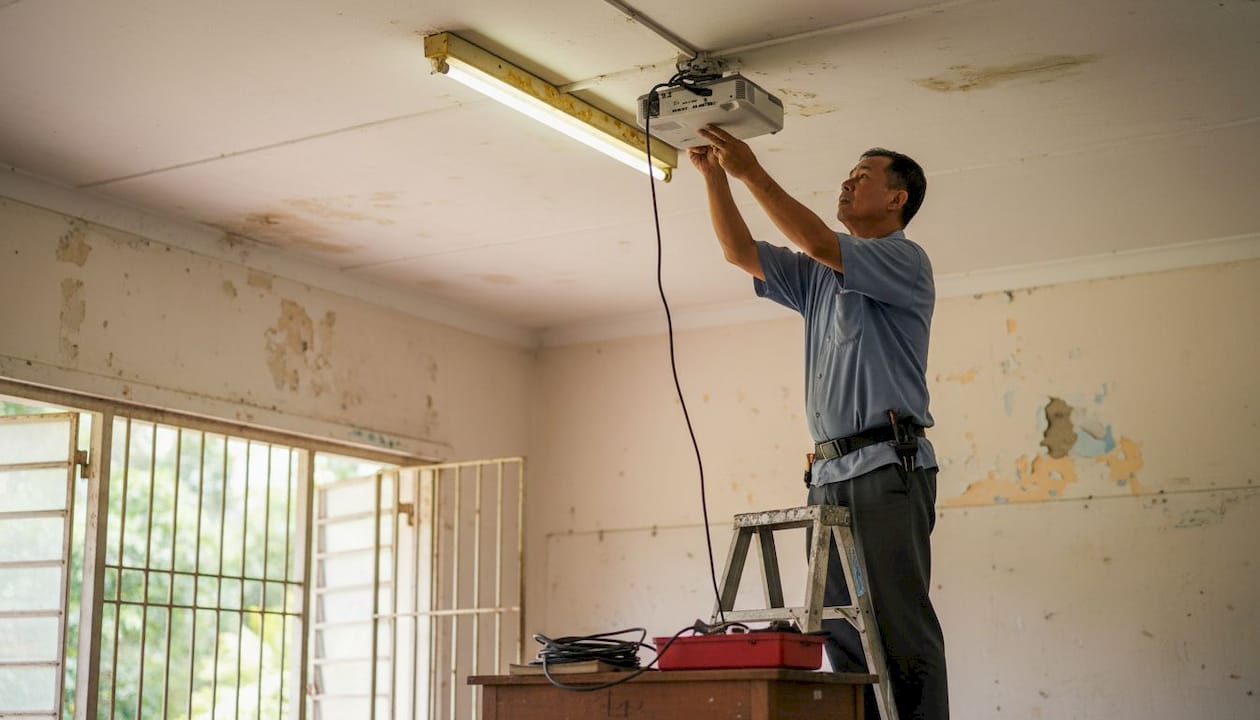
For classroom-specific setup advice, reviewing essential projector tips before purchasing can save you from costly mismatches. Classroom learning strategies that rely on visual tools depend heavily on image reliability and consistent display performance.
Pro Tip: Enable SmartEco or eco-mode on your projector whenever possible. These modes reduce power draw by 20 to 40 percent and extend lamp life significantly without a noticeable drop in image quality for most classroom content. Pair this with choosing energy efficient projectors designed for institutional use to cut your annual electricity costs.
Top budget-friendly projectors for Malaysian schools
After establishing what to look for, let's dive into the most cost-effective projectors Malaysian schools are actually using successfully. The good news is that the budget segment has improved dramatically, and several models now punch well above their price point.
ViewSonic PA504W stands out as a frontrunner. It delivers 3414 measured ANSI lumens and WXGA resolution at around USD 550, making it genuinely competitive for budget-conscious institutions. Its 13.9 lm/W efficiency means you get strong brightness without a massive electricity bill. For Malaysian ringgit buyers, this translates to excellent value against local alternatives.
Practical pros of lamp-based budget projectors like the PA504W:
- Lower initial purchase price, often 40 to 60 percent less than comparable laser units
- Wide availability of replacement lamps locally in Malaysia
- Proven performance track record in institutional settings
- Compatible with most existing classroom mounting hardware
Possible cons worth knowing:
- Lamp replacement every 5,000 to 12,000 hours adds long-term cost
- Brightness decreases as the lamp ages, meaning image quality drifts over time
- Warm-up and cool-down cycles add a minute or two to lesson start times
The ViewSonic LS500WHE is worth considering if your school wants to move toward LED technology without the full laser price jump. Check out the ViewSonic LS500WHE details to see if it fits your specific room dimensions and brightness needs.
For home-based teachers working with smaller screen sizes, budget projectors can absolutely meet the job when paired with a proper matte white screen. A good screen adds an effective 15 to 20 percent brightness gain compared to projecting onto a painted wall, which is a free performance upgrade many educators overlook.
Browse curated projector picks for teachers to find models matched to Malaysian classroom conditions. For setup guidance specific to local schools, clear classroom visuals walks through optimal configurations step by step.
Pro Tip: Always pair budget projectors with a dedicated projection screen rather than a bare wall. The gain factor on a quality screen can recover up to 500 ANSI lumens of effective brightness at no extra energy cost.
Lamp vs. laser projectors: Lifespan, efficiency, and maintenance
Budget isn't the only factor. Let's compare how lamp and laser projector technologies stack up over time, both for cost and performance.
Laser projectors offer lifespans of 20,000 to 30,000 hours, drastically reducing maintenance, while cost-effective lamp projectors may last up to 12,000 hours in ECO mode. For a school running a projector five hours a day, five days a week, that's the difference between replacing a lamp every two years versus never needing to touch the light source for over a decade.
Key maintenance tasks and replacement cycles for lamp projectors:
- Replace the air filter every 300 to 500 hours of use to prevent overheating
- Inspect the lamp output quarterly since brightness drops gradually after 2,000 hours
- Swap the lamp at 5,000 hours in normal mode or 8,000 to 12,000 hours in ECO mode
- Clean the lens every semester to maintain image sharpness
- Check and tighten all mounting hardware annually for ceiling-installed units
| Feature | Lamp projector | Laser projector |
|---|---|---|
| Initial cost | Lower (USD 300 to 600) | Higher (USD 800 to 2,000+) |
| Light source lifespan | 5,000 to 12,000 hours | 20,000 to 30,000 hours |
| Annual lamp cost | USD 80 to 150 per replacement | None |
| Energy consumption | Higher (eco-mode helps) | 20 to 40% lower |
| Maintenance frequency | Every 1 to 2 years | Minimal |
| Total cost over 10 years | Higher due to lamp costs | Lower despite upfront price |
"Evaluate your projector purchase like a vehicle, not a gadget. The sticker price is just the down payment. Running costs over five to ten years are what determine true value for schools operating on annual budgets."
For institutions that can invest upfront, laser projectors are nearly always the smarter long-term financial decision. The projector lamp reliability question becomes irrelevant when your light source is rated to outlast the projector's useful school life. Explore Epson lamp options if your existing setup requires lamp-based maintenance.
Differentiated learning approaches that blend in-class and at-home instruction benefit especially from reliable, low-maintenance display equipment that teachers don't have to worry about.
Matching projector features with virtual classroom demands
Understanding your long-term investment, let's zoom in on which technical features best serve Malaysian virtual classrooms. Not every school has the same needs, and the right feature set depends heavily on how and where you teach.
Connectivity options, low input lag, and high brightness ratings support seamless interactive lessons, even in varied lighting conditions. Input lag below 33ms matters most when teachers use touchscreen-enabled whiteboards or annotation software during live lessons.
Must-have features for online and hybrid learning:
- Wireless screen mirroring: Eliminates cable management chaos when switching between presenter devices
- Keystone correction: Vertical and horizontal correction allows flexible placement even in non-standard rooms
- Short-throw capability: Reduces shadows when teachers stand at the front during live delivery
- Built-in speakers: Useful for smaller rooms where separate audio setup isn't practical
- USB-A playback: Lets teachers run presentations directly from a flash drive without connecting a laptop
| Use case | Recommended type | Key feature priority |
|---|---|---|
| Large lecture hall | High-lumen lamp or laser | 4000+ lumens, long-throw lens |
| Small group room | Standard or short-throw | Keystone, quiet fan |
| Interactive whiteboard setup | Ultra-short-throw | Low input lag, touch-ready |
| Home office teacher | Portable LED or smart projector | Wireless casting, compact design |
| School with limited budget | Budget lamp-based WXGA | Brightness, local lamp availability |
Noise levels matter more than most educators realize. A projector humming at 36 dB during a recorded lecture will be clearly audible on the recording, which affects the quality of asynchronous content sent to remote students. Aim for projectors rated at 28 dB or below. Understanding the projector brightness guide in detail helps you translate lumen specs into real room performance.
For specific room-size brightness calculations, the ideal projector brightness tool helps match lumens to your exact space, whether it's a standard classroom or a converted room at home. Remote work strategies that incorporate strong visual tools consistently show better communication outcomes, and projectors are central to that infrastructure.
Making the right choice: Recommendations by scenario
Bringing it all together, here's how to confidently match your projector choice with your actual teaching situation. Every school and every teacher has a different set of priorities, so scenario-based thinking beats generic top-ten lists every time.
Recommended picks by scenario:
- Large classroom or lecture hall: Prioritize brightness above all else. Choose a projector with 4000 to 5000 ANSI lumens and long-throw optics. Projectors like the ViewSonic PA504W and SP7 can meet the needs of large spaces and bright environments, while laser alternatives are the top choice for low maintenance.
- Home-based teacher (PDR or PDPR setup): A compact LED or smart projector with wireless casting and at least 2500 lumens covers most home office scenarios. Portability matters here since you may need to move the unit between rooms.
- Hybrid school setup: Look for projectors with both HDMI and wireless inputs, keystone correction, and built-in audio. A 3000 lumen WXGA unit handles the majority of hybrid teaching scenarios reliably.
- School with a tight budget: Budget lamp-based projectors like the ViewSonic PA504W offer excellent measured brightness and WXGA resolution at a manageable cost. Plan for lamp replacement every two years and budget accordingly.
Quick-reference checklist before buying:
- Does it reach 3000+ measured ANSI lumens (not just rated)?
- Does it support the connectivity your devices need?
- Is the noise level below 30 dB?
- Is the lamp or laser lifespan appropriate for your usage hours?
- Are replacement parts and support available locally in Malaysia?
- Does it fit your room throw distance with the current screen size?
For detailed step-by-step placement and setup advice, classroom projector tips covers everything from mounting angles to screen gain selection.
Our perspective: What most educators overlook about remote-ready projectors
In our experience advising hundreds of schools across Malaysia, the single biggest mistake buyers make is optimizing for the spec sheet instead of the daily user experience. A projector rated at 5000 lumens sounds impressive until you realize it takes three minutes to warm up, runs loud enough to disrupt quiet activities, and requires a specialized lamp that takes three weeks to ship from overseas.
The numbers matter, but so does the reality of how a teacher uses the machine every single day. Setup time, input switching speed, remote control responsiveness, and access to local support are the factors that determine whether a projector becomes a teaching tool or a source of daily frustration.
Long-term costs also have a way of erasing the appeal of a bargain purchase. A projector that saves USD 200 upfront but consumes 30 percent more electricity and needs a USD 120 lamp every 18 months quickly becomes the more expensive option. This is why we always encourage educators to think about learning outcomes with projectors as the real return on investment, and to factor projector energy efficiency into every purchase decision.
A remote classroom setup is only as good as the reliability of its display. Choose the stress-free path, not just the cheapest.
Upgrade your virtual classroom with the right projector
You now have a solid framework for evaluating, comparing, and selecting the right projector for your remote or hybrid classroom. The next step is finding a trusted local source with the product range and support to back up your investment.

At ProjectorDisplay.com, we stock the full range of projectors suited for Malaysian schools, from budget lamp-based units to high-performance laser models. Whether you're equipping a single classroom or outfitting an entire school, browse our current projector deals for the best available pricing. Not sure which model fits your space? Our team is available via WhatsApp for personalized advice, and our installation tips guide walks you through setup from mounting to first use. Fast shipping across Peninsular Malaysia means your classroom upgrade doesn't have to wait.
Frequently asked questions
What is the ideal brightness for projectors in Malaysian remote learning?
A measured brightness of 3000 ANSI lumens or higher is recommended for most Malaysian classroom conditions. The ViewSonic PA504W delivers 3414 measured ANSI lumens, which comfortably exceeds the minimum threshold for rooms with moderate ambient light.
Are laser projectors worth the higher upfront cost for schools?
Yes, particularly for high-usage environments running five or more hours daily. Laser models offer 20,000 to 30,000 hours of usage versus a lamp's 12,000 hours in ECO mode, which significantly lowers long-term maintenance costs.
What connectivity options matter most for virtual classrooms?
HDMI, wireless casting, and USB-A are the three essential inputs for hybrid and online teaching. They cover the widest range of devices and eliminate most of the cable-switching friction during live lessons.
How often do projector lamps need replacement?
Projector lamps typically last 5,000 to 12,000 hours depending on usage mode. In ECO mode, lamps can last up to 12,000 hours, while laser projectors last 20,000 to 30,000 hours with virtually no scheduled maintenance.
Do energy-efficient modes make a big difference?
Absolutely. Projectors with SmartEco or eco-modes can deliver up to 60% energy savings compared to traditional operating modes, making them a smart choice for schools managing electricity costs across multiple classrooms.
Recommended
- Best Projector for Teachers 2025: Top Choices in Malaysia – Projector Display
- Why use projectors in education: boost learning outcomes – Projector Display
- How to install a projector in Malaysia for home and classroom – Projector Display
- Best Portable Projectors for Teachers – Expert Comparison 2025 – Projector Display