
TL;DR:
- Projectors are often overlooked network devices with significant security vulnerabilities.
- Regular credential changes, firmware updates, and network segmentation are essential best practices.
- Physical and visual security measures strengthen protection against high-tech and low-tech threats.
Most IT managers in Malaysian businesses have a detailed map of every firewall rule, endpoint agent, and cloud permission in their environment. Then there's the projector in Conference Room B, sitting on the corporate network with default credentials and unpatched firmware from 2023, quietly accessible to anyone who knows its IP address. Projectors are increasingly networked IoT devices, and the same web interfaces that make them convenient to manage remotely also make them a real attack surface. This article walks through the specific risks, common vulnerabilities, and a practical security framework you can apply right now to protect confidential business presentations.
Table of Contents
- Why projector security matters in corporate environments
- Common vulnerabilities and threat vectors
- Projector security best practices: Step-by-step framework
- Advanced controls: Hardware, physical, and visual security measures
- Maintaining and evolving projector security
- Why projector security gets neglected—and what actually works
- Next steps: Secure your projector assets with the right tools
- Frequently asked questions
Key Takeaways
| Point | Details |
|---|---|
| Change default credentials | Always create strong, unique passwords for projector admin access to reduce brute-force attack risk. |
| Update firmware regularly | Maintain a quarterly or as-needed update schedule to address new vulnerabilities and exploits. |
| Apply layered controls | Combine network, physical, hardware, and content protections for robust projector security. |
| Comply with Malaysian laws | Ensure all projector use aligns with PDPA requirements for business data protection. |
| Educate staff and monitor | Train users and implement ongoing monitoring to catch threats and respond quickly. |
Why projector security matters in corporate environments
The moment a projector connects to your office network, it stops being an "AV accessory" and becomes a networked device with its own web admin interface, credentials, and firmware. That shifts it squarely into the IoT category, and IoT security has a well-documented record of being under-resourced in enterprise environments.
What makes projectors particularly risky is their invisibility in standard security reviews. Security teams tend to focus on laptops, servers, and mobile devices. Projectors sit in meeting rooms, conference halls, and training centers, largely ignored until someone needs to fix a display issue. That invisibility is exactly what makes them attractive targets.
Key attack surfaces on a typical business projector:
- Web admin interface: Most modern projectors include a browser-accessible control panel. Projectors on corporate networks are vulnerable to brute-force attacks and other exploits through these interfaces, especially when default credentials are in place.
- Default credentials: Factory-set usernames and passwords are widely known and rarely changed.
- Firmware flaws: Unpatched firmware can contain authentication bypass or path traversal vulnerabilities.
- Physical access: Anyone in the room can physically connect to the projector or its source device.
- Wireless protocols: Wi-Fi and Miracast connections introduce signal-based attack vectors.
The regulatory angle is equally important for Malaysian businesses. The Personal Data Protection Act 2010 (PDPA) contains a security principle requiring businesses to prevent unauthorized access or disclosure of personal data. When confidential employee or client data appears in a presentation projected over an unsecured device, that obligation extends to the projector. Enforcement risk is real, and so is reputational damage if a breach traces back to a meeting room device.
"Segmentation and disabling unused features are essential mitigations for projectors with exposed web interfaces in corporate networks." — SentinelOne Vulnerability Database
You can explore risk reduction strategies that apply to your specific environment to get a clearer picture of where your setup stands today.
| Risk category | Potential consequence |
|---|---|
| Default credentials | Unauthorized admin access, network pivot |
| Unpatched firmware | Remote code execution, botnet enrollment |
| Exposed web interface | Data interception, device hijacking |
| Physical access | Direct input manipulation, screen capture |
| PDPA non-compliance | Regulatory fines, reputational harm |
Common vulnerabilities and threat vectors
The threat landscape for projectors is more mature than most IT teams realize. Documented vulnerabilities in commercial projectors have escalated significantly over the past two years.
The most critical vulnerability types to know:
- Default or weak credentials: The single most common entry point. Many organizations deploy projectors and never change the admin password from "admin" or "0000."
- Authentication bypass: CVE-2025-64310, affecting Sharp projectors, demonstrates how attackers can bypass authentication entirely through the web interface.
- Path traversal: CVE-2025-11540 is another Sharp projector vulnerability allowing attackers to navigate the device file system. Regularly updating firmware patches against both of these actively exploited flaws.
- Factory-installed malware: An edge case, but a serious one. Reports have surfaced of factory-installed botnet malware on projectors purchased through unofficial supply chains. These devices arrive compromised and immediately begin beaconing to command-and-control servers.
- Packet injection: Research shows 41% of networked projectors are vulnerable to packet injection without adequate network safeguards in place. That is a staggering proportion when you consider how many projectors sit on flat, unmonitored corporate networks.
Physical threats should not be underestimated either. Shoulder surfing during sensitive presentations is low-tech but effective. Screen capture via smartphone is nearly undetectable in a standard meeting room. Attackers do not always need to touch your network to steal what is on your screen.
| Vulnerability type | Exposure level | Patch availability | Risk severity |
|---|---|---|---|
| Default credentials | High (device always accessible) | Immediate (manual change) | Critical |
| Auth bypass (CVE-2025-64310) | Medium (web interface enabled) | Firmware update | High |
| Path traversal (CVE-2025-11540) | Medium (web interface enabled) | Firmware update | High |
| Factory malware | Low (supply chain dependent) | Full device replacement | Critical |
| Packet injection | High (wireless enabled) | Network segmentation | High |
| Physical shoulder surfing | High (open meeting rooms) | Policy and layout controls | Medium |
The factory malware scenario deserves special attention. If your organization procures projectors from gray market sources or resellers without verified supply chains, there is a real possibility the device is compromised before it leaves the box. Inventory checks and network traffic monitoring from day one of deployment are non-negotiable in those cases.
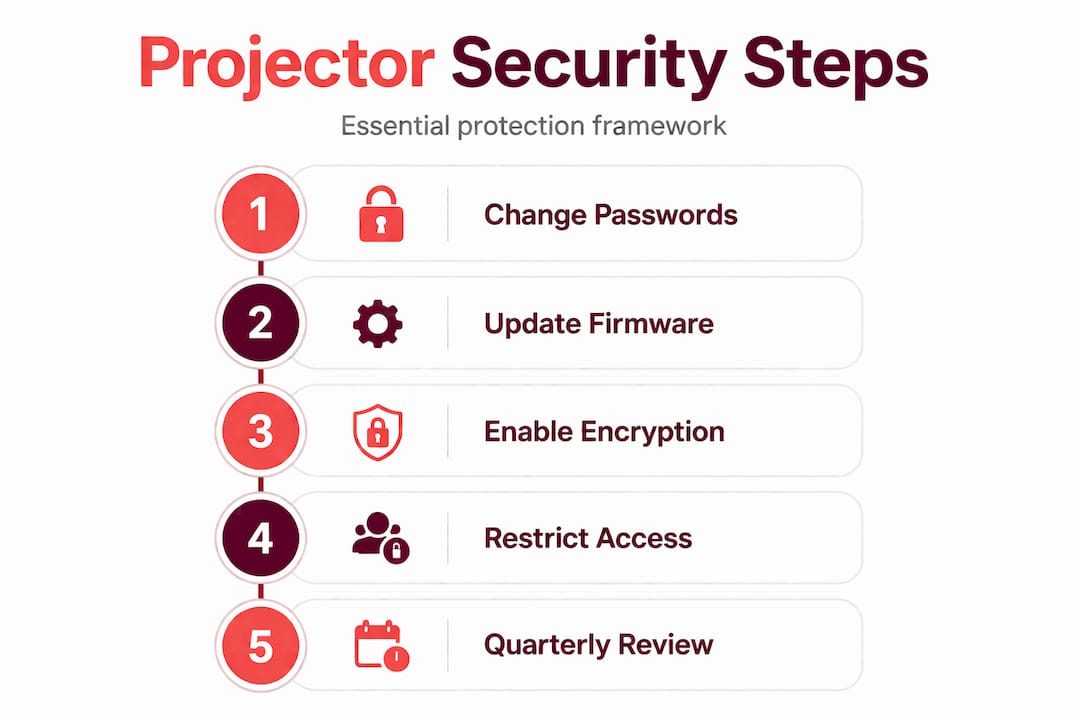
Projector security best practices: Step-by-step framework
A practical security framework for projectors does not require a six-figure budget. It requires consistent execution of well-established controls applied specifically to this device class.
Step-by-step implementation framework:
-
Change all default credentials immediately on deployment. Every projector admin account needs a strong, unique password. Strong, unique passwords directly reduce exposure to brute-force attacks that exploit known factory defaults. Use a password manager to track credentials per device.
-
Maintain a complete projector asset inventory. You cannot protect what you do not know exists. Document every projector: model, firmware version, network location, assigned admin credentials, and last patch date. Review the inventory quarterly.
-
Schedule firmware updates proactively. Check manufacturer advisories at least once per quarter. Do not wait for a vulnerability to be exploited. NIST guidelines for IoT device security specifically call out vulnerability management, access control, and data protection as core baseline requirements for devices like projectors.
-
Segment projectors onto a dedicated VLAN (Virtual Local Area Network). Projectors should not have unrestricted access to your file servers, HR systems, or finance databases. Network segmentation limits what an attacker can reach if a projector is compromised.
-
Disable all services you do not use. If you are not using the wireless feature, disable it. If the device has a Telnet interface, disable it. Every open port is a potential entry point. Disable UPnP (Universal Plug and Play) on all projectors unless there is a documented operational reason for it.
-
Apply data classification controls to presentations. Not every slide needs the same protection level. Label documents, apply watermarks to sensitive decks, and restrict export permissions. Use your organization's existing data classification policy and extend it explicitly to presentations shown on projectors.
-
Document your projector security posture for audit purposes. Malaysian PDPA compliance audits increasingly examine technical controls on all data-handling devices. Having documented policies, asset records, and patch logs demonstrates due diligence.
Pro Tip: Review the comprehensive projector security checklist before your next quarterly IT audit. It maps directly to the NIST IoT baseline and covers device-specific controls that generic security checklists miss.
For teams supporting remote or hybrid workers, extending projector security policies to home office setups is equally important. The remote work security tips available on the site provide a useful framework for that context.
| Control category | Specific action | Priority |
|---|---|---|
| Access control | Change default credentials, enforce MFA | Critical |
| Vulnerability management | Quarterly firmware review and patching | High |
| Network security | VLAN segmentation, disable unused services | High |
| Data protection | Classification, watermarking, permissions | Medium |
| Physical security | Controlled room access, cable locks | Medium |
| Compliance documentation | Audit logs, asset inventory, policy records | High |
Advanced controls: Hardware, physical, and visual security measures
Technical controls at the network and software layer cover a lot of ground. But projector security is not complete without addressing what happens at the physical and visual layer, where some of the most straightforward breaches occur.
Advanced measures worth implementing:
- Hardware-based link protection. The UK's National Cyber Security Centre recently launched SilentGlass, a plug-in device that secures HDMI and DisplayPort links against malicious transmissions. This is particularly relevant for high-security meeting rooms where external visitors may connect their own devices to your projector.
- Screen DLP (Data Loss Prevention) deployment. Screen DLP tools monitor on-screen content and can detect when sensitive material is being displayed. Screen DLP and content controls are increasingly recognized as necessary in collaborative environments where shoulder surfing or unauthorized screen capture pose real risks beyond what network security alone can address.
- Physical access management. Projector control panels, input ports, and connected devices should be in locked enclosures or controlled environments. Restrict who has physical access to the projector itself, especially in shared facilities.
- Privacy screens on connected laptops. When an employee connects a laptop to a projector in a room with visitors, anyone near the laptop screen sees the same sensitive content. Privacy screen filters reduce that exposure.
- Staff training on visual threats. Employees often do not think about who is watching their screen during a presentation setup or transition between slides. Training should address this explicitly.
Pro Tip: Before any meeting with external parties, require presenters to verify their wireless security considerations and confirm that no unauthorized devices are connected to the projector network segment.
"Physical and visual risks like shoulder surfing or screen capture require screen DLP and content controls beyond network security in collaborative environments." — ScreenStop
The SilentGlass hardware solution is worth noting because it addresses a gap that software alone cannot close. An attacker with physical access to an HDMI cable between a laptop and projector can potentially intercept or inject signals. Hardware protection at that link layer is a meaningful upgrade for boardrooms and executive meeting facilities.
Maintaining and evolving projector security
Security is not a one-time configuration. Projectors get moved, firmware versions change, and new vulnerabilities are discovered regularly. Maintaining a strong security posture means building ongoing processes, not just setting things up once.
Ongoing security maintenance activities:
- Monitor projector network traffic for anomalies. Sudden spikes in outbound connections from a projector may indicate compromise.
- Conduct quarterly reviews of firmware versions across your entire projector inventory and cross-reference against published CVEs.
- Rotate admin credentials annually, or immediately after any staff change that involved access to those credentials.
- Review and update your asset inventory every time a projector is added, relocated, or retired.
- Educate users annually on projector-specific security risks, including what to do if they notice unfamiliar devices connected to a projector or unusual behavior during a presentation.
- Maintain an incident response plan that explicitly covers projector-related breaches. Who do you call? What do you isolate first? How do you document the incident for PDPA purposes?
For presentations containing sensitive business data, data classification, watermarking, and permission controls are the content-layer equivalent of network segmentation. They ensure that even if someone captures a slide, unauthorized distribution is traceable and legally defensible.

Building these reviews into your standard IT calendar ensures projector security keeps pace with the evolving threat environment rather than drifting toward neglect. Consider assigning a named owner for projector security within your IT team. Shared responsibility too often means no responsibility in practice.
Staff privacy education should extend beyond presentations. Your team can benefit from the broader staff privacy best practices context when handling sensitive information across all devices.
Why projector security gets neglected—and what actually works
Here is the honest truth about why projectors consistently fall through the security cracks: they look passive. A projector sits on a ceiling mount or a table, displays what you send it, and collects dust between meetings. Nothing about that visible behavior signals "network device requiring active security management." That perception is the root cause of the problem.
Most IT risk assessments use a device category framework that includes servers, endpoints, mobile devices, and cloud services. Projectors do not fit neatly into any of those categories, so they get filed under "AV equipment" and handed to facilities management. Neither IT security nor facilities management fully owns the risk. Nobody patches the firmware. Nobody changes the credentials. Nobody monitors the traffic.
The "checkbox" approach is equally ineffective. Some organizations respond to audit pressure by adding projectors to their asset list and calling it done. That addresses the documentation gap without touching the actual security posture. A projector on an inventory spreadsheet with default credentials and two-year-old firmware is not a secured asset. It is a documented vulnerability.
What actually works is treating projectors with the same lifecycle discipline you apply to any other networked device. That means registering them in your CMDB (Configuration Management Database) on day one, setting mandatory credential rotation at deployment, scheduling firmware checks in your patch management calendar, and including them in your next penetration test scope.
The organizations that get this right do not have a special projector security tool. They apply real-world risk reduction discipline consistently and stop treating projectors as special cases exempt from standard IT governance. That mindset shift is more valuable than any single technical control.
Next steps: Secure your projector assets with the right tools
Knowing the risks is step one. Having the right equipment and guidance in place is what turns policy into practice.

Projector Display offers a curated selection of business-grade projectors designed with security-conscious deployment in mind, from enterprise laser projectors to smart short-throw models with controlled wireless connectivity. Whether you are outfitting a single boardroom or securing a fleet of projectors across multiple floors, our team can guide you toward solutions that align with your IT security requirements. Explore installation security tips to make sure your physical setup matches your digital controls, and review our projector security accessories guide for cable management, locking mounts, and physical security options. Reach us on WhatsApp for a tailored consultation on secure projector deployment for your business.
Frequently asked questions
What is the top risk from unsecured projectors in meetings?
The top risk is unauthorized access to confidential data through network or physical vulnerabilities, which can lead to data breaches or leaks that expose sensitive business information and create regulatory liability.
How often should projector firmware be updated?
Firmware should be checked and updated every quarter, or immediately when a new vulnerability is announced, such as the authentication bypass and path traversal flaws discovered in 2025.
Do Malaysian data laws apply to projector security?
Yes, the PDPA security principle mandates protecting personal data across all business devices, which includes projectors used to display client or employee information during presentations.
What hardware options can further secure projector transmissions?
Dedicated hardware like SilentGlass can protect HDMI and DisplayPort links from eavesdropping or signal injection, adding a physical security layer beyond software controls.
How can projector content be protected during sensitive meetings?
Apply data classification, watermarking, and permission controls to presentation files so that even captured content is traceable and unauthorized distribution is limited.
Recommended
- Cybersecurity for Remote Work: Protecting Virtual Presentations – Projector Display
- Online Privacy Tips: Protecting Your Digital Life – Projector Display
- Keselamatan Penggunaan Projektor: Elak Risiko Di Sekolah – Projector Display
- Projector maintenance tips for better performance 2026 – Projector Display
- Backup CCTV: protejează datele video critice în 2026