
A strong presentation can make the difference between inspiring action and losing your audience's attention in minutes. Studies show that over 70 percent of presenters struggle with keeping listeners engaged. Building a memorable and effective presentation takes more than good slides or rehearsal. Whether you want to inform, persuade, or ignite discussion, following a rock-solid process helps you deliver clear ideas and create a real impact every time.
Table of Contents
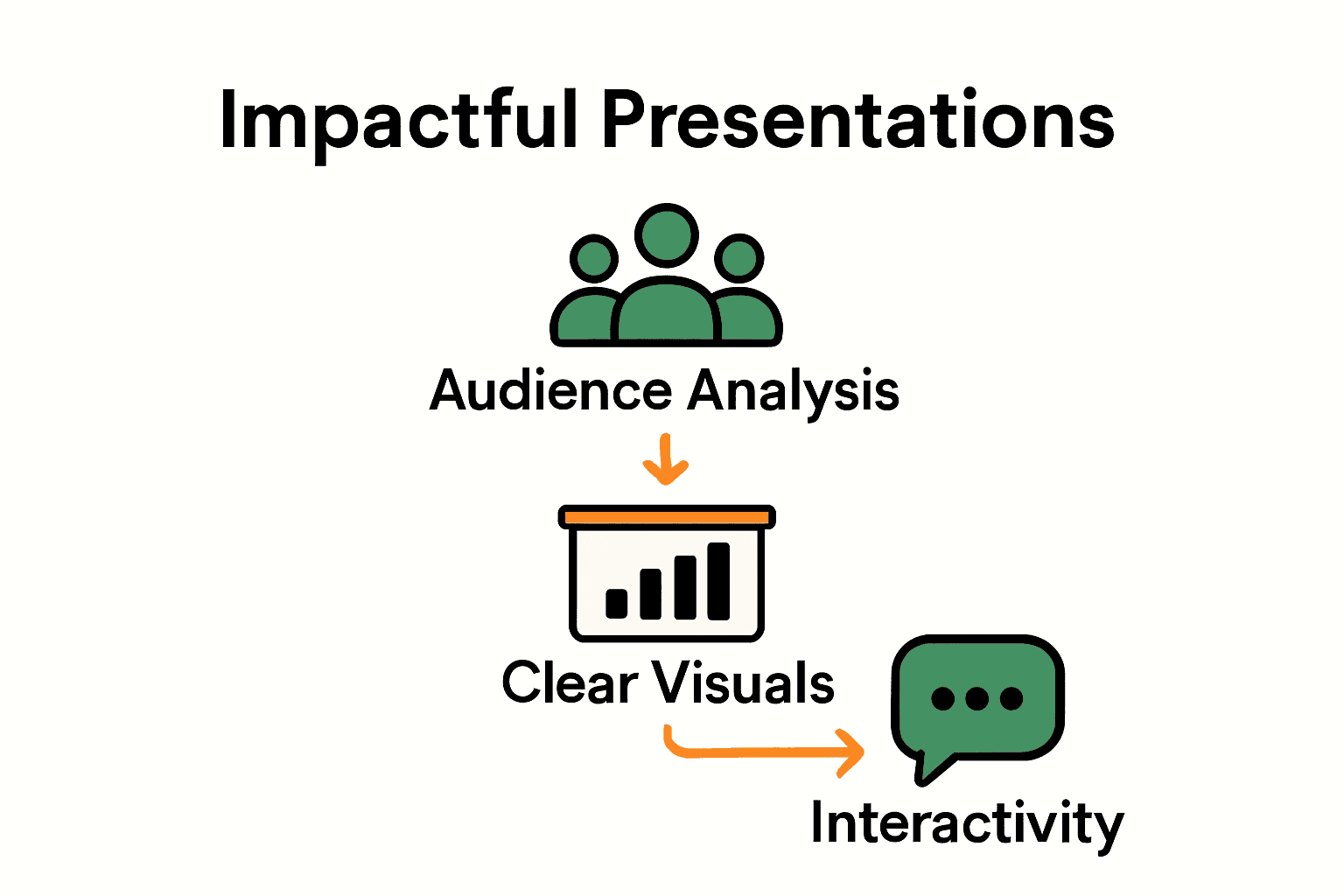
- Step 1: Identify Your Audience And Set Clear Goals
- Step 2: Select The Right Visuals And Presentation Tools
- Step 3: Design Compelling Slides With Key Messages
- Step 4: Incorporate Interactive Elements And Media
- Step 5: Rehearse And Test Your Presentation Setup
- Step 6: Gather Feedback And Refine Your Delivery
Quick Summary
| Key Point | Explanation |
|---|---|
| 1. Identify your audience clearly | Creating a detailed audience profile tailors content and tone to their needs and expectations. |
| 2. Align presentation goals with content | Clear objectives guide the design and ensure the presentation is relevant and engaging for your audience. |
| 3. Use visuals effectively | Choose visuals that support your message and enhance understanding, avoiding clutter that distracts from key points. |
| 4. Incorporate interactive elements | Engaging audiences with interactivity, such as polls or videos, transforms passive listening into active involvement. |
| 5. Gather feedback to improve | Systematic feedback collection from trusted sources helps refine delivery and enhances overall presentation skills. |
Step 1: Identify your audience and set clear goals
Before crafting a presentation that truly connects, you need to understand who will be sitting in your audience and what you want them to walk away knowing. According to University of Illinois, identifying your audience helps you tailor content and tone precisely.
Start by creating a detailed audience profile. Ask yourself key questions: What is their professional background? What level of expertise do they have in your topic? What are their potential motivations for attending your presentation? The more specific you can get, the better you can customize your message. As the British Council recommends, aligning your presentation objectives with audience needs ensures your content remains meaningful and engaging.
Your audience profile should include demographics like age range, professional roles, and expected knowledge level. This helps you choose the right language complexity, select relevant examples, and structure information they will find most compelling. Pro tip: If possible, speak with event organizers or a few potential attendees beforehand to gather insights about their expectations and interests.
Next, crystallize your presentation goals. What specific outcome do you want to achieve? Whether it is inspiring action, sharing knowledge, or solving a problem, having clear objectives will guide every aspect of your presentation design. Clear goals transform a generic talk into a targeted communication experience.
Step 2: Select the right visuals and presentation tools
Choosing the right visuals and tools can make or break your presentation. Research from ArXiv highlights the critical importance of selecting appropriate visual aids that enhance communication and help your audience understand complex information quickly.
Start by matching your visuals to your presentation goals. Graphs, charts, images, and infographics should clarify your message rather than complicate it. Avoid cluttered slides with too much text or overly complex graphics that distract from your key points. According to recent research on VisConductor, interactive visualization tools can help you configure dynamic presentations that keep your audience engaged.
Consider the technical capabilities of your presentation environment. Will you have access to a projector? Do you need wireless connectivity? Are you presenting in a large conference room or a small meeting space? Selecting tools that match your venue and technical requirements ensures a smooth delivery. Pro tip: Always have a backup plan like a PDF version of your presentation or printed handouts in case of technical difficulties.
Lastly, think about your audience's preferences. Some people are visual learners who appreciate detailed charts, while others prefer simpler, more conceptual images. The goal is to create visuals that help your audience quickly grasp and remember your key messages. A well chosen visual can communicate complex ideas faster and more effectively than paragraphs of text.
Step 3: Design compelling slides with key messages
Crafting slides that capture attention and communicate your core message is an art form. Research from the ArXiv AutoPresent study emphasizes the critical importance of creating structured visuals that effectively convey key information.
Start by adopting a minimalist approach. Each slide should communicate one primary idea with crystal clarity. Use large, readable fonts and limit text to no more than six words per line. Visual hierarchy matters tremendously graphics, headings, and key points should be strategically sized and positioned to guide your audience's eye. According to the Chalktalk research, dynamic visualization techniques can help transform complex concepts into digestible visual narratives.
Choose a consistent color palette and design theme that reinforces your message. Stick to 2-3 complementary colors and use them intentionally. Blue often suggests professionalism, while warmer tones can create energy. Pro tip: Use high contrast between text and background to ensure readability across different presentation environments. Remember that your slides are visual support for your spoken words not a script to read verbatim.
Finally, practice your slide transitions. Smooth visual progression keeps your audience engaged and helps them follow your narrative arc. Each slide should feel like a natural progression of your core message creating a cohesive storytelling experience that resonates long after your presentation ends.
Step 4: Incorporate interactive elements and media
Taking your presentation from static to dynamic requires strategic use of interactive elements that engage your audience. According to VisConductor research, interactive visualization tools can dramatically enhance audience participation and understanding by allowing presenters to manipulate visual content in real time.
Consider integrating multimedia that supports your narrative. Short video clips, audio snippets, live polls, or interactive graphics can break up traditional presentation formats and maintain audience attention. The RealityTalk system demonstrates how speech driven interactive elements can transform presentations from monologues into collaborative experiences. Think about using tools that allow real time audience interaction such as live Q and A platforms, digital whiteboards, or quick response surveys that participants can join via their smartphones.
Choose interactive elements purposefully. They should illuminate your key points rather than distract from them. A well placed animation can clarify a complex concept while an ill considered graphic might confuse your audience. Pro tip: Always test your interactive components beforehand to ensure smooth technical execution. Technology glitches can derail even the most carefully planned presentation.
Remember that interactivity is about creating connection. Your goal is to transform passive listeners into active participants who feel personally invested in your message. When done right interactive elements can turn a good presentation into an unforgettable learning experience.
Step 5: Rehearse and test your presentation setup
Preparing for a presentation goes far beyond creating slides it requires meticulous practice and technical preparation. According to the British Council's advanced presentation course, evaluating and testing your presentation setup is crucial for ensuring effective delivery.
Begin by doing a complete technical walkthrough in the actual presentation space. Check the projector compatibility test your slides on the room display and verify all multimedia elements function correctly. Confirm your wireless clicker works audio levels are appropriate and any interactive tools are loading smoothly. British Council's foundational presentation course emphasizes the importance of performance evaluation which starts with understanding your technical environment.
Rehearse your entire presentation multiple times recording yourself to identify areas for improvement. Pay attention to your pacing speaking clarity and how smoothly you transition between slides. Pro tip: Practice in front of a trusted colleague or friend who can provide honest feedback about your delivery and technical setup. They might catch potential issues you would miss.
Finally remember that technical confidence translates into personal confidence. A seamless technical setup allows you to focus on your message and connect with your audience rather than worrying about potential equipment failures.
 Preparation transforms potential stress into smooth professional performance.
Step 6: Gather feedback and refine your delivery
Improving your presentation skills is an ongoing journey of continuous learning and refinement. The British Council's advanced presentation course emphasizes the critical role of evaluating practices and setting personal goals through systematic feedback collection.
Seek constructive feedback from multiple sources. Record your presentation and watch it critically noting areas where your delivery feels awkward or unclear. Ask trusted colleagues colleagues to provide specific honest observations about your content clarity body language and engagement techniques. British Council's foundational presentation course highlights that effective performance evaluation involves understanding how others perceive your communication style.
Create a structured feedback process. Develop a simple questionnaire or feedback form that guides your reviewers to provide actionable insights. Pro tip: Ask specific questions like What moments felt most engaging? Where did you lose interest? What could I explain more clearly? This approach transforms generic feedback into precise improvement opportunities.
Remember that feedback is a gift not a critique. Each observation is an opportunity to grow and enhance your presentation skills. Approach feedback with curiosity and openness treating every comment as valuable insight that can help you become a more compelling communicator.
Elevate Your Presentations with the Right Visual Setup
Creating engaging presentations that leave a lasting impression requires not just great content but also the perfect display tools. The article highlights the need for clear visuals and seamless delivery to keep your audience captivated and connected. If cluttered slides or technical issues have held you back, it is time to upgrade your presentation environment with high-quality projector screens and sound systems designed to enhance every detail and maximize impact.
Discover a wide selection of Projector Screen Archives – Projector Display and Sound Systems Archives – Projector Display crafted to match your professional demands and venue specifics.

Transform your presentations today by choosing reliable solutions at ProjectorDisplay.com. Boost your confidence with advanced equipment that empowers you to focus on your message and engage your audience effectively. Explore our collection now and step into every presentation fully prepared to impress.
Frequently Asked Questions
How do I identify my audience for an impactful presentation?
Identifying your audience involves creating a detailed profile based on their demographics, professional backgrounds, and knowledge levels about your topic. Start by asking questions about their motivations and needs related to your presentation to tailor your content effectively.
What types of visuals should I use to enhance my presentation?
Use visuals that clarify and strengthen your core message, such as graphs, charts, and relevant images. Aim for simplicity—each visual should communicate one clear idea without overwhelming your audience with text or complex graphics.
How can I incorporate interactivity into my presentation?
Integrate interactive elements like live polls, audience Q&A sessions, or digital whiteboards to engage your audience actively. Plan these elements to reinforce your key points, ensuring that they enhance rather than distract from your overall message.
What steps should I take to rehearse my presentation effectively?
Conduct a full technical walkthrough of your presentation setup and rehearse the entire presentation multiple times. Record yourself to identify areas for improvement, and seek feedback from a colleague to refine your delivery and boost your confidence.
How do I collect and utilize feedback to improve my presentations?
Gather constructive feedback by using a structured questionnaire for your audience or trusted colleagues after your presentation. Analyze their input to identify specific areas for improvement, making adjustments to enhance your clarity and engagement techniques in future presentations.
Recommended
- Business Presentation Tips: Complete Expert Guide – Projector Display
- 7 Interactive Classroom Ideas for Engaging Learning – Projector Display
- 7 Aplikasi Projektor di Pejabat untuk Tingkat Produktiviti – Projector Display
- Best Projector For Presentations 2025: Top Picks For Malaysia – Projector Display
- How to Boost Student Engagement Assemblies Effectively – Scheer Genius Assembly Shows
- How to Present a Literature Review Effectively