
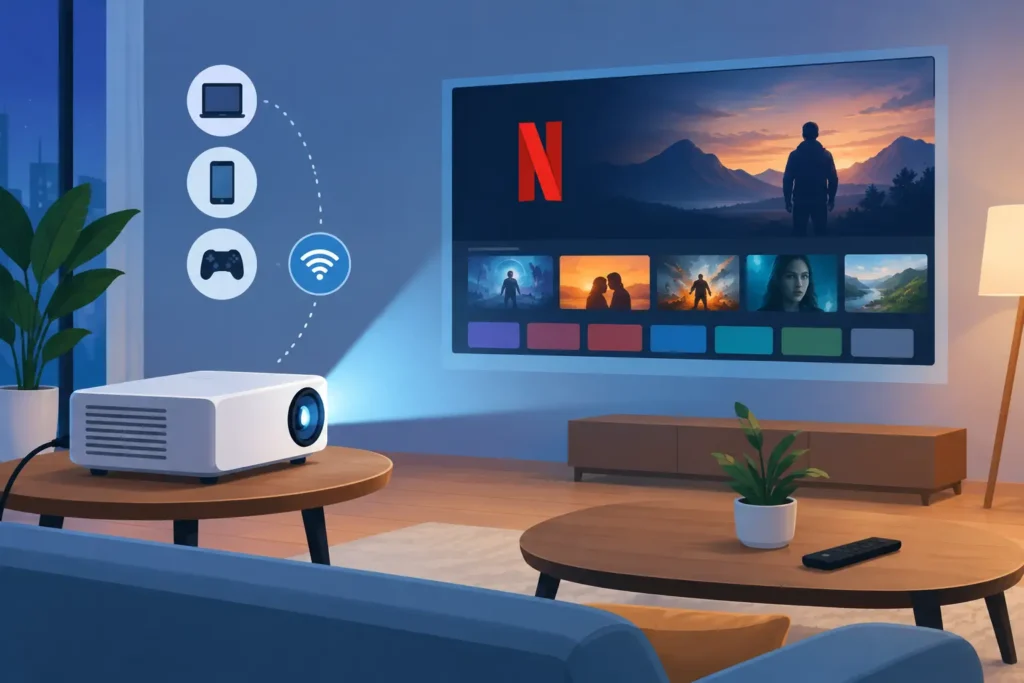
A movie night can turn frustrating fast when Netflix appears on a projector’s home screen, then refuses to play after you sign in. The short answer to "can projectors stream Netflix directly" is yes, but only certain smart projectors can do it reliably. The difference usually comes down to Netflix certification, the operating system, app support, and the projector’s built-in hardware.
For many buyers, the most dependable setup is not necessarily the projector with the most apps. It is a quality Full HD or 4K projector paired with a certified streaming device through HDMI. That approach gives you better app updates, familiar controls, and fewer surprises when it is time to watch.
Can Projectors Stream Netflix Directly?
A projector can stream Netflix directly when it has an approved operating system, access to the official Netflix app, and enough processing power to run it properly. This is most common on selected smart projectors from established brands that use licensed Google TV, Android TV, or another Netflix-certified smart platform.
Do not assume that every projector labeled "smart," "Android," or "wireless" includes working Netflix. Some portable Android projectors use a basic version of Android rather than Android TV. They may show an app store, allow app installation, and even include a Netflix icon, but the installed app may be an older mobile version that will not play in Full HD or may stop working after an update.
Netflix protects its video content with digital rights management, often called DRM. If a projector does not meet Netflix’s certification requirements, it may limit playback quality, display an error, or fail to install the official app at all. This is not necessarily a projector defect. It is a compatibility issue between the streaming service and the device software.
Why the Netflix App Works on Some Smart Projectors
The most convenient option is a projector with Netflix officially supported in its native interface. With the projector connected to Wi-Fi, you turn it on, open Netflix, sign in, and select a show without connecting another device.
This setup is ideal for bedrooms, apartments, portable entertainment, and simple home theater installations where you want fewer cables and fewer remote controls. It can also be useful for casual presentations or training spaces that occasionally show approved streamed video content.
Still, native Netflix is only as good as the projector’s software support. A projector with a certified platform and regular firmware updates is a better long-term choice than an inexpensive model with unclear app compatibility. Before buying, check whether the product specification specifically says Netflix is officially supported. "App capable" and "Netflix certified" are not the same claim.
Resolution and DRM matter
Even if Netflix launches, picture quality may not match the projector’s advertised resolution. A Full HD projector can display a 1080p image, but Netflix may stream at a lower resolution if the device lacks the right DRM level or if the Wi-Fi connection is weak.
For a satisfying large-screen picture, use a projector with native Full HD resolution or higher, then make sure your Netflix plan, device certification, and internet speed support HD or 4K streaming. A 4K projector will not automatically make a low-resolution stream look like true 4K.
Wi-Fi quality affects the experience
Projectors are often installed farther from the router than a television. If the signal is weak, Netflix may buffer, lower picture quality, or lose connection during playback. Dual-band Wi-Fi is helpful, especially when the projector can use the less crowded 5 GHz band at a reasonable distance from the router.
For a fixed home theater or meeting room installation, a wired network connection can be worth considering if the projector or connected streaming device supports it. Otherwise, position the router or mesh Wi-Fi node carefully and avoid placing the projector behind thick walls or inside a closed cabinet.
The Most Reliable Alternative: Use an HDMI Streaming Device
If direct Netflix support is uncertain, connect a certified streaming device to the projector’s HDMI input. This is usually the easiest solution for projectors that have excellent brightness, resolution, and optics but no built-in smart platform.
An HDMI streaming device handles the Netflix app, updates, account sign-in, and DRM requirements independently. The projector simply displays the image. You also gain access to other streaming services without relying on the projector manufacturer’s app store.
This option is especially practical for home theater projectors, office projectors, education models, and laser projectors designed to prioritize image performance over built-in entertainment apps. It is also a smart choice when upgrading an existing projector. You do not need to replace a perfectly good display just because its old smart interface no longer receives app updates.
To set it up, connect the device to an HDMI port, power it from a USB port if supported or use its included power adapter, select the correct HDMI source, connect to Wi-Fi, and sign into Netflix. If the projector is ceiling-mounted, consider an HDMI extension cable or a tidy cable-management solution so the streaming device remains accessible.
Can You Cast Netflix From a Phone to a Projector?
Sometimes, but casting is not as universally reliable as an HDMI device. If the projector has built-in Chromecast support or you connect a Chromecast-compatible device, Netflix can usually be cast from a phone or tablet using the Netflix app’s Cast button.
Screen mirroring is different from casting. Mirroring sends a copy of your phone’s screen to the projector through AirPlay, Miracast, or another wireless display method. Netflix and other protected streaming apps may show a black screen, an error message, or video without picture because of DRM restrictions. The app is preventing protected video from being mirrored in that way.
For iPhone and iPad users, AirPlay can be useful for photos, presentations, and supported video apps, but it should not be your only plan for Netflix. For Android users, wireless casting can work well with compatible devices, though the same certification rules apply. When Netflix matters, use the official app on a certified streaming device or certified smart projector rather than depending on general screen mirroring.
Do Not Forget Sound
Projector speakers are convenient, but they are often limited for movies, especially in a larger living room or outdoor setting. Dialog can sound thin, and fan noise may become more noticeable during quiet scenes.
A soundbar, Bluetooth speaker, AV receiver, or powered speaker system can make a bigger difference than many buyers expect. Check how audio will travel from the streaming device or projector to your speakers. HDMI ARC, Bluetooth audio, a 3.5 mm audio output, and optical output are common options, but availability varies by model.
Bluetooth is convenient for portable use, although slight audio delay can occur. For permanent home cinema setups, a wired sound connection is usually the more stable choice.
What to Check Before You Buy
When Netflix is a priority, focus on the complete viewing setup rather than a single marketing label. Confirm that Netflix is officially supported on the projector, or plan for an HDMI streaming device from the start. Then compare native resolution, ANSI lumens, throw distance, HDMI inputs, Wi-Fi capability, audio outputs, and placement options.
Brightness matters too. A portable projector may look excellent in a dark bedroom but appear washed out in a living room with lights on. For movie-focused use, controlling ambient light with curtains or a darker room will improve contrast far more than an app feature ever can. Pairing the projector with an appropriately sized screen also creates a cleaner, more consistent image than projecting onto a textured wall.
If you are comparing models for a home, classroom, or meeting room, ProjectorDisplay.com can help match the projector, screen, mount, HDMI accessories, and audio solution to the space. A quote is especially useful when you need several units or a complete installation.
The best Netflix projector is the one that gives you a dependable picture every time you press Play. Choose certified built-in streaming for simplicity, or use HDMI streaming for flexibility and long-term app support, then put your budget into the brightness, resolution, screen, and sound that make the big image worth watching.