
A projector can look outstanding in a product demo and still be the wrong choice for your room. The DLP vs LCD decision affects perceived brightness, color, motion, installation flexibility, and even whether viewers notice visual artifacts during movies or presentations. For a home theater, classroom, meeting room, or portable setup, the right answer depends less on a single specification and more on how and where the projector will be used.
DLP and LCD describe the imaging technology inside a projector. They are not a direct measure of quality by themselves. A well-matched Full HD or 4K projector with the right ANSI lumens, throw ratio, screen, and connectivity will deliver a better result than a higher-priced model that does not suit the space.
DLP vs LCD: The Core Difference
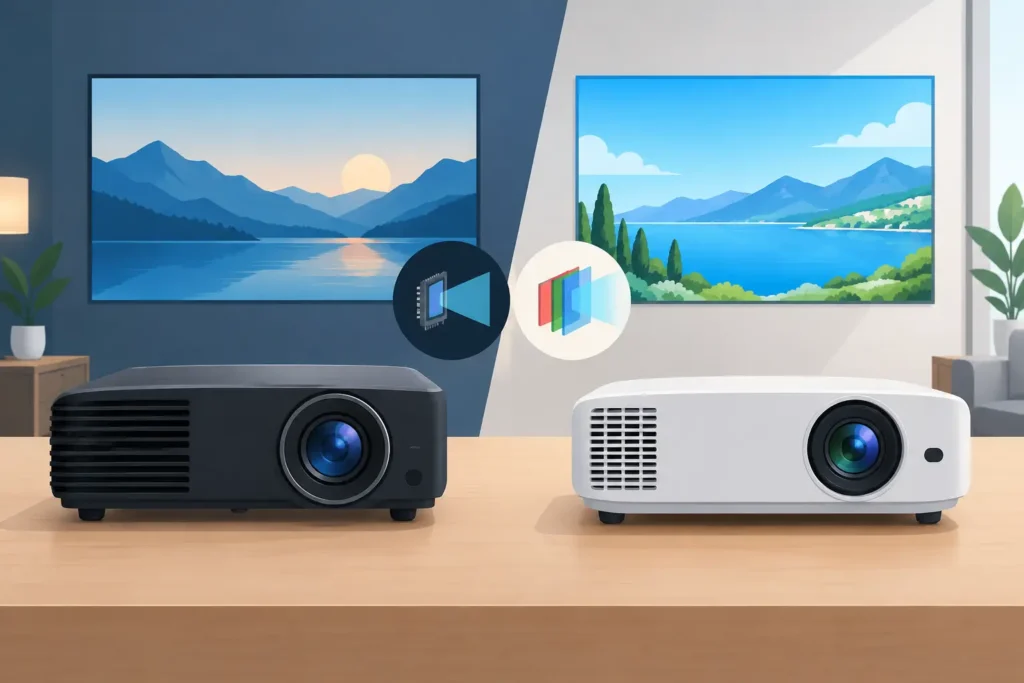
A DLP projector uses a digital micromirror device, commonly called a DMD chip. This chip contains millions of tiny mirrors that tilt rapidly to direct light through the lens. Many single-chip DLP projectors create color using a spinning color wheel, although some LED and laser DLP models use separate red, green, and blue light sources instead.
An LCD projector typically uses three separate LCD panels – one each for red, green, and blue. Light passes through those panels and combines to create the full-color image on screen. In the projector category, this is often called 3LCD technology.
The practical result is simple: DLP is often chosen for crisp-looking detail, strong motion handling, and compact designs. 3LCD is often chosen for bright color output, natural-looking images, and a viewing experience without the color-wheel rainbow effect. Neither technology wins every application.
Picture Quality: Brightness Is More Than a Number
Brightness should be evaluated in ANSI lumens, especially for rooms with windows, ceiling lights, or daytime use. However, two projectors with the same advertised ANSI lumen rating can still look different because white brightness and color brightness do not always match.
3LCD projectors are known for producing strong color brightness because red, green, and blue are displayed continuously through separate panels. This can make presentation slides, educational materials, cartoons, sports, and brightly colored streaming content look particularly vivid. In a classroom or training room where lights cannot be fully dimmed, that color output can be very useful.
DLP projectors can also produce excellent color, especially higher-tier laser and LED models. But some lamp-based, single-chip DLP projectors use a color wheel that prioritizes white brightness differently from color brightness. A bright white spreadsheet may look impressive, while saturated red or green elements appear less intense than expected. This is not true of every DLP model, which is why buyers should compare real specifications and image demonstrations instead of choosing by technology alone.
For dark-room movie viewing, contrast is equally important. DLP models often deliver sharp, defined images with pleasing shadow detail and clean edges. Their contrast performance can be very attractive for films and gaming. Still, black level depends on the individual projector, its light source, room reflections, and screen material. A dark-wall home theater and a white-walled living room can make the same projector look dramatically different.
Resolution Still Matters
DLP or LCD technology does not replace resolution. For presentations, native XGA or WXGA may be sufficient when showing basic documents from a distance. For streaming, movies, gaming, and detailed spreadsheets, native Full HD is the practical starting point for many buyers. A native 4K projector makes sense when viewing distance, screen size, and content quality justify the investment.
Be careful with terms such as "supports 4K." That may only mean the projector accepts a 4K signal, not that it displays native 4K detail. Check the native resolution before buying.
Motion, Detail, and the Rainbow Effect
DLP has a strong reputation for smooth motion and a crisp image. This makes it popular for fast sports, action films, and console gaming. Many DLP projectors also have quick response modes that help reduce input lag, although gamers should always check the stated input-lag figure at their intended resolution and refresh rate.
The trade-off is the rainbow effect. On some single-chip DLP projectors, certain viewers may briefly see flashes of red, green, and blue around bright objects against dark backgrounds. It is most noticeable in high-contrast scenes, subtitles, and quick eye movement. Some people never see it, while others find it distracting enough to avoid color-wheel DLP models entirely.
LCD projectors do not use a spinning color wheel, so they do not create this particular effect. They can be a more comfortable choice for a shared family room, classroom, or meeting space where many different people will be watching. If you are sensitive to the effect or unsure, viewing a DLP projector in person before purchase is worthwhile.
Installation and Everyday Use
For portable entertainment, compact DLP projectors are common because the DMD chip can support smaller chassis designs. A lightweight smart projector with built-in Android apps, Wi-Fi, Bluetooth, and HDMI can be convenient for a bedroom, apartment, or occasional outdoor movie night. Verify the actual brightness before planning outdoor viewing: after sunset is realistic, while daytime projection usually requires a much brighter unit and a shaded environment.
For classrooms and offices, 3LCD projectors are widely used because they offer bright, readable images and flexible placement options. Features such as optical zoom, vertical lens shift, keystone correction, and short-throw capability can matter more than the technology label. A short-throw projector reduces shadows when someone presents near the screen, while an ultra-short-throw unit can project a large image from close to the wall or screen.
Keystone correction is useful for minor adjustments, but it should not be treated as a substitute for correct mounting. Heavy digital keystone can reduce the usable image area and perceived sharpness. For a ceiling-mounted projector, calculate throw distance, screen size, and mounting height before selecting the model and bracket.
Maintenance, Lifespan, and Total Cost
Traditional lamp projectors can offer good upfront value, but lamps eventually dim and require replacement. They also generate more heat and generally need more ventilation than laser or LED models. For occasional home use, a lamp-based projector can be a sensible budget decision. For daily education, business, or commercial use, the operating cost deserves more attention.
Laser projectors typically provide a long light-source life, fast start-up, stable brightness, and less routine maintenance. They are especially attractive for meeting rooms, classrooms, and home theaters that see frequent use. LED projectors also offer long-life illumination and compact designs, though their brightness varies widely by model.
LCD models may require periodic air-filter care depending on the design and environment. Dusty rooms, open ceilings, and high-use installations make proper maintenance more important. DLP projectors are often marketed as lower-maintenance because of their sealed optical designs, but cooling vents and surrounding installation conditions still matter. No projector benefits from being installed in a hot, enclosed cabinet.
Which Technology Fits Your Use Case?
A DLP projector is often a strong fit for movie fans who value crisp detail, gamers who want responsive motion, and buyers who need a compact portable projector. It can also be an excellent choice for a darkened home theater, provided viewers are not bothered by rainbow artifacts.
An LCD projector is often a strong fit for classrooms, offices, training centers, and multipurpose living rooms where bright color and comfortable group viewing are priorities. It is particularly practical when presentations include charts, diagrams, educational content, and colorful media under moderate ambient light.
For a dedicated home cinema, compare actual contrast, black-level performance, resolution, lens features, fan noise, and input lag alongside DLP or LCD. For corporate and education installations, prioritize ANSI lumens, native resolution, throw ratio, wireless presentation options, HDMI inputs, and the availability of mounts, screens, cables, and audio support.
Buy the Complete Projection Setup, Not Just the Projector
A projector is one part of the visual experience. A suitable screen can improve brightness uniformity, color consistency, and perceived contrast compared with projecting onto a painted wall. The correct HDMI cable or wireless display dongle prevents avoidable connection issues. A ceiling mount, trolley, or short-throw placement plan can protect image alignment and make day-to-day use easier.
Before placing an order, measure the available throw distance and identify the largest screen size your room can support. Then decide whether the room will usually be dark, moderately lit, or bright. With those details ready, ProjectorDisplay.com can help match the projector, screen, accessories, and quotation requirements to the installation rather than selling a specification that looks good only on paper.
The better choice is the projector that makes your content easy to see, comfortable to watch, and simple to use every day. Start with the room, the audience, and the content you show most often – then let the technology follow.