
TL;DR:
- Projectors are the most cost-effective display technology used by 75% of organizations for corporate training. They enhance learning by providing scalable images, multimedia support, and real-time annotation, improving engagement and knowledge retention. High-brightness, interactive, and laser models integrate well with AV systems to maximize training effectiveness and reduce downtime.
Projectors are defined as the primary display technology in corporate training rooms, used by 75% of organizations worldwide to deliver visual instruction at scale. The role of projectors in corporate training goes far beyond showing slides. These devices transform ordinary meeting rooms into active learning environments where trainers can display multimedia content, annotate in real time, and reach every seat in the room with equal clarity. With 90% of trainers agreeing that projectors improve the training experience, the case for investing in quality projection is settled. This guide breaks down exactly how projectors work, what features matter most, and how to build a setup that maximizes learning outcomes for your team.
How do projectors improve learning outcomes in corporate training?
Projectors directly improve knowledge retention by making content visible, large, and shareable across an entire room. Fixed monitors and laptop screens force trainees to lean in or squint. A well-placed projector eliminates that friction entirely.
The numbers behind this are striking. Multisensory training with visual aids can increase post-training test scores by 20–35% and speed up skill acquisition by 30%. That means a team that previously needed three weeks to master a new compliance process could reach the same level in roughly two weeks, just by adding clear visual support to the session.
Audio quality compounds the effect. Clear audio raises comprehension by up to 40%, and visuals improve recall by 55%. These two gains work together. When a trainer's voice carries cleanly through a room and the slide content is sharp and large, trainees spend less mental energy decoding the delivery and more energy absorbing the material.
Interactive projection takes this further. Interactive projectors produce 40% better trainee performance and a 25% higher question frequency during Q&A segments. Higher question rates are a reliable signal of genuine engagement, not passive attendance. For HR professionals tracking training effectiveness, that metric alone justifies the upgrade.
Key benefits of projectors as corporate training visual aids include:
- Scalable image size that fills any room without losing clarity
- Multimedia support for video, animation, and live software demonstrations
- Real-time annotation that lets trainers mark up content during discussion
- Shared visual focus that keeps every trainee looking at the same reference point
- Reduced cognitive load by pairing spoken instruction with matching visuals
What features make projectors effective tools for corporate trainers?
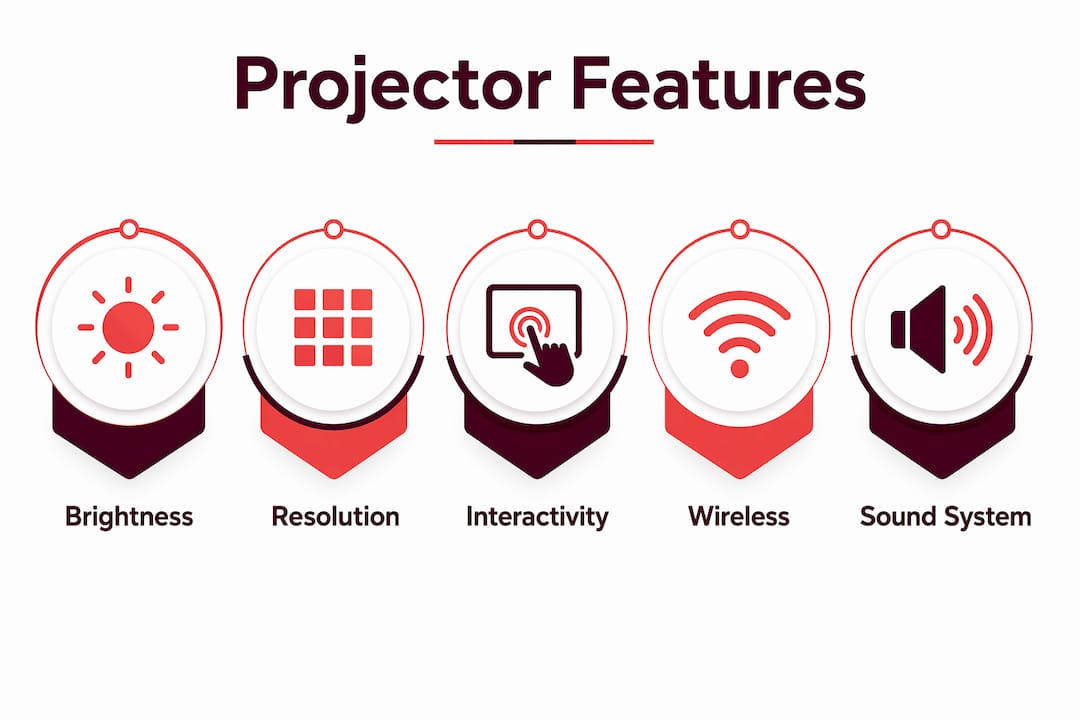
The most effective projectors for professional development combine high brightness, full HD resolution, and interactive capability in a single unit. Each feature solves a specific training problem.
Brightness and resolution
Brightness, measured in lumens, determines whether your image stays readable when the room lights are on. Training rooms rarely go fully dark. A projector delivering at least 3,000 lumens handles typical ambient light without washing out. Full HD resolution (1920×1080) keeps text sharp enough to read from the back row, which matters when you are displaying compliance documents, data tables, or detailed process diagrams. Laser projectors, now widely available from brands including Epson projector Malaysia models and Viewsonic projector Malaysia options, maintain consistent brightness over their lifespan without lamp replacements, making them a practical choice for organizations running daily sessions.
Interactive and wireless features
Interactive projectors let trainers write directly on the projected image using a stylus or finger touch. This feature changes the dynamic of a session. Instead of switching between the screen and a whiteboard, the trainer stays at the front and annotates live. Trainees see changes happen in real time, which reinforces the connection between spoken explanation and visual content. You can read more about how interactive projection raises engagement across learning environments.

Wireless connectivity removes the cable tangle that slows session starts. A wireless projector Malaysia setup lets trainers share screens from a laptop, tablet, or phone without hunting for adapters. That flexibility matters when multiple trainers rotate through the same room.
Sound system and room environment
AV infrastructure quality is as important as the projector itself. A sharp image paired with muffled audio produces a frustrating experience. Trainers should pair their projector with ceiling-mounted speakers or a compact soundbar sized to the room. Ambient noise from HVAC systems is a common problem in corporate training rooms. A dedicated microphone and speaker setup eliminates that distraction.
Pro Tip: Test your projector's brightness against the room's actual lighting conditions before a session. A projector rated at 3,500 lumens in a room with uncovered windows may still produce a washed-out image. Blackout blinds or curtains are a cheaper fix than buying a higher-lumen unit.
In which training scenarios and room setups do projectors perform best?
Projectors perform best in controlled lighting environments and rooms where the audience size changes regularly. Projectors excel in scalability from small workshops to large auditoriums, which fixed displays cannot match. A 100-inch projected image costs far less than a commercial display of the same size, and the projector can move to a different room when needed.
The best training scenarios for projectors, ranked by fit:
- Large group onboarding sessions where 20 or more new hires need to see the same content simultaneously
- Compliance and regulatory training that relies on detailed documents, flowcharts, and video evidence
- Skills workshops where the trainer demonstrates software or equipment operation on screen
- Hybrid training sessions where remote participants join via video call displayed on the projected image
- Multi-location rollouts where the same projector setup is replicated across several offices for consistency
For hybrid sessions, the projector serves a dual purpose. It displays the remote participants' video feed for the in-room audience while the trainer's camera captures the projected content for remote viewers. This setup requires a camera positioned to avoid projector glare, but it works reliably in rooms with good lighting control.
Projectors work best in windowless or dimly lit rooms. In bright rooms with large windows, they function better as secondary displays. If your training room has unavoidable ambient light, a short-throw projector placed close to a matte white screen reduces washout significantly. Wall color matters too. A gray or off-white wall reflects more usable light than a painted concrete surface, improving image contrast without any hardware change.
For rooms larger than 300 square feet with permanent seating, projectors outperform fixed screens on both cost and flexibility. Fixed commercial displays at that size carry a significant price premium and cannot be repositioned when the room layout changes.
How to integrate projectors into a comprehensive corporate training AV strategy?
A projector is the centerpiece of a training AV system, not the whole system. The components around it determine whether sessions run smoothly or grind to a halt.
Better AV tools reduce equipment downtime from 12 minutes to under 2 minutes per session. That difference compounds fast. An organization running five training sessions per week saves roughly 50 minutes of trainer time weekly from downtime reduction alone. Multiply that across a year and the efficiency gain is substantial.
A complete training AV setup should include:
- A projector with at least 3,000 lumens and full HD resolution for clear, room-filling images
- A dedicated projection screen with a matte white or gray surface for accurate color and contrast
- Ceiling or wall-mounted speakers sized to the room's square footage
- A wireless presentation system so trainers can share content from any device without cables
- A document camera or visualizer for displaying physical objects, printed materials, or handwritten notes in real time
- A reliable HDMI or wireless switcher to toggle between trainer laptops, video playback, and remote participants
Pro Tip: Label every cable and input port in your training room. When a session starts and the wrong input is selected, trainers lose time troubleshooting instead of teaching. A laminated input guide taped near the projector control panel eliminates this problem entirely.
AV upgrades may increase upfront costs by 20–40%, but they save trainer time and cut operational inefficiencies. Organizations running frequent sessions recover that investment quickly through reduced downtime and higher training completion rates. Maintenance schedules matter too. Lamp-based projectors need bulb replacements every 3,000–5,000 hours. Laser projectors extend that to 20,000 hours or more, reducing maintenance interruptions significantly. For corporate training programs in Malaysia, brands like Epson lcd projector and NEC projector Malaysia models are widely used in professional settings for their reliability and service network. You can also explore corporate training technology trends to understand how AV investment fits into broader learning strategies.
Key Takeaways
Projectors are the most cost-effective and flexible display technology for corporate training rooms, delivering measurable gains in retention, engagement, and session efficiency when paired with quality AV infrastructure.
| Point | Details |
|---|---|
| Projectors dominate training rooms | 75% of organizations use projectors as their primary training display, with 90% of trainers endorsing them. |
| Visual aids lift test scores | Multisensory training with projectors can raise post-training test scores by 20–35%. |
| Interactive projection drives participation | Interactive setups produce 40% better trainee performance and 25% more questions during Q&A. |
| AV quality matters as much as the projector | Clear audio paired with sharp visuals raises comprehension by up to 40% and recall by 55%. |
| Downtime reduction pays for upgrades | Better AV systems cut session downtime from 12 minutes to under 2 minutes, saving significant trainer time weekly. |
What I have learned from years of watching training rooms succeed and fail
The most common mistake I see in corporate training setups is treating the projector as the only decision. Organizations spend weeks comparing lumens and resolution, then plug the projector into a room with poor acoustics, a glossy painted wall, and no wireless connectivity. The projector performs exactly as advertised. The session still fails.
The second mistake is underestimating how much lighting control matters. I have watched trainers in bright conference rooms abandon their slides halfway through a session because the image was unreadable. A set of blackout blinds costs a fraction of a projector upgrade and solves the problem completely.
What actually works is treating the training room as a system. The projector, screen, audio, and wireless setup need to be chosen together and tested together before the first session. Trainers should run a full dry run in the actual room, not a demo in a showroom. Room acoustics, ceiling height, and seating layout all affect the final result in ways that spec sheets do not capture.
The trend I find most significant in 2026 is the shift toward laser projectors in corporate settings. The elimination of lamp replacement cycles removes a recurring maintenance burden that disrupts training calendars. For HR teams managing high-frequency training programs, that reliability is worth more than marginal brightness gains. Pair a laser projector with a quality motorized screen and a wireless presentation system, and you have a setup that runs consistently without technical intervention.
— Projector
Projectors for corporate training rooms, available at Projectordisplay
Corporate trainers in Malaysia need reliable, high-performance projection setups that work every session without technical delays. Projectordisplay carries a full range of projectors suited for training environments, from portable units for small workshops to high-lumen laser models for large auditoriums. The catalog includes Epson projector Malaysia models, Viewsonic projector Malaysia options, Optoma projector Malaysia units, and Panasonic projector Malaysia selections, all available with fast shipping across Peninsular Malaysia.
Projectordisplay also stocks projection screens for training rooms and a complete range of accessories to build a full AV setup. For trainers comparing display options for larger spaces, the guide on why projectors outperform fixed screens covers the key decision points in detail. Contact Projectordisplay via WhatsApp for a product quote tailored to your training room size and session frequency.
FAQ
What is the role of projectors in corporate training?
Projectors serve as the primary visual display tool in corporate training, enabling trainers to share large, clear multimedia content with groups of any size. They support video playback, live software demonstrations, and real-time annotation during sessions.
How many lumens does a training room projector need?
A training room projector needs at least 3,000 lumens to maintain image clarity under typical ambient lighting. Rooms with windows or overhead lighting may require 4,000 lumens or more.
Do interactive projectors improve training results?
Interactive projectors produce 40% better trainee performance and increase question frequency by 25% during Q&A segments, making them a measurable upgrade over standard projection setups.
Are laser projectors worth it for corporate training?
Laser projectors are worth the investment for organizations running frequent training sessions. They maintain consistent brightness for up to 20,000 hours without lamp replacements, reducing maintenance interruptions and long-term operating costs.
How do projectors compare to fixed displays in training rooms?
Projectors outperform fixed displays in rooms larger than 300 square feet by delivering larger images at lower cost and offering the flexibility to reposition the unit as room layouts change.
Recommended
- Role of Projectors in Trade Exhibitions: 2026 Guide – Projector Display
- How to Choose Projector: A Complete Guide for 2025 Success – Projector Display
- Projector installation guide 2026: Home and business tips – Projector Display
- Multi-Purpose Projectors for Schools: 2026 Educator's Guide – Projector Display