
TL;DR:
- Regular proactive maintenance of education projectors extends device lifespan and prevents unexpected failures during lessons. Using proper tools, following a structured routine, and tailoring care to projector type and environment are essential for optimal performance. Assigning dedicated personnel and involving teachers in basic tasks significantly reduces emergency repairs and ensures classroom technology reliability.
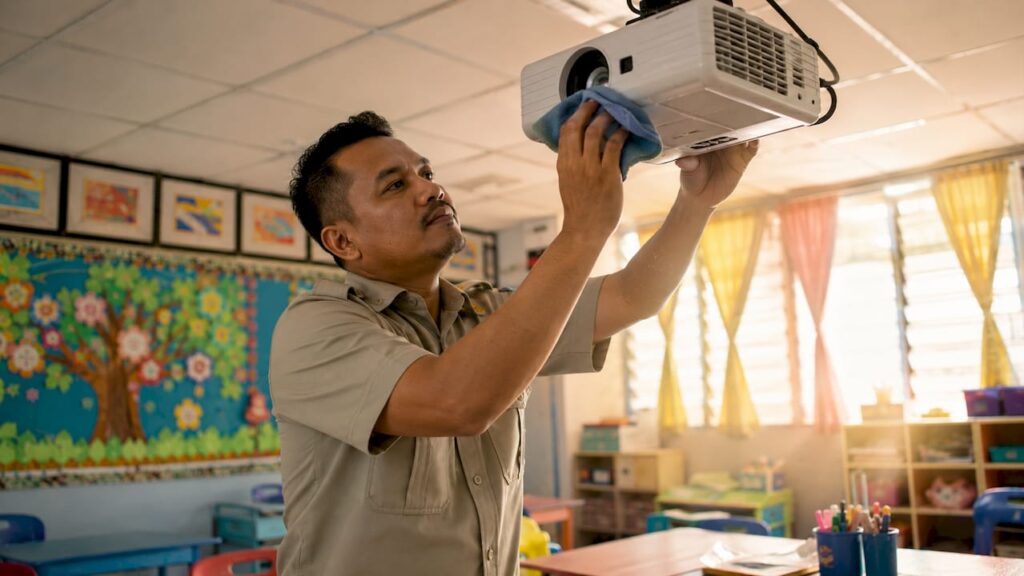
Maintenance for education projectors is defined as the structured practice of cleaning, monitoring, and servicing classroom projection equipment to preserve image quality and prevent device failure. Schools across Malaysia rely on brands like Epson, ViewSonic, BenQ, and Optoma to deliver lessons daily. Without a proactive upkeep plan, a single lamp failure or clogged filter can shut down an entire lesson. The good news is that a consistent projector maintenance checklist, applied monthly and annually, can extend device lifespan by years and eliminate most emergency repair costs before they happen.
What tools do you need for projector maintenance?
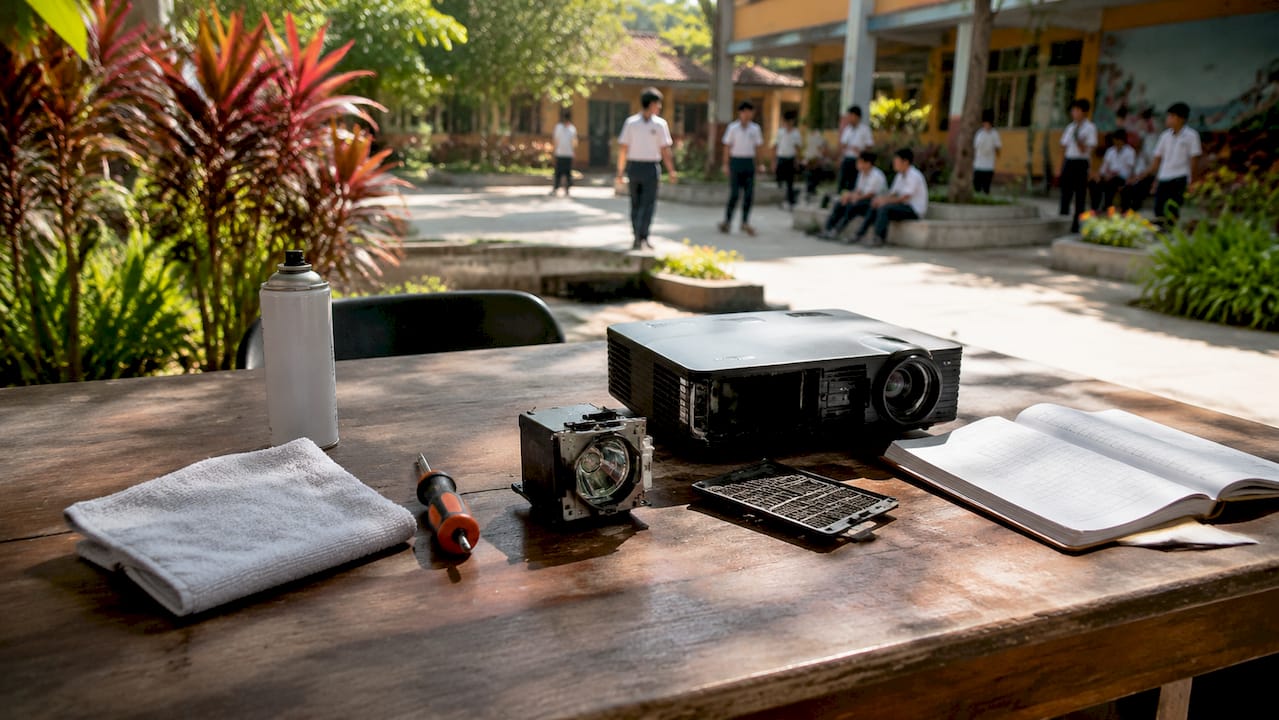
Effective maintenance for education projectors starts with having the right materials on hand. Walking into a maintenance session without proper tools causes more damage than skipping the task entirely.
Core supplies every school should stock:
- Microfiber cloths (lint-free, non-abrasive): used for wiping lens surfaces and exterior casings without scratching optical coatings
- Lens cleaning solution (alcohol-free, specifically formulated for optics): never use household glass cleaner, which leaves residue on coated lenses
- Compressed air canisters or an electric air blower: for clearing dust from vents, filters, and internal cavities without contact
- Replacement air filters: matched to your specific model, whether Epson, BenQ, or Panasonic; generic filters often do not seal correctly
- Replacement lamps or bulbs: keep at least one spare per projector model on site, sourced from a reliable projector lamp Malaysia supplier
- Basic screwdrivers (Phillips and flathead): for accessing filter compartments and lamp housings
- Firmware update documentation: downloaded from the manufacturer's official site and stored on a USB drive
| Tool | Purpose | Replacement Frequency |
|---|---|---|
| Microfiber cloth | Lens and casing cleaning | Every 3 months |
| Air filter | Dust filtration | Every 6 months or per spec |
| Projector lamp/bulb | Light source | At 80% of rated hours |
| Lens cleaning solution | Optical surface care | As needed |
| Compressed air | Vent and cavity clearing | Per cleaning session |
Pro Tip: Label each projector unit with a small asset tag showing its model number, lamp hours at last service, and next scheduled filter check. This takes two minutes to set up and saves hours of guesswork later.
Safety matters too. Always power off the projector and allow it to cool for at least 30 minutes before opening any panel. Lamp housings retain dangerous heat. Touching a hot lamp with bare hands can cause burns and contaminate the bulb surface, shortening its life.
What does a step-by-step projector maintenance routine look like?
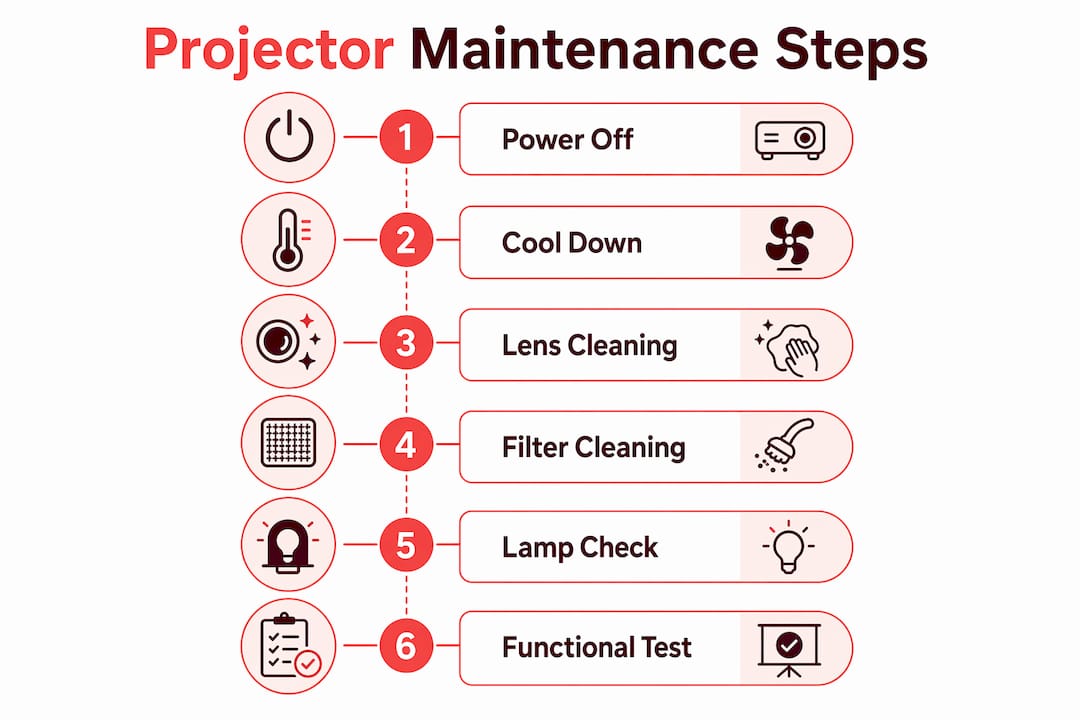
A structured routine is the backbone of good education projector upkeep. Schools that follow a documented schedule report far fewer mid-class failures than those that react only when something breaks.
Monthly tasks:
- Power off the projector and allow it to cool completely.
- Wipe the lens with a microfiber cloth using circular motions from center outward. Apply lens solution sparingly if smudges persist.
- Remove and clean the air filter with compressed air. If the filter is torn or heavily discolored, replace it immediately.
- Clear all ventilation grilles on the projector body using compressed air held at a 45-degree angle.
- Check the lamp hour counter in the projector's settings menu. Log the reading in your maintenance record.
- Inspect all cables, including HDMI and VGA connections, for fraying or loose fittings.
- Confirm the projector powers off correctly using the remote or panel button. Never cut power at the wall socket while the unit is running.
Annual tasks:
- Schedule professional internal servicing for deep cleaning of optical components and internal fans.
- Validate and apply any available firmware updates. Firmware updates fix calibration drift and maintain interactive features on smart projectors.
- Test color accuracy and brightness output against the projector's original specification sheet.
- Replace the lamp if it has reached 80% of its rated operating hours, regardless of whether it still works.
| Maintenance Task | Frequency | Responsible Party |
|---|---|---|
| Lens and filter cleaning | Monthly | Teacher or IT staff |
| Lamp hour check | Monthly | IT staff |
| Vent and cable inspection | Monthly | IT staff |
| Professional internal service | Every 6–12 months | Certified technician |
| Firmware update | Annually | IT manager |
| Lamp replacement | At 80% lamp life | IT staff |
Lamp replacement at 80% capacity eliminates the risk of a lamp shattering mid-class, which is both a safety hazard and a budget emergency. Tracking lamp hours with a manual log or a computerized maintenance management system (CMMS) like UpKeep or Limble CMMS keeps replacement on a predictable schedule.
Pro Tip: Set a recurring calendar reminder in Google Calendar or Microsoft Outlook for the first Monday of each month. Assign it to a specific staff member by name. Unassigned tasks do not get done.
How do projector type and environment affect maintenance needs?
Not all projectors demand the same care schedule. The technology inside and the room it sits in both determine how often you need to act.
Lamp-based projectors (common in older Malaysian school inventories, including many Epson LCD projector and NEC projector models) require the most attention. Lamps degrade gradually, and older lamp-based units need more frequent lamp checks than newer laser units. Budget for lamp replacement every 2,000–4,000 hours depending on the model.
Laser projectors (including models from BenQ, Hisense, and Optoma) carry rated lifespans of 20,000 hours or more. Many administrators assume they are maintenance-free. They are not. Laser and LED projectors still require dust and thermal management, and real-world lifespan depends more on ambient conditions than on the light source rating alone. A laser projector in a dusty, poorly ventilated classroom will fail well before its rated hours.
Malaysian classroom environments add specific challenges. High humidity accelerates corrosion on internal contacts and can cause condensation on optical surfaces. Classrooms near construction sites or in older buildings with poor air filtration see filter clogging two to three times faster than clean environments. Schools in Kuala Lumpur, Johor Bahru, and Penang with air-conditioned rooms generally have better projector longevity than those relying on natural ventilation.
"Dust buildup restricts airflow and raises operating temperatures, directly lowering device lifespan. Proper environmental management, including improved ventilation and suitable storage conditions, reduces projector failure risks significantly." Projector Maintenance Guide, XGIMI
Standardizing projector models across classrooms simplifies spare parts management and staff training. IT managers at schools running a single brand, such as Epson projector Malaysia or Viewsonic projector Malaysia units throughout every room, report a measurably reduced maintenance burden. Mixed inventories mean multiple filter types, multiple lamp SKUs, and multiple firmware portals to manage.
Age-tiered maintenance strategy:
- New units (0–2 years): Monthly cleaning, semi-annual professional check, firmware updates as released
- Mid-life units (2–5 years): Monthly cleaning, quarterly lamp hour review, annual professional service
- Aging units (5+ years): Monthly cleaning, bi-monthly lamp checks, semi-annual professional service, active replacement planning
What are the most common projector maintenance mistakes?
Reactive maintenance is the single biggest mistake in school AV management. It means waiting for a failure before acting. The result is a teacher standing in front of a dark screen, a canceled lesson, and an emergency repair bill that costs three times more than scheduled upkeep.
Other frequent mistakes and how to avoid them:
- Ignoring lamp hour limits: Running a lamp past its rated life risks it shattering inside the housing. Always replace at 80% of rated hours, not when the image dims noticeably.
- Using the wrong cleaning materials: Paper towels, regular glass cleaner, and dry tissues all scratch or leave residue on optical coatings. Use only microfiber and optics-grade solution.
- Skipping firmware updates: Projectors running outdated firmware develop calibration drift, especially on interactive models from Epson or BenQ. Annual firmware validation is part of a complete projector maintenance checklist.
- Cutting power at the wall: Projectors need a proper cool-down cycle after shutdown. Cutting power at the socket while the fan is still running traps heat inside and degrades the lamp and internal components faster.
- Treating all projectors identically: Schools with mixed inventories of lamp-based and laser units cannot apply the same schedule to both. Tiered maintenance by technology type and age is the correct approach.
Basic troubleshooting steps when a projector underperforms:
- Check all cable connections before assuming hardware failure.
- Verify the lamp hour count. A dim image almost always signals a lamp nearing end of life.
- Inspect the air filter. A blocked filter causes overheating, which triggers automatic shutdown.
- Restart the projector and check for firmware update notifications.
- If the image shows color distortion, run the projector's built-in color calibration tool.
Pro Tip: Keep a printed one-page troubleshooting guide taped inside the projector cabinet or AV closet. Teachers who can resolve a loose cable or a filter warning themselves save IT staff hours every semester.
Key takeaways
Proactive, scheduled maintenance for education projectors is the most cost-effective strategy Malaysian schools can adopt to protect their AV investment and keep classrooms running without disruption.
| Point | Details |
|---|---|
| Replace lamps at 80% life | Schedule replacement before failure to avoid mid-class emergencies and safety risks. |
| Clean filters monthly | Blocked filters raise operating temperatures and shorten projector lifespan significantly. |
| Apply firmware updates annually | Firmware validation prevents calibration drift and keeps interactive features working correctly. |
| Standardize projector models | Using one brand across classrooms reduces spare parts complexity and staff training time. |
| Match maintenance to projector type | Laser units still need dust and thermal checks; lamp-based units need more frequent lamp monitoring. |
What i've learned after years of watching schools get this wrong
Most schools I've worked with treat projector maintenance the way people treat car oil changes: they know they should do it, they intend to schedule it, and then a semester passes without anyone touching the filter. The projector dims. A teacher complains. IT scrambles. The lamp blows during an exam week.
The fix is not complicated. It is organizational. The schools that get this right assign a named person to each projector, log every service action in a shared spreadsheet or CMMS, and treat lamp replacement as a budget line item rather than a surprise expense. That shift from reactive to proactive cuts emergency repair calls dramatically.
I also think the industry undersells the value of teacher involvement. A teacher who knows how to check the lamp hour counter and wipe the lens monthly is an asset. Training takes 15 minutes. The payoff is a device that lasts two to three years longer than it would under IT-only care.
One more thing: if your school is still running lamp-based projectors from brands like NEC or Infocus that are more than six years old, the math on laser projector replacement is better than most administrators realize. The upfront cost of a BenQ or Optoma laser unit looks steep. But when you factor in zero lamp replacement costs, lower filter maintenance frequency, and fewer emergency service calls, the total cost of ownership over five years often favors the laser unit. You can explore the future of projectors in Malaysian classrooms to see how the technology is shifting and why now is a smart time to plan that transition.
— Projector
Get the right projectors and support for your school
Malaysian educators and school administrators deserve reliable classroom technology backed by real support, not just a product listing.

Projectordisplay is Malaysia's trusted projector seller, stocking a full range of classroom-ready projectors from Epson, BenQ, ViewSonic, Optoma, Panasonic, and more. Whether you need a replacement projector lamp Malaysia, a new air filter kit, or guidance on upgrading from an aging LCD projector to a laser unit, the team at Projectordisplay can help. Browse the full catalog at Projectordisplay.com or reach out via WhatsApp for a tailored recommendation. Fast shipping across Peninsular Malaysia means your classroom is never down for long.
FAQ
How often should school projectors be professionally serviced?
Professional servicing every 6–12 months is recommended for high-use school environments. This covers internal cleaning, fan inspection, and firmware validation that routine staff cleaning cannot address.
When should a projector lamp be replaced?
Replace projector lamps at 80% of their rated operating hours. This prevents mid-class lamp failure and eliminates the safety risk of a lamp shattering inside the housing.
Do laser projectors need maintenance?
Yes. Laser projectors require regular dust and thermal management despite their long rated lifespans. Ambient conditions like dust and humidity affect laser units just as they affect lamp-based models.
What is the most common cause of projector overheating in classrooms?
A clogged air filter is the leading cause of projector overheating. Dust buildup blocks airflow, raises internal temperatures, and triggers automatic shutdown, which disrupts lessons and accelerates hardware wear.
Can teachers perform basic projector maintenance themselves?
Yes. Teachers can safely clean the lens with a microfiber cloth, check lamp hour readings, and clear visible dust from vents. A 15-minute training session is enough to cover these tasks and meaningfully extend device lifespan between IT service visits.
Recommended
- Interactive Projectors for Schools: Malaysia Educator's Guide – Projector Display
- Multi-Purpose Projectors for Schools: 2026 Educator's Guide – Projector Display
- Best Projector for Teachers 2025: Top Choices in Malaysia – Projector Display
- Best projectors for remote learning in Malaysian classrooms – Projector Display