
TL;DR:
- HDMI versions indicate maximum feature sets but do not guarantee support for all capabilities in a projector.
- For reliable 4K streaming and future-proof setups, verify HDCP version support alongside HDMI specifications, not just the version number.
Picking a projector in Malaysia often comes down to one number on the spec sheet: the HDMI version. Buyers assume HDMI 2.1 automatically delivers better picture, smoother gaming, and flawless 4K streaming. The reality is more complicated. HDMI versions represent a ceiling of possible features, not a guarantee that every capability is actually built into the device. Understanding this distinction can save you from an expensive, frustrating purchase before your first movie night or classroom presentation.
Table of Contents
- What do HDMI versions actually mean for projectors?
- HDMI 1.4, 2.0, and 2.1: Key differences for Malaysian AV setups
- HDCP compliance: The hidden factor in streaming quality
- How to choose the right HDMI projector for your AV needs in Malaysia
- Why HDMI version confusion persists—and how savvy buyers get it right
- Get expert help for HDMI projector decisions in Malaysia
- Frequently asked questions
Key Takeaways
| Point | Details |
|---|---|
| HDMI versions are feature sets | Projector HDMI version numbers indicate maximum possible features but may not guarantee every feature. |
| HDCP is crucial for 4K streaming | Protected streaming requires HDCP-compliant projectors alongside correct HDMI versions. |
| Check actual specs, not just versions | Verify both HDMI version and HDCP support in your projector's input specifications. |
| Cable speed matters | Choose the right cable speed rating (Ultra High Speed for HDMI 2.1) to match projector capabilities. |
| Practical selection for Malaysia | Apply these checks to confidently choose projectors for home, business, or classroom AV setups in Malaysia. |
What do HDMI versions actually mean for projectors?
Here is the misconception that trips up most buyers: seeing "HDMI 2.0" on a projector box feels like a stamp of approval for everything that version offers. It is not. Think of an HDMI version like a restaurant menu. The menu lists every dish available, but the kitchen only serves what the chef decides to prepare that day.
As HDMI documentation confirms, HDMI versions are best understood as the maximum feature set a projector can accept, not a guarantee that every feature within that generation is supported. A projector labeled HDMI 2.0 may skip HDR support, omit certain audio formats, or cap refresh rates well below what the version technically allows.
The key insight: When you read "HDMI 2.0" on a projector spec sheet, you are reading a ceiling, not a floor. Always cross-check which specific features the manufacturer has actually enabled.
This matters enormously for Malaysian buyers because the local market carries a wide mix of projectors at varying price points, from budget classroom units to premium home theater setups. Without knowing this distinction, you might overpay for a version number that delivers little practical benefit in your situation.
What is reliable? Cable speed ratings. Rather than version numbers, HDMI logo meaning comes down to the cable's rated bandwidth:
- Standard Speed: Works for 1080i and basic HD signals
- High Speed: Handles 1080p, 4K at limited frame rates, HDR basics
- Ultra High Speed: Required for HDMI 2.1's full 48Gbps bandwidth, 4K at 120fps, 8K support
Cables carry a fixed speed rating that does not lie. The HDMI input effects on your picture quality depend heavily on whether your cable's bandwidth matches what your source device is sending. A cable mismatch alone can downgrade a perfectly spec'd projector.
HDMI 1.4, 2.0, and 2.1: Key differences for Malaysian AV setups
Let's compare the three versions you will encounter most often in Malaysia's projector market. Each version opened new doors for AV setups, but the differences are not always as dramatic as marketing materials suggest.
| Feature | HDMI 1.4 | HDMI 2.0 | HDMI 2.1 |
|---|---|---|---|
| Max resolution | 1080p / 4K@30fps | 4K@60fps | 8K@60fps / 4K@120fps |
| Max bandwidth | 10.2 Gbps | 18 Gbps | 48 Gbps |
| HDR support | No | Yes (basic) | Yes (advanced) |
| Audio return channel | Basic ARC | ARC | eARC (enhanced) |
| Variable refresh rate | No | No | Yes (VRR) |
| Typical use case | Older projectors, PowerPoint | Home cinema, 4K streaming | Gaming, future-proof setups |
HDMI 1.4 remains common on budget projectors sold in Malaysia. For business presentations, PowerPoint slides, and standard video playback, it does the job. Where it falls short is 4K content and any streaming platform that needs HDCP 2.2 compliance. If your office runs a lot of video from streaming services, 1.4 may block you.
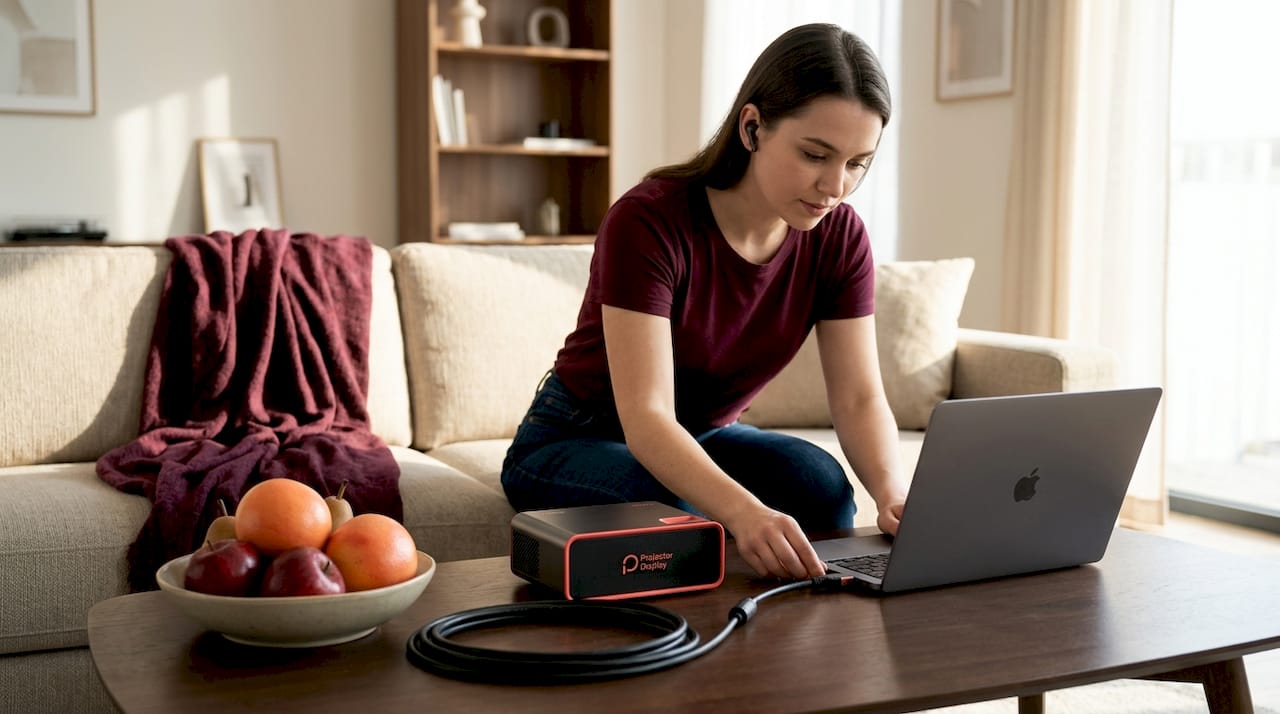
HDMI 2.0 is the sweet spot for most Malaysian home theater buyers today. It supports 4K at 60fps, handles HDR, and is widely paired with HDCP 2.2 on quality projectors. Some high-end projectors even combine HDMI 2.0 and HDMI 2.1 ports on the same unit to serve different source devices at their best capability.
HDMI 2.1 is where things get exciting for gamers and forward-looking buyers. Variable Refresh Rate (VRR) eliminates screen tearing in fast games. Enhanced Audio Return Channel (eARC) supports lossless Dolby Atmos. The full HDMI input guide explains how these features interact with your source devices. For a classroom or boardroom, HDMI 2.1 is honestly overkill in 2026. For a home gaming projector setup, it is increasingly worth it.
Key takeaways for Malaysian AV setups:
- Home theater users: Prioritize HDMI 2.0 with confirmed HDCP 2.2 over bare version numbers
- Business and education: HDMI 1.4 or 2.0 covers all presentation needs; focus budget on lumens instead
- Gamers and enthusiasts: HDMI 2.1 matters, but verify VRR and refresh rates in the spec sheet, not just the version label
Curious about how HDMI stacks up against older connections? The HDMI vs VGA comparison breaks down exactly where the digital advantage pays off for modern Malaysian setups. For a broader look at what HDMI does inside a projector, the HDMI functions guide is worth bookmarking.
HDCP compliance: The hidden factor in streaming quality
HDCP stands for High-bandwidth Digital Content Protection. It is the digital lock that streaming services and Blu-ray players use to prevent unauthorized copying of their content. When a streaming app like Netflix or Disney+ sends 4K content, it first checks whether the receiving device has the right HDCP key. If your projector does not have HDCP 2.2 or higher, the stream drops to 1080p or refuses to play entirely.
Many 4K projectors explicitly list HDCP 2.2 in their spec sheets alongside the HDMI generation because manufacturers know buyers need both pieces of information. Seeing "HDMI 2.0" without "HDCP 2.2" is a red flag for anyone planning to stream 4K content.
How to verify HDCP support when shopping:
- Open the projector's official spec sheet, not just the product listing description
- Navigate to the "I/O" or "Connectivity" section
- Look for HDCP listed next to each HDMI port, noting the version number (2.2 is the current standard for 4K)
- If HDCP is absent from the spec sheet, contact the seller or manufacturer directly before buying
- Test with your actual streaming device after purchase; some platforms require HDCP handshakes to be verified in real conditions
| HDCP version | Content support | Common on |
|---|---|---|
| HDCP 1.4 | Full HD, no 4K protection | Older projectors, basic displays |
| HDCP 2.2 | 4K UHD streaming and Blu-ray | Modern HDMI 2.0/2.1 projectors |
| HDCP 2.3 | 4K+ with improved security | Newest high-end projectors |
Pro Tip: When verifying projector connectivity options, always request the full datasheet PDF from the retailer. Product pages often omit HDCP details that are clearly listed in manufacturer documentation.
As HDMI documentation reinforces, planning a home theater or educational AV system requires checking both HDMI generation and HDCP support together. Protected 4K playback depends on HDCP compliance first, and resolution capability second. Understanding the full range of video input types your projector supports also helps you plan for future source devices without unnecessary upgrades.
How to choose the right HDMI projector for your AV needs in Malaysia
Now that you understand versions, cables, and HDCP, here is how to put it all together when shopping for a projector in Malaysia.
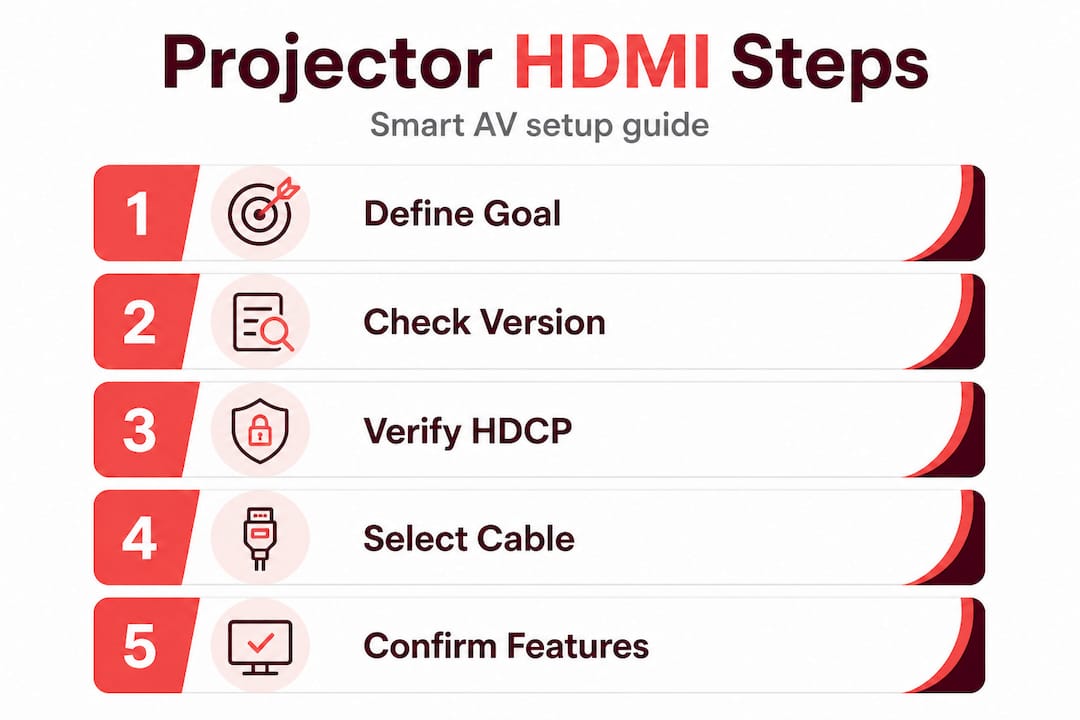
Step 1: Define your AV goal clearly
A school teacher in Petaling Jaya streaming YouTube educational videos has completely different needs from a Kuala Lumpur cinephile running 4K Blu-ray. Write down your primary use case before touching a spec sheet.
Step 2: Match HDMI version to your content source
- Laptop HDMI output for presentations? HDMI 1.4 or 2.0 is sufficient
- Streaming box or media player for 4K Netflix? You need HDMI 2.0 with HDCP 2.2
- Gaming console like PS5 or Xbox Series X? Look for HDMI 2.1 with VRR support
Step 3: Verify HDCP level in the spec sheet
Do not skip this. As noted above, HDMI version numbers do not guarantee all features. A projector advertised as "4K ready" may still lack HDCP 2.2, which blocks streaming apps from delivering 4K resolution.
Step 4: Choose the right cable speed rating
- Standard Speed cable for 1080p signals
- High Speed cable for 4K@30fps and basic HDR
- Ultra High Speed cable (48Gbps rated) for HDMI 2.1 and anything above 4K@60fps
Pro Tip: Buy cables rated for the next step above your current needs. If you have an HDMI 2.0 projector today, pick up High Speed cables. When you upgrade to HDMI 2.1, your cables are ready. Cable upgrades are cheap. Projector upgrades are not.
Step 5: Confirm actual feature support, not just version labels
Call or WhatsApp the retailer. Ask specifically: "Does this projector support VRR?" or "Is HDCP 2.2 active on all HDMI ports or just port one?" These are questions that reveal whether the sales team actually knows the product.
A good home theater projector setup always starts with this kind of detailed spec verification. Malaysian buyers who skip this step often discover the gap between "version number" and "actual performance" only after the projector is mounted on the ceiling.
Here is a quick checklist before purchasing:
- Confirmed HDMI version for each port
- Confirmed HDCP version for each port
- Cable speed rating matched to the projector's bandwidth needs
- Source device compatibility verified (streaming box, laptop, console)
- Maximum supported resolution and refresh rate documented
Why HDMI version confusion persists—and how savvy buyers get it right
Here is an uncomfortable truth about the projector industry: version number marketing benefits sellers, not buyers. A product listing that says "HDMI 2.1" triggers an emotional response. It sounds advanced. It sounds future-proof. Retailers know this and lean on it. The actual HDMI specification makes clear that version numbers describe feature ceilings, yet most product pages bury this distinction in fine print that no one reads.
We see this pattern repeatedly in the Malaysian market. A buyer purchases a projector because it lists "HDMI 2.1" and expects gaming-grade refresh rates, only to discover the specific VRR or 4K@120fps features were never implemented. The version label was technically accurate. The buyer's assumption was not.
The savvy approach is to think like an AV installer rather than a casual shopper. Installers never trust version numbers alone. They pull full datasheets, cross-reference port-by-port specifications, and test with actual source devices. They ask detailed questions about HDCP handshaking because they have seen expensive setups fail because one device in the chain lacked the right content protection key.
Malaysian buyers also benefit from understanding regional differences in projector models. Sometimes the same projector model ships with slightly different firmware or port configurations for different markets. The unit sold in Malaysia may not have identical HDMI feature activation as the European or American version, even if the box looks identical. Checking with HDMI vs VGA insights across different display technologies also sharpens your eye for what these specs actually mean in practice.
The bottom line: version hunting is a losing strategy. Feature hunting wins every time. Ask for HDCP version. Ask for confirmed VRR support. Ask for maximum refresh rate per resolution. These are the questions that separate satisfied buyers from disappointed ones.
Get expert help for HDMI projector decisions in Malaysia
You now have the knowledge to evaluate any projector's HDMI specs with confidence. Putting that knowledge to work with the right product choices is the next step.

At ProjectorDisplay.com, Malaysia's dedicated projector specialists, we stock projectors with verified HDMI and HDCP specifications across every category: home theater, business, gaming, and classroom. Our team knows the difference between a version label and actual feature support, and we will tell you exactly what each port delivers before you buy. Explore our projector installation tips to set up your unit correctly from day one, and check out Malaysian classroom projector trends if you are equipping an educational space. Fast shipping across Peninsular Malaysia and WhatsApp support make the entire process straightforward.
Frequently asked questions
Do HDMI version numbers guarantee all features for projectors?
No, HDMI version numbers indicate the maximum possible feature set, but actual feature support depends entirely on what the projector manufacturer chose to implement in that specific model.
Why is HDCP important for streaming 4K content to a projector?
HDCP acts as a digital handshake that streaming platforms require before delivering protected 4K content. Without HDCP 2.2 compliance, most 4K streaming apps will downgrade the resolution or refuse playback entirely.
How do I check if my projector supports the correct HDMI version and HDCP?
Download the full spec sheet PDF for your projector model and look in the I/O or connectivity section, where HDMI inputs are listed alongside their specific HDCP version per port.
Which HDMI cable should I use for my projector?
Match the cable speed rating to your projector's actual bandwidth needs. Ultra High Speed cables rated at 48Gbps are required for full HDMI 2.1 performance, while High Speed cables handle most HDMI 2.0 use cases reliably.
Recommended
- HDMI vs VGA Projector: Best Choice for Malaysia 2025 – Projector Display
- Apa Itu Input HDMI – Kesan Pada Pengalaman Projekor – Projector Display
- Wifi vs HDMI untuk Projektor: Pilihan Terbaik di Malaysia – Projector Display
- Apakah HDMI pada Projektor: Fungsi & Kegunaan Terkini 2025 (Repost) – Projector Display