
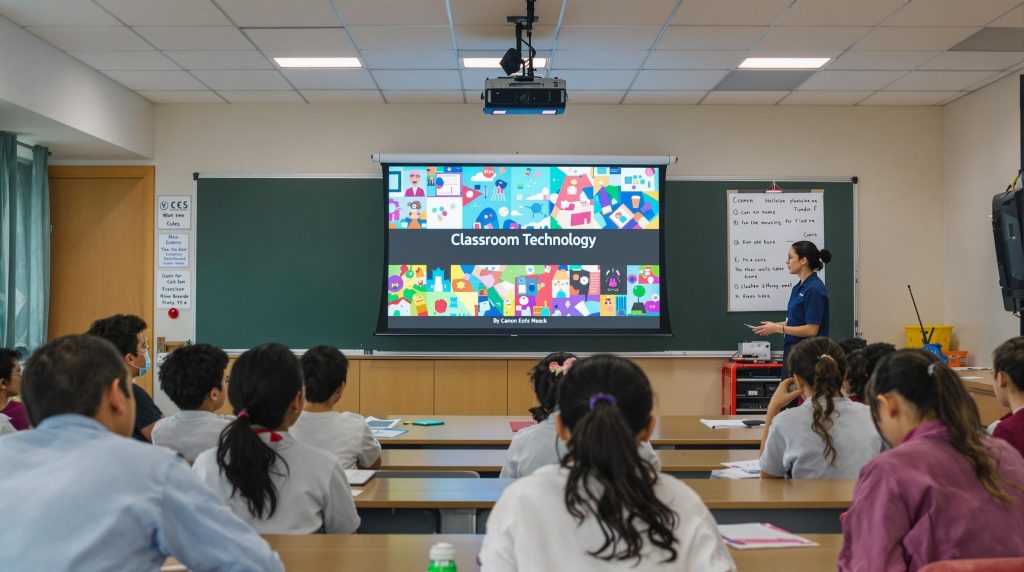
Teachers across Malaysia are rethinking how classroom visuals can spark curiosity and help students grasp tough topics. Some still assume all projectors are basically the same, just point and play. The reality is modern models offer game-changing features and now BenQ projectors can save up to 60% more energy compared to traditional Eco Mode and deliver up to 4,000 ANSI Lumens of brightness. That means choosing the right projector is not about the fanciest display but about making every seat in the room the best seat and giving educators more ways to connect.
Table of Contents
- Key Features To Consider For Teachers
- Top Projector Models For Classrooms In Malaysia
- Expert Tips For Choosing The Right Projector
- Essential Setup And Maintenance Advice
Quick Summary
| Takeaway | Explanation |
|---|---|
| Prioritize projectors with 3000 lumens or more | High brightness ensures visibility in various classroom lighting conditions, improving student engagement and learning outcomes. |
| Choose models with diverse connectivity options | Look for projectors that support wireless, HDMI, VGA, and USB connections to facilitate seamless integration with multiple devices. |
| Invest in energy-efficient technology | Select models like BenQ's SmartEco for reduced operational costs and sustainability benefits, supporting long-term educational investment. |
| Consider classroom-specific environmental factors | Match projector specifications to ambient light and room size to optimize performance and ensure visibility from all student seats. |
| Establish a routine maintenance plan | Regularly clean filters, manage bulb usage, and consider professional servicing to extend projector lifespan and ensure consistent performance. |

Key Features to Consider for Teachers
Selecting the right projector for educational settings requires careful consideration of multiple critical factors that directly impact teaching effectiveness and student engagement. Teachers need projection technology that goes beyond simple image display and becomes an interactive learning tool.
Brightness and Image Quality for Classroom Environments
In classroom settings, projector brightness is paramount. The U.S. Department of Education's EdTech Developer's Guide emphasizes that high contrast ratio and lumens are essential for maintaining visual clarity across different lighting conditions. Educators should prioritize projectors with at least 3000 lumens, which ensures clear visibility even in rooms with ambient light or larger classroom spaces.
Key considerations for image quality include:
- Resolution: Minimum full HD (1920×1080) for crisp text and graphics
- Contrast Ratio: Higher ratios improve image definition
- Color Accuracy: Critical for detailed visual presentations
Connectivity and Compatibility
Modern teaching demands seamless technology integration. Projectors must support multiple connection options to accommodate various devices and teaching styles. Research from the U.S. Department of Education highlights the importance of versatile connectivity for creating inclusive learning environments.
Essential connectivity features include:
- Wireless Mirroring: Screen sharing from laptops, tablets, and smartphones
- HDMI and VGA Ports: Support for traditional and modern display interfaces
- USB Connectivity: Direct media playback and device charging
- Network Integration: Easy connection to school IT infrastructure
Accessibility and Interactive Learning Support
Projectors are no longer just display devices but interactive learning tools. Teachers should seek technologies that support diverse learning needs and facilitate dynamic classroom interactions. Accessibility features ensure that all students can engage with multimedia content effectively.
Recommended accessibility attributes:
- Adjustable Display Size: Accommodate different classroom dimensions
- Built in Speakers: Clear audio for multimedia presentations
- Keystone Correction: Flexible mounting and positioning
- Compatible with Assistive Technologies: Supporting diverse learning requirements
By carefully evaluating these key features, educators can select projectors that transform traditional teaching methods, creating more engaging, interactive, and inclusive learning experiences. The right projection technology becomes a powerful tool for communicating complex ideas, stimulating student interest, and supporting diverse learning styles.
Top Projector Models for Classrooms in Malaysia
Educational technology in Malaysia continues to evolve, with projectors playing a crucial role in transforming classroom learning experiences. Teachers seeking optimal projection solutions must carefully evaluate models that offer superior performance, durability, and interactive capabilities.
High Performance Classroom Projectors
Epson's education projector lineup stands out with remarkable features designed specifically for educational environments. Their 3LCD technology delivers vibrant visuals across expansive screen sizes up to 310 inches, ensuring students can clearly view instructional content from any classroom location. Notably, these projectors offer finger-touch and dual-pen interactivity, enabling more dynamic and engaging teaching methods.
ViewSonic presents another compelling option with their high brightness education projectors. According to their technical specifications, these models can deliver up to 8,500 ANSI Lumens with an impressive 0.25 to 0.49 throw ratio. This configuration minimizes classroom shadows and glare, creating optimal viewing conditions for students.

Energy Efficient and Smart Projection Solutions
BenQ emerges as a leader in smart educational projection technology. Their SmartEco technology represents a significant advancement in projector efficiency. Research from BenQ demonstrates that their projectors can save up to 60% more energy compared to traditional Eco Mode, with laser technology offering an additional 23% energy reduction compared to mercury lamp models.
Key models like the BenQ EH700 provide exceptional brightness at 4,000 ANSI Lumens, making them ideal for various classroom sizes and lighting conditions. These energy-efficient solutions not only reduce operational costs but also support sustainable educational practices.
Advanced Interactive Features
Modern classroom projectors transcend traditional display technologies. Teachers should look for models offering:
- Wireless screen mirroring capabilities
- Built in speakers with clear audio output
- Multiple connectivity options including HDMI and USB
- Short throw capabilities to minimize presenter obstruction
- Integrated annotation and interactive teaching tools
For comprehensive guidance on selecting the perfect classroom projector in Malaysia, explore our detailed 2025 classroom projector installation guide. This resource provides in-depth insights into matching projector specifications with specific educational requirements.
While individual model preferences may vary, prioritizing brightness, interactivity, energy efficiency, and robust connectivity will ensure educators select projection technology that genuinely enhances learning experiences. The right projector becomes more than a display device—it transforms into an interactive educational tool that engages students and supports diverse teaching methodologies.
Expert Tips for Choosing the Right Projector
Selecting the perfect projector requires strategic consideration beyond basic technical specifications. Educators must approach projection technology as an investment in educational quality, understanding how specific features translate into classroom effectiveness.
Assessing Classroom Environmental Conditions
Research from WestEd emphasizes the critical importance of matching projector capabilities to specific classroom environments. Lighting conditions, room dimensions, and typical screen placement significantly impact projection performance. Teachers should conduct a comprehensive environmental assessment before making a purchase.
Key environmental factors include:
- Ambient Light Levels: Measure room brightness to determine required lumens
- Room Depth: Calculate throw distance and projection angle
- Wall/Screen Color: Consider surface reflectivity and color temperature
- Typical Student Seating Arrangement: Ensure visibility from multiple viewing angles
Below is a table summarizing key environmental factors and their impact on projector selection:
| Environmental Factor | Impact on Projector Selection |
|---|---|
| Ambient Light Levels | Higher lumens needed for brighter rooms |
| Room Depth | Determines required throw distance and projector placement |
| Wall/Screen Color | Affects image brightness and color accuracy |
| Typical Student Seating Arrangement | Influences viewing angles and display size requirements |
Budget and Long Term Value Considerations
Budget constraints should not compromise educational technology quality. Experienced educators recommend evaluating projectors through a total cost of ownership perspective. This approach considers initial purchase price, maintenance expenses, energy consumption, and potential replacement costs.
Strategic budgeting recommendations:
- Prioritize Durability: Select models with robust construction
- Evaluate Warranty Coverage: Comprehensive manufacturer support
- Calculate Energy Efficiency: Lower operational costs over time
- Consider Replacement Part Availability: Minimal downtime for repairs
Technical Compatibility and Future Proofing
Technology evolution demands forward thinking projector selection. Learn more about matching projector specifications to educational needs with our comprehensive guide that helps educators make informed decisions.
Critical compatibility considerations include:
- Network Integration: Seamless connection with school IT infrastructure
- Input Versatility: Multiple connection options (HDMI, USB, Wireless)
- Software Ecosystem: Support for interactive teaching platforms
- Firmware Update Capabilities: Ongoing performance improvements
Below is a checklist table to help ensure your chosen projector covers key compatibility and future-proofing needs:
| Feature/Requirement | Present in Model? (Yes/No/Needs Verification) |
|---|---|
| Network Integration | |
| Input Versatility | |
| Software Ecosystem Support | |
| Firmware Update Capability |
Successful projector selection transcends technical specifications. It requires understanding how technology can transform educational experiences, creating dynamic, engaging learning environments that inspire students and support diverse teaching methodologies. Educators who approach projector procurement as a strategic educational investment will ultimately provide more impactful and interactive classroom experiences.
Essential Setup and Maintenance Advice
Projectors represent significant educational investments that require meticulous setup and ongoing maintenance to ensure optimal performance and longevity. Teachers and educational institutions must adopt systematic approaches to projector care that maximize technology effectiveness and minimize potential disruptions.
Initial Projector Placement and Configuration
Research from professional education technology sources emphasizes the critical importance of strategic projector placement. Proper positioning involves multiple considerations beyond simple visual alignment.
Key placement guidelines include:
- Stable Mounting: Use robust mounting solutions that prevent vibration
- Ventilation Considerations: Ensure minimum 12 inches of clear airspace around device
- Ambient Temperature: Maintain room temperature between 50 60 degrees Fahrenheit
- Cable Management: Organize connections to prevent accidental disconnections
- Screen Alignment: Achieve precise perpendicular projection for maximum clarity
Routine Maintenance and Performance Optimization
According to maintenance experts from thejournal.com, regular maintenance significantly extends projector operational life. Understanding critical maintenance protocols can prevent premature equipment failure and reduce long term operational costs.
Essential maintenance practices include:
- Filter Cleaning: Remove dust accumulation every 3 6 months
- Bulb Management: Monitor usage hours and replace proactively
- Eco Mode Utilization: Activate energy saving modes to extend component lifespan
- Input Signal Verification: Regularly confirm connection stability
Below is a table outlining the recommended maintenance tasks and suggested frequency:
| Maintenance Task | Recommended Frequency |
|---|---|
| Filter Cleaning | Every 3–6 months |
| Bulb Replacement | As usage hours approach limit |
| Eco Mode Utilization | Ongoing/whenever possible |
| Input Signal Verification | Regularly/each setup |
Professional Care and Long Term Preservation
While routine maintenance can be performed internally, educators should consider professional servicing to ensure comprehensive equipment preservation. Annual professional inspections can identify potential issues before they escalate into costly repairs.
Recommended professional maintenance steps:
- Comprehensive Diagnostic Checks: Assess internal component health
- Calibration Services: Ensure optimal projection accuracy
- Thermal System Evaluation: Check cooling mechanisms
- Software and Firmware Updates: Install latest performance enhancements
Effective projector management transcends basic operational protocols. It requires a holistic approach combining technical knowledge, proactive maintenance, and strategic investment in equipment preservation. By implementing these comprehensive care strategies, educators can transform projectors from mere display devices into reliable, long lasting educational tools that consistently deliver high quality multimedia experiences.
Ultimately, the goal is not just maintaining equipment but creating seamless technological environments that support dynamic, engaging learning experiences. Thoughtful setup, diligent maintenance, and strategic technological planning ensure that projection systems remain powerful educational assets throughout their operational lifecycle.
Frequently Asked Questions
What features should teachers look for in a projector?
Teachers should prioritize projectors with at least 3000 lumens for brightness, full HD resolution, multiple connectivity options (like HDMI and USB), and interactive capabilities that support diverse learning styles and accessibility.
How important is brightness in a classroom projector?
Brightness is crucial in a classroom projector as it ensures visibility in various lighting conditions. A projector with at least 3000 lumens provides clear images, enhancing student engagement and learning outcomes.
What are the benefits of energy-efficient projectors?
Energy-efficient projectors, like those featuring BenQ's SmartEco technology, can save up to 60% more energy compared to traditional models. This reduces operational costs and supports sustainable practices in educational settings.
How can I maintain my classroom projector for optimal performance?
To maintain a projector, regularly clean the filters every 3-6 months, monitor and manage bulb usage, utilize eco modes for energy savings, and perform routine checks on input signals to ensure stable connections.
Transform Your Classroom Presentations with the Right Tools
Teachers in Malaysia face a real challenge when choosing projectors that ensure every student can see and hear clearly, regardless of classroom lighting or layout. As covered in this article, you need high brightness, reliable connectivity, and energy efficiency—all to help create interactive and engaging lessons. But even the best projector needs the right supporting equipment to unlock its full potential.

Upgrade your teaching environment today. Browse our Projector Screen collection to pair your new projector with a high-quality screen that guarantees sharp images in any classroom. For robust sound, explore our Sound Systems designed to make sure every student can hear your message. Visit ProjectorDisplay.com now for trusted technology, quick shipping within Malaysia, and friendly expert support. Give your students the learning experience they deserve—shop now while stocks last.